dsh-goal-planner



目标驱动的每日任务计划器(DeepSeek Harness 插件):多目标任务数据 + Web 端「目标计划」预览面板,与微信提醒推送链路共享同一份数据文件。
Goal-driven daily task planner for DeepSeek Harness: multi-goal task data plus a daily preview panel in the Web GUI, sharing one data file with the WeChat reminder pipeline.
功能 / Features
- 🎯 多目标 / Multi-goal:
goals[] 支持并行多个目标(每个目标独立截止日期),新目标不覆盖旧目标 / parallel goals with independent deadlines; adding a new goal never overwrites existing ones
- 📅 每日预览 / Daily preview:设置 → 目标计划 面板,按日期翻页查看每一天的任务 / open Settings → Goal Planner and page through every day's tasks
- ✅ 一键完成 / One-click done:面板里直接勾选任务完成/恢复,数据即时落盘 / toggle tasks done/todo in the panel; changes persist immediately
- 🔌 与推送链路共享数据 / Shared data:
tasksPath 配置指向现有 tasks.json,即可与 push-daily.mjs + dsh-automation 的每晚微信推送共用同一份数据 / point tasksPath at an existing tasks.json to share it with the nightly WeChat push pipeline (push-daily.mjs + dsh-automation)
- 🔒 Loopback 安全 / Loopback only:HTTP API 仅允许 127.0.0.1 访问 / the HTTP API accepts loopback requests only
界面预览 / Screenshots
设置侧边栏入口 / Settings entry(设置 → 目标计划 / Settings → Goal Planner):

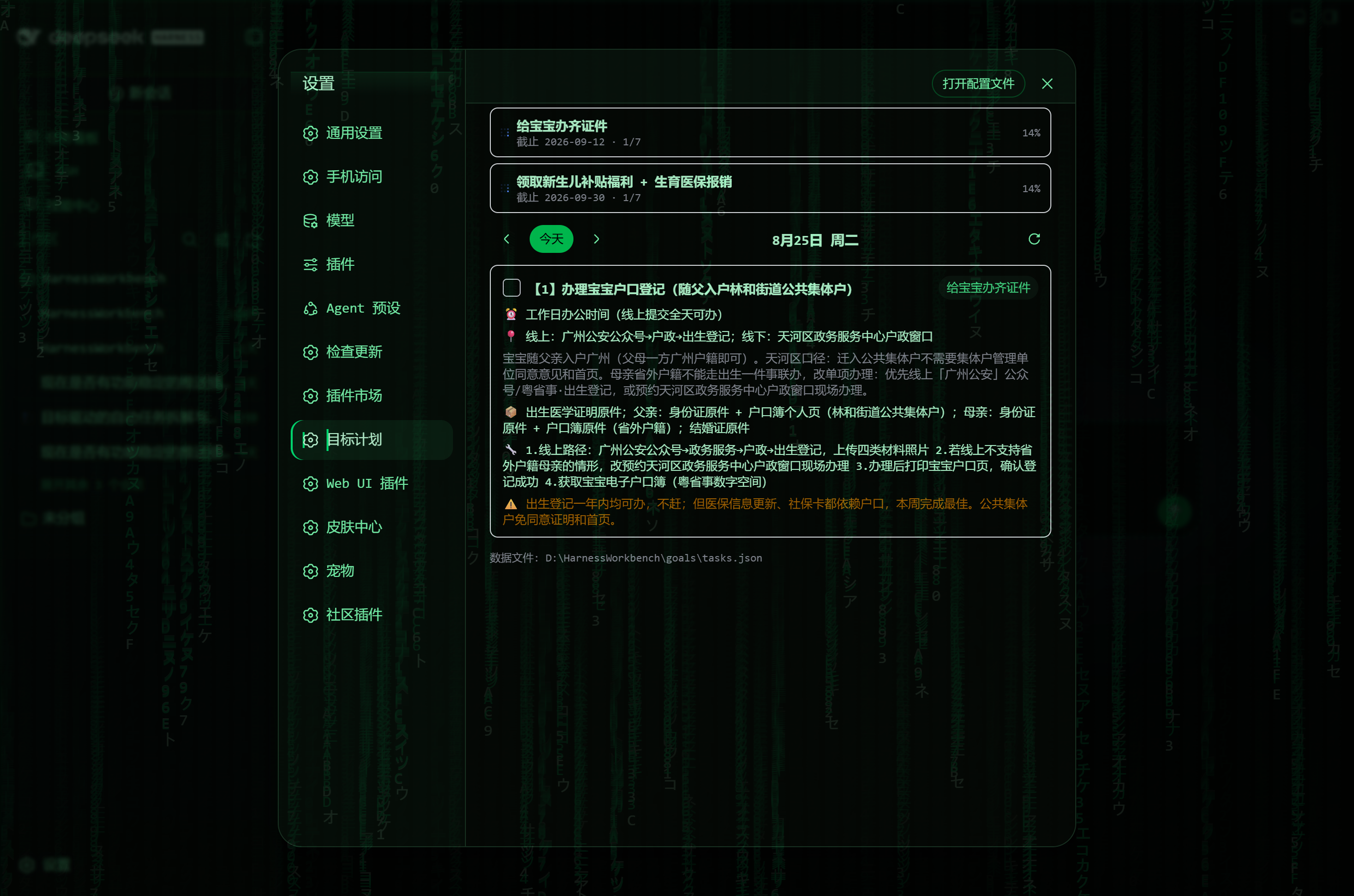
今日任务面板(目标概览 + 日期导航 + 任务卡片)/ Today's panel (goal overview + date navigation + task cards):
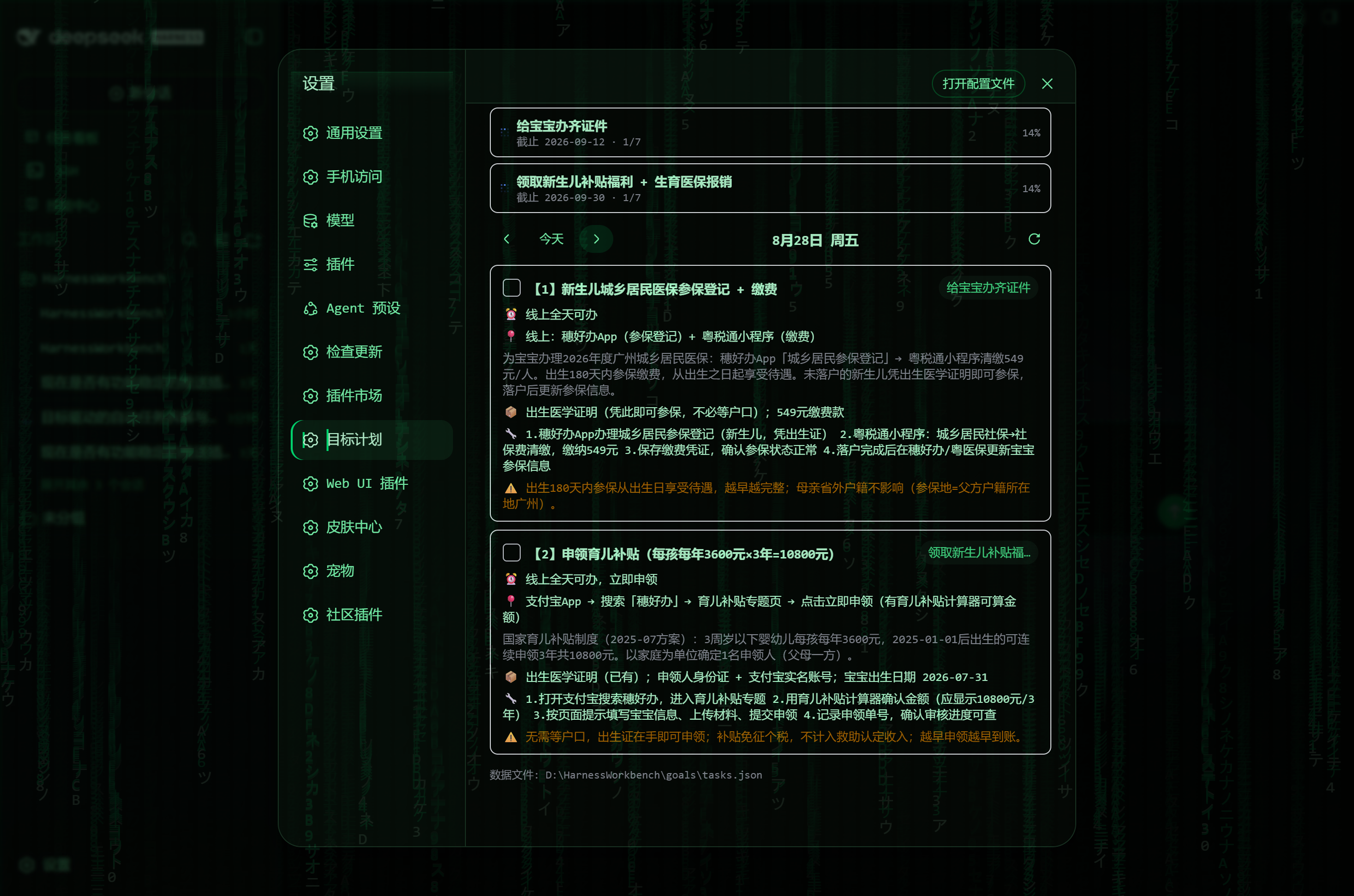
多任务日期(同一天多个任务依次排列,可一键勾选完成)/ A multi-task day (several tasks listed together, one-click done toggle):
数据模型 / Data model
{
  "updatedAt": "2026-08-24",
  "goals": [
    { "id": "G1", "title": "给宝宝办齐证件", "deadline": "2026-09-12", "note": "背景备注(可选)" }
  ],
  "tasks": [
    {
      "id": "T01",
      "goalId": "G1",
      "title": "任务标题",
      "detail": "做什么、做到什么程度算完成",
      "time": "具体时间/时段",
      "location": "地点/线上入口",
      "materials": ["要准备的材料"],
      "steps": ["步骤 1"],
      "note": "注意事项",
      "dueDate": "2026-08-25",
      "status": "todo | doing | done"
    }
  ]
}
字段说明 / Field notes:title、goalId、dueDate、status 必填;detail/time/location/materials/steps/note 可选,有值才在面板与推送中显示 / required: title, goalId, dueDate, status; optional fields are shown only when present.
安装 / Install
dsh plugin --profile web add github:caseyyy/dsh-goal-planner
# 本地开发 / local development:
dsh plugin --profile web add link:D:/path/to/dsh-goal-planner -w
重启 dsh web 后,设置页左侧出现 目标计划 入口。
Restart dsh web; the Goal Planner entry then appears in Settings.
指向已有数据文件 / Point at an existing data file
在 profile 的 cordis.patch.yml 中覆盖配置 / override in your profile's cordis.patch.yml:
- id: goal-planner
  config:
    tasksPath: 'D:\\HarnessWorkbench\\goals\\tasks.json'
留空则使用 $DSH_HOME/dsh-goal-planner/tasks.json。 / Leave empty to use $DSH_HOME/dsh-goal-planner/tasks.json.
HTTP API(仅 loopback / loopback only)
| 方法 Method |
路径 Path |
说明 Description |
| GET |
/api/goal-planner/state |
返回 { ok, path, document } / returns the full document |
| POST |
/api/goal-planner/save |
整体保存文档(结构校验)/ replaces the document (validated) |
| POST |
/api/goal-planner/toggle |
{ taskId } 翻转 todo ↔ done / flips a task's todo/done status |
与提醒链路配合 / Working with the reminder pipeline
典型组合(作者自用)/ The typical setup the author runs daily:
- 拆解排期 / Decompose & schedule:对话中告诉 agent「我的目标是 XXX,截止 YYYY-MM-DD」→ agent 搜索步骤/材料并写入本插件的数据文件 / in a chat, tell the agent "my goal is X, due YYYY-MM-DD" — it researches steps and materials and writes them into this plugin's data file
- 每日微信推送 / Nightly WeChat push:
dsh-automation 规则每天 20:30 运行 node push-daily.mjs,把「明天」到期任务经 Server酱 推送到微信 / a dsh-automation rule runs node push-daily.mjs at 20:30 daily and pushes tomorrow's due tasks to WeChat via ServerChan
- 随时预览 / Preview anytime:本插件面板按天翻看任务 / browse tasks day by day in this plugin's panel
开发 / Development
npm install        # 仅需 esbuild / only esbuild is needed
npm run build      # lib/index.js + lib/client.js
- Host 端
src/index.js:数据读写 + HTTP 路由(ctx.inject(['webServer']))/ Host half src/index.js: data read/write + HTTP routes via ctx.inject(['webServer'])
- Client 端
src/client/*:React 面板,external 依赖宿主平台模块表;构建为 CJS 并经 window.__ModuleLoader__.load 自注册 / Client half src/client/*: React panel; externals resolve from the host platform module table; the bundle is built as CJS and self-registers through window.__ModuleLoader__.load
License
GPL-2.0


