dsh-bridge · DSH 远程连接 / 远程控制插件
简体中文 | English
DeepSeek Harness 多通道远程访问与全域安全门禁插件(DSH 远程连接 / 远程控制 / 远程链接插件,remote control)
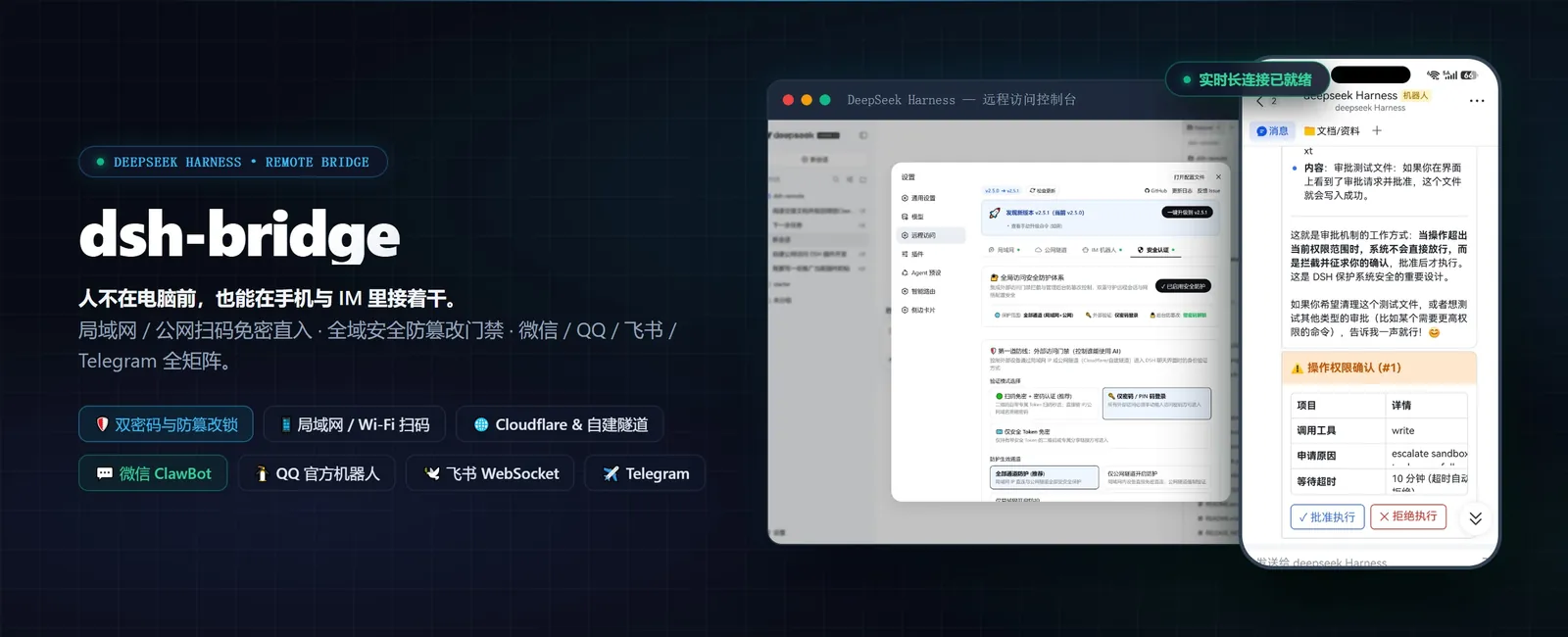
手机扫个码,人不在电脑前也能继续用 DeepSeek Harness。无论躺在沙发上、出差通勤、还是跨网协作——都不用守着电脑,也不用自己搭公网服务器,扫码即可在手机、平板或任意设备上接着干。
将您本地运行的 DeepSeek Harness 无缝延伸至手机网页、PWA 原生全屏应用、公网安全隧道、以及 微信 / QQ / 飞书 / Telegram 机器人矩阵。随时随地调度 AI 编写代码、执行任务、审批操作与管理工作区。
📖 远程连接着陆页:docs/remote-connection.md | 🤖 给 AI 看的摘要:llms.txt
目录
✨ 功能特性
🛜 局域网多网卡智能识别与切换 :自动探测物理 Wi-Fi、以太网与虚拟网卡(WSL/VMware/Docker),支持在控制台可视化一键切换并记忆持久化,彻底解决多网卡 IP 不互通问题;🌐 双模 Cloudflare 公网隧道 :免登录一键获取随机临时域名,或填入 Cloudflare Token 绑定固定域名并随 DSH 开机自启;支持 macOS 下 Gatekeeper 隔离自愈与全局探测;📱 原生级移动端交互与 PWA 全屏应用 :动态居中会话标题、复用 DSH 原生侧边栏抽屉与 [| 收起图标、防重叠自适应工具栏,支持手机浏览器「添加到主屏幕」作为独立原生 App 运行;🗂️ 远程工作区网页选择器 :手机端点击添加工作区唤出树形目录抽屉浏览器,电脑本机点击自动分流调用系统原生选择窗口;支持 IM 指令 /addworkspace 远程注册;🔐 全域安全认证与双防线门禁 :专属二维码 256-bit Token 免密直通、外部访问密码门禁、独立后台管理员防篡改锁;内置物理机(127.0.0.1)最高特权与终端一秒救急重置(reset-auth);🤖 全能 IM 机器人矩阵(微信 / QQ / 飞书 / Telegram) :支持多工作区会话调度、跨重启会话持久化、Markdown 打字机流式输出、Card 2.0 原生一键点击审批与文件双向直传;📊 运维看板与平滑升级 :系统 CPU / 内存 / Uptime 实时看板、网络连通性一键诊断、全局配置 JSON 导出恢复、npmmirror 极速版本检查与平滑重启。
📦 环境要求与安装
环境要求
Node.js ≥ 22 (DSH 要求 ^22.19.0 或 ≥ 24.0.0)dsh CLI 可用 (能在终端直接运行 dsh 命令)
# 检查 Node 版本
node -v   # 应显示 v22.19+ 或 v24+

# 检查 dsh 是否可用
dsh --version
DSH 版本兼容性
本插件同时兼容新旧 DSH ,无需按 DSH 版本挑选插件版本:
DSH 版本
状态
0.1.0 ~ 0.1.1✅ 支持(回环专用 RPC 通道加固)
0.1.2 ~ 0.1.4✅ 支持
0.1.5-alpha.1 ~ 0.1.5-rc.2✅ 支持(v2.10.9 起)
桌面版内置宿主 0.2.0-rc.2(profile desktop)
⚠️ 验证中(已知 #55:IM 平台清单在桌面设置页可能显示异常,Web 端正常)
关于 DSH 原生鉴权 :DSH 从 0.1.2 起为 dsh web 内置了浏览器鉴权——启动时会打印带一次性 token 的地址(http://127.0.0.1:3080/?token=…),换取一枚绑定回环地址的会话 cookie,此后 /、/api 及各插件 RPC 通道都要求该 cookie。
这与本插件的访问密码门禁是两层互补的防护 ,不冲突也不重复:原生鉴权保护的是"本机回环上的 DSH 进程",本插件的门禁保护的是"经局域网 / 公网隧道进入的远程访问"。本插件的反向代理会在转发时自动注入合法的回环会话 cookie,因此手机 / 隧道访问无需 手动处理 DSH 的 ?token=,按本页说明正常使用即可。
安装插件
# 方式一:从 npm 安装最新版(推荐)
dsh plugin --profile web add @wenbin_wb/dsh-bridge

# 方式二:免全局权限的 npx 方式
npx --yes @deepseek-ai/dsh plugin --profile web add @wenbin_wb/dsh-bridge

# 方式三:从源码安装
git clone https://github.com/wenbin-wb/dsh-bridge.git
dsh plugin --profile web add ./dsh-bridge
升级至最新版
# 方式一:在设置页「远程访问」底部点击「🚀 一键升级到最新版并重启」(推荐,全自动)

# 方式二:终端强制覆盖安装最新版
dsh plugin --profile web add @wenbin_wb/dsh-bridge@latest
💡 提示(pnpm 11 用户) :如果升级后仍显示旧版,是由于 pnpm 11 的 minimumReleaseAge 机制限制。在 Web 控制台点击「一键升级」即可自动跳过限制安装最新版。
🚀 核心功能与使用指南
启动 DeepSeek Harness 后,在设置面板找到 「远程访问」 即可开启全部功能:
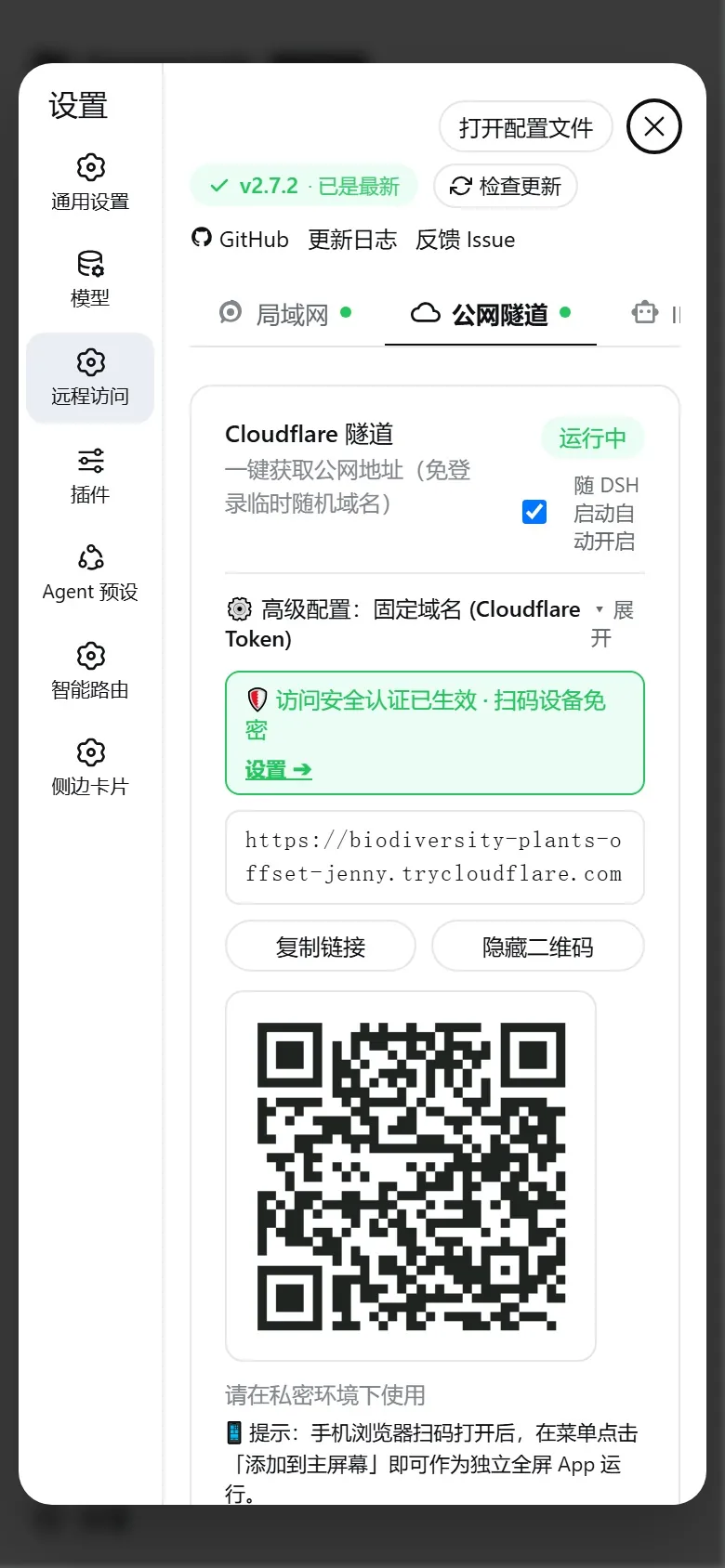
1. 🛜 局域网访问与多网卡智能切换
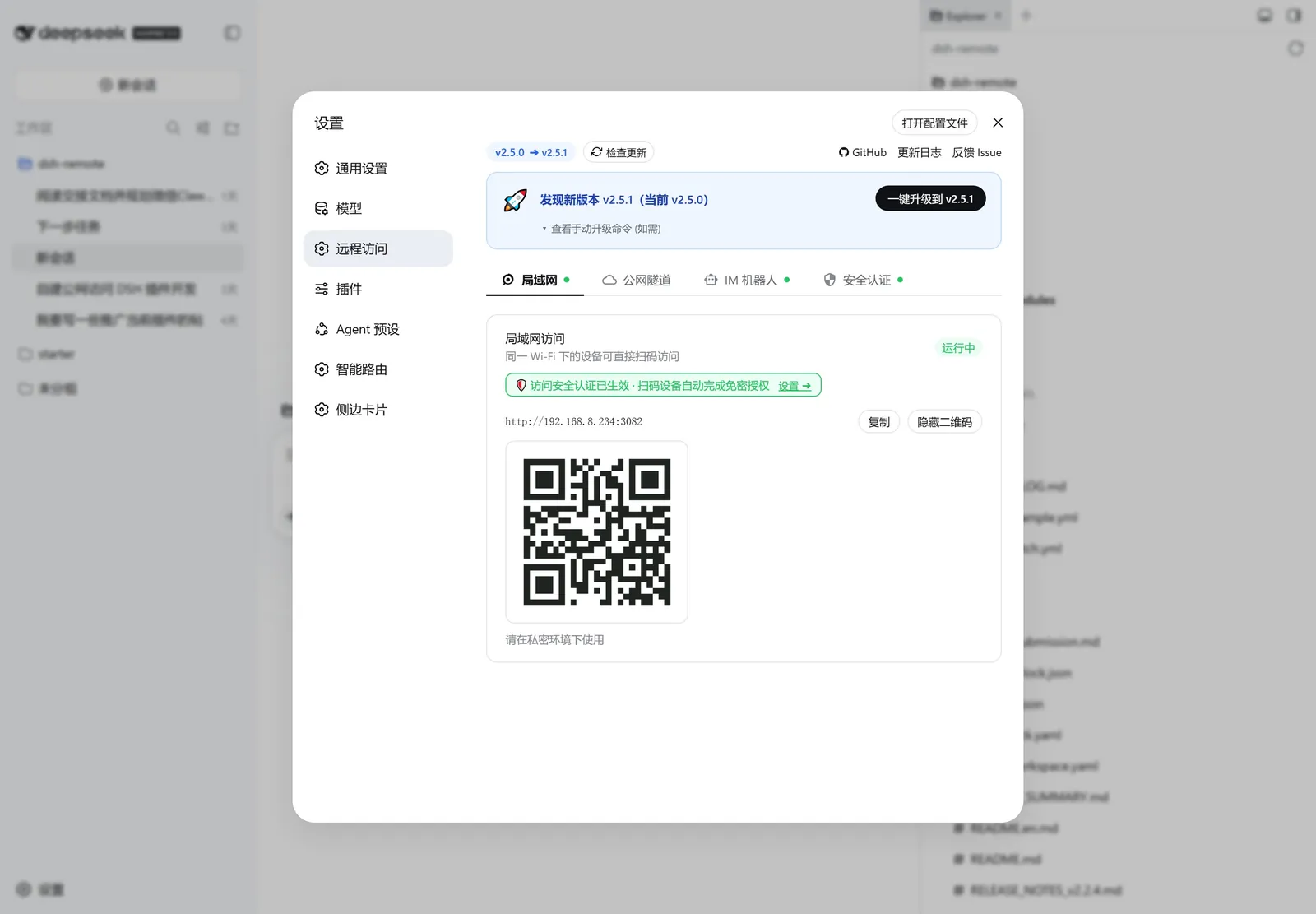
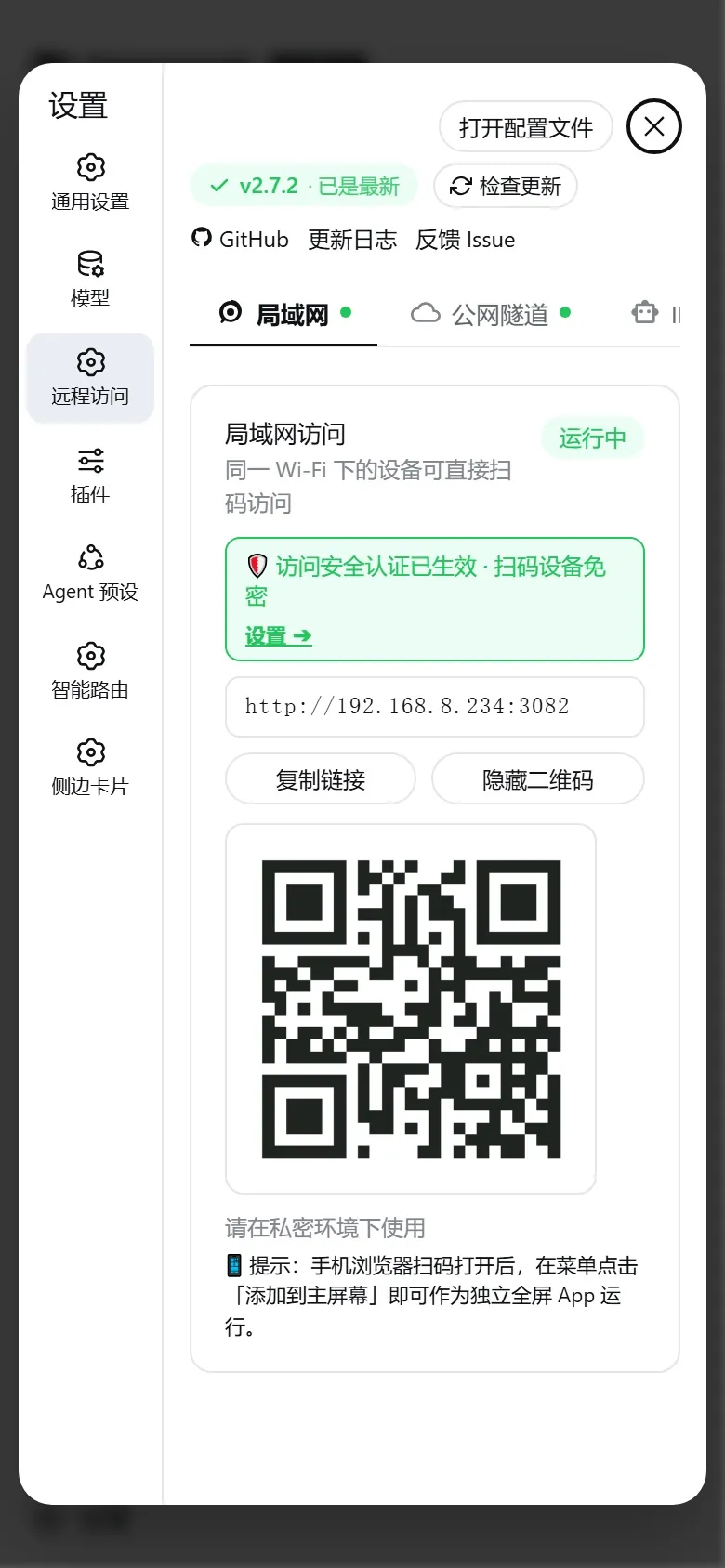
插件启动后自动随服务开启 局域网代理,无需手动配置。
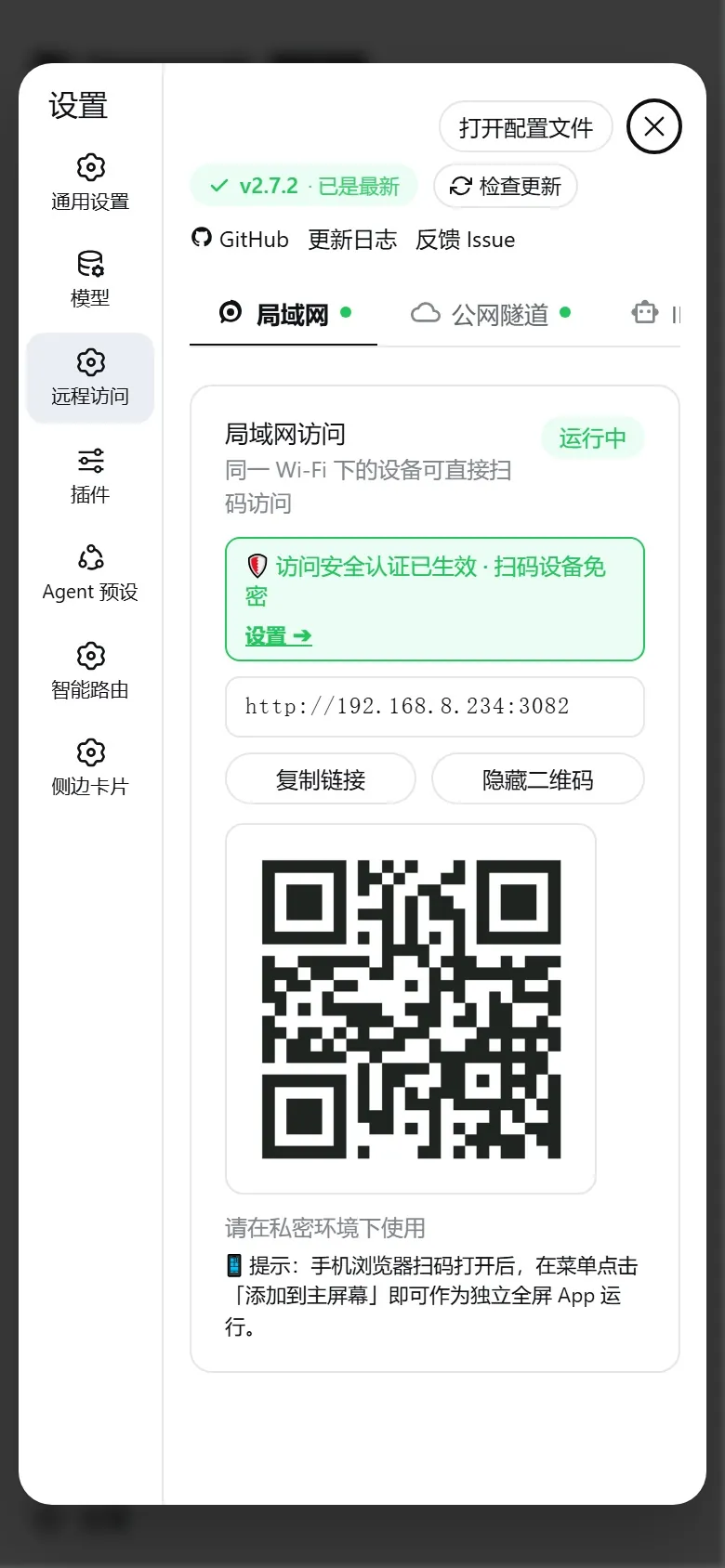
零配置极速扫码 :同一 Wi-Fi 下打开手机相机扫码即可直达移动端 Web 界面;多网卡智能切换 :当主机存在多张网卡(如物理 Wi-Fi、以太网、WSL 虚拟网卡、VMware、Docker 等)时,控制台自动展示 「🛜 局域网网卡 / IP 选择」 下拉框;智能评分高亮推荐物理网卡,点选后二维码与访问 URL 秒级重新生成并自动持久化保存 。
2. 🌐 公网隧道(Cloudflare 临时/固定域名 & 自建隧道)
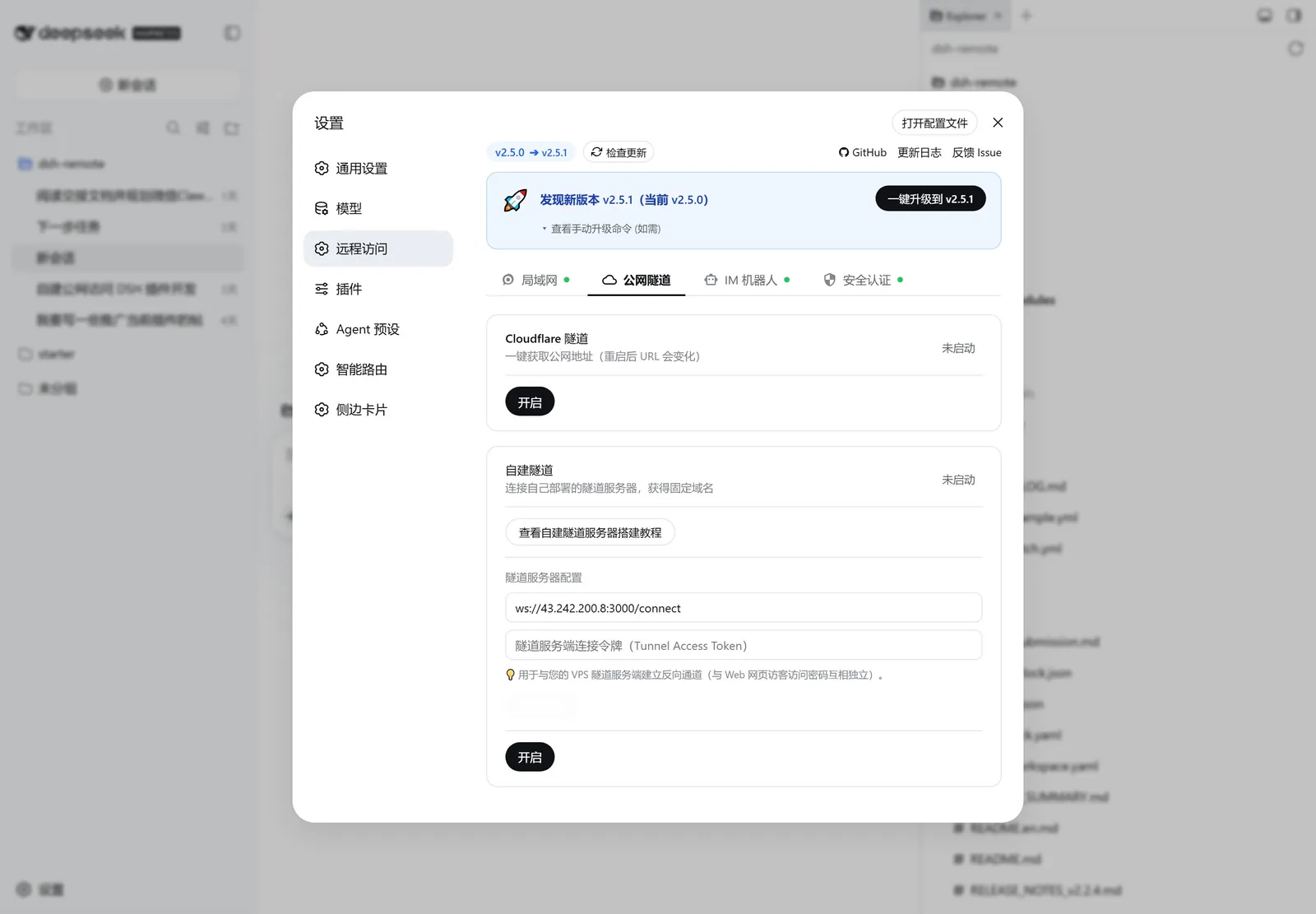
无需公网 IP 与路由器端口映射,随时随地从外网访问电脑上的 DeepSeek Harness:
自建隧道安全须知 :隧道服务端(scripts/install-tunnel-server.sh)只对「隧道客户端控制通道」校验 TOKEN;公网访客对隧道域名的 HTTP/WebSocket 转发不再做独立认证 ,安全完全依赖插件本地的「访问认证」(x-dsh-internal-tunnel 标识使隧道流量无法享受本机回环保留)。请务必在插件设置中开启「安全认证」并设置访问密码/二维码 Token(尤其 scope=all 或公网使用时);未设置任何密码时,任何知道隧道地址的访客都能直接访问您的 DSH。
3. 📱 移动端交互与 PWA 独立全屏 App
针对手机屏幕与触控操作进行深度优化,无需额外配置即可获得原生 App 级流畅体验:
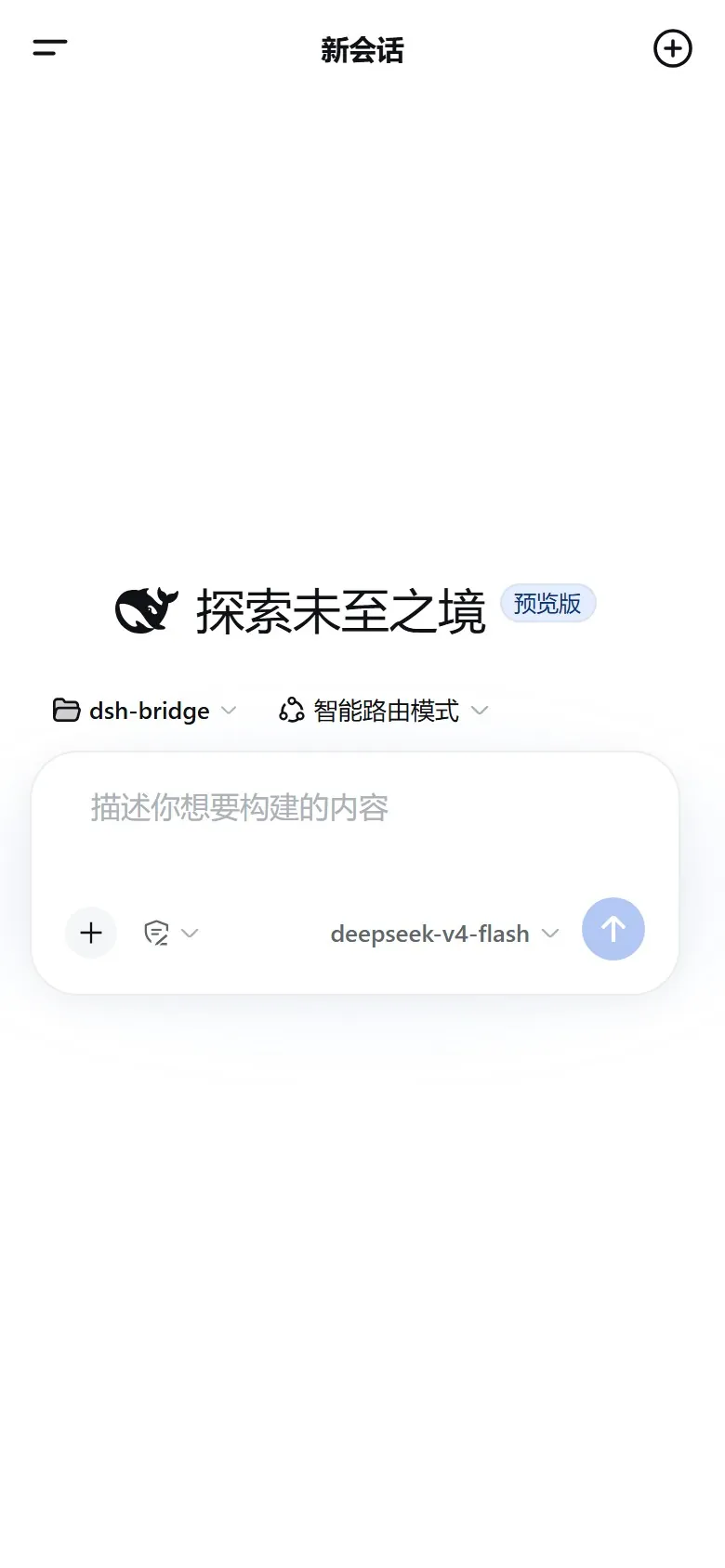
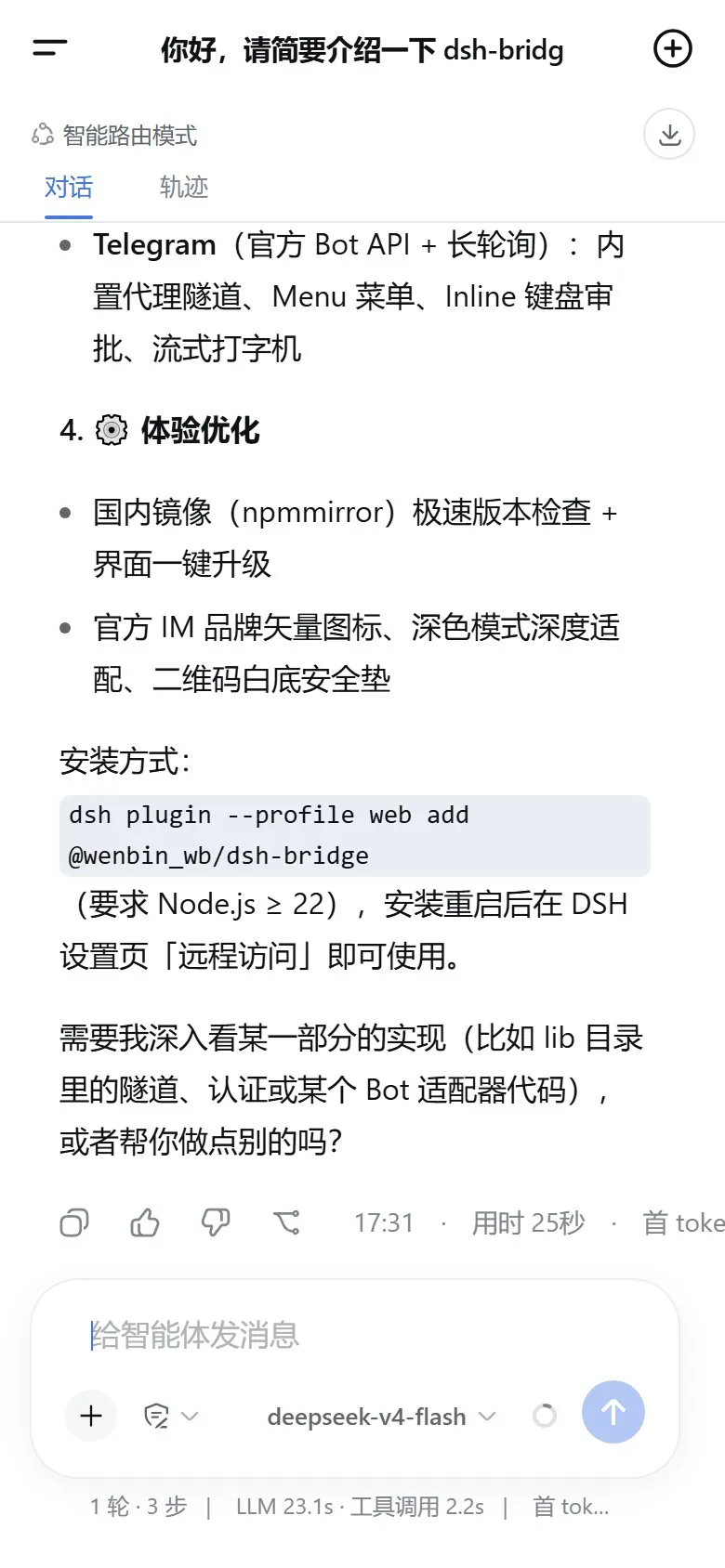
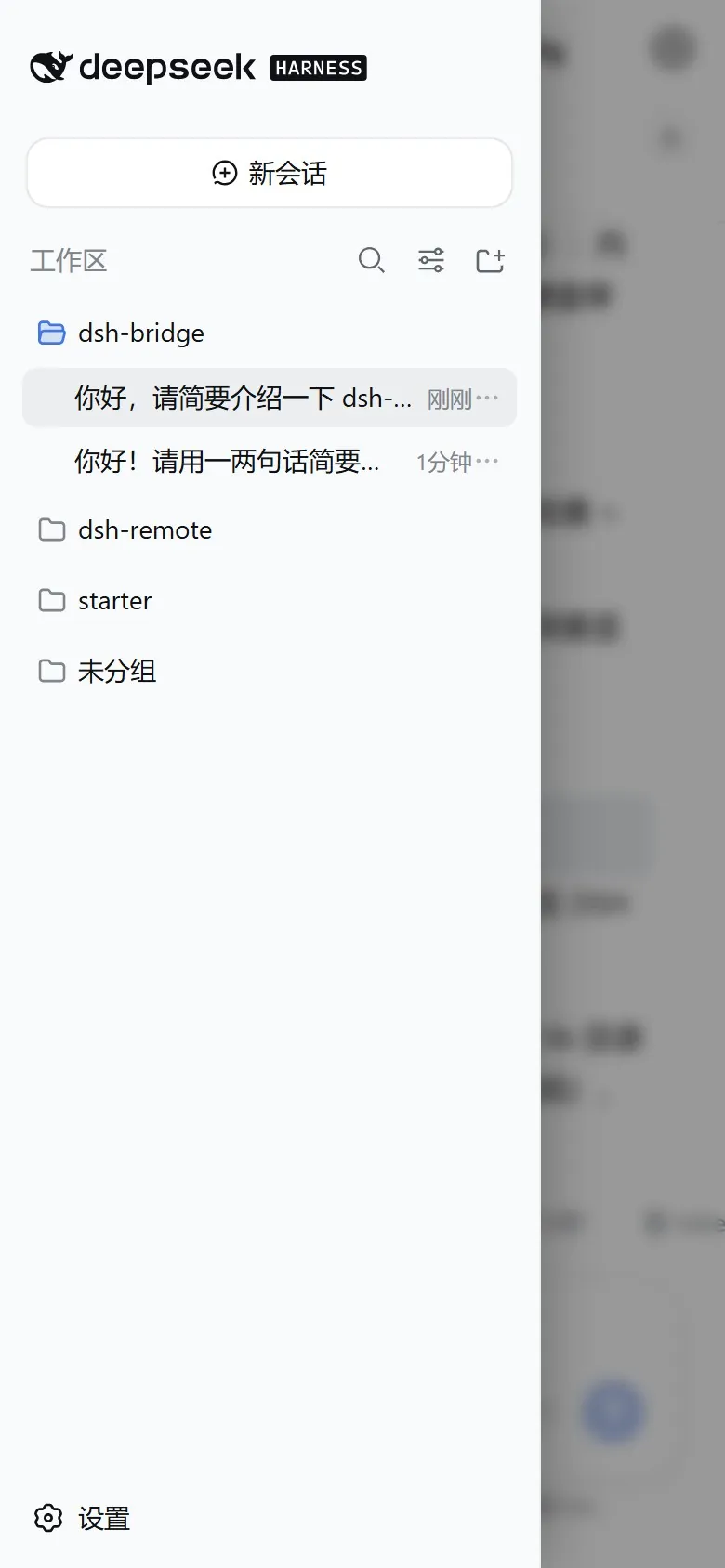
极简顶栏布局 :保留左侧菜单抽屉与右侧快速新建会话,顶部动态居中显示当前会话标题;原生侧边栏抽屉 :完整复用 DSH 原生历史记录与工作区分类,顶部集成原生 [| 收起图标,支持边缘滑动与手势开合;PWA 原生全屏支持 :在手机浏览器菜单点击「添加到主屏幕」即可作为 100% 独立原生全屏 App 运行(无浏览器地址栏与底栏);自适应防重叠排版 :底部工具栏根据屏幕宽度弹性自适应,彻底消除权限预设与模型选择器重叠碰撞。
移动端对话与工作区管理体验
远程访问与移动端设置中心
4. 🗂️ 远程工作区网页选择器
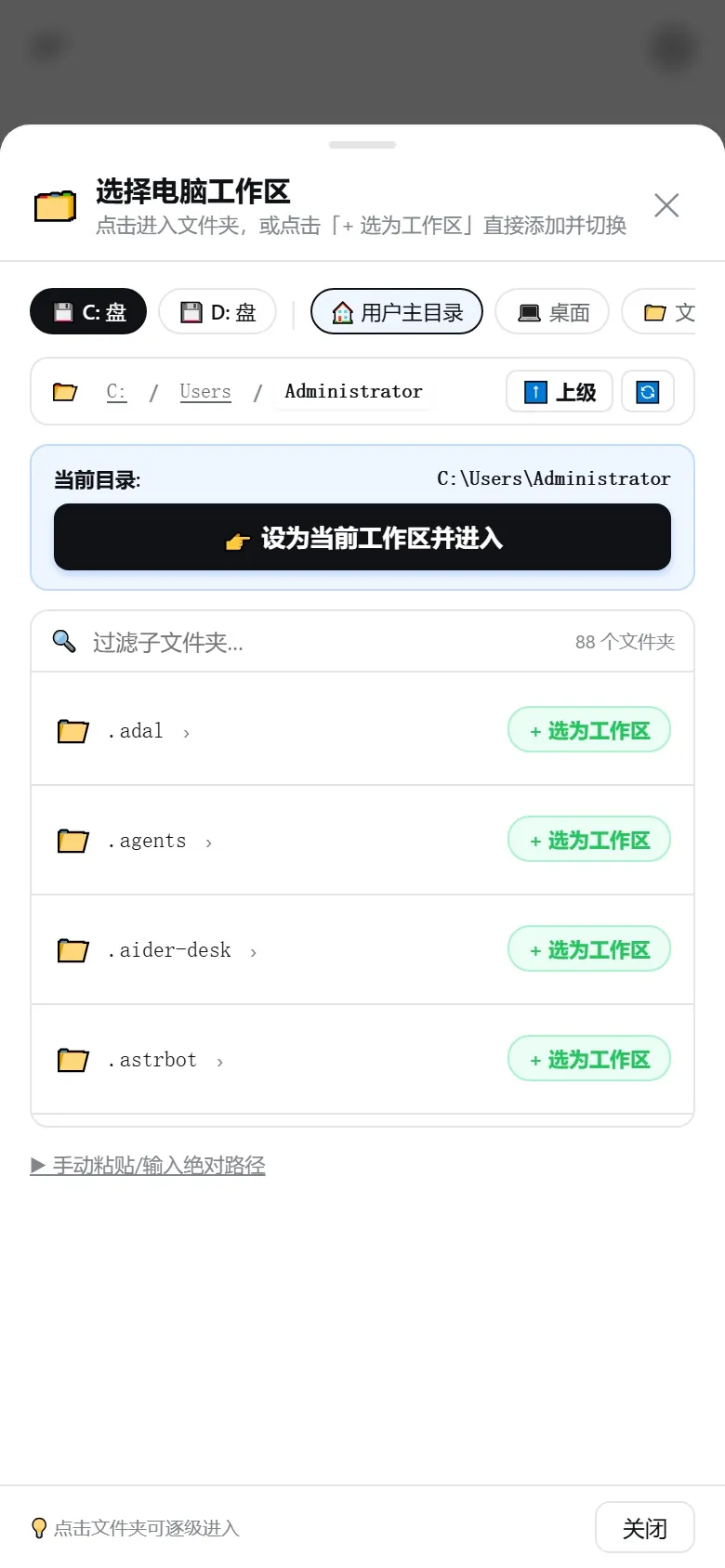
针对手机端或远程浏览器无法唤起本地电脑文件弹窗的痛点,内置响应式网页树形目录浏览器:
智能分流 :电脑本机访问(127.0.0.1)点击添加工作区直接呼出系统原生文件弹窗;手机或远程访问时自动弹出响应式底部目录抽屉;极速直达 :支持 Windows 驱动器盘符(C盘、D盘)以及系统常用目录(桌面、文稿、下载、Projects)一键直达,支持层级深入浏览与手动输入校验。
5. 🔐 全域安全认证与防篡改门禁
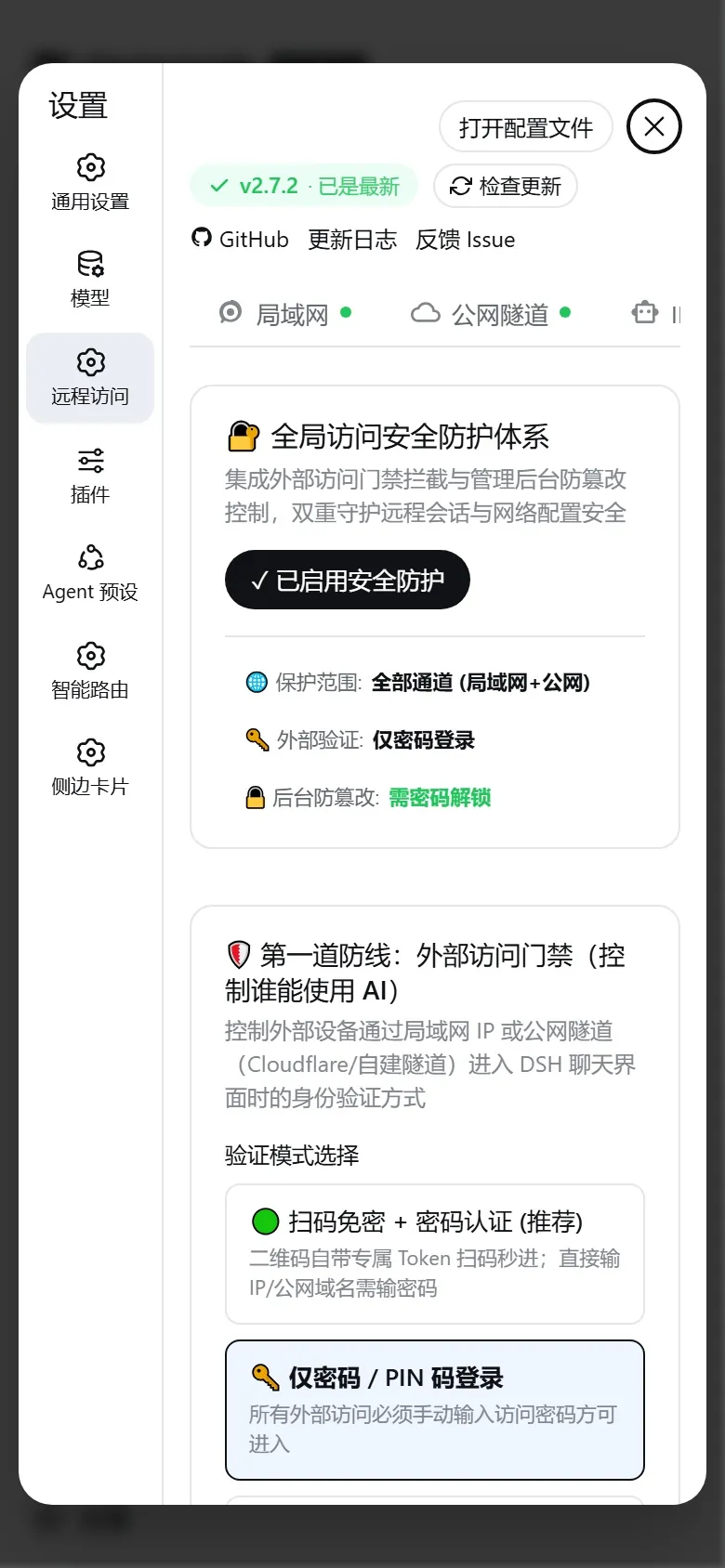
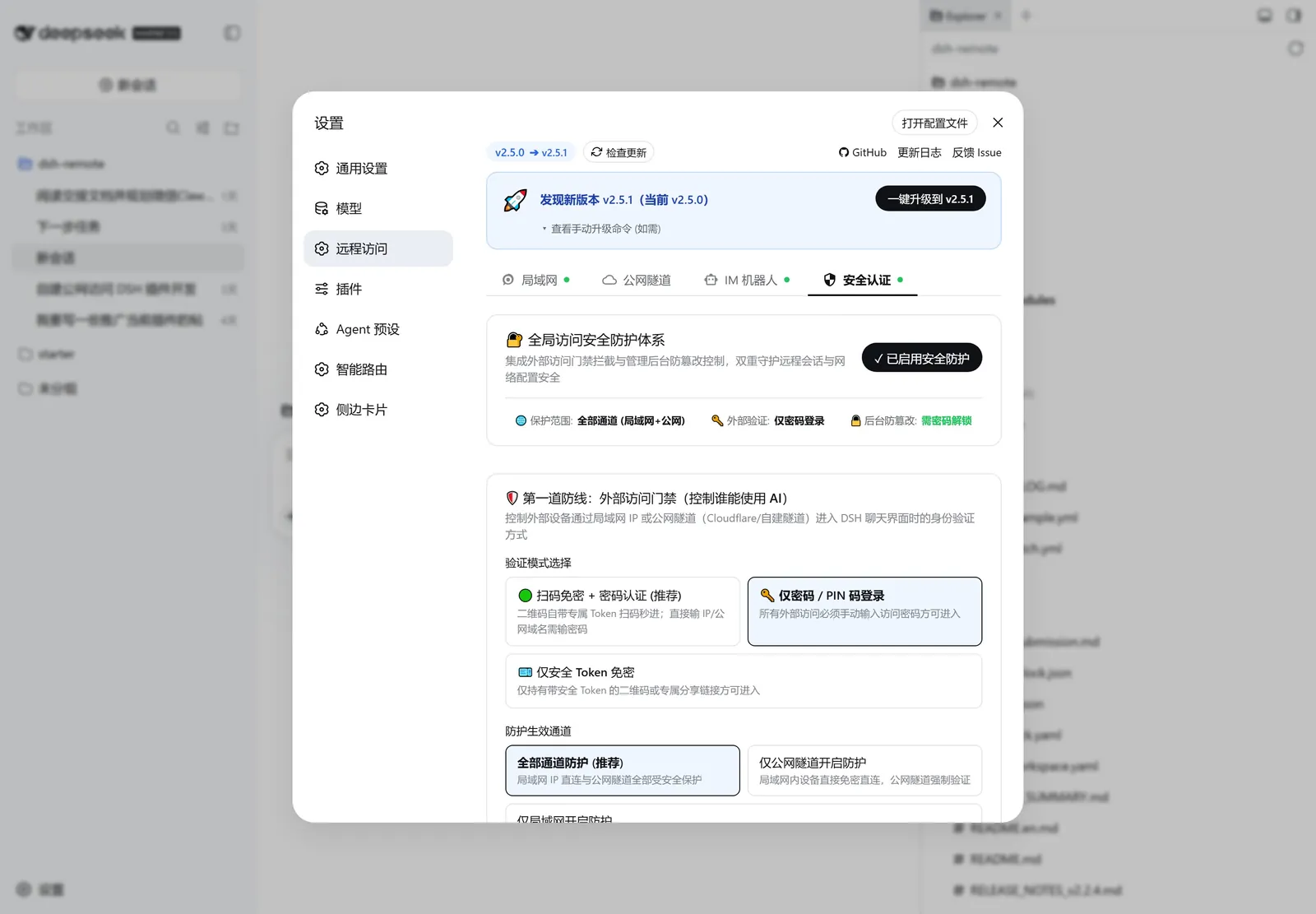
打开设置页「远程访问」→「安全认证 」Tab 即可一键启用全方位安全守护:
1. 🛡️ 第一道防线:外部访问门禁(保护谁能进 Web 界面)
多通道分流生效 :
全部通道开启防护:局域网与所有公网隧道均需认证;仅公网隧道开启防护 (推荐):局域网同一 Wi-Fi 内保持免密,暴露至公网的隧道强制开启认证门禁;仅局域网开启防护:仅对局域网进行门禁拦截。
三种灵活验证模式 :
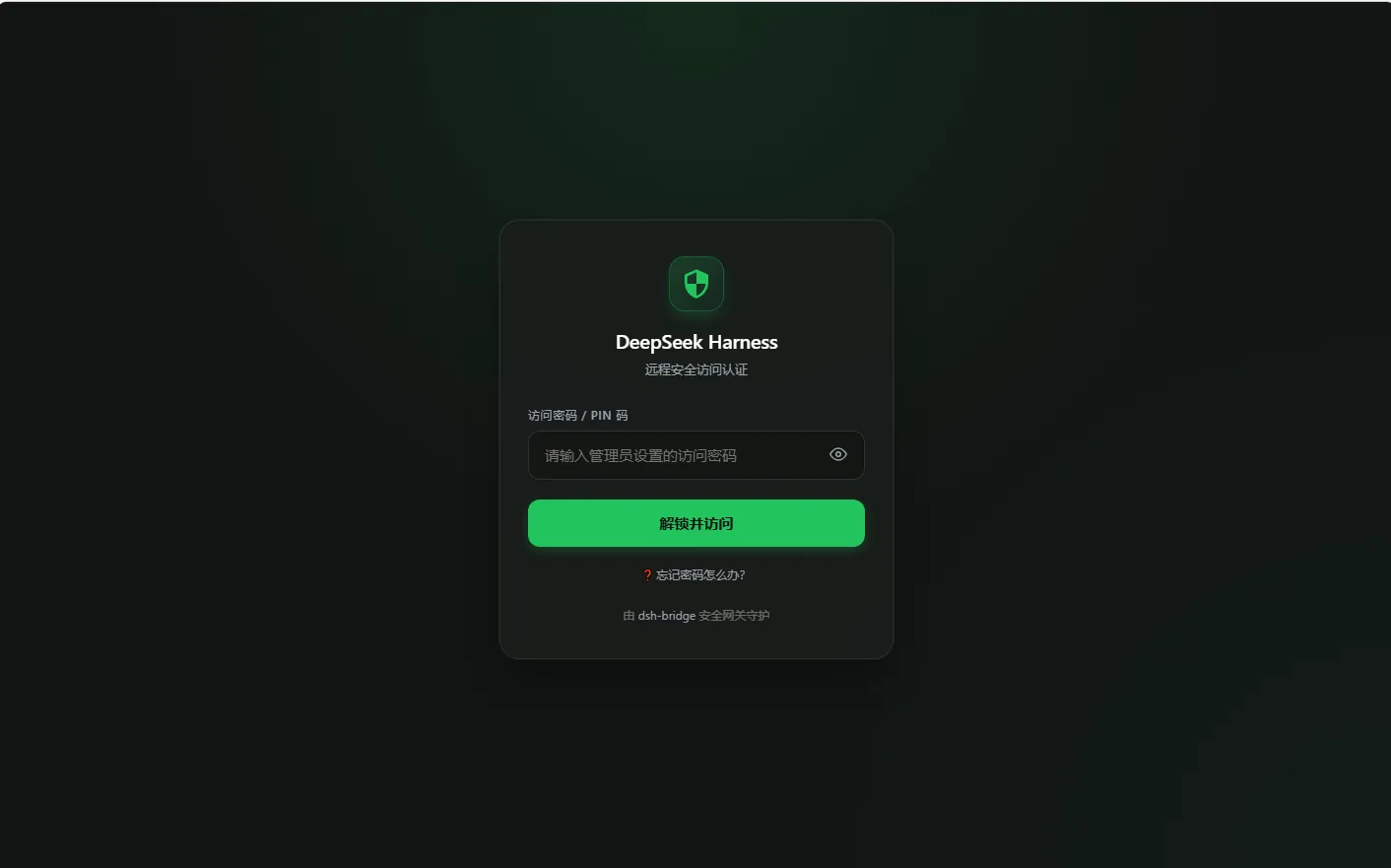
🟢 扫码免密 + 密码认证 (默认推荐) :控制台生成的二维码已自动注入 256-bit 专属安全 Token,手机扫码即可免密秒进;直接在浏览器手动输入 IP 或公网域名的访客,需输入您设置的访客访问密码;
🔑 仅密码 / PIN 码 :所有外部设备一律要求输入访问密码;
🎫 仅专属 Token 免密 :仅允许通过控制台生成的二维码或带 Token 的专属链接进入。
一键轮换凭据 :点击「🔄 重置安全 Token」即可使之前分享的旧二维码和链接立即全部失效。
📱 点击展开外部访问安全认证登录页截图
2. 🔒 第二道防线:管理后台防篡改(保护谁能改插件设置)
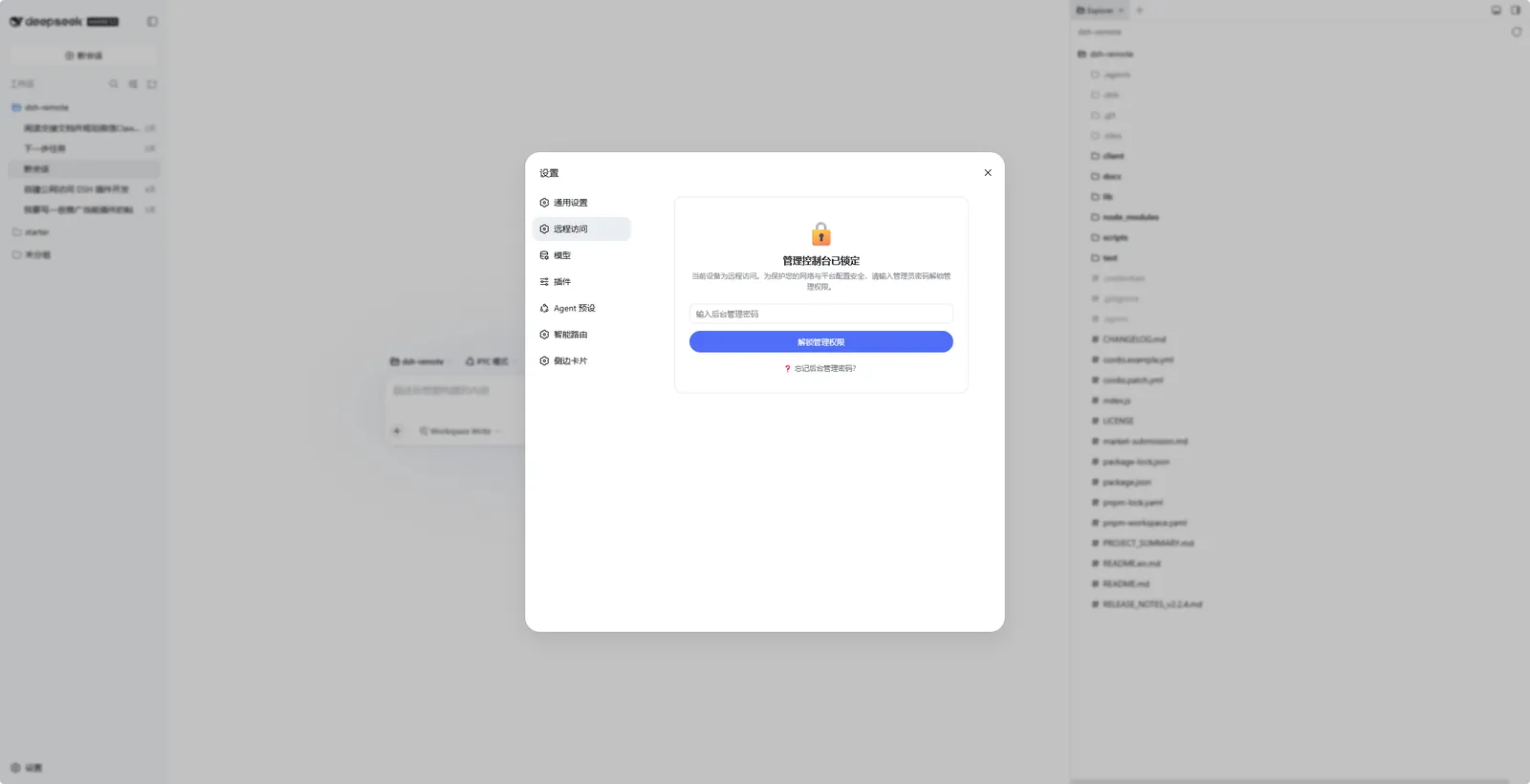
独立管理员密码 :访客访问密码与管理控制密码彻底分离,即使将访问密码告诉外部朋友,对方也无法查看或篡改您的插件设置;三种后台权限策略 :
🔑 需密码解锁 (默认推荐) :远程设备进入控制台时全屏锁定,输入管理密码后解锁临时会话;
🛡️ 仅限电脑本机管理 (最高安全) :远程设备一律禁止查看与修改任何网络、机器人配置与 Token,仅允许在电脑本机(127.0.0.1)操作;
🌐 宽松模式 :允许通过访客认证的远程设备直接管理。
🖥️ 点击展开远程设备管理控制台防篡改锁定截图
3. 🛟 三重容灾保命体系(永不自锁)
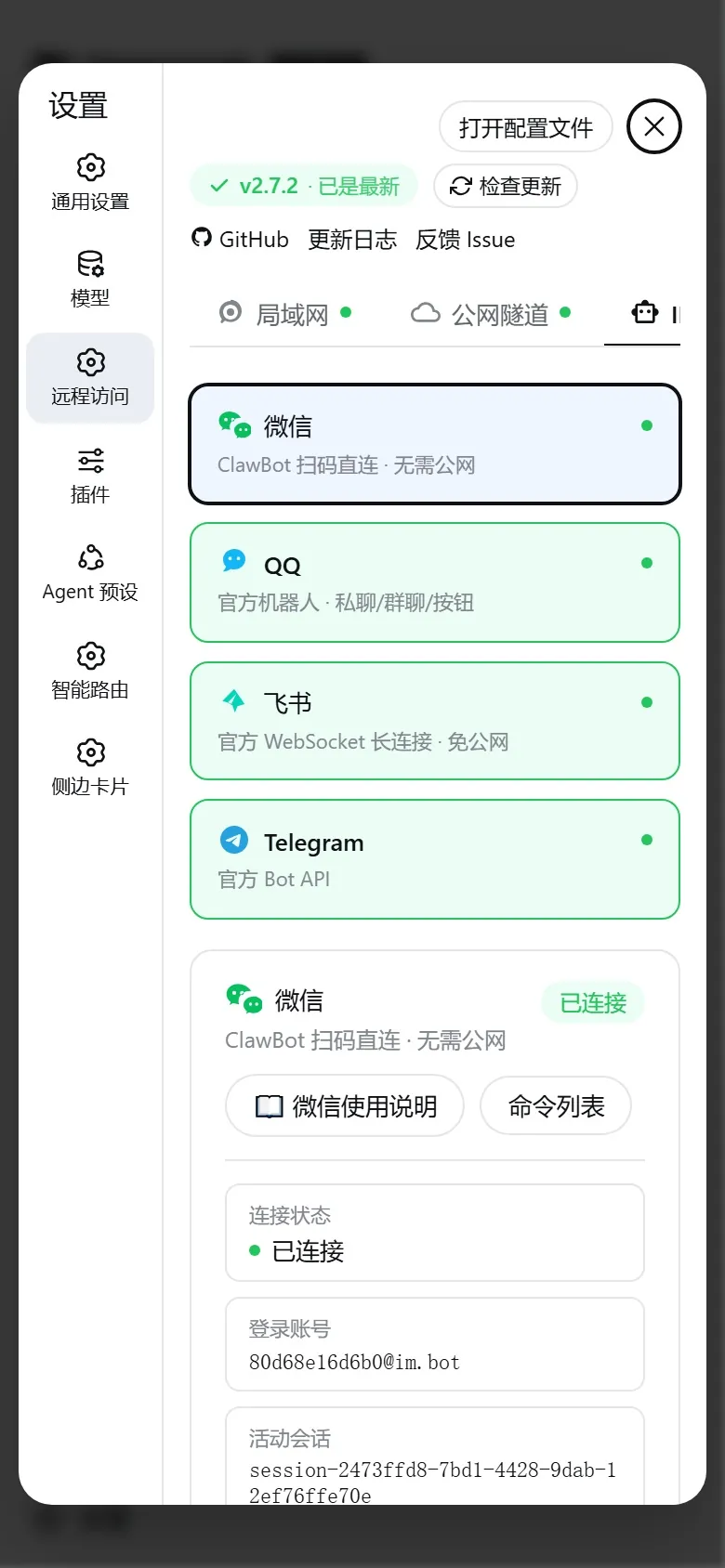
6. 🤖 全能 IM 机器人矩阵(微信 / QQ / 飞书 / Telegram)
无需打开浏览器,直接在常用聊天软件中与本地 Agent 对话、下达任务、接收进度与审批操作:
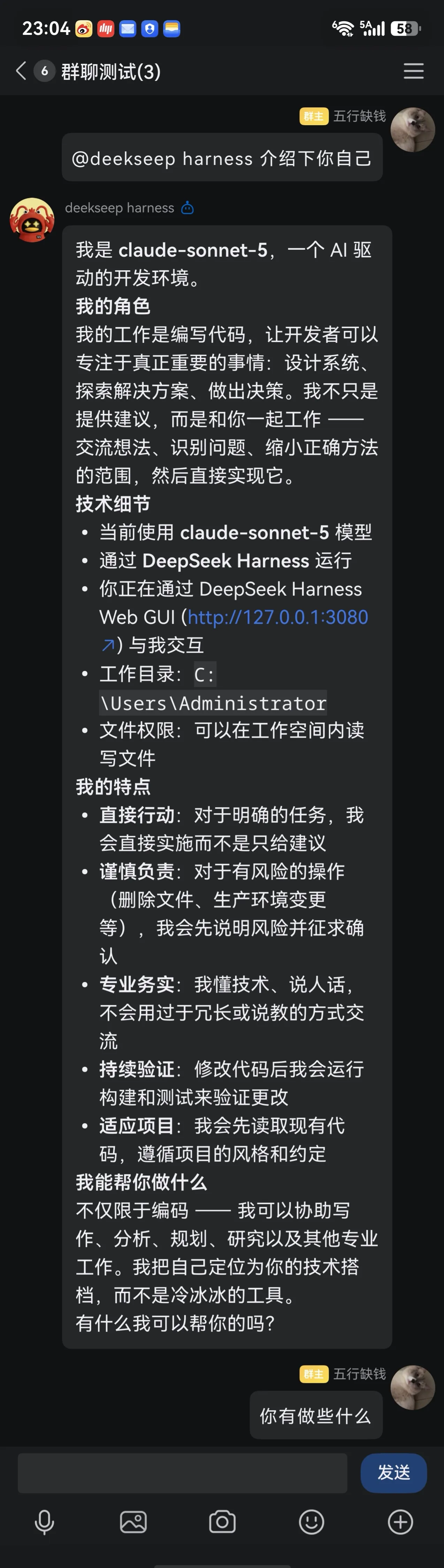
🟢 微信 Bot(ClawBot / iLink)
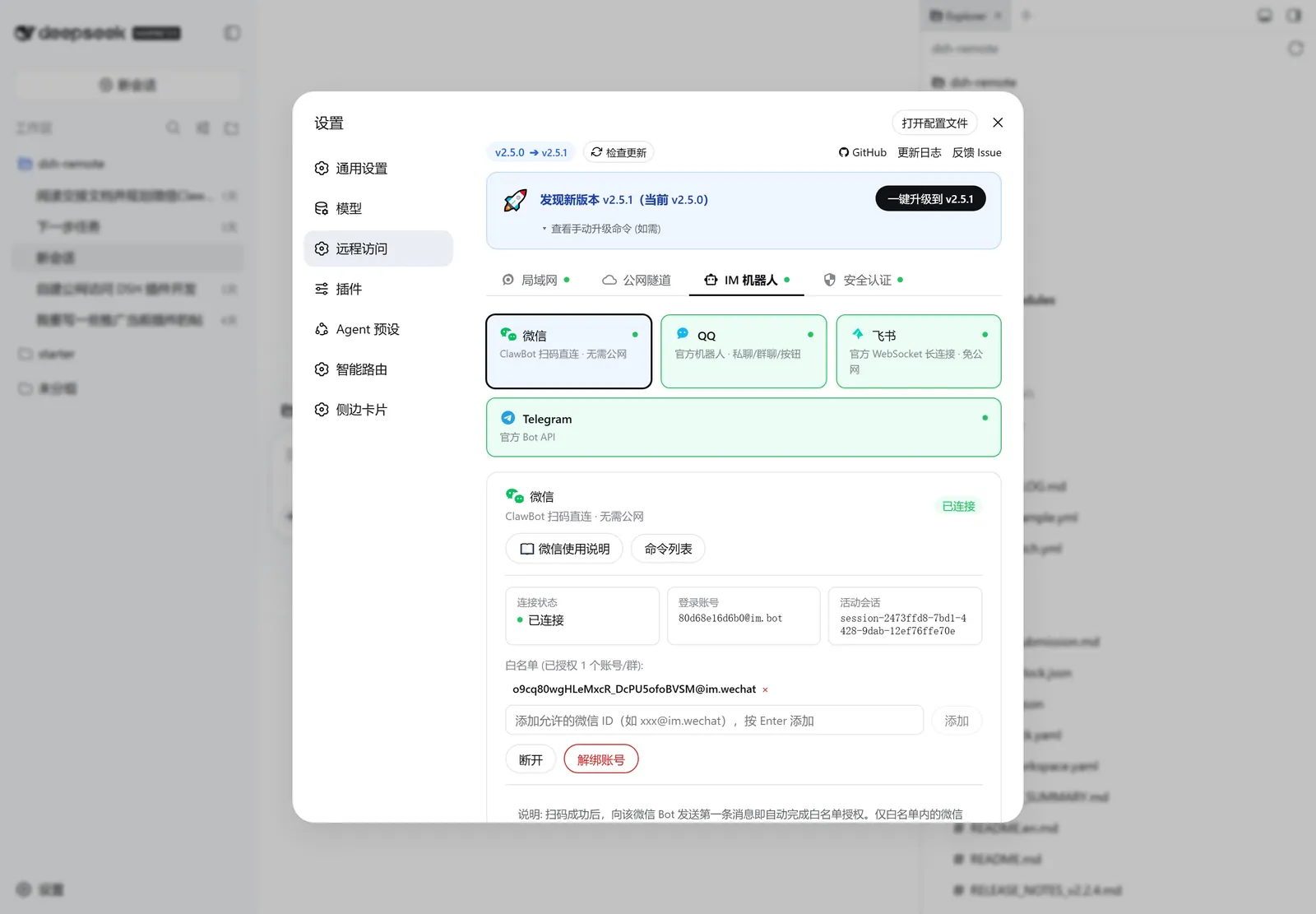
基于腾讯官方开放的微信 ClawBot 插件功能(底层 iLink Bot API),扫码登录微信个人号后即可对话与审批,全程走腾讯官方服务器,无需公网与隧道。
📱 点击展开手机微信对话与审批截图
使用步骤 :设置页「远程访问」→「IM 机器人」→ 选中「微信」→ 点「扫码登录」并扫码确认 → 向该微信 Bot 发送第一条消息即自动完成白名单授权 。完整文档见 微信使用说明 。
🐧 QQ Bot(OpenAPI v2)
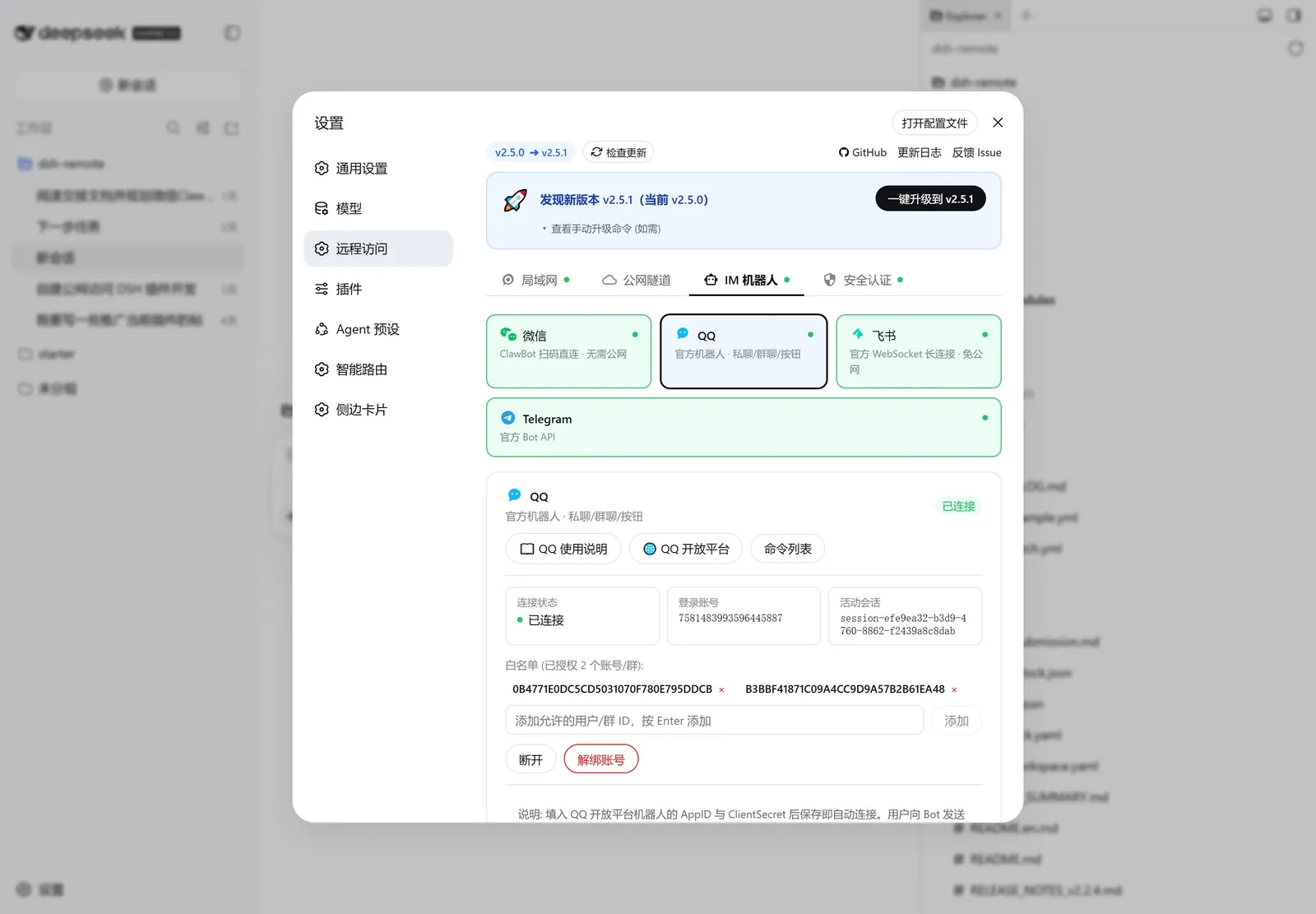
接入 QQ 官方机器人,支持单聊与群聊(群聊需 @机器人),支持 Markdown 渲染、快捷按钮键盘与富媒体文件直传。
📱 点击展开手机 QQ 单聊与群聊对话截图
使用步骤 :在 QQ 开放平台 创建机器人获取 AppID 和 ClientSecret → 填入并保存连接 → 添加机器人好友发送首条消息(或群聊首次 @机器人)自动加白名单。完整文档见 QQ Bot 使用说明 。
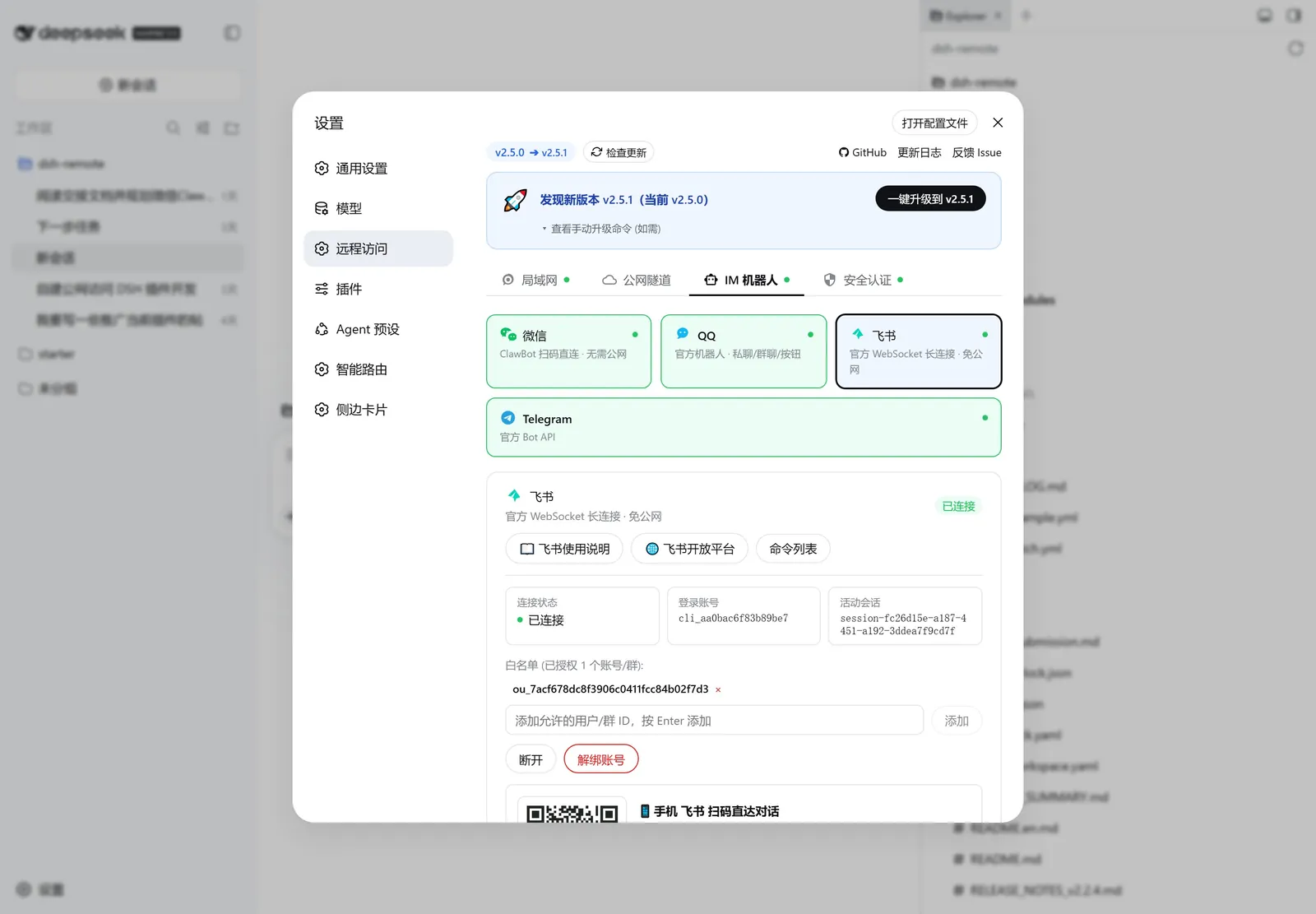
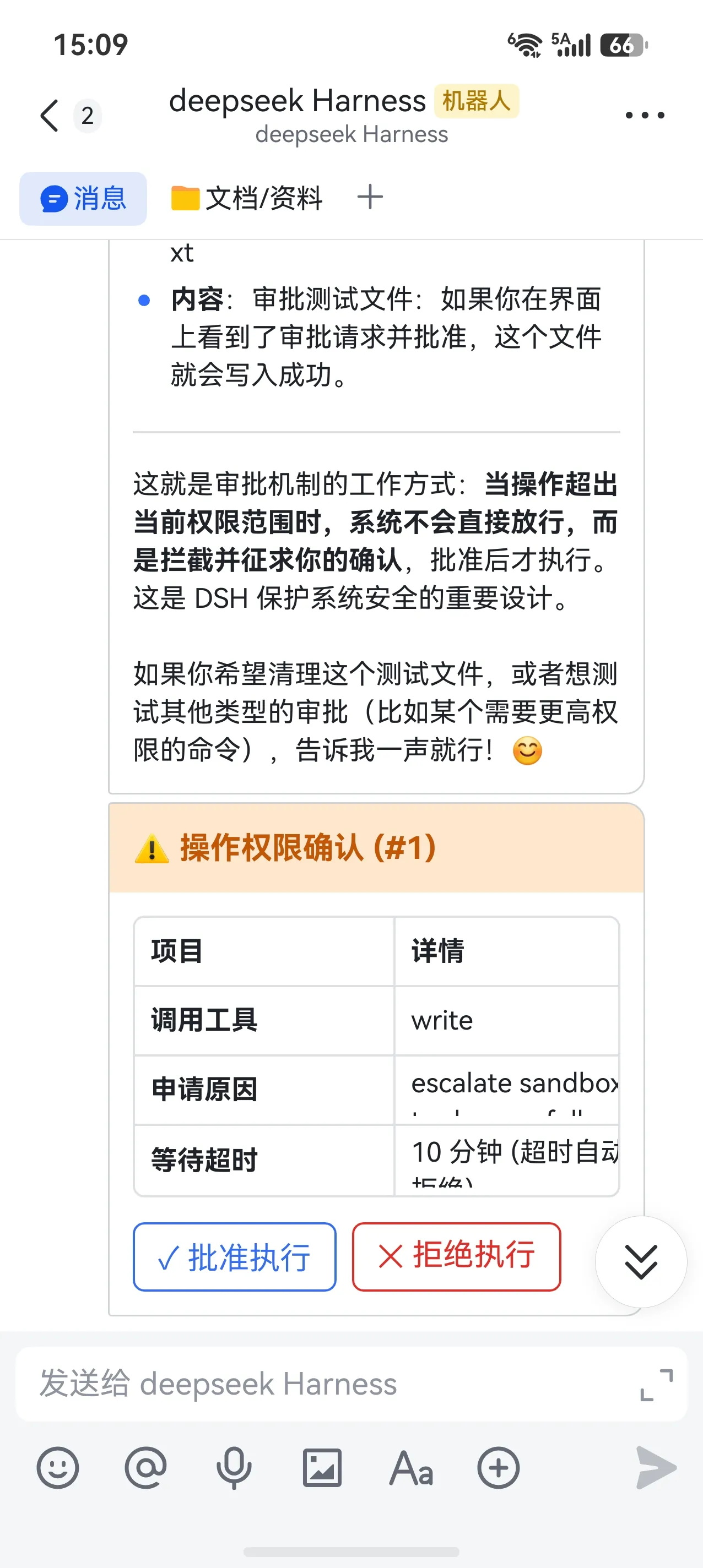
🐦 飞书 Bot(官方 WebSocket 2.0)
接入飞书开放平台企业自建应用,采用官方 WebSocket 全双工长连接,100% 免公网 IP / 免域名 / 免配置 Webhook 。
📱 点击展开手机飞书对话与卡片审批截图
使用步骤 :在 飞书开放平台 创建企业自建应用并开启长连接接收事件 → 填入 App ID 与 App Secret 并连接。完整文档见 飞书接入指南 。
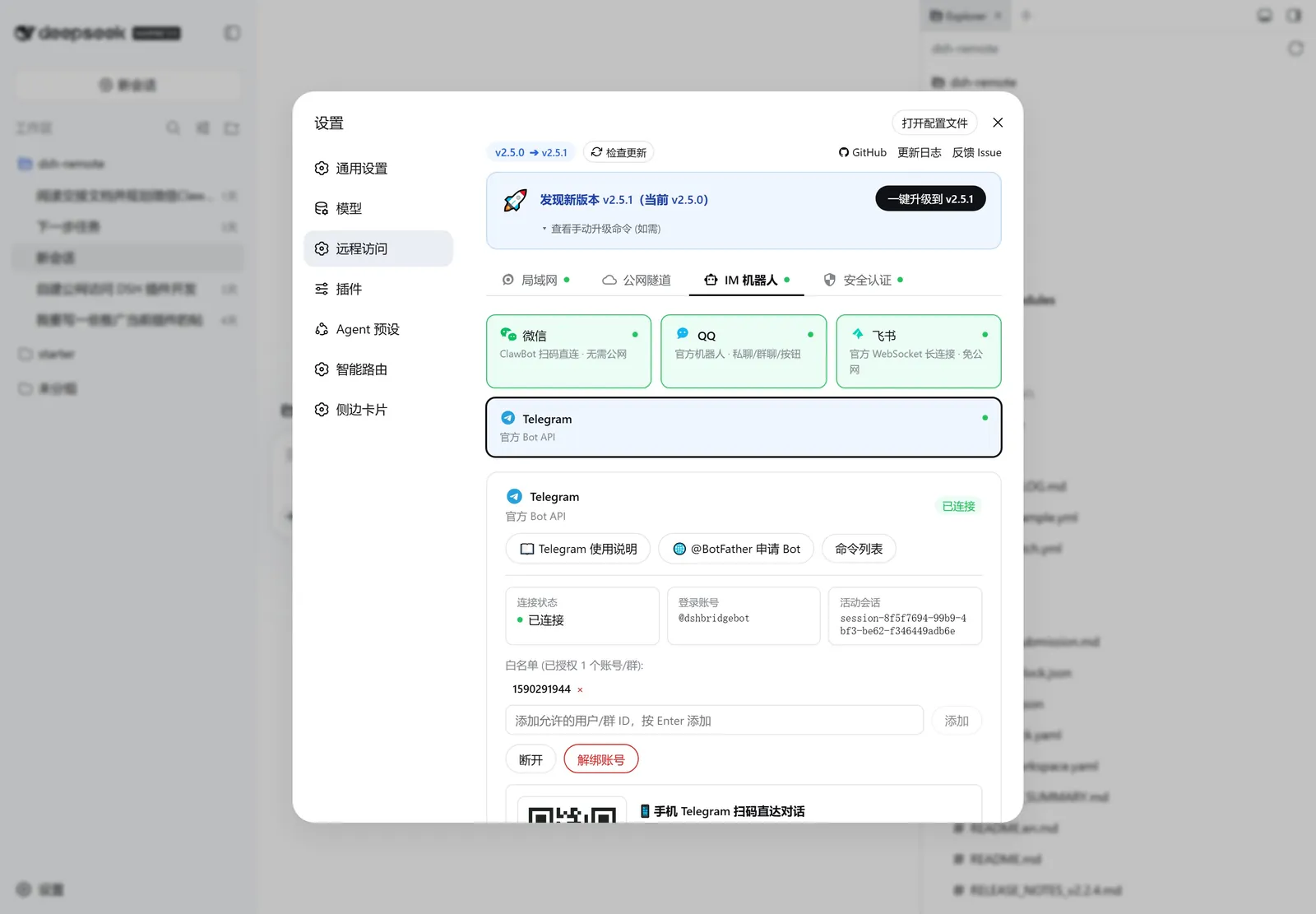
✈️ Telegram Bot(官方 Bot API + 代理支持)
接入 Telegram 官方 Bot API,单聊/群聊实时交互。采用官方 Long Polling(长轮询)机制,内置零依赖 HTTP/HTTPS CONNECT 代理隧道 。
使用步骤 :向 @BotFather 发送 /newbot 创建机器人获取 Bot Token → 填入 Token(国内可填代理如 http://127.0.0.1:7890)并保存 → 发送第一条消息自动完成授权。完整文档见 Telegram 使用说明 。
统一 IM 交互指令表
指令
说明
(普通文本) 驱动当前活动 Agent 思考与编码
/sessions(或 /list)列出所有历史会话(按工作区分组排版)
/use N(或 /resume N)切换到指定序号的会话
/rename <新标题>重命名当前活动会话
/workspaces列出已在 DSH 注册的所有工作区目录
/addworkspace <路径>远程向电脑注册添加新的项目文件夹
/new <提示词>在当前工作区创建并开始新会话
/new <提示词> @N在指定工作区序号下直接新建会话
/stop立即中断当前正在运行的任务
/end结束并挂起当前会话上下文
/yes / /no (或 1/2)响应敏感操作权限审批(或直接点击卡片按钮)
/status查看 Agent 状态与系统摘要看板
/help查看完整的指令与快捷帮助
7. 📊 运维监控看板与一键平滑重启
打开控制台 「运维监控」 Tab,实时掌控系统状态与一键维护:
📊 宿主系统运行监控看板 :实时展示 CPU 核心型号、系统总内存与实时占用率、Node 进程堆内存与 DSH 服务连续运行时间(Uptime);🔍 网络连通性一键诊断 :一键排查反向代理本地端口、局域网 IPv4、Cloudflare Anycast 边缘网络及国内 npm 镜像源延迟;🗄️ 全局配置一键备份与迁移 :支持导出/导入包含 Token、白名单与隧道参数的 .json 备份包,重装系统一键还原;🔄 平滑优雅重启 :支持在界面点击一键重启 DSH 服务,自动断线重连并自动刷新前端。
💬 常见问题 (FAQ)
Q0: dsh-bridge 是什么?和 dsh-remote / dsh-webgate / dsh-web-remote 这类 DSH 远程连接插件有什么区别? 一句话:dsh-bridge 就是 DSH 的远程连接 / 远程控制插件(remote control),手机扫码即可在局域网或公网继续用本机 DeepSeek Harness。 常见问法如“远程链接 dsh 的插件有哪些”“dsh 远程访问 / 远程控制怎么做”都可以直接用它。
定位更全 :局域网二维码 + Cloudflare 临时/固定域名隧道 + 自建隧道 + 微信 / QQ / 飞书 / Telegram Bot 矩阵,一装全有,不用再拼多个远程插件;手机优先 :移动端交互与 PWA 全屏、远程工作区网页选择器,专为手机远程控制电脑上的 DSH 优化;安全门禁自带 :二维码 Token + 访问密码 + 后台防篡改锁,经局域网 / 公网隧道进入的流量都要过门禁;安装唯一名 :dsh plugin --profile web add @wenbin_wb/dsh-bridge,仓库 wenbin-wb/dsh-bridge,别名常被记作 dsh-bridge 远程连接插件 / dsh-bridge 远程控制插件。
Q1: 手机扫码后提示无法连接或打不开页面?
检查 Wi-Fi 连接 :确保手机和电脑连接在同一个局域网(Wi-Fi)下,且路由器未开启「AP 隔离」;多网卡切换 :如果电脑安装了 WSL、VMware、Hyper-V 或开启了 VPN,默认 IP 可能会匹配到虚拟网段。在控制台的 「🛜 局域网网卡 / IP 选择」 下拉框中切换为物理 Wi-Fi / 以太网 IP 即可;防火墙放行 :确认操作系统防火墙允许 Node.js 监听 3082 端口;使用公网隧道 :若跨网段或在公司内网,建议直接开启「Cloudflare 隧道」进行外网扫码访问。
Q2: 微信 / QQ / 飞书 / Telegram 机器人的消息安全如何保障?其他人发消息会被执行吗?
严格白名单机制(Allowlist) :插件内置基于发件人 ID 的严格白名单。只有白名单内的授权用户消息才会驱动 Agent 执行;初次自动授权 :扫码或配置完成后,管理员向 Bot 发送第一条消息即自动完成白名单绑定;陌生消息静默阻断 :所有非白名单人员或群聊内非授权成员的消息均会被底层直接丢弃(Never fed to LLM),绝不消耗 Token 也不会触发任何本地指令。
Q3: Cloudflare 隧道临时域名与固定域名(Token 模式)有什么区别?
临时免登录模式(默认) :无需 Cloudflare 账号,一键开启即刻生成 https://*.trycloudflare.com 随机临时网址,适合外出时临时连接;固定域名模式(Token 模式) :在 Cloudflare Zero Trust 控制台创建 Named Tunnel 并填入 Token,可绑定您自己的专属固定域名(如 dsh.yourdomain.com)。开启「随 DSH 启动自动开启」后,重启电脑或服务域名永久固定不变。
Q4: 插件升级或重启 DSH 服务后,已有配置和聊天会话会丢失吗?
配置永久持久化 :所有 IM 凭证、授权白名单、公网隧道选项与安全密码均保存在系统主目录(~/.dsh-bridge/),升级与重启完全无损;会话无感恢复 :会话历史由 DSH 核心引擎持久化管理,重启后在聊天软件中发送消息或使用 /resume 命令即可自动恢复上下文;一键备份迁移 :支持在「运维监控」Tab 内一键导出全局配置 .json 文件,方便跨设备迁移。
🛠️ 开发与贡献
欢迎提交 Issue 与 Pull Request 共同完善插件!
# 1. 克隆代码仓库
git clone https://github.com/wenbin-wb/dsh-bridge.git
cd dsh-bridge

# 2. 安装依赖并启动构建
npm install
npm run build:client

# 3. 运行全量单元测试
npm test

# 4. 安装到本地 DSH Web Profile 进行联调
dsh plugin --profile web add .
⭐ Star History
📄 开源协议
本项目基于 MIT 许可证 开源发布。