
文件与数据
插件

OpenViking
volcengine
Self-evolving Context Database for AI Agents. Unify Agent Memory, Knowledge RAG and Skills.
PROJECT TOPICS
INSTALL REFERENCE
dsh plugin --profile web add github:xbbkok/dsh-yuanbao-search
该命令指向仓库当前默认分支;尚无绑定当前 commit 的完整验证结果。
PROJECT README
中文说明 · English
Use Tencent Yuanbao Search (so.qq.com) as a main panel inside the DeepSeek Harness Web UI — sitting next to panels like Task board and Plugins. Search results render inside the panel; nothing is handed off to your system browser.
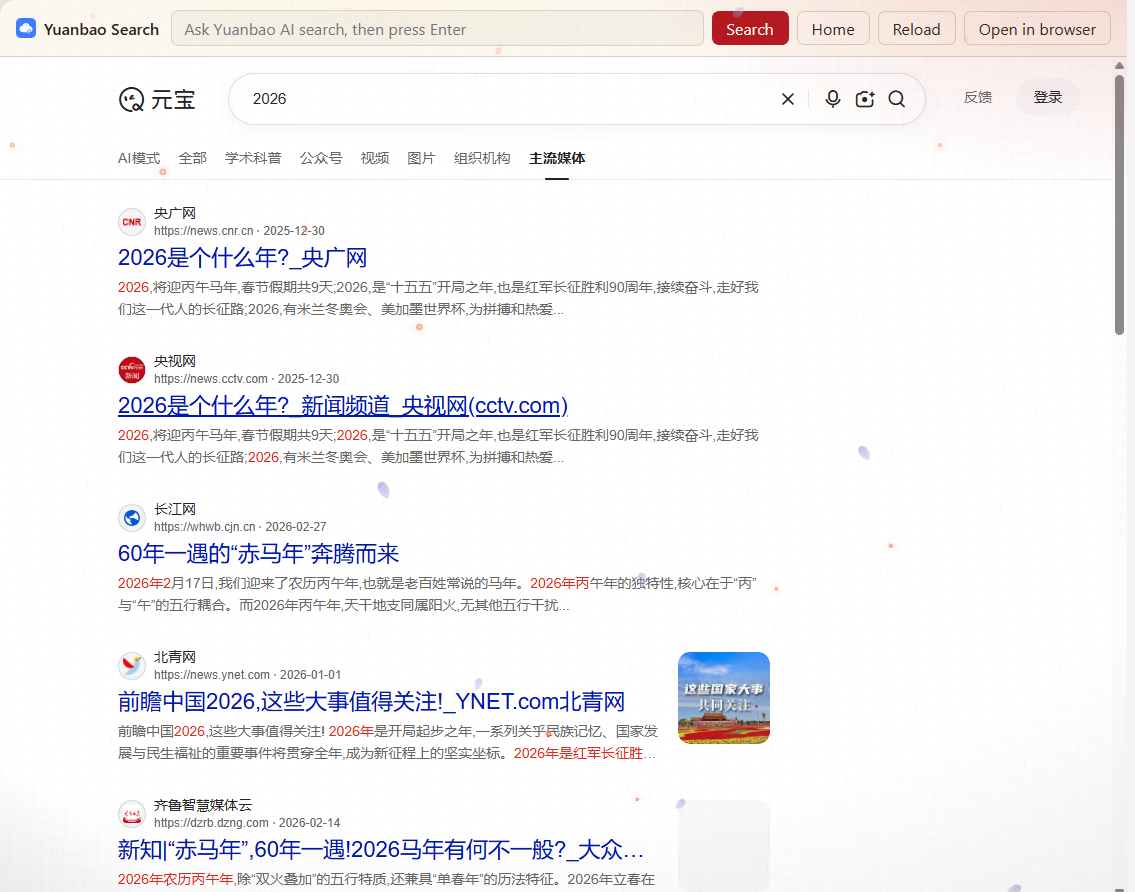
The plugin is a Harness bundle: a Host half plus a Web client module.
# 1. clone next to your Harness workspace
git clone https://github.com/xbbkok/dsh-yuanbao-search.git

# 2. install it into the active profile
#    (Plugin Manager → Add plugin → the cloned directory, or:)
dsh plugin --profile <your-profile> add /absolute/path/to/dsh-yuanbao-search
Then enable Yuanbao Search in Plugins and reload the window once.
Bundle installation is performed by the plugin manager, which links the directory and adds the bundle row. Do not hand-edit the profile's
package.jsonorcordis.patch.yml.
Click Yuanbao Search in the sidebar panel list, between Context Insights and More. The main panel switches to Yuanbao Search.
| Control | Behaviour |
|---|---|
| Search box + Search | Opens /iaimode/search?query=<term> and renders the answer in the panel |
| Home | Back to the AI-mode home page |
| Reload | Reloads the embedded page |
| Open in browser | Opens the current address in your system browser |
Sign-in, history and conversations happen on the Yuanbao site itself. The plugin never reads, stores or forwards your Yuanbao account information.
Yuanbao's plain home search hands the query to https://www.sogou.com/web?query=….
Sogou refuses to be framed, so the Harness shell opens that navigation in the
system browser — the classic "clicking search throws me out of the app" symptom.
The AI mode page (https://so.qq.com/iaimode) answers entirely on
so.qq.com, at a URL shape that can be loaded straight into the panel. The panel
therefore defaults to AI mode, and the toolbar drives the same URL.
Panel copy is registered in the Client locale service under the
yuanbao-search namespace with zh and en dictionaries, so labels follow the
Harness interface language. Plugin-card metadata comes from locale/*.json.
The Host half is intentionally empty — it registers no service, route or tool, so
the bundle cannot fail activation through a name collision. The panel carries its
own defaults (https://so.qq.com/iaimode).
window.open, the shell still resolves it
in the system browser. AI mode does not trigger this; forcing a sandbox would
break in-site sign-in, so it is left alone./iaimode route and on the site permitting
framing. If Tencent changes either, the panel needs a matching update.Plain JavaScript, no build step.
index.js            Host half: deliberately empty apply()
client.js           Web half: the panel and the sidebar entry
cordis.patch.yml    Bundle patch that inserts the plugin row
locale/{en,zh}.json Plugin-card metadata
icon.svg            Plugin icon
docs/screenshot.png README image
Two details matter when hacking on this:
get, on,
provide, effect. There is no ctx.slots; use ctx.get('slots').id must equal the main slot key, because the host
dispatches the panel switch by that id.CLASSIFICATION EVIDENCE
系统优先读取 GitHub Topics,再与站内分类词典和词根规则比对。当前命中: search。
volcengine
Self-evolving Context Database for AI Agents. Unify Agent Memory, Knowledge RAG and Skills.

mindscale-noah
该仓库暂未提供项目说明。

himovo
Turn DeepSeek Harness into a self-hosted enterprise Agent platform with knowledge, deep research, content generation, vibe coding, browser automation, governance, and admin controls.