文件与数据
插件

OpenViking
volcengine
Self-evolving Context Database for AI Agents. Unify Agent Memory, Knowledge RAG and Skills.

wolfsonliu/dsh-file-explorer-preview-sequence
DSH Web file-explorer preview plugin: renders FASTA / GenBank / JBEI / SnapGene / SBOL sequences with the SeqViz viewer | DSH Web 文件浏览器预览插件:用 SeqViz 查看器渲染 FASTA / GenBank / JBEI / SnapGene / SBOL 序列文件
PROJECT TOPICS
INSTALL REFERENCE
dsh plugin --profile web add github:wolfsonliu/dsh-file-explorer-preview-sequence
该命令指向仓库当前默认分支;尚无绑定当前 commit 的完整验证结果。
PROJECT README
中文 | English
A DSH Web plugin that adds a SeqViz sequence viewer to dsh-file-explorer, overriding its plain-text previews for FASTA, GenBank, JBEI, SnapGene, and SBOL files.
Select a .gb / .fasta (or any supported format below) in the file explorer and the preview panel renders an interactive sequence viewer instead of raw text.
| Dark theme | Light theme |
|---|---|
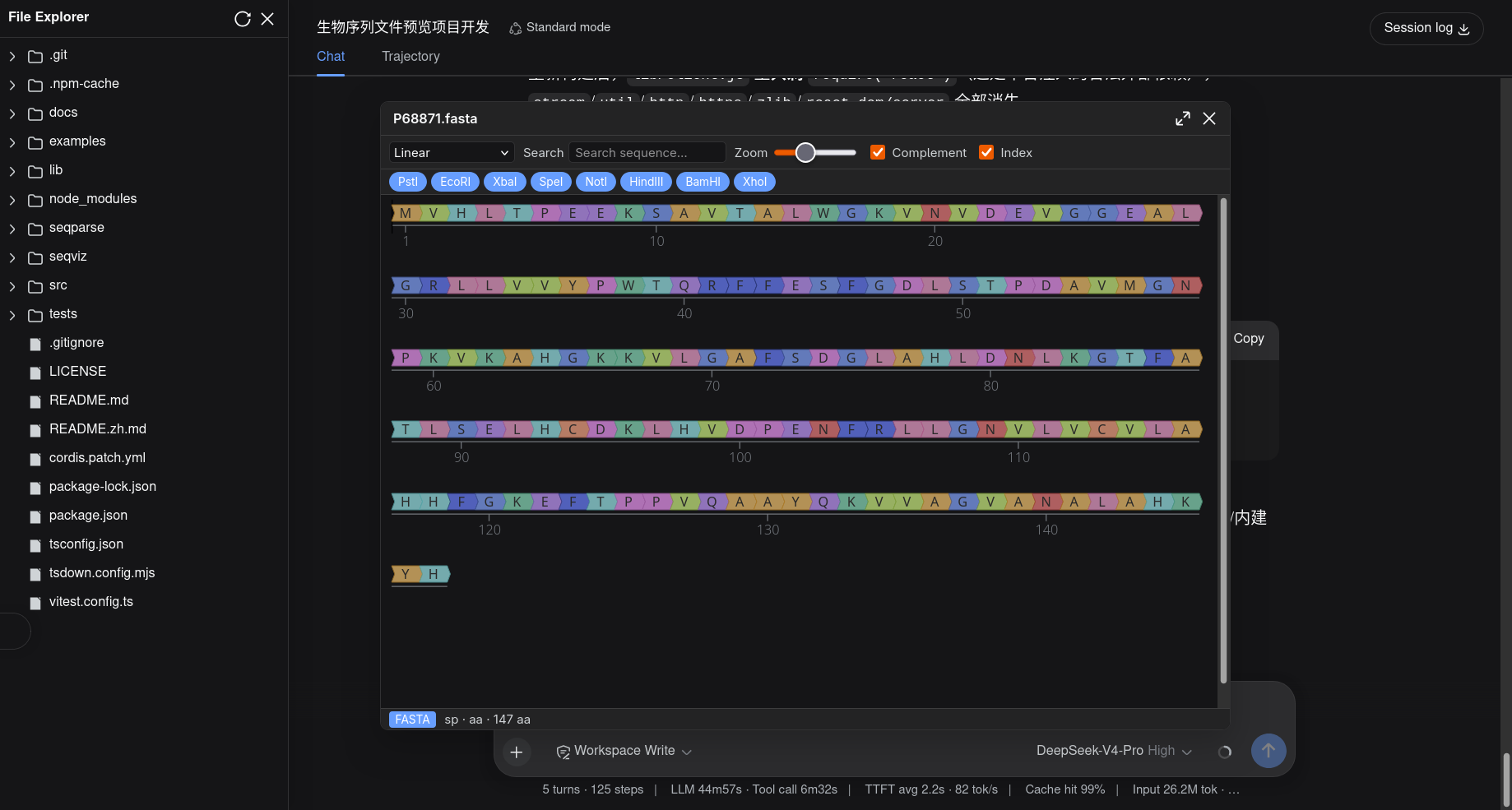 |
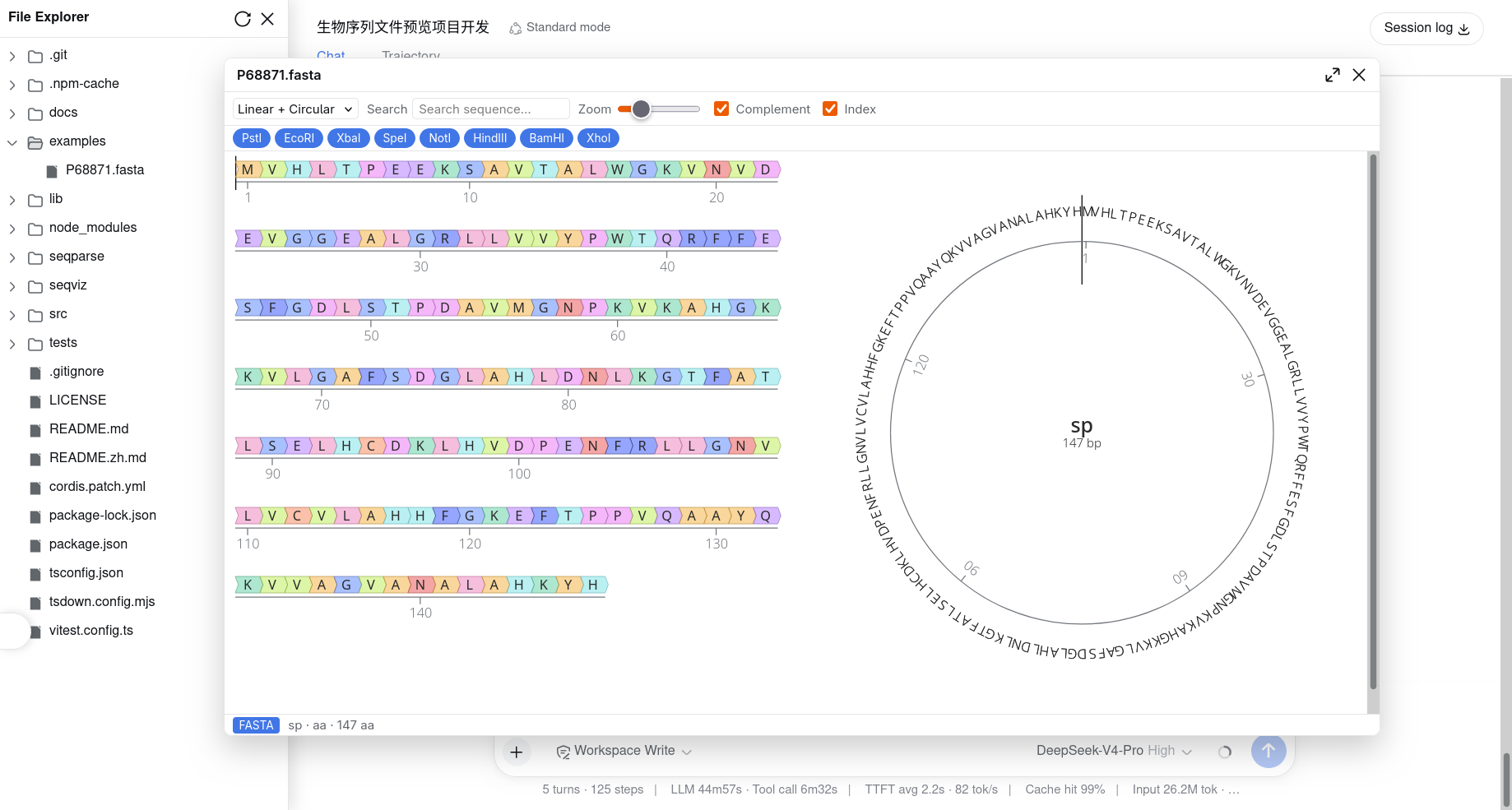 |
seqviz (<SeqViz>), with parsing by seqparse..xml/.seq files, or fall back to plain text.data-ds-dark-theme.| Extension | Format |
|---|---|
fasta fa fas fna faa ffn |
FASTA |
gb gbk genbank gp |
GenBank / GenPept |
dna |
SnapGene |
seq |
JBEI SEQ |
sbol xml |
SBOL v1/v2 |
dsh plugin --profile web add github:wolfsonliu/dsh-file-explorer-preview-sequence
dsh webgit clone https://github.com/wolfsonliu/dsh-file-explorer-preview-sequence
cd dsh-file-explorer-preview-sequence
npm install
npm run build
dsh plugin --profile web add .
dsh webThis plugin requires @dsh-external/dsh-file-explorer (v0.1.0+) — it injects the fileExplorer cordis service (registerViewer / registerPreview / writeFile / readRawFile). Install and enable dsh-file-explorer before this plugin:
# install the core from git
dsh plugin --profile web add github:wolfsonliu/dsh-file-explorer

# or, from source
git clone https://github.com/wolfsonliu/dsh-file-explorer
cd dsh-file-explorer
npm install && npm run build
dsh plugin --profile web add .
For local development, this repo's
devDependenciesresolves@dsh-external/dsh-file-explorer's./clienttype definitions. Point it at your checkout or your registry's published package beforenpm install.
For files ≤ 2 MiB the plugin parses the text preview content directly. SnapGene .dna (binary) and files larger than 2 MiB are handled via readRawFile (available in dsh-file-explorer v0.1.0+). When readRawFile is absent (older core versions), the plugin degrades gracefully: text formats ≤ 2 MiB still preview, .dna and larger files show an unsupported status.
On dsh-file-explorer v0.9.0+ the plugin also registers via registerViewer, giving it a single named SeqViz entry in "Open with…"; on older cores it falls back to per-extension registerPreview registrations.
.dna and > 2 MiB files require dsh-file-explorer v0.1.0+ (older versions degrade gracefully)..xml and .seq are ambiguous extensions; files in those extensions that aren't SBOL / JBEI fall back to a plain-text view.npm run check # tsc type check
npm test # vitest unit tests
npm run build # tsc + tsdown (single-file lib/client.js bundling seqviz + seqparse)The real SeqViz canvas cannot run under jsdom; verify it with dsh web and a sequence file in examples/.
After
npm run build, hard-refresh the browser (Ctrl/Cmd+Shift+R):dsh webmay keep serving a cached plugin bundle, so a soft reload can leave your latest build unused.
CLASSIFICATION EVIDENCE
系统优先读取 GitHub Topics,再与站内分类词典和词根规则比对。当前命中: file、文件。
volcengine
Self-evolving Context Database for AI Agents. Unify Agent Memory, Knowledge RAG and Skills.

mindscale-noah
该仓库暂未提供项目说明。

himovo
Turn DeepSeek Harness into a self-hosted enterprise Agent platform with knowledge, deep research, content generation, vibe coding, browser automation, governance, and admin controls.