
文件与数据
插件

OpenViking
volcengine
Self-evolving Context Database for AI Agents. Unify Agent Memory, Knowledge RAG and Skills.
PROJECT TOPICS
INSTALL REFERENCE
dsh plugin --profile web add github:wolfsonliu/dsh-file-explorer
该命令指向仓库当前默认分支;尚无绑定当前 commit 的完整验证结果。
PROJECT README
中文 | English
A file explorer for DSH Web. A floating "Files" button opens a left drawer (workspace file tree); clicking a file floats a draggable/resizable preview box on the right. Clicking a "generated files" chip or a tool-row file link opens that file in the preview box instead of the OS default app.
| Light | Dark |
|---|---|
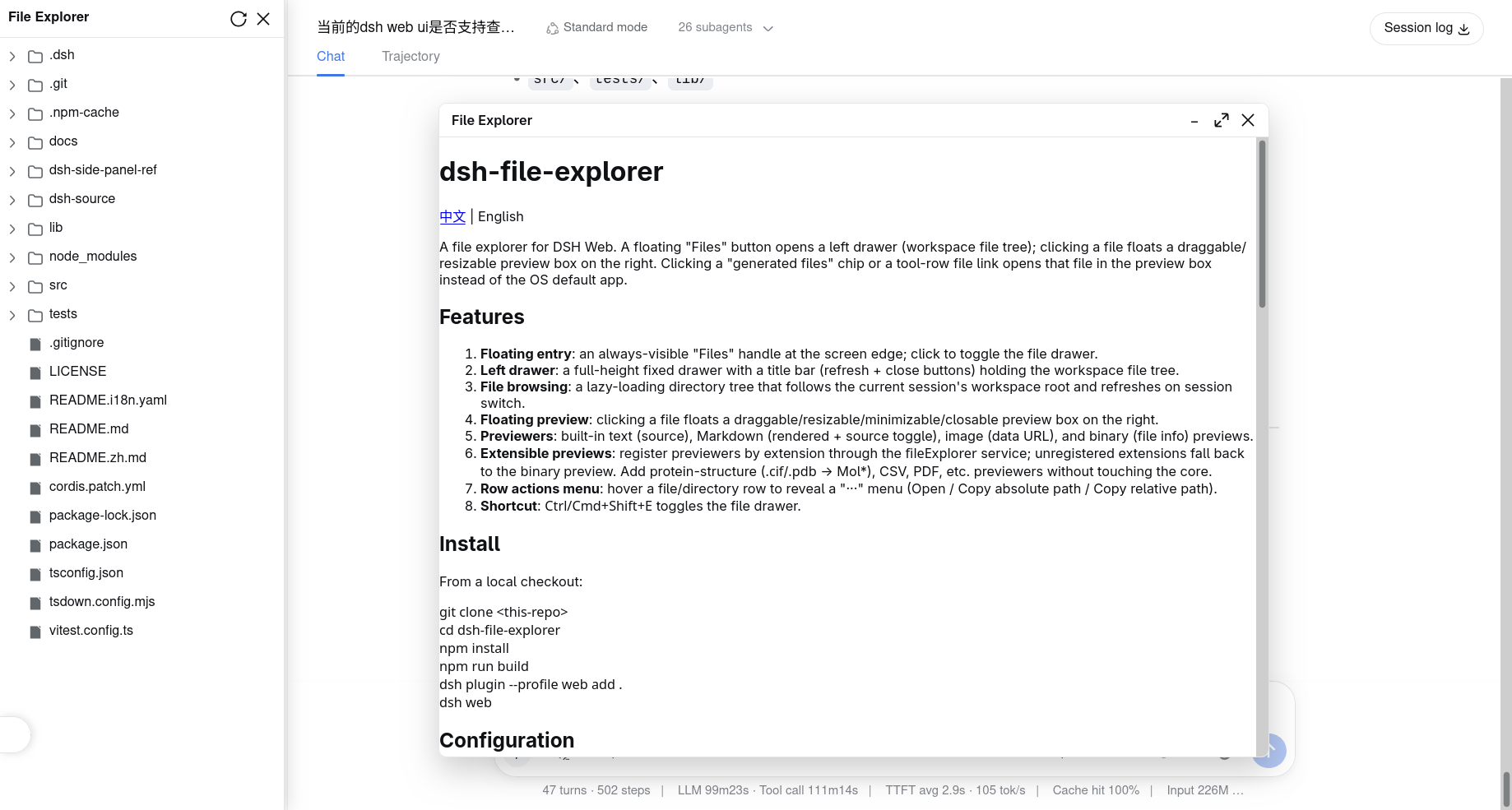 |
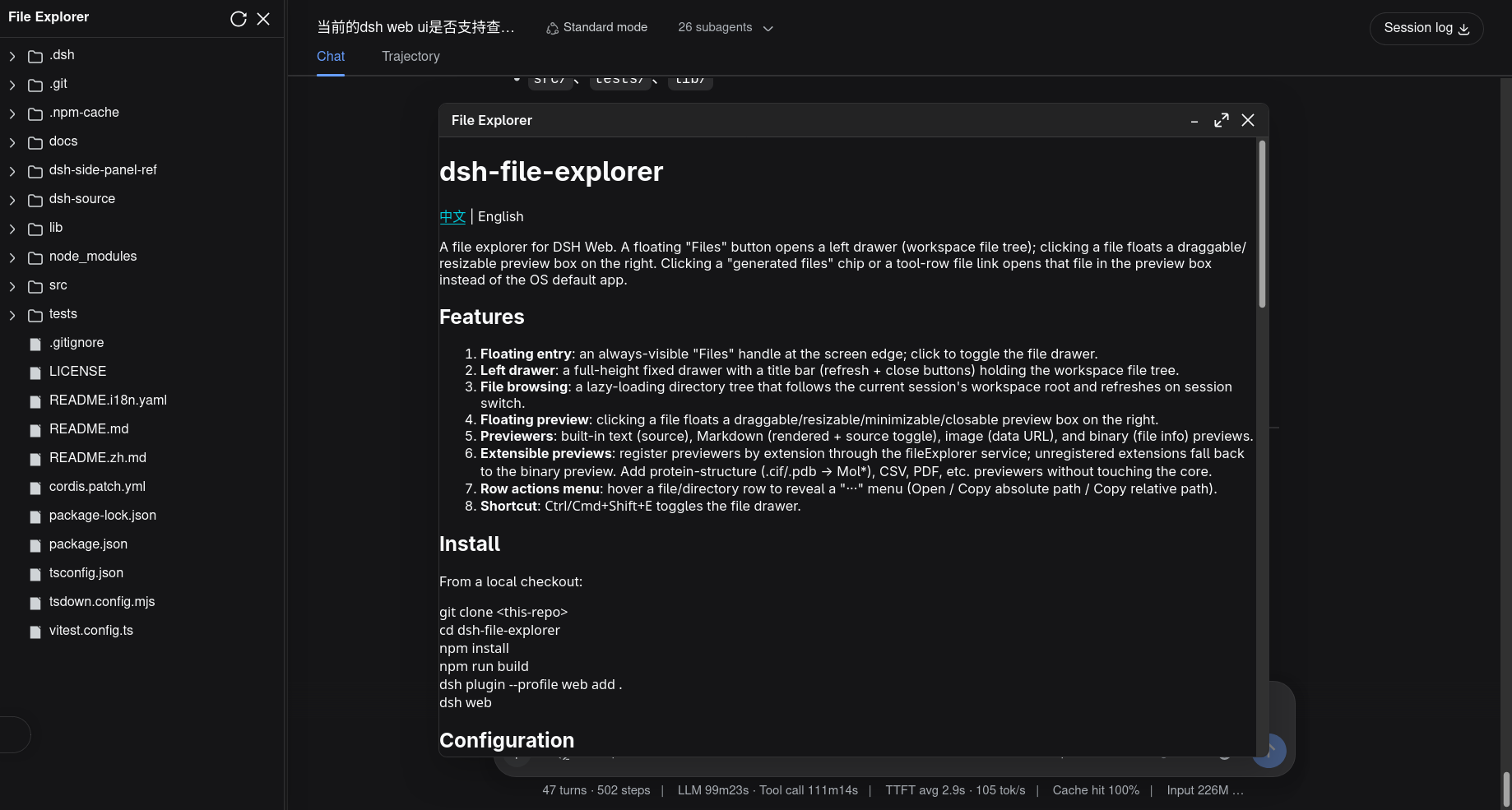 |
fileExplorer service; unregistered extensions fall back to the built-in preview for their detected kind (plain source for text, image for images, hexdump for binary), and a higher-priority registration overrides the built-in preview for that extension. Add protein-structure (.cif/.pdb → Mol*), sequence, etc. previewers without touching the core..pdf / .html / .htm / .xhtml / .json file opens it in a new browser tab with the browser's native renderer; HTML pages load their same-directory assets (CSS/JS/images/fonts).Ctrl/Cmd+Shift+E toggles the file drawer.How a file opens depends on its extension and on how its bytes are detected (text vs binary):
| Type | Extension(s) | Default behavior |
|---|---|---|
| Source text | .ts .tsx .js .jsx .css .py .yaml .yml .sh .go .rs .xml .sql .txt … |
Plain source preview; large files stream page by page |
| Markdown | .md .mdx |
Rendered HTML, with a source toggle and inline edit |
| Image | .png .jpg .jpeg .gif .webp .svg |
Image preview (data URL) |
| CSV | .csv |
Read-only table (first row is the header) |
.pdf |
Browser's native viewer, new tab | |
| HTML | .html .htm .xhtml |
Browser's native renderer, new tab |
| JSON | .json |
Browser's native viewer, new tab |
| Binary / unregistered | — | Hexdump (hexdump -C style, first maxBinaryBytes) |
Text versus binary is decided by a NUL-byte scan; images are recognized by extension. A zero-byte file is treated as empty text (editable) unless its extension is an image, which shows a status note; files past their size cap show "File too large" (text pages instead of failing). Any file can also be force-opened as text or as binary from its "···" row menu, bypassing the default above.
Built-in previewers register at priority 0. Because registration resolves the
highest priority first, an extension can replace any built-in preview for a
specific extension — for example a richer Markdown or CSV renderer — without
touching the core. registerViewer({ id, label, exts, component, priority })
adds a named viewer; registerPreview(ext, component, priority) is the lighter
anonymous form.
From the git repository (recommended):
dsh plugin --profile web add github:wolfsonliu/dsh-file-explorer
dsh web
Or from a local checkout:
git clone https://github.com/wolfsonliu/dsh-file-explorer
cd dsh-file-explorer
npm install
npm run build
dsh plugin --profile web add .
dsh webInstall additional previewers for richer file previews:
# CodeMirror 6 code preview with syntax highlighting and editing
dsh plugin --profile web add github:wolfsonliu/dsh-file-explorer-preview-code

# Mol* molecular-structure preview (.cif / .pdb)
dsh plugin --profile web add github:wolfsonliu/dsh-file-explorer-preview-molstar

# SeqViz sequence viewer (FASTA / GenBank / JBEI / SnapGene / SBOL)
dsh plugin --profile web add github:wolfsonliu/dsh-file-explorer-preview-sequenceThe bundle enables the following defaults:
- insert:
    - id: file-explorer
      name: '@dsh-external/dsh-file-explorer'
      config:
        maxTextBytes: 2097152
        maxImageBytes: 10485760
        maxBinaryBytes: 65536
maxRawBytes: 104857600| Config | Default | Description |
|---|---|---|
maxTextBytes |
2 MiB | Max size of a single text file to preview |
maxImageBytes |
10 MiB | Max size of a single image file to preview |
maxBinaryBytes |
64 KiB | Max bytes of a binary file to read for its hexdump |
maxRawBytes |
100 MiB | Per-read cap for raw reads / readRawFile |
showHidden |
false | Base policy for listing dot-prefixed (hidden) files; the header eye toggle sends a per-request override (OR) |
inlineCsp |
none | Optional Content-Security-Policy for inline html/xhtml/svg via the static route |
The host half registers a /file-explorer/api exact route via ctx.webServer.register(). Actions (action query param):
list: lists one directory level (directories first, by name), returning BrowserEntry[].preview: reads one file, returning a discriminated FilePreview (text / text-large / image / empty / binary / too-large).pdf: streams a .pdf file inline (Content-Type: application/pdf) so the browser's native viewer renders it in a new tab.resolve-path: resolves a workspace-relative path to an absolute path and parent path.write: writes UTF-8 text to a workspace file (POST body { path, content }), returning the saved relative path.All paths pass a workspace-containment check (inside(root, input), including realpath symlink resolution); out-of-workspace paths are rejected. Text/binary is detected by a NUL-byte scan; images map extensions to MIME and return a data URL. Binary previews return the first maxBinaryBytes as base64 (plus a truncated flag) for a hexdump -C-style hex dump.
The host also registers a kind: 'prefix' route at /file-explorer/files/<sessionId>/<relative path…> that streams workspace files with a browser-native content type (text/html, text/css, image/*, application/pdf, web fonts, audio/video, and application/octet-stream for unknowns). It honors Range, serves a directory's index.html, and always sets x-content-type-options: nosniff + cache-control: no-store. This is the URL .pdf/.html/.htm/.xhtml open in a new tab.
This plugin is a pure UI surface — it emits no session events and does not modify session logs, so it is invisible to the model. The host half only reads file content for browser preview, independent of agent tool execution.
preview-code extension._fileLink, data-produced-files-row); update the selectors if the upstream UI changes.maxTextBytes the preview pages via readRawFile); image reads are bounded by maxImageBytes, and binary hexdumps read only the first maxBinaryBytes.showHidden: true forces them always visible (OR semantics).dsh-file-explorer exposes the fileExplorer cordis service: registerViewer, registerPreview, registerFileAction, writeFile, and readRawFile. Domain experts can ship extensions as separate plugins (named @dsh-external/dsh-file-explorer-preview-<domain>) without touching the core.
See Developing a dsh-file-explorer extension (中文) for the full guide — contracts, routing, handling large/binary files with readRawFile, editing with writeFile, bundling, i18n, and reference implementations.
Quick skeleton:
import type { FileExplorerService } from '@dsh-external/dsh-file-explorer/client'

export const inject = ['fileExplorer']

export function apply(ctx: {
  fileExplorer: FileExplorerService
  effect(cb: () => (() => void), label?: string): void
}): void {
  ctx.effect(() => ctx.fileExplorer.registerViewer({
    id: 'cif-viewer',        // unique; 'auto' | 'text' | 'binary' are reserved
    label: 'My CIF Preview', // shown in the "Open with…" list
    exts: ['cif'],
    component: CifPreview,
    priority: 10,
  }))
}dsh-file-explorer is designed for extension through the fileExplorer service. Known extensions:
| Extension | Description | Repository |
|---|---|---|
dsh-file-explorer-preview-code |
CodeMirror 6 code preview with editing | wolfsonliu/dsh-file-explorer-preview-code |
dsh-file-explorer-preview-molstar |
Mol* molecular-structure preview (.cif / .pdb) |
wolfsonliu/dsh-file-explorer-preview-molstar |
dsh-file-explorer-preview-sequence |
SeqViz sequence viewer preview (FASTA / GenBank / JBEI / SnapGene / SBOL) | wolfsonliu/dsh-file-explorer-preview-sequence |
More extensions are welcome — build your own by following Developing a dsh-file-explorer extension.
npm install
npm run check     # tsc type check
npm test          # vitest unit tests
npm run build # tsc + tsdown (host ESM + client CJS bundle)CLASSIFICATION EVIDENCE
系统优先读取 GitHub Topics,再与站内分类词典和词根规则比对。当前命中: file、files、文件。
volcengine
Self-evolving Context Database for AI Agents. Unify Agent Memory, Knowledge RAG and Skills.

mindscale-noah
该仓库暂未提供项目说明。

himovo
Turn DeepSeek Harness into a self-hosted enterprise Agent platform with knowledge, deep research, content generation, vibe coding, browser automation, governance, and admin controls.