
dsh-temp-chat
English | 中文



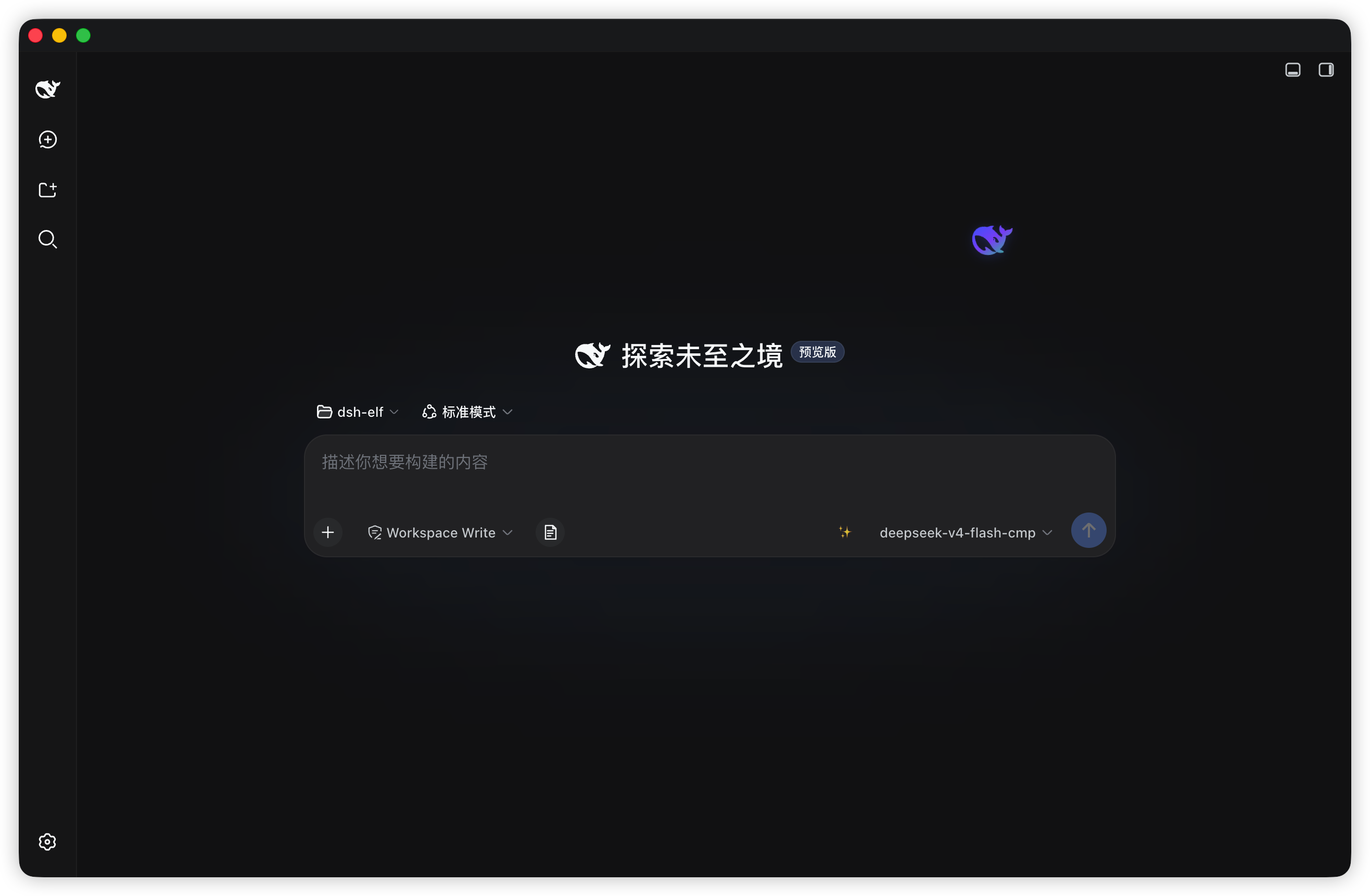
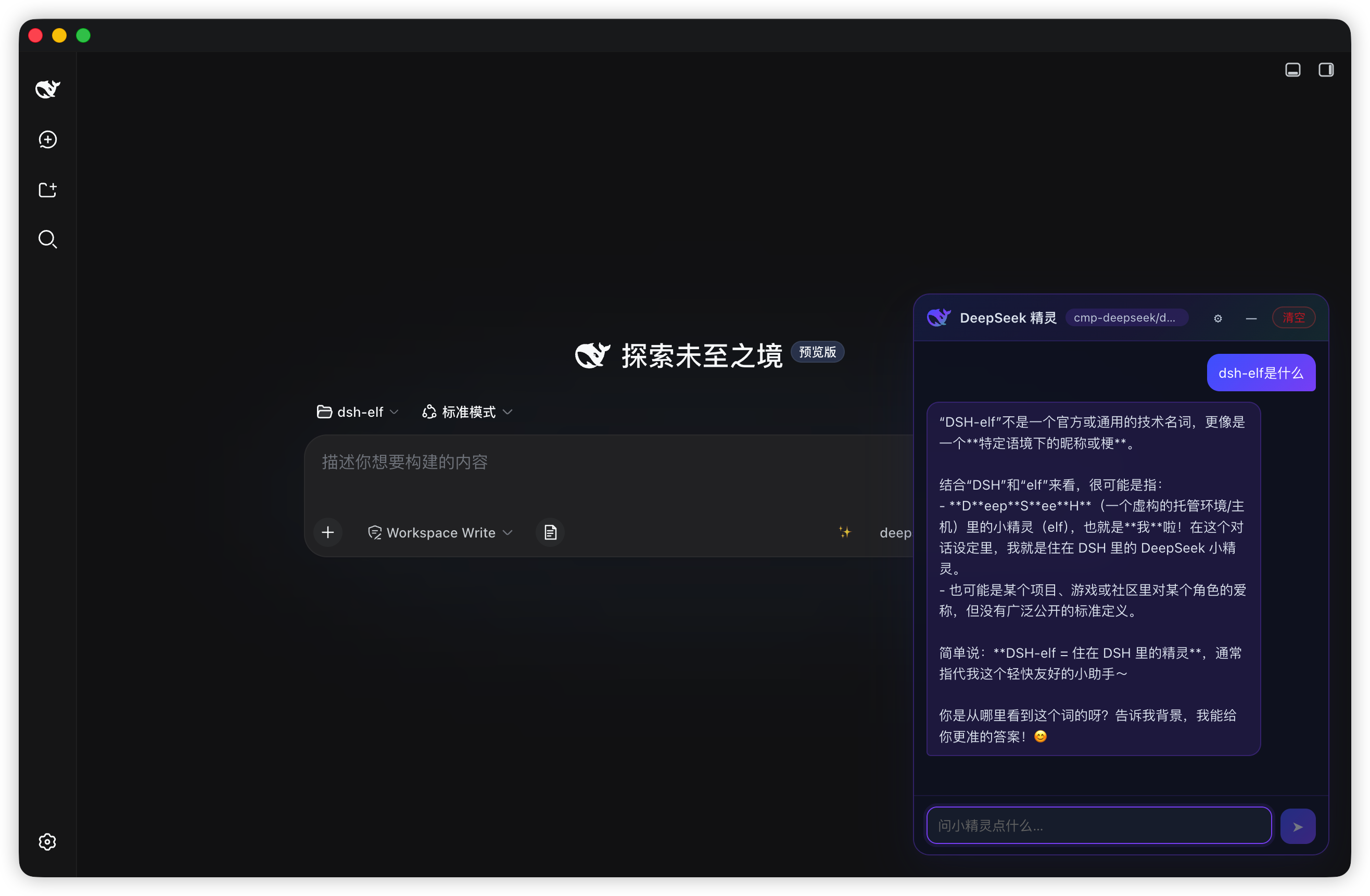
A DeepSeek whale elf that lives on your DSH page. A translucent, slowly drifting whale (rendered from the official DeepSeek favicon path, tinted blue → purple → green) hovers at the edge of the viewport; click it to open a lightweight, draggable chat window that never touches your session history.
Screenshots
Features
- Living elf — the whale slowly wanders around its anchor point (sin/cos drift plus a bob animation); drag it anywhere and the position persists across restarts
- Instant chat — click to open, drag the title bar to move,
— to minimize back to the elf
- Zero-config by default — follows the session's default model (the harness's configured provider), no API key required
- Custom endpoint mode — uncheck "follow session default" and plug in any OpenAI-compatible endpoint (DeepSeek / OpenAI / Moonshot / GLM / Qwen / custom base URL), streamed token-by-token directly from the browser
- Real streaming — host-route chats poll the streaming response (~55 ms) so text appears as it is generated; custom endpoints use native SSE
- Nice-to-haves — copy per message, one-click clear, model badge, light/dark theme, empty-state hint, drag clamping (you can't lose the elf off-screen)
- Follows your language — the elf UI switches between 中文 / English automatically, matching the language setting in DSH; no reload needed
Requirements
- DSH with a
web or desktop profile
- Node.js
^22.19.0 or >=24.0.0 (only needed to build from source)
- pnpm is recommended when installing into a profile
Install
The bundle entry (id: elf) is self-declared by this package's cordis.patch.yml —
no manual patch file is needed.
From npm
dsh plugin --profile desktop add dsh-temp-chat
Restart DSH (quit fully and reopen), then a fresh page shows the elf at the bottom-right.
From git
Installing the plugin directly from the repository (e.g. "dsh-temp-chat": "github:winditer/dsh-temp-chat" in a
profile's package.json) also works out of the box: the built client bundle is committed, so the
codeload tarball a git install downloads already contains dist/client.js and no build step is needed
on the consuming side. (This was not always true — the bundle used to be gitignored, which made the
plugin tree fail to load with client bundles not found; run pnpm run build before launch.)
From source (development)
git clone https://github.com/winditer/dsh-temp-chat.git dsh-temp-chat && cd dsh-temp-chat
npm install
npm run build          # produces dist/client.js
dsh plugin --profile desktop add .    # links the workspace into the profile by package name
Or install by hand: in the target profile's package.json (e.g. ~/.dsh/profiles/desktop/package.json):
{
  "dependencies": {
    "dsh-temp-chat": "link:/absolute/path/to/dsh-temp-chat"
    // ...
  },
  "dsh": {
    "profile": {
      "bundles": [ /* ... */, "dsh-temp-chat" ]
    }
  }
}
then pnpm install inside the profile directory and restart DSH.
Uninstall
Remove dsh-temp-chat from the profile's dependencies and dsh.profile.bundles, then clean up the installed link (rm -rf <profile>/node_modules/dsh-temp-chat or pnpm --filter dsh-temp-chat remove --dir <profile>).
Usage
- Drag the elf to park it anywhere (the drop position is persisted under
dsh-temp-chat:orb); click (without dragging) to open the chat window
- Chat header: model badge ·
⚙ configuration · — minimize · 清空 clear
Enter sends, Shift+Enter inserts a newline; hover a message and click 📋 to copy- Chats are temporary: they are never written to DSH sessions and disappear when the plugin stops or you clear them
Configuration
Open ⚙ in the chat header:
| Setting |
Meaning |
| 跟随会话默认 (follow) |
On: use the harness's session-default model automatically. Off: enable the fields below |
| 提供方 (provider) |
Preset for the OpenAI-compatible base URL |
| API 地址 / API Key / 模型 |
Base URL, key, and model name for the custom route |
| reasoning |
Optional reasoning_effort (high / medium / low) for compatible models |
Settings are saved in the browser's localStorage (dsh-temp-chat:cfg) together with chat history, positions and window mode (dsh-temp-chat:chat / dsh-temp-chat:orb / dsh-temp-chat:win / dsh-temp-chat:mode).
Architecture
Two halves, one package:
- Host half —
lib/index.js (= src/host.js). Registers a JSON API at /dsh-temp-chat/api through the harness webServer service; runs the session-default chat via llm.stream; chats live in an in-memory Map that is cleared when the plugin unloads.
- Client half —
src/client.js, bundled to dist/client.js (esbuild, wrapped in __ModuleLoader__.load({ id: "dsh-temp-chat", … }); the id must equal the installed package name). Renders into the shell.overlay slot, talks to the host with fetch POSTs.
Host API
All endpoints are POST /dsh-temp-chat/api/<method>; every response is { ok: true, value } or { ok: false, error }.
| Method |
Body |
Returns |
elf.sessionModel |
{} |
{ available, provider?, model?, reasoningEffort? } — the session's default model |
elf.chat.start |
{ messages: [{ role, text }] } |
{ ok, chatId } or { ok: false, error } |
elf.chat.poll |
{ chatId } |
{ ok, done, text, error? } — accumulated text while streaming; done: true at the end |
elf.chat.close |
{ chatId } |
{ ok } |
Protocol details: only POST is accepted (405 otherwise); the body is JSON with a 1 MB cap (413); unknown methods return 404.
Security notes
- Default route sends no credentials — it reuses the harness's configured provider.
- The custom-mode API key stays in your browser (
localStorage), never on disk or over the wire to anything but the endpoint you configured.
- Chats are ephemeral and in-memory; nothing is written to DSH session history.
Development
npm run build   # esbuild: src/client.js → dist/client.js (__ModuleLoader__ bundle)
npm run check   # node --check on both halves
npm test        # node --test (host mount regression + client bundle guards)
Project layout
src/client.js      Client half (shell.overlay, plain browser timers, fetch → /dsh-temp-chat/api)
src/host.js        Host half source (= lib/index.js, the Node entry)
lib/index.js       Package main — host half, loaded by the DSH host runtime
dist/client.js     Built client bundle (__ModuleLoader__ format, load id = dsh-temp-chat)
cordis.patch.yml   Bundle entry declaration (insert: { id: elf, name: dsh-temp-chat })
scripts/build.mjs  Build script (esbuild + bundle wrapper)
test/              node:test suites
assets/            Logo / whale artwork
Gotchas (learned the hard way)
-
Bundle id must equal the package name — arrive() throws bundle loaded without registering <id> otherwise. scripts/build.mjs hardcodes the correct id.
-
Profile bundles don't get the cordis timer service — that service is installed only for dynamic cordis-runner packages. Use plain browser setInterval/setTimeout (disposed in React effect cleanup), exactly like the sibling dshmarket bundle.
-
Prefer link: over file: when installing a workspace copy — file: copies files, so edits/rebuilds go stale.
-
Client changes go live on page refresh (bundle rev is content-hashed); host changes require a full DSH restart.
-
Fresh publishes can trip the profile's minimumReleaseAge policy — if the profile enforces pnpm's release-age supply-chain check, a version published less than ~24 h ago fails dsh plugin … add <pkg> with ERR_PNPM_MINIMUM_RELEASE_AGE_VIOLATION. Add the exact name@version to minimumReleaseAgeExclude in the profile's pnpm-workspace.yaml (and keep the entry current when you release a new version):
minimumReleaseAgeExclude:
  - dsh-temp-chat@2.3.1
License
MIT


