
消息通讯
插件

Invoice-Downloader
EthanYoQ
电子发票整理与报销准备工具:从邮箱批量收集 PDF/OFD/XML 发票,OCR 识别、分类归档并生成 Excel 汇总;提供 Windows/macOS 桌面版与 DSH 插件。
PROJECT TOPICS
INSTALL REFERENCE
dsh plugin --profile web add github:v93013520/dsh-abba-secret-chat
该命令指向仓库当前默认分支;尚无绑定当前 commit 的完整验证结果。
PROJECT README
A one-off, two-person password chat that docks in the DeepSeek Harness right sidebar. A and B each set a password and tell each other; both must match to pair. It is end-to-end encrypted — messages and images are encrypted in your browsers, so the server (and anyone sniffing the network) sees only ciphertext, and only someone who knows both passwords can read them. Nothing is stored or logged, and everything disappears when DSH exits.
English | 中文
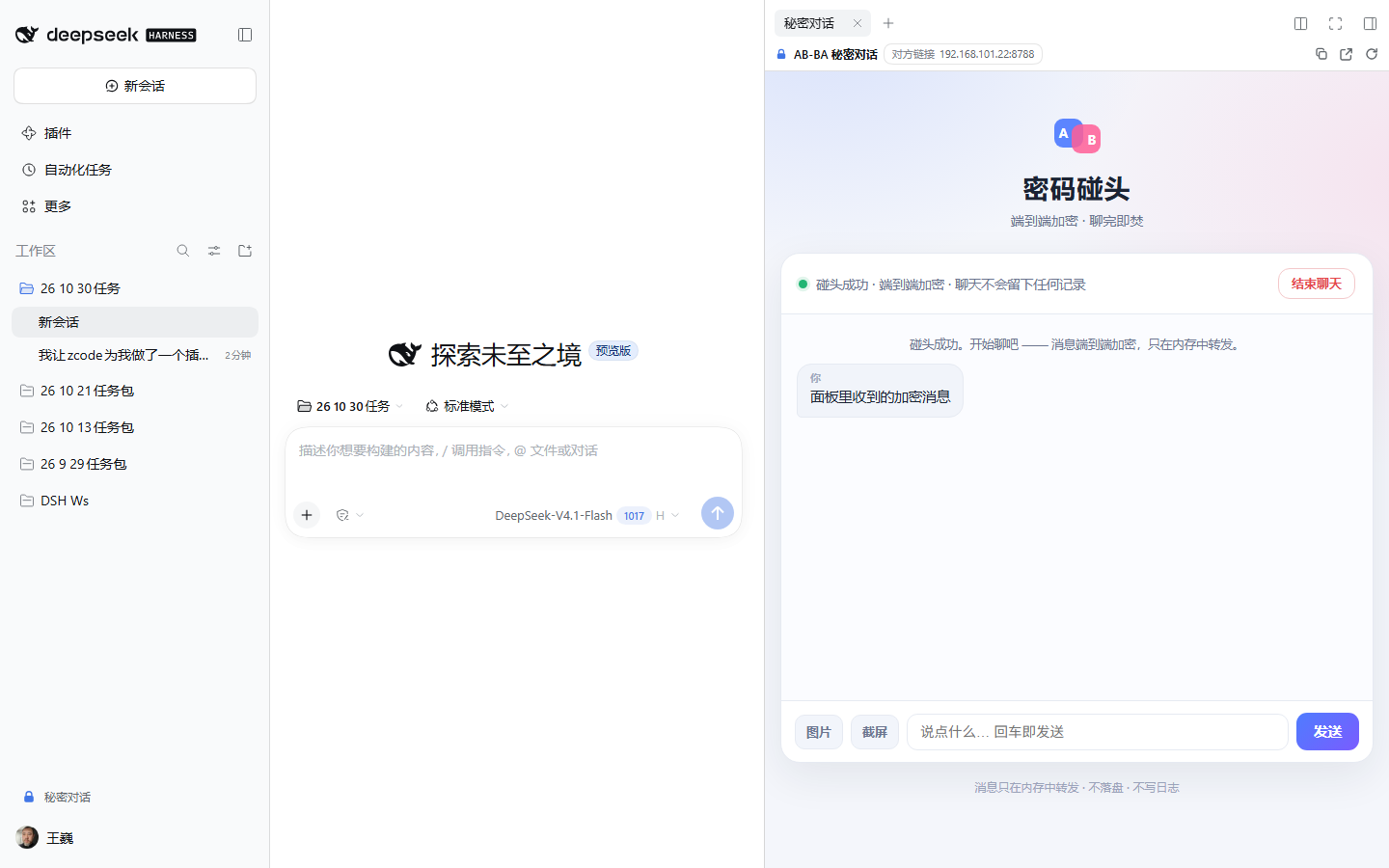
A “Secret chat” entry appears at the bottom of the left sidebar; the chat opens in the right sidebar next to your main conversation, which keeps working untouched.
Sometimes you want to say a few private things to someone nearby (a colleague, family member, a friend) without creating accounts, leaving chat history behind, or mixing it into your AI session. Two people each know a password, one click opens a room that only exists while both are in it — and burns after use.
http://192.168.x.x gets a hint instead.)8787 (falls back +1…+9, then OS-assigned) lets the other person join from a browser on the same Wi-Fi with nothing installed.postinstall. crypto-js is vendored in-tree under MIT (see THIRD_PARTY_NOTICES.md). MIT.Requires DeepSeek Harness >= 0.2.1-rc.3 (engines.dsh; earlier hosts lack the right sidebar and the sidebarRight API). The current version is fully tested on DSH 0.2.2-rc.1 (and 0.2.1-rc.5).
A. From the market (once listed)
DSH → left sidebar Plugins → Market → search dsh-abba-secret-chat → Install.
B. From a local directory (desktop)
DSH desktop → left sidebar Plugins → Install → local directory → point at this package → Install, then fully quit and reopen DSH.
C. Command line (plain dsh web or a custom profile)
dsh plugin --profile web add dsh-abba-secret-chat
# or install from source:
dsh plugin --profile web add github:v93013520/dsh-abba-secret-chat
The desktop profile is owned by the desktop app’s plugin manager — install through the in-app Plugins page instead of editing
profiles/desktopby hand.
Restart DSH after installing or updating so the new plugin loads.
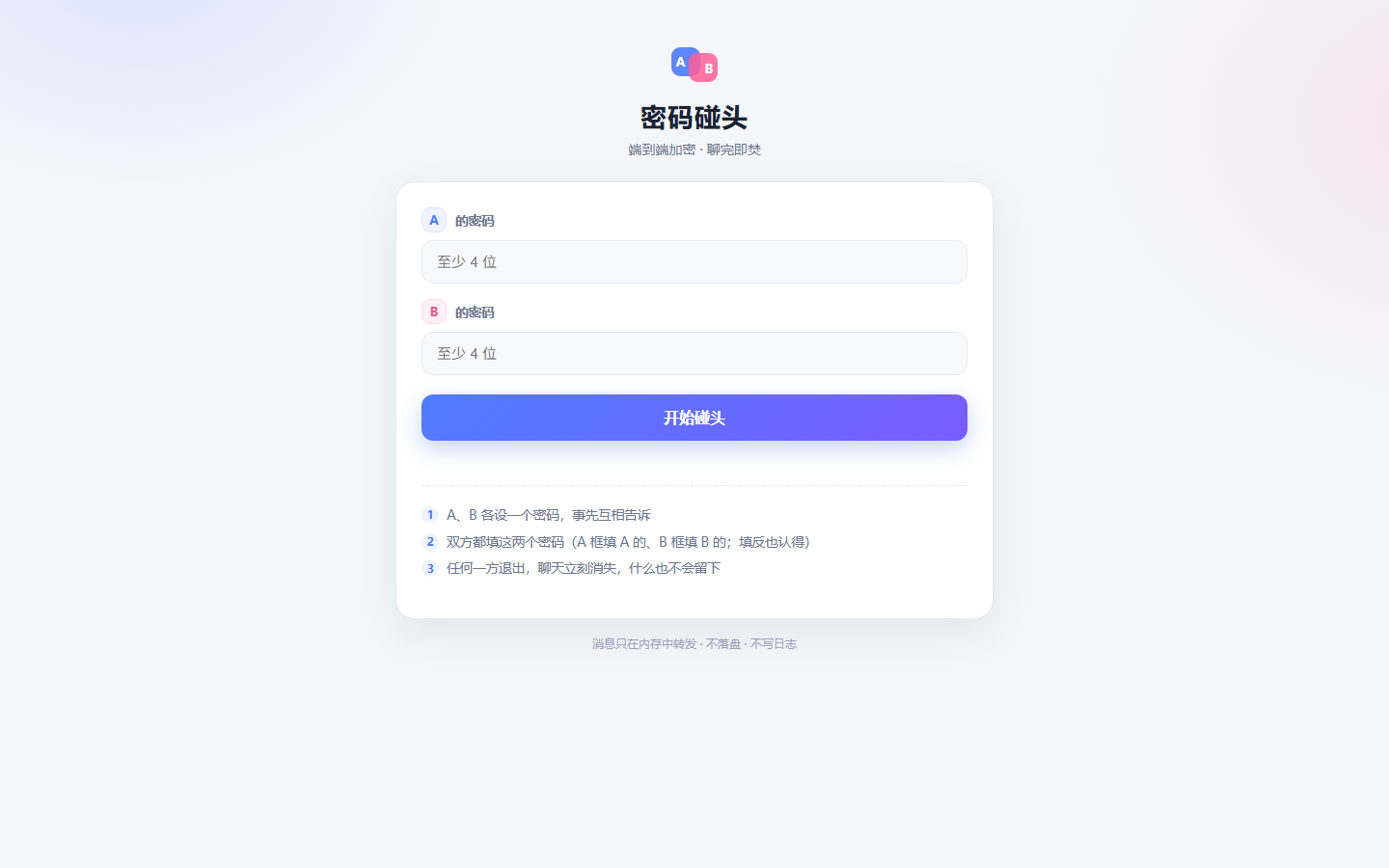
http://192.168.x.x:8787) in a browser on the same Wi-Fi and joins with the same two passwords (swapped is fine) — the two are paired automatically.Want to try alone? Open
http://127.0.0.1:8787in two browser tabs on this machine — one as A, one as B.
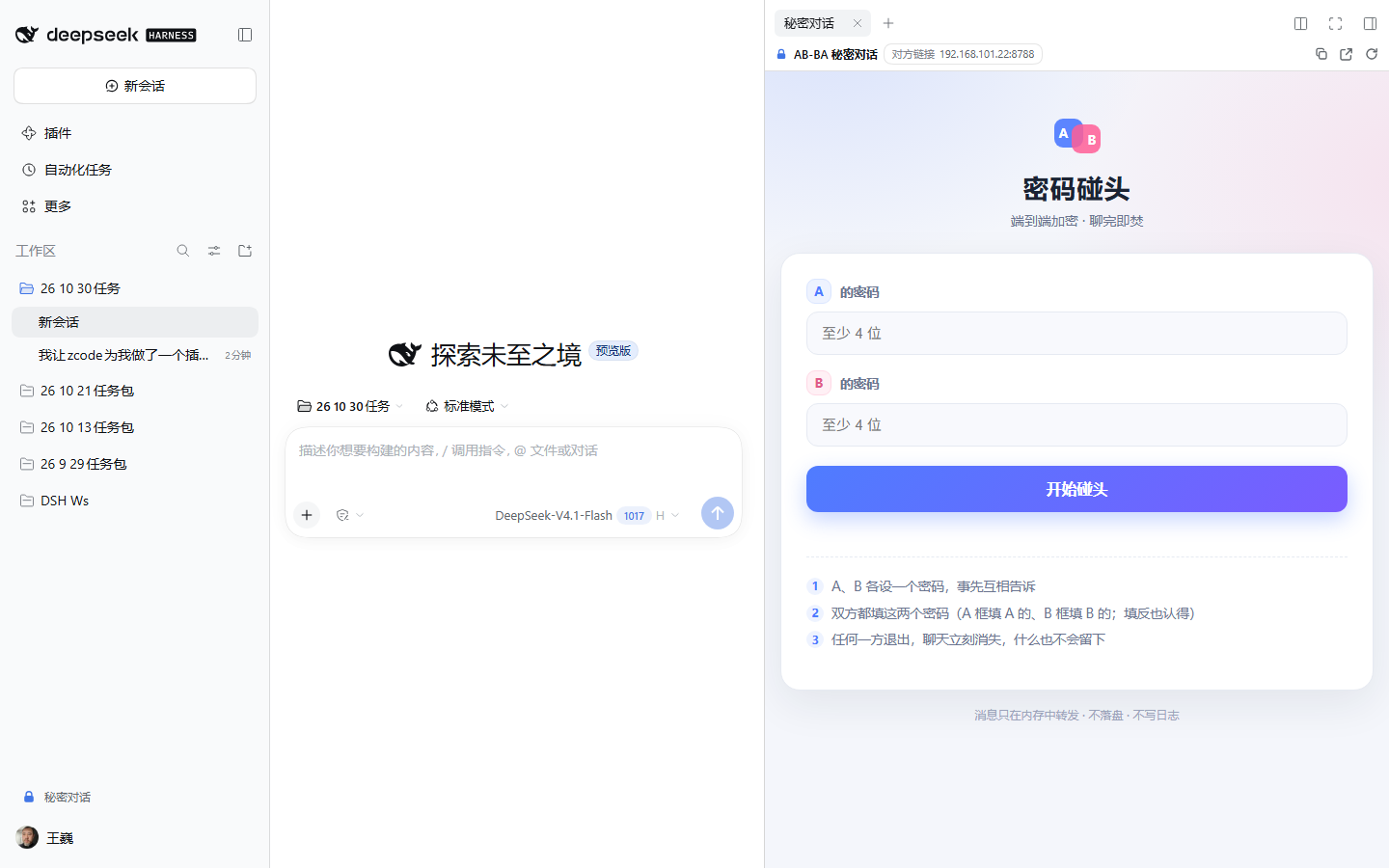
| Two-password start page | Right-sidebar panel (entry, peer link, image/screenshot) |
|---|---|
 |
 |
Type these in the DSH composer:
| Command | Effect |
|---|---|
/abba |
Show status, local URL, LAN URL, and how to open the panel |
/abba status |
Same as above |
/abba stop |
Stop the chat service (the panel stops working) |
/abba 9000 |
Restart on port 9000 (with the same port fallback) |
There is no settings UI; to change the port or restrict access to this machine, override the row’s config in your profile’s cordis.patch.yml (a patch replaces the row’s whole config):
- id: abba-secret-chat
  name: dsh-abba-secret-chat
  config:
    port: 9000        # default 8787; falls back +1..+9 when busy
host: 127.0.0.1 # default 0.0.0.0 (LAN reachable); set this for local-onlyhA/hB = SHA256(password), sorted and hashed again into the pairing key sent to the server; the encryption key (PBKDF2(hA|hB)) and MAC key are derived separately and never sent. Messages use AES-256-CBC with a random IV plus HMAC-SHA256, verified before decryption. The server and network sniffers see only ciphertext and a pairing hash; reading content requires both passwords.localStorage, sessionStorage, or IndexedDB.0.0.0.0:8787), but messages and images are application-layer encrypted, so captures show ciphertext. Use it on a trusted network; anyone who knows both passwords can join.| Host | Notes |
|---|---|
DSH Desktop >= 0.2.2-rc.1 |
Fully tested (right-sidebar tab, entry, encrypted chat in the panel, images, /abba) |
DSH 0.2.1-rc.5 and earlier rcs |
Satisfies engines.dsh; UI and service are host-version agnostic, but upgrading to 0.2.2-rc.1 is recommended |
dsh web (same version) |
Same right sidebar and entry |
| Older hosts (no right sidebar) | engines.dsh not satisfied; the entry degrades to opening the chat page in a browser tab |
# Crypto layer: vectors, round-trip, tampering/wrong password, interop with Node crypto, perf (431 checks)
node test/crypto-unit.mjs

# Server protocol v2: pairKey pairing/swapped/third-person/bad payload/cleanup/port release
node test/host-e2e-v2.mjs

# Host plugin contract (/abba/info shape, port fallback, port release on stop, command surface, never throws)
node test/host-info.mjs

# Offline browser-half test (bundle protocol, slot registrations, rendering, fallbacks)
node test/client-harness.mjs

# Page static checks (no plaintext requests, no browser storage, me/you labels, image/screenshot/cleanup logic)
node test/ui-static.mjs

# Real-browser acceptance (headless Edge + CDP): encrypted two-person flow, images, no plaintext on the wire,
# encrypted chat inside the DSH panel, screenshots
node test/browser-e2e.mjs --dsh "http://127.0.0.1:3095/?token=<token>" --out docs/screenshots
Layout:
lib/index.js            host plugin entry (server lifecycle, /abba/info route, /abba command)
lib/server.js           chat service (zero deps; pairKey pairing, ciphertext relay, full cleanup)
lib/lan.js              LAN address enumeration
assets/index.html       chat page (encryption, images, screenshot, me/you labels, end cleanup)
assets/abba-crypto.js   crypto wrapper (derive keys / encrypt / verify-then-decrypt)
assets/crypto-js.min.js vendored crypto-js 4.2.0 (MIT, see THIRD_PARTY_NOTICES.md)
client/client.js        browser half: right-sidebar tab + entry button + no-session overlay (hand-written bundle, no build)
cordis.patch.yml the plugin row (single dual-face package)MIT © wangwei
CLASSIFICATION EVIDENCE
系统优先读取 GitHub Topics,再与站内分类词典和词根规则比对。当前命中: chat。
EthanYoQ
电子发票整理与报销准备工具:从邮箱批量收集 PDF/OFD/XML 发票,OCR 识别、分类归档并生成 Excel 汇总;提供 Windows/macOS 桌面版与 DSH 插件。

Bytedesk
Open Souce IM with AI powered live-chat, email, ticket support, omni-channel customer service,alternative to slack + zendesk

wenbin-wb
🚀 DeepSeek Harness 多通道远程访问与安全守护插件 | 局域网扫码直连、Cloudflare / 自建公网隧道、微信 / QQ / 飞书 / Telegram 机器人全生命周期对话 | 内置全协议访问安全认证、后台防篡改与容灾保命体系