dsh-locale-pack
English | 한국어 | 繁體中文 | Bahasa Indonesia | Tiếng Việt | Türkçe
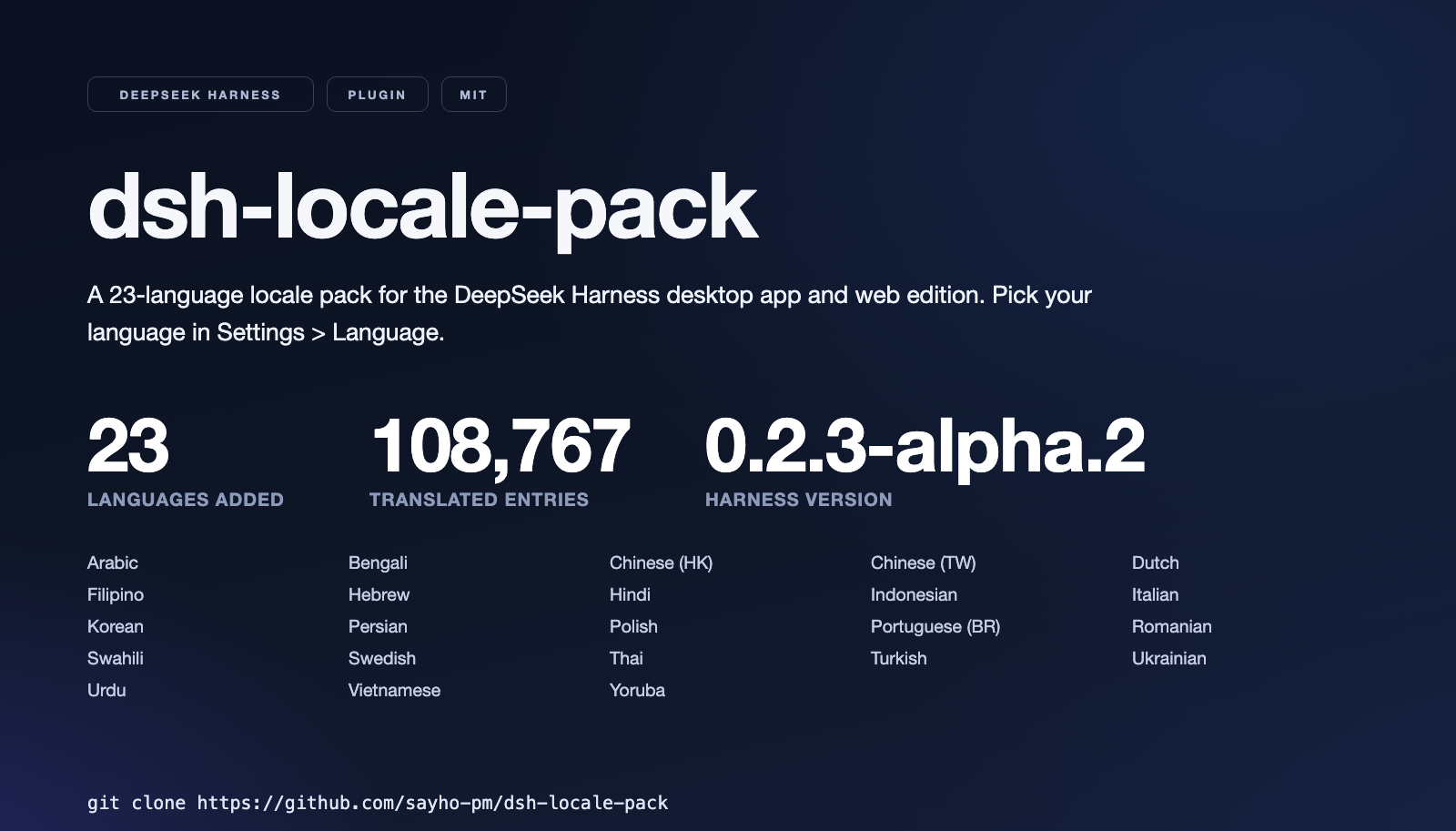
A locale pack for DeepSeek Harness, covering both the desktop app and the browser edition. It registers 23 dictionaries in the language picker, one for each language DeepSeek Harness does not ship. Strings that are not translated yet fall back to English, so the screen stays readable while coverage grows. With the built-in English and Simplified Chinese, 25 languages are selectable after install. The pack is kept up to date with the latest DeepSeek Harness release. It is also listed in awesome-deepseek-harness, the community index of DSH plugins and tools.
Why this exists
DeepSeek Harness is a coding tool: you hand it a task and the agent reads files, edits them, and runs terminal commands. Its desktop interface is built around chat, settings, plugin management, sub-agents, task history, approval prompts, voice input, and scheduled jobs.
That interface was available in English and Simplified Chinese. Developers who prefer to work in another language had to read every label in a second language. This project fills that gap by adding the dictionaries, and by keeping the number of languages wide rather than deep: a language is usable once the picker offers it and the common screens are readable.
DeepSeek Harness shipped English and Simplified Chinese at launch; it ships eight languages as of 0.2.2-rc.1. If it starts shipping Korean, Turkish, Vietnamese, Indonesian, or another language this pack covers, this pack will slow down or stop covering that language instead of keeping a second copy in step.
Supported languages
| Language |
Code |
Language |
Code |
| 한국어 |
ko |
Polski |
pl |
| 繁體中文 (台灣) |
zh-tw |
Українська |
uk |
| 繁體中文 (香港) |
zh-hk |
Svenska |
sv |
| Türkçe |
tr |
Bahasa Indonesia |
id |
| Tiếng Việt |
vi |
Português (Brasil) |
pt-br |
| ไทย |
th |
Italiano |
it |
| हिन्दी |
hi |
Nederlands |
nl |
| العربية |
ar |
Filipino |
tl |
| Română |
ro |
বাংলা |
bn |
| اردو |
ur |
עברית |
he |
| فارسی |
fa |
Kiswahili |
sw |
| Yorùbá |
yo |
|
|
23 languages, 4,491 keys each — 103,296 translated entries in all. The dictionaries are refreshed whenever DeepSeek Harness ships a new release; the pack currently tracks 0.2.2-rc.4.
Install
The DeepSeek Harness desktop app has to be installed first. Then clone the repository and register it as a plugin link.
macOS and Linux (bash):
# 1) Get the sources
git clone https://github.com/sayho-pm/dsh-locale-pack.git
cd dsh-locale-pack

# 2) Register the folder with the desktop profile
dsh plugin --profile desktop add link:$(pwd)
Windows (PowerShell):
# 1) Get the sources
git clone https://github.com/sayho-pm/dsh-locale-pack.git
cd dsh-locale-pack

# 2) Register the folder with the desktop profile
dsh plugin --profile desktop add link:(Get-Location).Path
Then open Settings → Language and pick the language you want.
Register in the web edition
The browser edition (the web profile) registers the same way. Only the profile name changes.
# register in the web profile, then start the server
dsh plugin --profile web add link:$(pwd)
dsh web
Open the address printed by dsh web, then pick a language under Settings → Language. The web profile is created automatically on first registration.
Install with an AI assistant
If you do not have a development environment, an AI assistant can do the setup for you. Open the assistant and paste this:
Install this GitHub repository: https://github.com/sayho-pm/dsh-locale-pack
Wherever I have to type something myself, such as a token or a path,
mark it with **** and tell me exactly where it goes. Handle the rest.
The assistant runs the commands and stops only at the points that need your input.
Repository layout
locale/<language>/*.json   Dictionary sources — edit here
locale/<language>.json     Plugin display text per language (title/description)
locale/_policy/            Terms kept in English
lib/client.js              Generated bundle (from the dictionaries)
styles/locale-fonts.css    Locale-scoped font corrections (inlined at build)
tools/build-client.mjs     Dictionaries → lib/client.js
tools/smoke.mjs            Smoke test
tools/check-keep.mjs       Translation quality check
tools/translate_worker.py  Translation worker (runs outside the chat session)
tools/clean-romanized.py   Fixes transliteration slips
tools/en.baseline.json     English baseline (DeepSeek Harness 0.2.2-rc.4)
Editing a string
node tools/build-client.mjs   # rebuild lib/client.js
node tools/smoke.mjs          # self-check: loading, fallback, idempotence
node tools/check-keep.mjs     # translation quality check
Placeholders such as {name} must be kept exactly as they are. If the order or the spelling changes, the sentence breaks at runtime.
Bundling only the languages you need
Installing the whole pack is the default, and switching language afterwards is a matter of the settings screen. When the full bundle is more than you want, build a subset instead:
node tools/build-client.mjs --langs ko,ja # Korean and Japanese only
A two-language bundle comes out at roughly 575 KB instead of 8.3 MB. The flag accepts any comma-separated list of the language codes in the table above. Omitting it rebuilds every language.
Notes for users
- Arabic, Urdu, Hebrew, and Persian are written right to left. The dictionaries are ready; the screen layout is handled by DeepSeek Harness itself.
- The menu bar, the right-click menu, and the update dialog belong to the desktop shell, so this pack does not change them.
- When DeepSeek Harness ships a new version, new strings appear in English until they are translated.
- Korean is reviewed by hand. Other languages come from machine translation, and each language's dictionary file is the place to adjust wording.
- Japanese and Traditional Chinese keep their own glyph shapes. The harness font stack lists Simplified-Chinese faces ahead of the other CJK faces, so Han characters shared between the standards would otherwise be drawn in their Simplified form. The pack scopes a corrected stack to
ja, zh-tw, and zh-hk, and it follows the language picker.
Contributing
Requests for additional languages are welcome. Open an issue in this repository naming the language, and it gets picked up in the next round. Corrections to an existing language go straight into that language's dictionary file under locale/<language>/, and a pull request is the easiest form.
Maintainers who run the translation pipeline will find the commands in MAINTAINING.md.
License
MIT


