返回目录
消息通讯 插件

dsh-telegram-remote

paranoidPhantom/dsh-telegram-remote

A full fledged Telegram experience for Deepseek Harness

Stars
1
Forks
0
Issues
1
更新
5 天前

PROJECT TOPICS

项目标签

INSTALL REFERENCE

安装参考

未验证
dsh plugin --profile web add github:paranoidPhantom/dsh-telegram-remote

该命令指向仓库当前默认分支;尚无绑定当前 commit 的完整验证结果。

PROJECT README

README

Telegram Remote

npm

English · 简体中文 · Русский

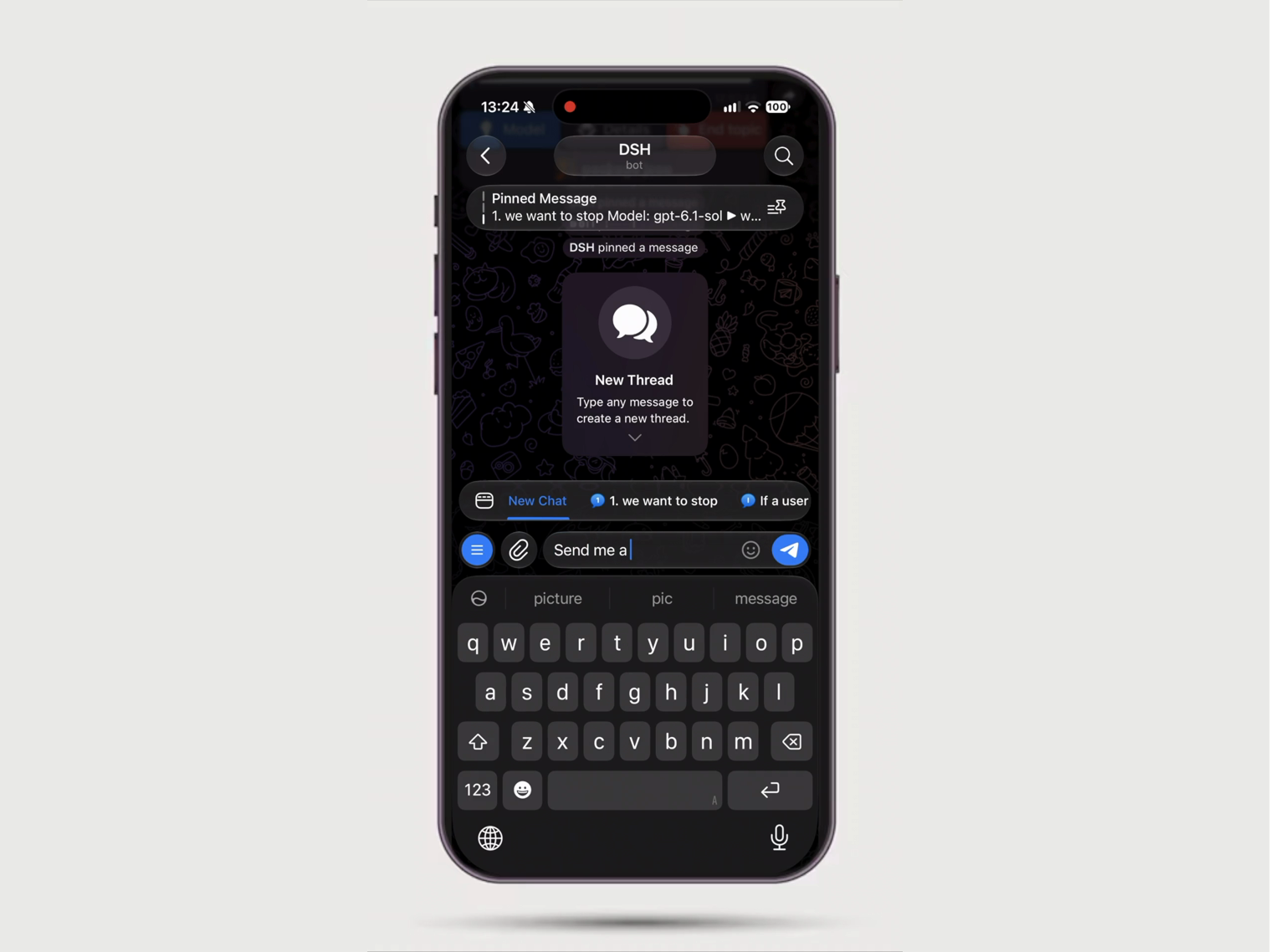
Control DeepSeek Harness from a private Telegram bot, built around Telegram threads and modern native messaging features.
Features

  • Session topics: open existing DSH sessions on demand or create one through Telegram’s native New Topic action.
  • Native streaming: draft replies, Telegram’s Stop button, live tool previews, and best-effort typing indicators. Completed messages and stopped partial answers stay in the chat.
  • Model controls: choose providers, models, and supported reasoning-effort levels in place, including the model’s default effort.
  • Workspace selection: choose an existing DSH workspace when creating a session.
  • Pinned checklists: the first todo list is pinned; later updates edit the same message across conversation turns.
  • Readable activity logs: collapsed tool logs with truncated model-reasoning previews and configurable custom emoji icons.
  • Interactive approvals: review the requested operation and approve or reject it with colored buttons.
  • Session controls: pinned session details, queue steering, and topic management. Ending a Telegram topic does not delete or stop its DSH session.
  • File delivery: receive supported photos, video, and audio natively, or download documents and files touched during a turn.
  • Localized and efficient: English, Chinese, and Russian UI; coalesced progress updates, independent topic scheduling, and rate-limit backoff.

Preview

Telegram Remote video preview

Watch the demo.

Install

  1. Open DSH Plugin Manager and install dsh-telegram-remote from npm.
  2. Restart DSH if requested, then open Settings → Telegram Remote.
  3. Save your BotFather bot token and numeric Telegram admin user ID. Tokens are stored in DSH credentials.
  4. Enable private-chat topics in @BotFather → /mybots → your bot → Bot Settings → Topics. Tutorial.
  5. Open your bot and send /start. Use /sessions or Telegram’s New Topic to begin.

DSH must remain running: Telegram networking runs in a child process supervised by the DSH plugin, not an independent daemon. Only the configured admin can control the bot.

Contributing

Pull requests and feature requests are welcome! Open a pull request or suggest a feature.

CLASSIFICATION EVIDENCE

分类依据

项目类型插件
功能分类消息通讯
规则置信度高

系统优先读取 GitHub Topics,再与站内分类词典和词根规则比对。当前命中: telegram。