
文件与数据
渠道适配

WeKnora
Tencent
Open-source LLM knowledge platform: turn raw documents into a queryable RAG, an autonomous reasoning agent, and a self-maintaining Wiki.
PROJECT TOPICS
INSTALL REFERENCE
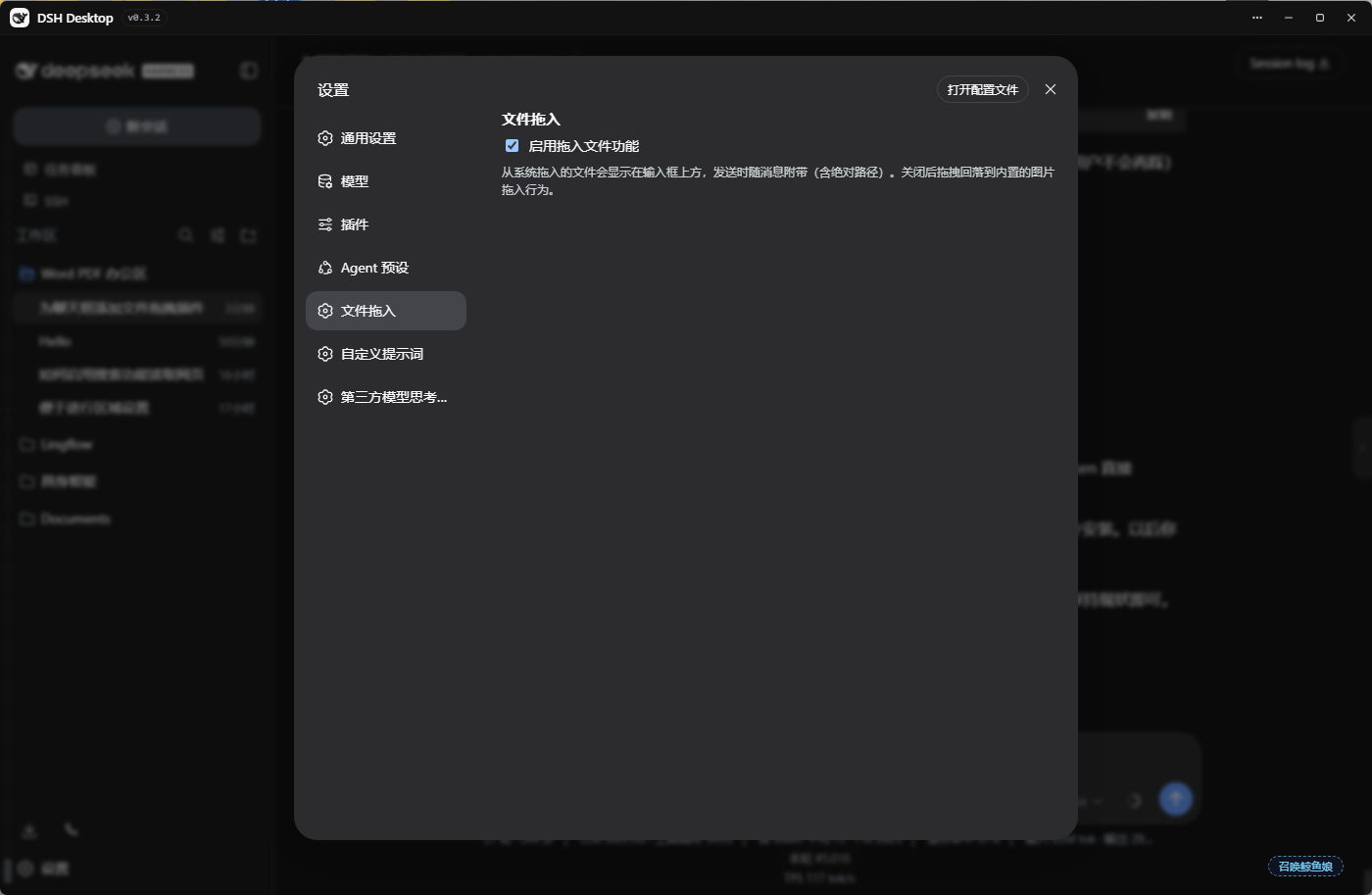
dsh plugin --profile web add github:lbl61/dsh-drop-in
该命令指向仓库当前默认分支;尚无绑定当前 commit 的完整验证结果。
PROJECT README
🌐 中文版:README.zh.md
Drag files from your system file manager straight into the DeepSeek Harness web GUI. Files appear as a chip bar above the input box, or — with the composer focused — as a native reference bubble (file pill) embedded inline in the text you are typing; they are sent along with your message (including their absolute paths), and render as file cards inside the user bubble. The agent reads the real file paths — no upload, no content copy (plain-browser fallback copies small files into the workspace).
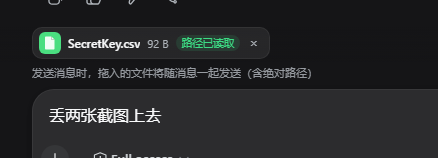
TYPE name (e.g. LNK 坚果云.lnk — the type survives name clipping, full name on hover)@[filename](absolute-path)); the chat bubble renders it as a file card with a type badge — the agent can read the file straight from the path.dsh-drops/<sessionId>/dropped_files tool lets the agent list still-unsent dropped fileswebUtils.getPathForFile — the only path source in modern Electron).dsh-drops/dsh plugin --profile web add https://github.com/lbl61/dsh-drop-in/archive/refs/tags/v1.4.0.tar.gzManual (bundle) install:
dsh-drop-in into ~/.dsh/profiles/web/node_modules/dsh-drop-in/"dsh-drop-in" to the dsh.profile.bundles array in ~/.dsh/profiles/web/package.jsondsh web (DSH Desktop: quit fully and reopen, or run window.dshDesktop.restartService() in DevTools)Absolute paths come from a preload bridge that lives in the DSH Desktop shell, not in
this plugin. Modern DSH Desktop packs its preload into resources/app.asar, so a plain
file patch no longer works — and every DSH Desktop update wipes the bridge. Run the
bundled injector:
node scripts/install-preload-bridge.mjs      # auto-locates DSH Desktop
node scripts/install-preload-bridge.mjs --dry-run   # check only
node scripts/install-preload-bridge.mjs --restore   # undo (byte-identical)
Then fully quit and reopen DSH Desktop. Without it, chips still appear but read "无法读取路径" (no path) and the agent cannot read the files. See preload-bridge.md.
For a plain browser (no Electron shell) there is no bridge by design; text files fall
back to being copied into .dsh-drops/<sessionId>/ in the workspace.
@[name](path) or the 📎 拖入文件 block) and can read the filesconversation.input.dock), renders user bubbles with file cards (conversation.chat.node user/steering keys), and stitches the 📎 拖入文件 block into the draft before submit (Enter, Ctrl+Enter, and the send button are all covered); with the composer focused it inserts native reference bubbles via the slash/input-insert-reference scoped event (U+FFFC occurrences rendered by the composer backdrop) and the registered inputTriggers codec serializes them to @[filename](absolute-path) on submitdropped_files tool, writes fallback text copies to .dsh-drops/<sessionId>/, and persists pasted binaries via the file-copy route (base64, with an explicit workspace-write sandbox policy rooted at the session cwd)File.path| Setting | Description |
|---|---|
enabled |
Master switch (Settings → 文件拖入). When off, drag/paste falls back to built-in behavior. |
dsh-drop-in from the dsh.profile.bundles array in ~/.dsh/profiles/web/package.json~/.dsh/profiles/web/node_modules/dsh-drop-in/dsh webMIT
CLASSIFICATION EVIDENCE
系统优先读取 GitHub Topics,再与站内分类词典和词根规则比对。当前命中: drag-drop、file。
Tencent
Open-source LLM knowledge platform: turn raw documents into a queryable RAG, an autonomous reasoning agent, and a self-maintaining Wiki.

liustack
The first vision plugin for DeepSeek Harness, and the vision bridge for every text-only coding agent. Paste an image, get structured JSON evidence (OCR, layout, semantics). | 全网最强 DeepSeek Harness 外挂视觉插件,为 DeepSeek、GLM 等纯文本模型外挂视觉能力,粘贴图片即得结构化 JSON 证据(OCR、版面、语义)。

dream-num
An open-source Office workspace where people and AI agents create, collaborate, and review together.