dsh-im-bot — 手机接入 DeepSeek Harness
把你的 微信 / 飞书 变成 DeepSeek Harness(dsh)智能体的入口:手机扫码创建机器人,
在 IM 里直接选项目、发消息、调用 harness 智能体的全部工具能力。
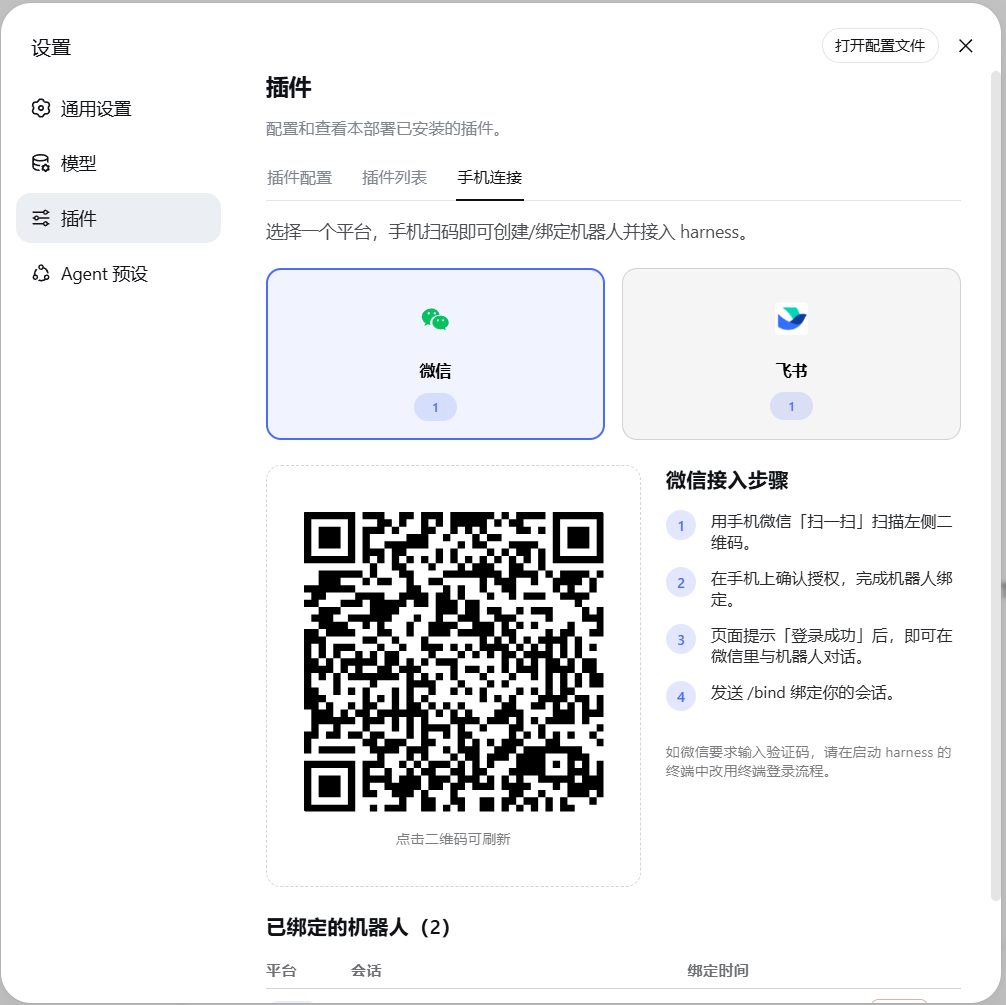
包含两个包:
| 包 |
作用 |
@dsh-extra/im-channel |
服务端插件:扫码登录、消息路由到 agent 会话、命令系统 |
@dsh-extra/dsh-client-ui-settings-im |
客户端插件:设置页里的「手机连接」标签(二维码、绑定管理) |
安装
第一步:安装 DeepSeek Harness
需要 Node.js ≥ 22 与 pnpm ≥ 9:
npm install -g @deepseek-ai/dsh
dsh web
打开终端提示的地址(默认 http://127.0.0.1:8080),在设置里配置好模型即可开始使用。
第二步:一条命令安装本插件
curl -fsSL https://raw.githubusercontent.com/ivorytower1026/dsh-im-bot/main/install.mjs | node
(Windows PowerShell:irm https://raw.githubusercontent.com/ivorytower1026/dsh-im-bot/main/install.mjs | node -)
脚本会自动写入 web profile、安装两个包并注册 bundle,可重复执行(用于升级)。完成后重启 dsh web 即可。
重启后终端出现下面的日志,说明插件加载成功、两个渠道都已连接:
[info]: [ 'client ready' ]
[info]: [ 'event-dispatch is ready' ]
[im-channel] feishu 长连接已建立
[im-channel] wechat getupdates ret=undefined errcode=undefined msgs=0 bufLen=104
手动安装(等价步骤)
cd ~/.dsh/profiles/web && pnpm add \
  "git+https://github.com/ivorytower1026/dsh-im-bot.git#main&path:/im-channel" \
  "git+https://github.com/ivorytower1026/dsh-im-bot.git#main&path:/ui-settings-im"
然后把两个包名(@dsh-extra/im-channel、@dsh-extra/dsh-client-ui-settings-im)加入
~/.dsh/profiles/web/package.json 的 dsh.profile.bundles 列表,重启 dsh web。
使用
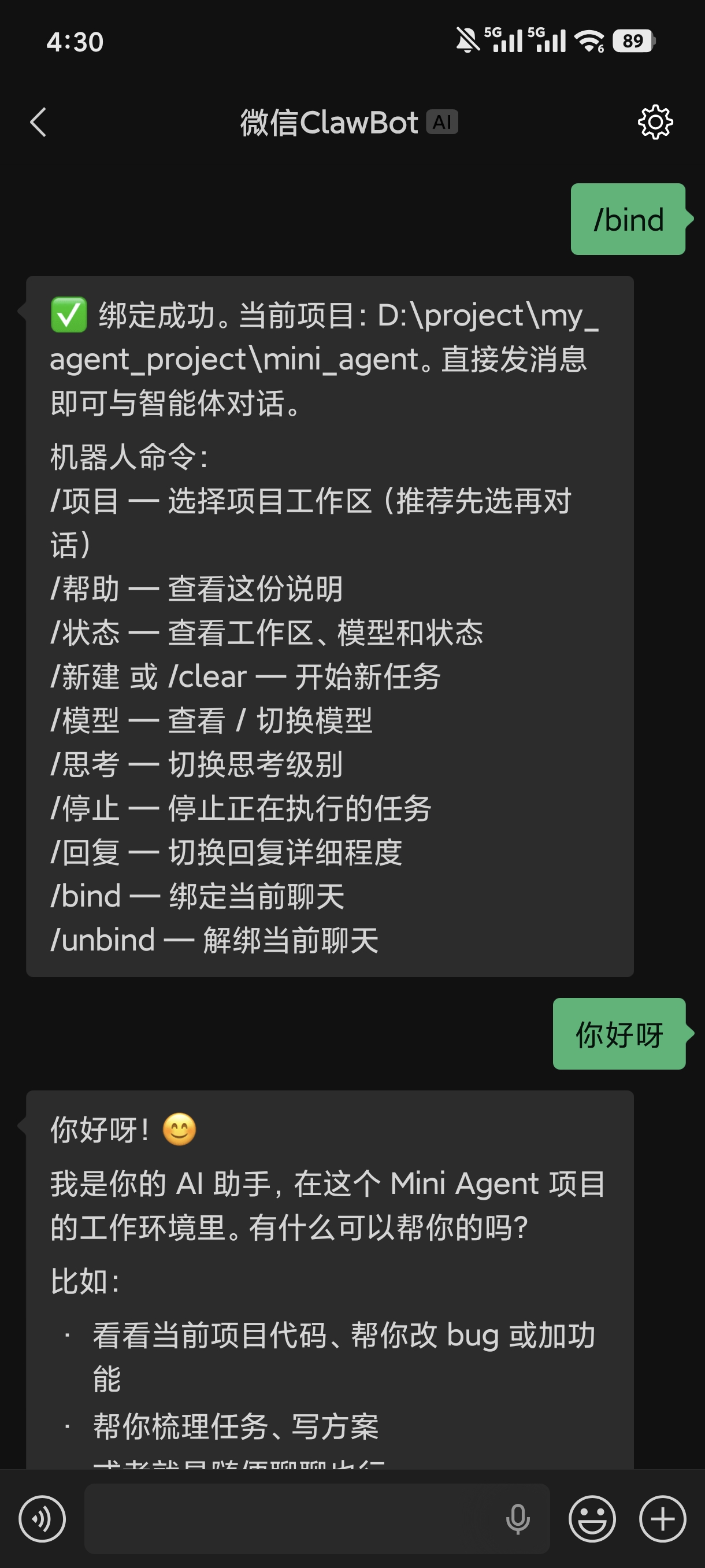
| 微信 |
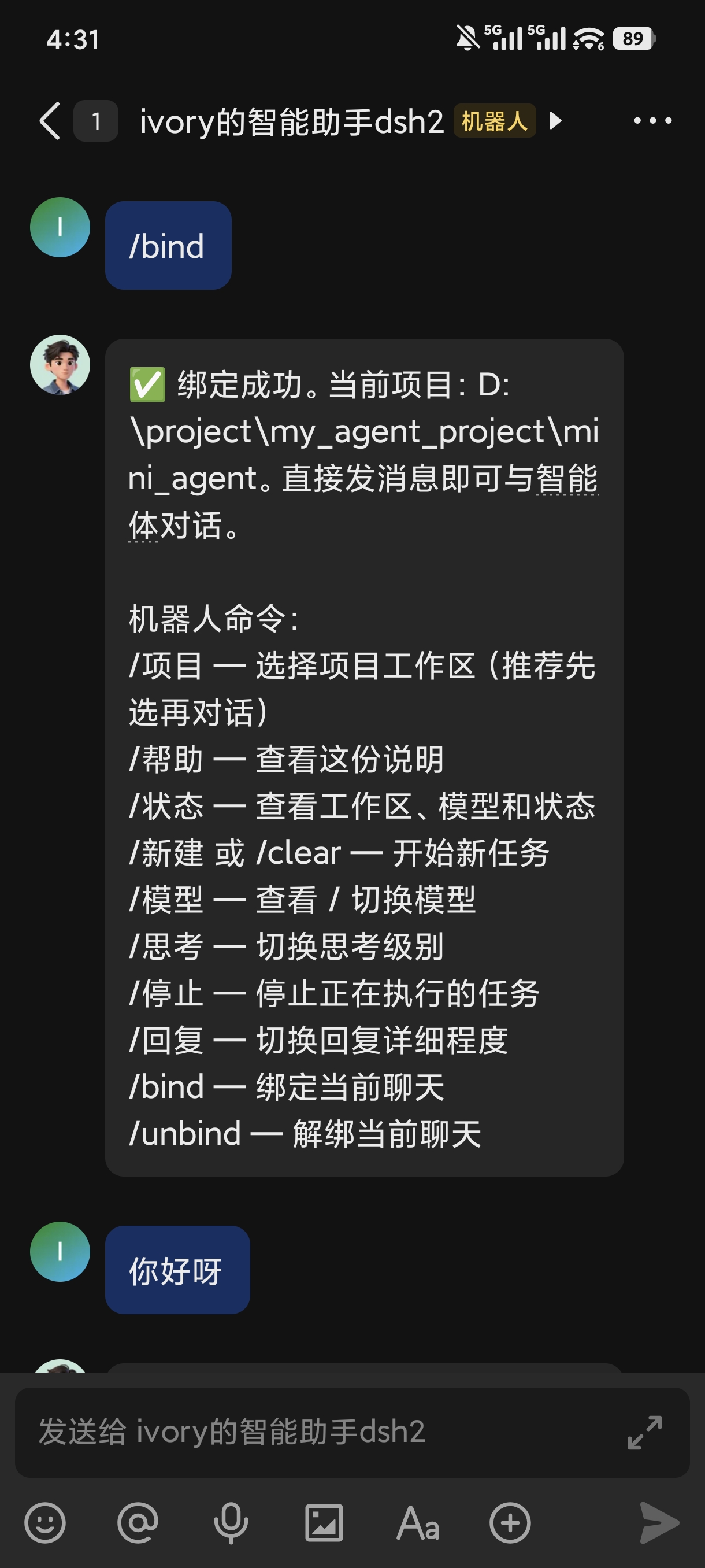
飞书 |
 |
 |
- 打开网页 → 设置 → 插件 → 手机连接。
- 点微信或飞书卡片,用手机扫码(二维码可点击刷新)。
- 扫码成功后页面会提示发送
/bind。
- 在 IM 里对机器人发送:
/bind          绑定当前聊天(必须第一步)
/项目          选择工作区(选完自动开新线程)
你好           直接开始对话
机器人命令
| 命令 |
说明 |
/bind |
绑定当前聊天到 harness 会话 |
/unbind |
解绑 |
/项目 / /项目 N |
查看 / 切换工作区(新开线程) |
/新建 或 /clear |
清空上下文,开新任务 |
/模型 / /模型 N |
查看 / 切换模型 |
/思考 N |
切换思考级别(按当前模型支持的级别列出) |
/回复 N |
回复详细程度:1 简洁 / 2 标准 / 3 详细 |
/停止 |
中断正在执行的任务 |
/状态 |
查看当前会话与模型 |
/帮助 |
命令列表 |
回复详细程度:简洁=只回最后一条 AI 消息,标准=回全部 AI 消息(默认),详细=附带工具调用过程。
从源码开发
git clone https://github.com/ivorytower1026/dsh-im-bot.git
cd dsh-im-bot/im-channel && pnpm install && pnpm build
cd ../ui-settings-im && pnpm install && pnpm build
构建产物 lib/ 随仓库提交,GitHub 安装无需本地构建步骤。
许可证
MIT


