
其他
完整应用

deepseek-harness
deepseek-ai
DeepSeek Harness: Everything is a Plugin.
PROJECT TOPICS
PROJECT README
给 DeepSeek Harness(DSH)加一个 对话导航条:在消息界面右侧悬浮显示本次会话的用户提问时间轴。收起时只显示一列短横线,hover 后向左展开半透明面板,显示每条提问的标题,点击即可跳转到对应消息,滚动对话时还会自动高亮当前阅读位置。
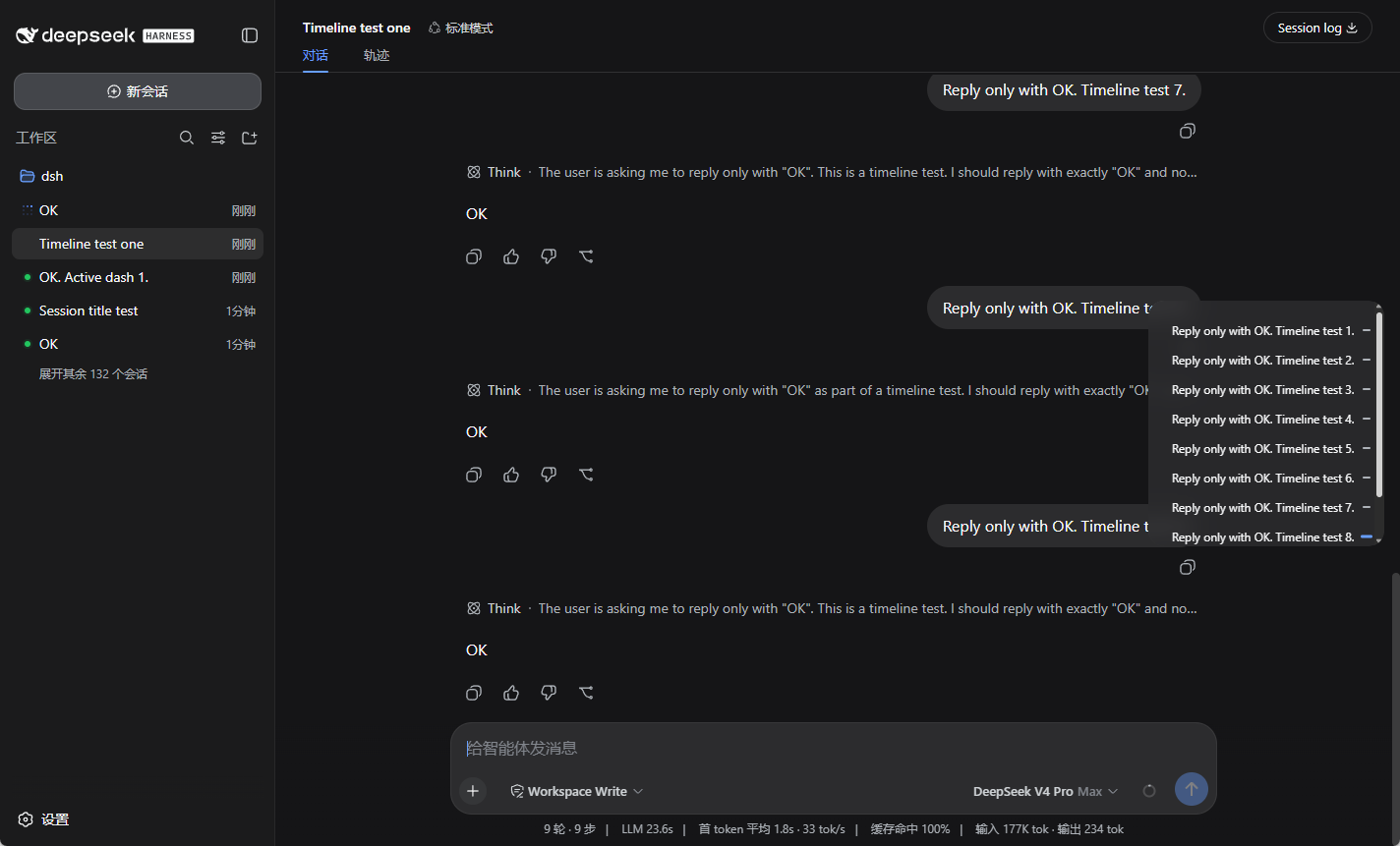
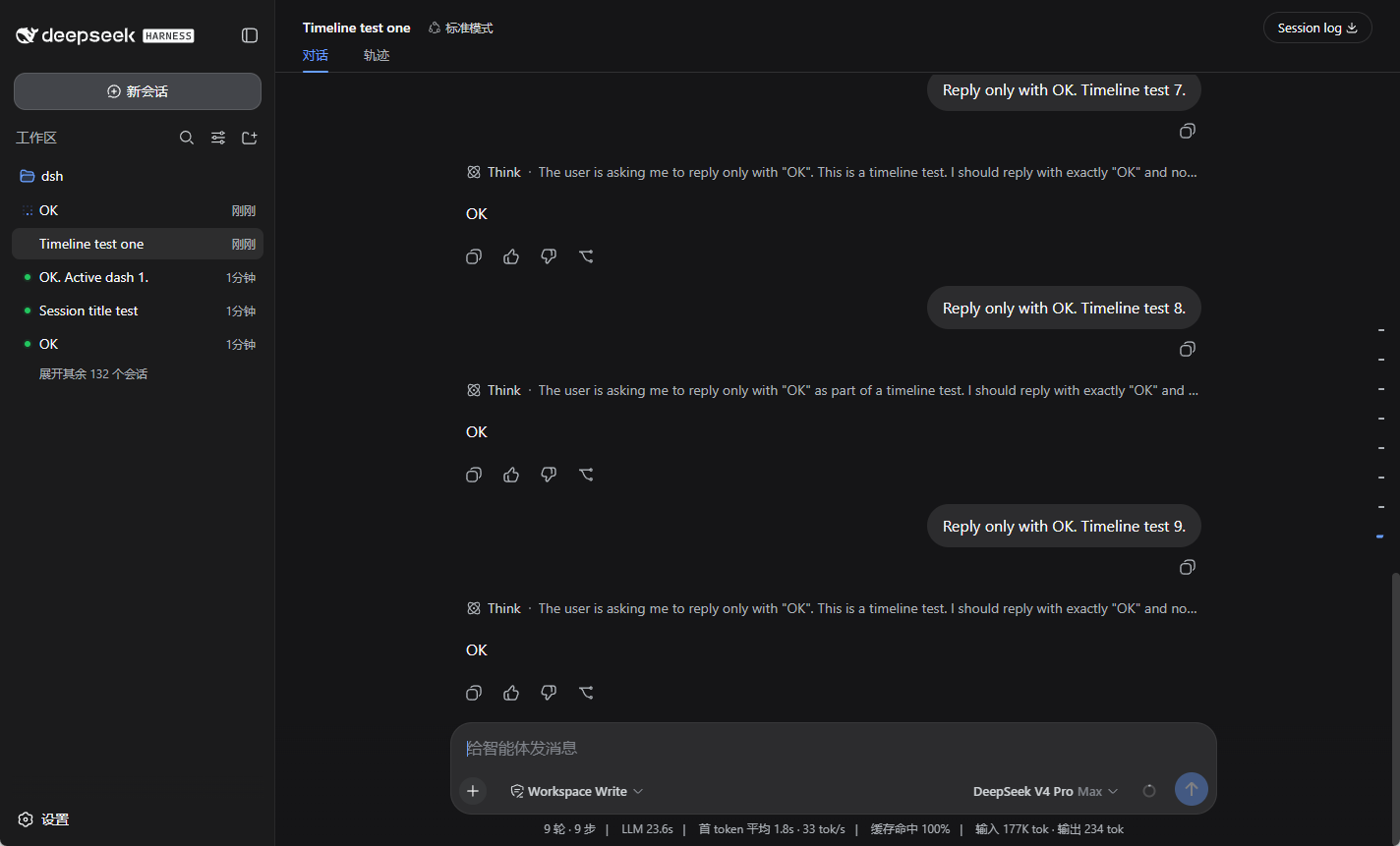
loadOlder)后跳转dsh 命令能跑)第 1 步:到本仓库的 Release 页面下载 dsh-conversation-outline-0.2.16.tgz,然后在终端执行:
dsh plugin --profile web add ./dsh-conversation-outline-0.2.16.tgz第 2 步:重启 DSH Web 服务(先停止当前的 dsh web,再重新启动)。
安装后,在 设置 → 插件 → 插件列表 中会显示为 conversation-outline。导航条会出现在对话右侧。
dsh plugin --profile web add github:SuperPaiGu/dsh-conversation-outline装完同样需要重启 DSH Web 服务。
dsh plugin --profile web remove dsh-conversation-outline由 AI Agent 在用户机器上执行的确定性指令,按顺序执行,每步有验收条件。
dsh --version # 命令不存在则提示用户先安装 DSHdsh plugin --profile web add github:SuperPaiGu/dsh-conversation-outline验收:退出码 0,输出含 + dsh-conversation-outline。
(如需固定版本:从 Release 下载 dsh-conversation-outline-0.2.16.tgz,用 dsh plugin --profile web add ./dsh-conversation-outline-0.2.16.tgz。)
停止当前 dsh web,再以用户原有方式重新启动。
验收:启动日志无报错;设置 → 插件 → 插件列表 中 conversation-outline 行为 active。
dsh --profile web --dump-config 含 conversation-outline 层dsh-conversation-outline/ 插件根
├── package.json dsh.bundle + dsh.client 声明
├── cordis.patch.yml 插件层(id conversation-outline)
├── index.js 服务端入口
├── client.js Web 客户端:导航条 UI 与交互
├── tests/ 单元测试与 E2E 测试
└── README.mdMIT
CLASSIFICATION EVIDENCE
系统优先读取 GitHub Topics,再与站内分类词典和词根规则比对。当前命中: 无有效分类标签。
deepseek-ai
DeepSeek Harness: Everything is a Plugin.

anywhere-labs
为 DeepSeek Harness (DSH) 插件生态打造的现代化桌面端解决方案。万物皆「插件」,桌面本身也是「插件」。

awesome-dsh-plugin
A curated list of plugins for DeepSeek Harness (dsh) · DeepSeek Harness 插件精选列表