
文件与数据
插件

OpenViking
volcengine
Self-evolving Context Database for AI Agents. Unify Agent Memory, Knowledge RAG and Skills.
PROJECT TOPICS
INSTALL REFERENCE
dsh plugin --profile web add github:Libraqg/ultra-documents
该命令指向仓库当前默认分支;尚无绑定当前 commit 的完整验证结果。
PROJECT README
English | 中文




Artifacts-like documents for DeepSeek Harness (dsh).
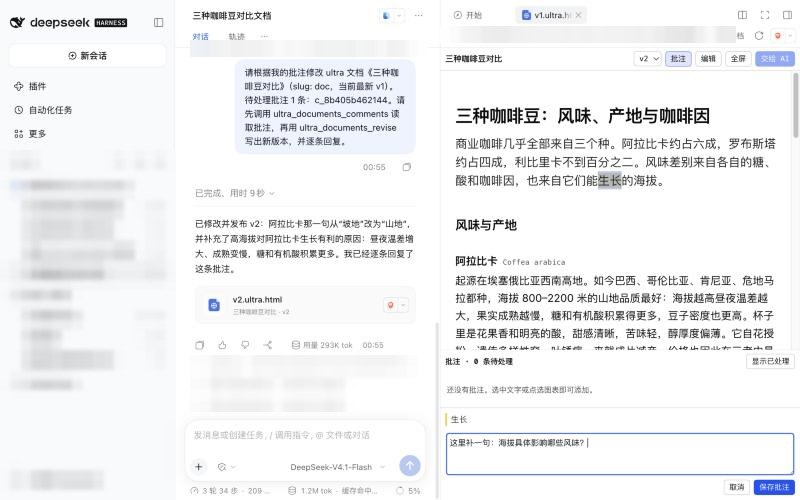
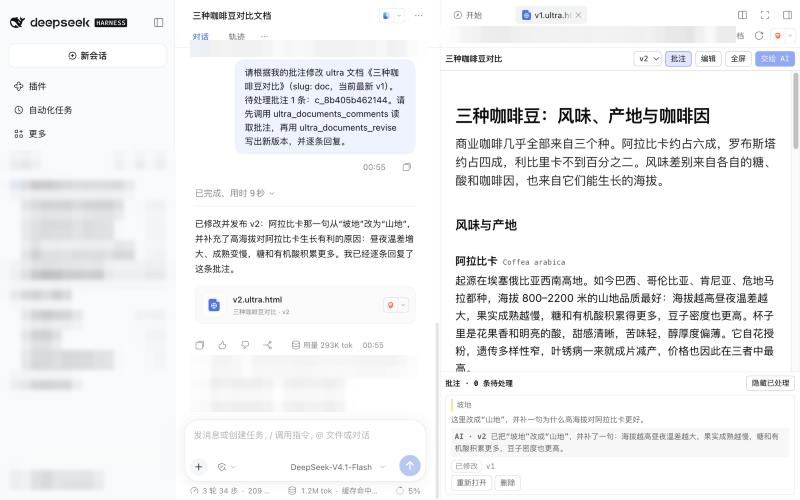
Get documents you can comment on, hand back to the AI for the next version, and edit yourself, right in the dsh sidebar.
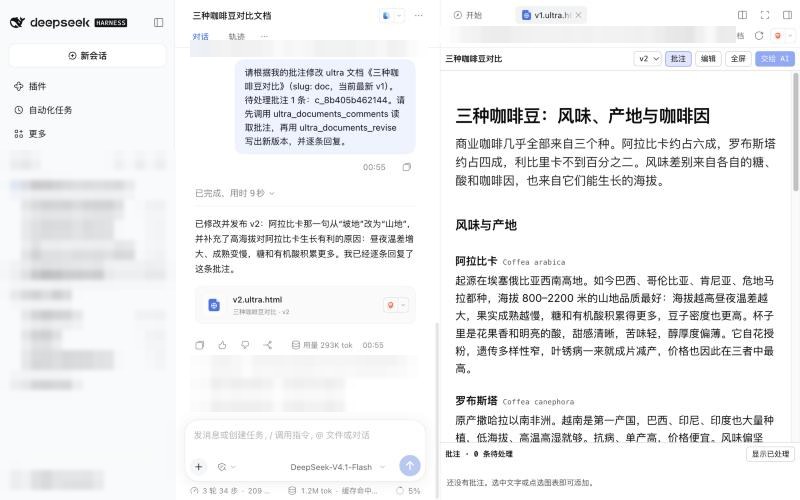
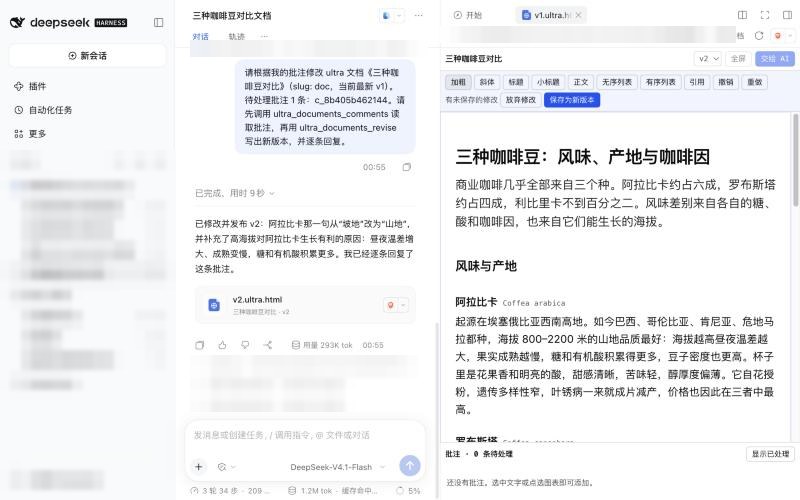
Ask the agent for a report, proposal, explainer, slide deck, diagram or dashboard. It writes one self-contained HTML page, which shows up in the chat as a card and opens in the dsh right sidebar. Then:
Every change is a new version, and you can switch between them. Everything stays on your machine: no account, no server, no sharing.
| Created | Commented | Revised by the AI |
|---|---|---|
 |
 |
 |
Requires dsh 0.2.1 or later and its web interface (the desktop app or
dsh web).
dsh plugin --profile web add ultra-documentsFrom GitHub source instead of npm:
dsh plugin --profile web add github:Libraqg/ultra-documentsFrom a local checkout:
git clone https://github.com/Libraqg/ultra-documents
dsh plugin --profile web add link:/absolute/path/to/ultra-documents
In the desktop app, add the plugin from its plugin manager instead; the desktop profile is managed by the app.
Start a new session for each document: a long session carries a lot of context into every revision.
On dsh 0.2.2 or later, when ultra-documents was installed from npm, the document bar shows an Update to vX button once a newer version is published. Click it, then click Confirm within five seconds; dsh's plugin manager installs the new version and puts the old one back if that fails. There is no pop-up, and nothing shows when you are up to date, on an older dsh, or on a GitHub or local install. The check runs at most once every six hours.
| Piece | What it does |
|---|---|
| Agent tools | ultra_documents_create, ultra_documents_revise, ultra_documents_comments, ultra_documents_list |
| Skill | ultra-documents: when to use the tools and how to write the HTML (voice, visuals, styles, slides) |
| Sidebar renderer | Claims *.ultra.html files; renders the version in an isolated sandbox with comment highlights, a comment panel, a version picker, direct editing and full screen |
| Storage | <workspace>/.ultra-documents/<slug>/ — v1.ultra.html, v2.ultra.html, …, doc.json, comments.json; the directory is git-ignored |
Documents run in an <iframe sandbox="allow-scripts"> without same-origin
access: their scripts cannot reach the dsh page, its cookies or your files.
See docs/DESIGN.md for the design.
<workspace>/.ultra-documents/. The host side
writes with Node fs and refuses any path that resolves outside the
workspace, including through symlinks. Drafts are read only from regular
files inside the workspace./ultra-documents, used by the sidebar to save comments and edits) and a
sidebar renderer for *.ultra.html files.ultra-documents package on your
configured npm registry (pnpm view) at most once every six hours; nothing
about your documents is sent. A document the agent writes may load fonts or
libraries from a CDN when it is displayed.dsh web) is write-locked by one of them; saving comments or edits from the
other fails.npm run build # client/src/main.js → client.js
npm run check
npm testclient.js is generated; edit client/src/main.js and rebuild.
AGPL-3.0-or-later. ultra-documents is a modified version of tdoc by Serena Keyitan and the tdoc contributors; NOTICE.md records what changed. Bundled third-party material keeps its own licence.
CLASSIFICATION EVIDENCE
系统优先读取 GitHub Topics,再与站内分类词典和词根规则比对。当前命中: documents。
volcengine
Self-evolving Context Database for AI Agents. Unify Agent Memory, Knowledge RAG and Skills.

mindscale-noah
该仓库暂未提供项目说明。

himovo
Turn DeepSeek Harness into a self-hosted enterprise Agent platform with knowledge, deep research, content generation, vibe coding, browser automation, governance, and admin controls.