
学习研究
技能

last30days-skill-cn
Jesseovo
last30days-cn 是一个 AI Agent 技能(Skill),能够自动搜索中国互联网 8 大主流平台最近 30 天的内容,综合分析后生成有据可查的研究报告。
PROJECT TOPICS
INSTALL REFERENCE
dsh plugin --profile web add github:HeShen-1/deepseek-whale-wallpaper
该命令指向仓库当前默认分支;尚无绑定当前 commit 的完整验证结果。
PROJECT README



A live wallpaper plugin for the DeepSeek Harness web UI — the dot-matrix whale you know from DeepSeek, rebuilt as ≈1,750 breathing WebGL2 particles that slowly turn in the mist and swirl around your pointer like liquid. Light and dark themes both included. No branding, no particle connection-lines, no clutter.
📣 Listed in awesome-dsh-plugin — the curated DeepSeek Harness plugin list.
Both themes are live wallpapers: the whale keeps breathing and turning, mist drifts, and when your pointer crosses the whale, nearby particles swirl around it like a liquid vortex (motion only — no glow or ring) and softly settle back (~800 ms). GIFs below run at exactly 2× speed — 18 frames of 100 ms of animation each, captured through a deterministic clock rather than a screen recorder, so no frame is a time lapse and the real pace is calmer. Try the live preview →


Captured from a live DeepSeek Harness web client. The wallpaper layer sits beneath the app frame — sidebar, conversation canvas and input area keep working, particles swirl behind the interface.
| Light UI | Dark UI |
|---|---|
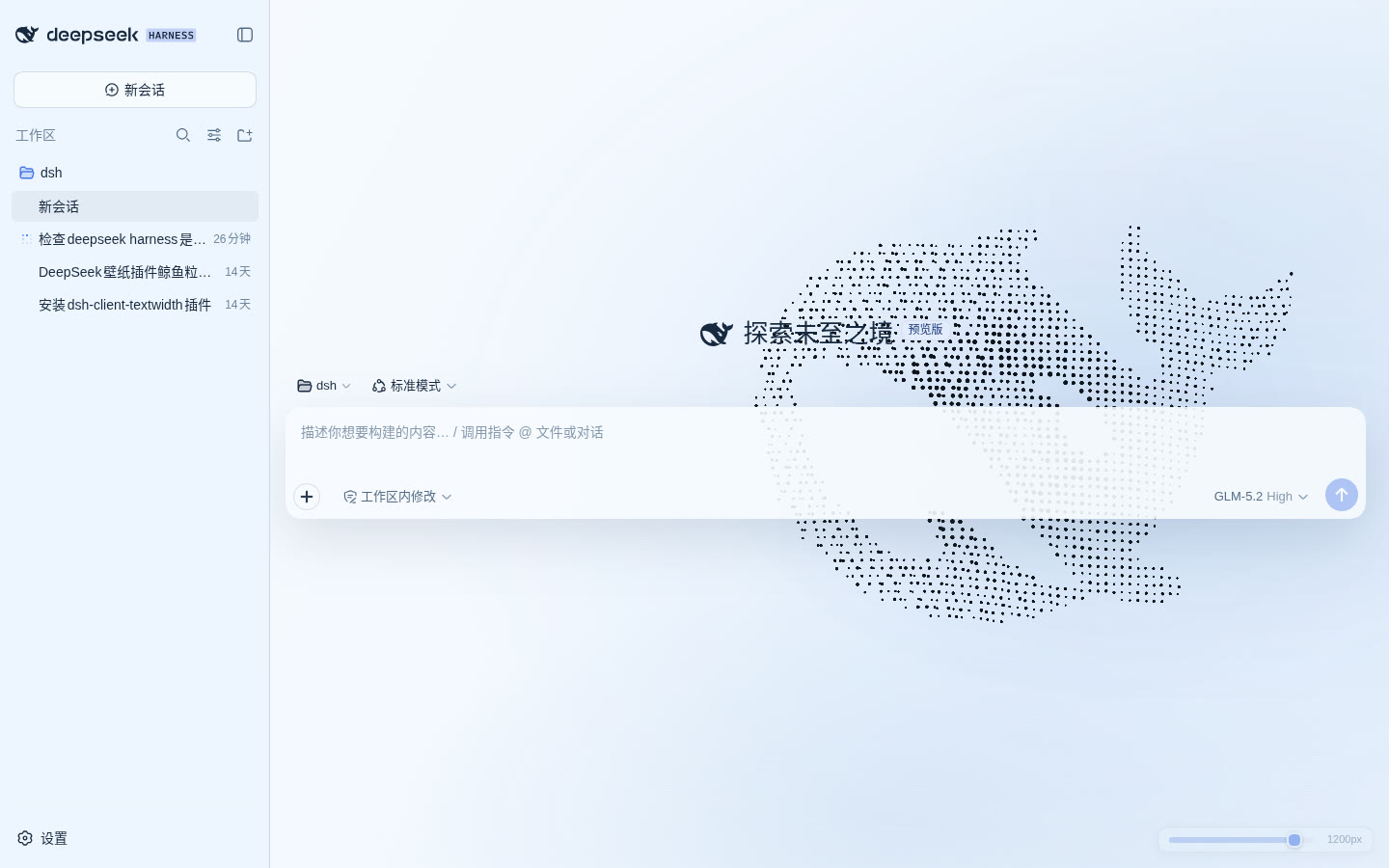 |
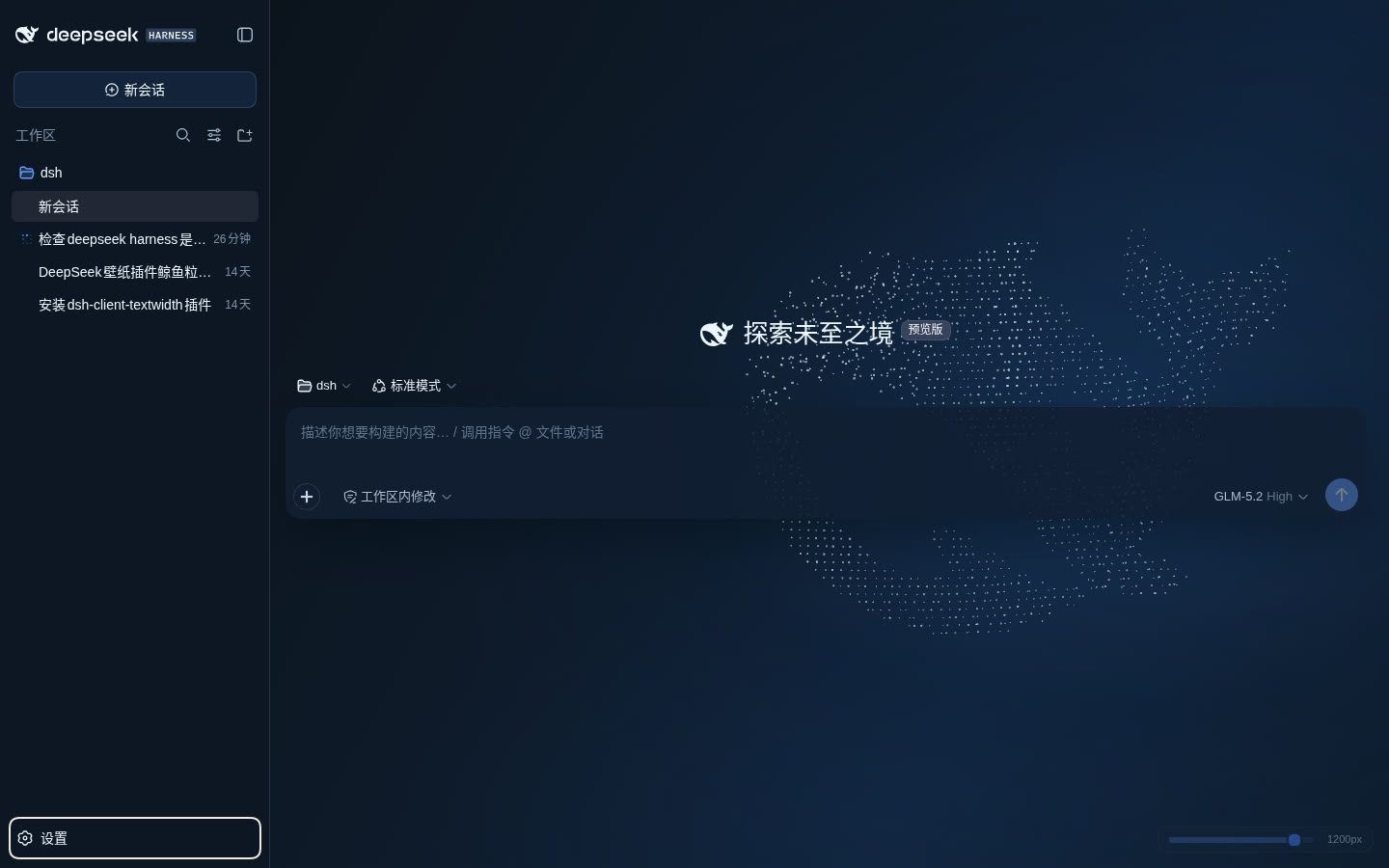 |
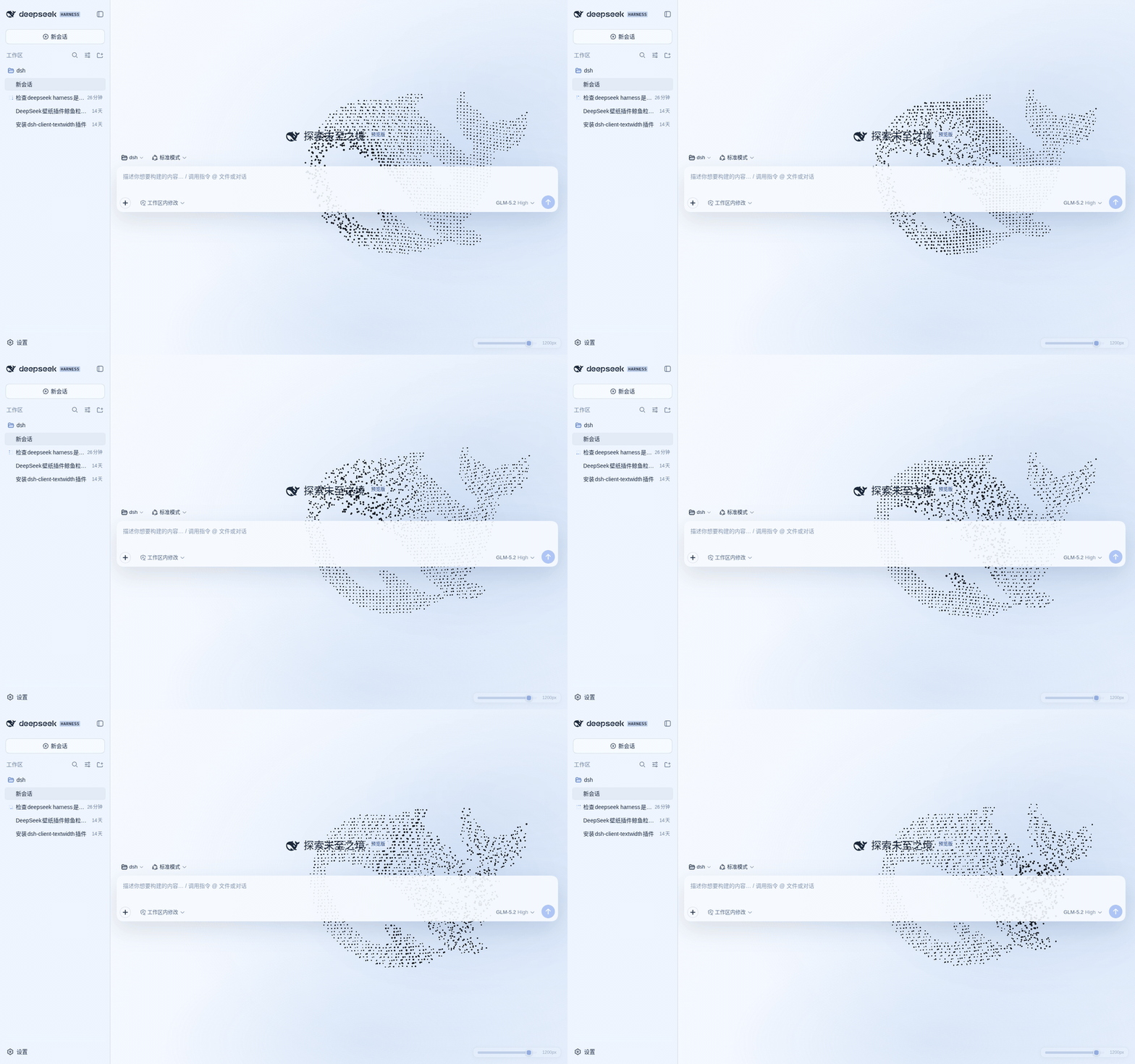
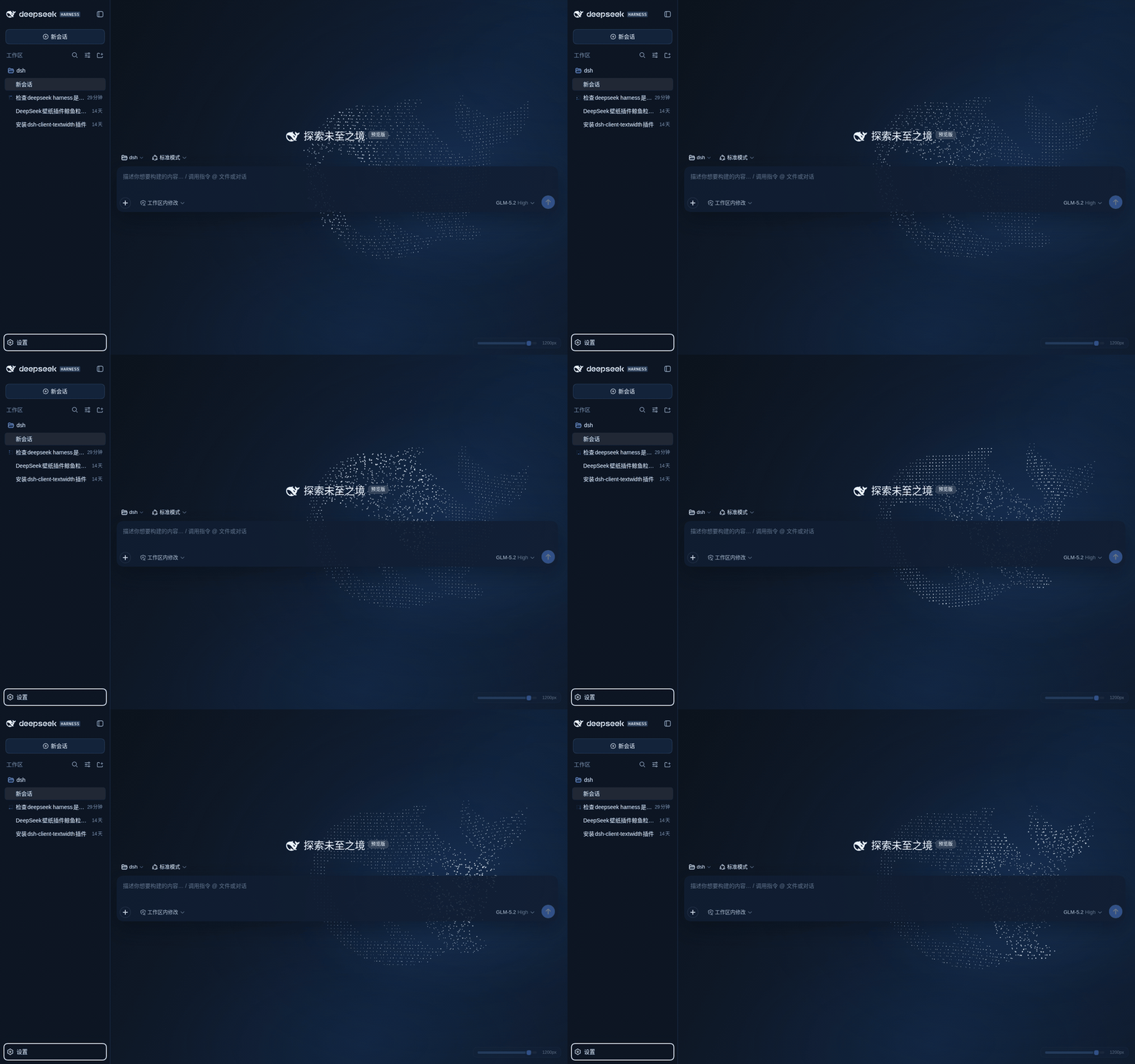
Requires the DeepSeek Harness dev-preview (@deepseek-ai/dsh) with its web profile.
Download dsh-plugin-harness-whale-<version>.tgz from Releases and extract the package/ folder to:
~/.dsh/profiles/node_modules/dsh-plugin-harness-whaleRegister it in the insert list of ~/.dsh/profiles/web/cordis.patch.yml:
- insert:
    - id: harness-whale-wallpaper
      name: dsh-plugin-harness-whale
      config:
        enabled: true
        quality: auto
        brightness: 0.9
        scale: 1
        interactionStrength: 1
        activeDimming: 0.22
Restart dsh web and refresh http://127.0.0.1:3080 — the whale appears behind the app. Tweak the values above for a non-default look.
Open the online preview — the same render kernel as the plugin, no install needed.
Override per-profile via cordis.patch.yml; defaults live in the plugin's own cordis.patch.yml:
| Field | Default | Meaning |
|---|---|---|
enabled |
true |
Enable wallpaper + theme overrides |
quality |
auto |
auto / low / medium / high |
brightness |
0.9 |
Whale brightness, 0.35–1.4 |
scale |
1 |
Whale size, 0.72–1.25 |
interactionStrength |
1 |
Parallax and vortex strength, 0–1.5 |
activeDimming |
0.22 |
Opacity while typing/running, 0.12–0.6 |
Values are validated host-side by Schemastery and served to the client through a same-origin read-only endpoint. If public slots or required services are missing in your Harness build, the plugin logs a clear error and stops safely.
favicon.svg path in this repo — WebGL2 renders ≈1,750 regular grid points.#050b14 over a brightened pool, with matching semantic tokens, mist layers and background.activeDimming), ~600 ms transitions.prefers-reduced-motion: reduce.auto steps down high → medium → low after sustained frame drops.This is one of the first third-party client plugins for DeepSeek Harness. It participates in the lifecycle through the public shell.overlay slot: the wallpaper canvas is prepended beneath the app frame and never blocks Harness controls.
src/
├── index.ts        host entry — config route via webServer inject
├── client.tsx      client entry — mounts through shell.overlay slot
├── renderer.ts     the single WebGL2 render kernel (shared with the preview)
├── theme.ts        semantic token overrides + injected CSS
├── reading-zone.ts measures the text blocks the scrim and dot softening cover
├── self-check.ts   re-validates the shell surfaces after a Harness update
├── activity.ts     session/input/run focus dimming
├── whale-path.ts   samples the favicon.svg outline into grid points
└── config.ts       Schemastery schema + defaults
Zero runtime dependencies; three devDependencies (esbuild, typescript, schemastery). lib/ and preview.js are build artifacts produced by pnpm build.
pnpm install
pnpm build     # rebuild lib/ + preview.js
pnpm check     # bundle, shell-contract and palette checks
pnpm compat    # does the installed Harness still expose every hook?
pnpm shots     # re-shoot the README stills + GIFs from the preview

# standalone preview (same renderer as the plugin)
python3 -m http.server 4173   # then open http://127.0.0.1:4173/
pnpm shots drives the preview through scripts/demo-clock.js instead of
recording wall time: every captured frame advances exactly 100 ms of animation
in 60 Hz slices, and the 18 frames are assembled at 50 ms each — the 2× the demo
section promises. Recording wall time does not survive a screenshot loop (one
shot costs ~1 s, so the "100 ms apart" frames land ~1 s apart and the GIF becomes
a ~20× time lapse) and the renderer's slow-machine guards fire while it runs, so
the captured look drifts from the shipped one. The script needs agent-browser
on PATH and python3 with Pillow; --url captures an already-running page
instead (that is how the "inside the real Harness UI" shots are taken), and
--prefix renames the pair it writes.
The preview takes its state from the query string, so a specific look can be linked
or reloaded: ?theme=light|dark, ?preset=calm|vivid, ?brightness=0.35..1.4,
?quality=low|medium|high, and ?ui=0 to hide the control panel (used for the
screenshots above). The same panel is on the live preview.
No whale after installing? Restart dsh web (the client bundle composes at boot), then refresh. Check that the insert entry exists in ~/.dsh/profiles/web/cordis.patch.yml. The page body should carry data-dsh-harness-whale="true".
Does dsh plugin --profile web add dsh-plugin-harness-whale install this? No — the npm registry still only carries the old 0.2.0, and 0.3.x is not published there. Use the release tarball.
Frame drops / fan noise? Set quality: low or medium, lower brightness, or reduce interactionStrength. auto already steps quality down under sustained drops.
No WebGL2 in your browser? The static Canvas2D fallback renders automatically — you get the still dot-matrix whale instead.
Uninstall. Remove the insert entry and delete ~/.dsh/profiles/node_modules/dsh-plugin-harness-whale; the original theme and layout come back after a restart.
Updating. Extract the new release over the old directory, then restart dsh web. Every version is kept in release/ for a one-command rollback.
Built against the browser web UI of @deepseek-ai/dsh, verified up to 0.1.6-alpha.1. The Harness is in dev-preview, so a release can move the DOM hooks this plugin leans on (it happened twice: the shell frame lost data-details-collapsed in 0.1.5, and the conversation slot was renamed to main.conversation).
Three guards exist for that, and none of them require reading this file first:
npm run compat checks the installed Harness for every hook the plugin uses and names what a missing one would break. Run it after upgrading the Harness, before restarting the GUI.window.__harnessWhale.check() (and document.documentElement.dataset.hwwStatus) reports the live state: which surfaces are transparent, how much wallpaper survives at five sample points, and failed if the plugin could not mount at all.release/*.tgz holds every previous build for a one-command rollback.Every hook that turns out to be stale is now a build-time failure: npm run check refuses to ship a bundle whose selectors or ink constants drifted.
See CHANGELOG.md.
CLASSIFICATION EVIDENCE
系统优先读取 GitHub Topics,再与站内分类词典和词根规则比对。当前命中: live-wallpaper、wallpaper。
Jesseovo
last30days-cn 是一个 AI Agent 技能(Skill),能够自动搜索中国互联网 8 大主流平台最近 30 天的内容,综合分析后生成有据可查的研究报告。

Tiger3807861189
GLM-5.3-Flash × J-Space capability realization — benchmark presentation of the J-Space Cognition Suite

Electricitysheep
DeepSeek Harness (dsh) 从 0 到 1 深度手册:安装/插件开发/性能调优/实测案例/同模型多 Agent 实测对比(中文 + 英文 PDF)