Paper Isle
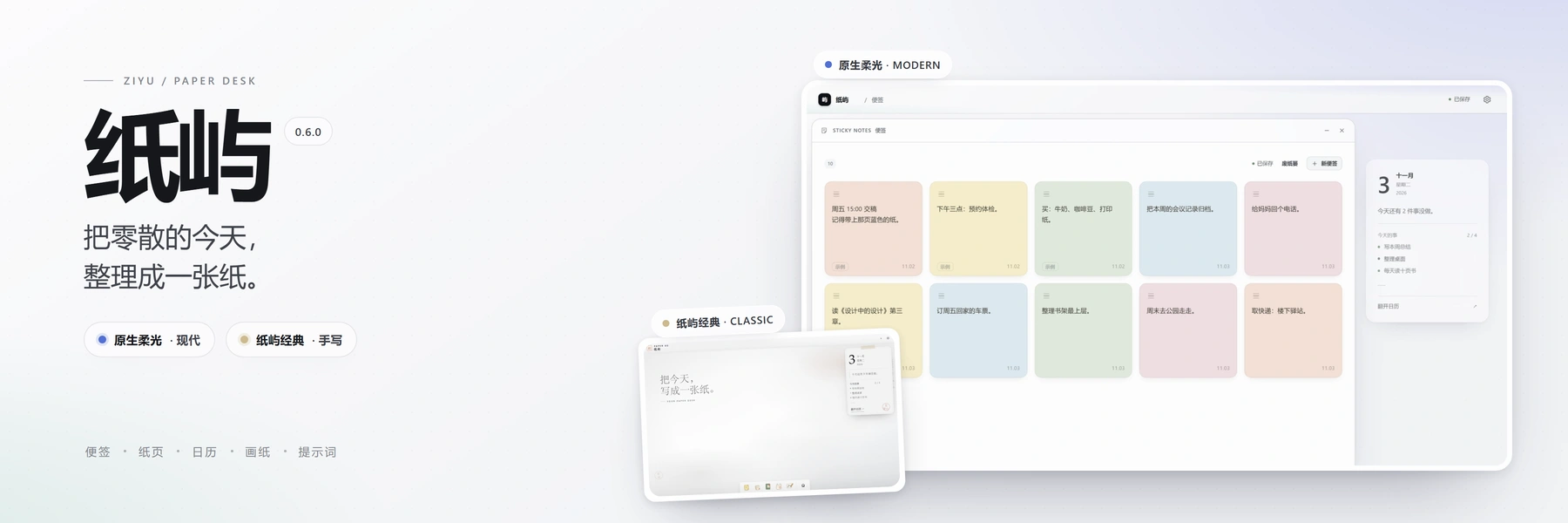
Sticky notes, paper pages, calendar tasks, drawings and a reusable prompt library on one desk inside DSH.
中文
panel plugin v0.7.0





Overview
Paper Isle is a sidebar panel plugin for DeepSeek Harness. It puts a personal desk into the left panel: sticky notes, paper pages, calendar tasks, drawings and a reusable prompt library live in one place, windows move and resize freely, everything saves itself, and the data never leaves your machine.
It stays quiet on purpose: no floating toasts, no empty status rows, a theme that follows DSH, and a dark mode rebuilt for paper. It is for people who want a local, offline, exportable workspace without leaving DSH.
Features
Two skins, one product
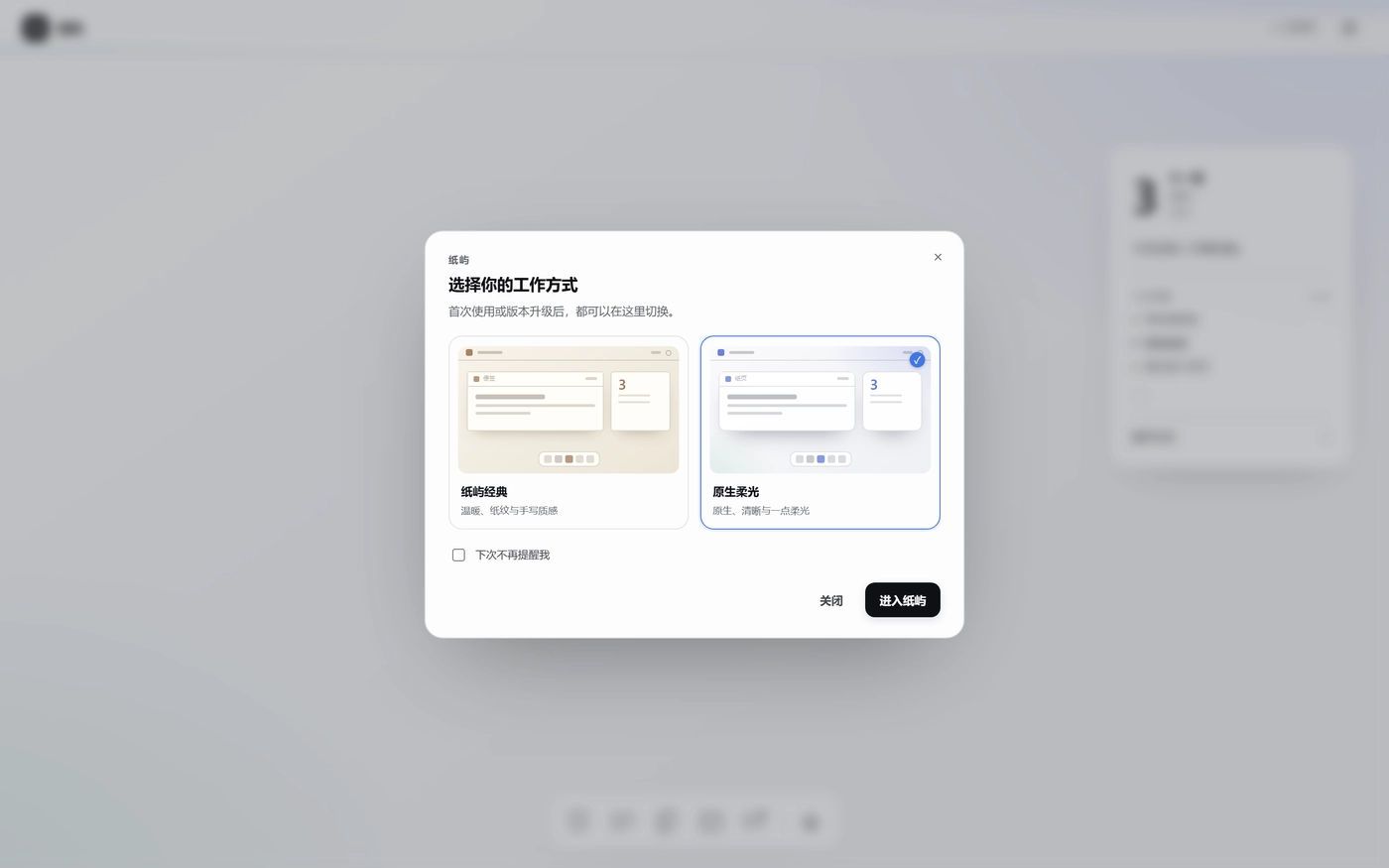
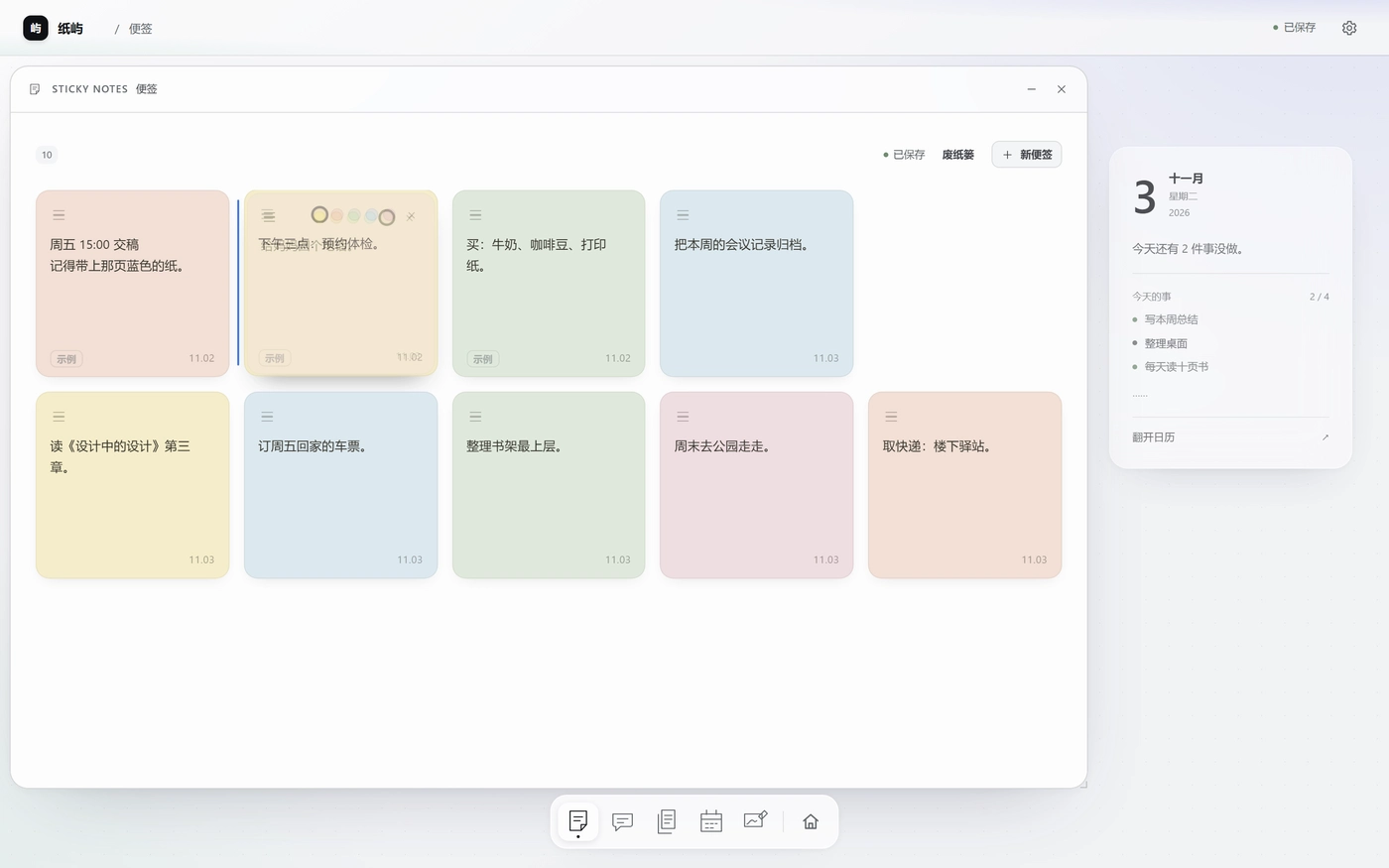
Since 0.6.0 there are two skins with identical features, only the look differs: Paper Isle Classic (classic, the default for existing workspaces — paper surface, handwriting, freely placed notes) and Native Glow (modern — no tape, stamp or paper grain; a very light blue-violet / teal ambience; DSH-native tokens; sticky notes become an ordered grid you can drag, or reorder with Alt + ←/→).
Switch in Settings → Appearance → "Desk look". It applies instantly without a page reload; windows, unsaved edits, search terms, the selected calendar day and the current drawing page all survive. A fresh install asks once, each upgrade asks once more, and "Don't remind me again" stops it for good.
Sticky notes
- Short thoughts, saved automatically; the whole sheet can be dragged (except the body text, scrollbar, colour swatches and delete button), and the one you touched last stays on top.
- The body uses the bundled LXGW WenKai handwriting face; you can switch to a system face or a paper serif in Settings.
- The trash keeps notes for 7 days instead of showing an undo toast — deleted notes land in the trash at the top of the sticky window and can be put back at any time. Empty notes are dropped immediately.
Paper pages
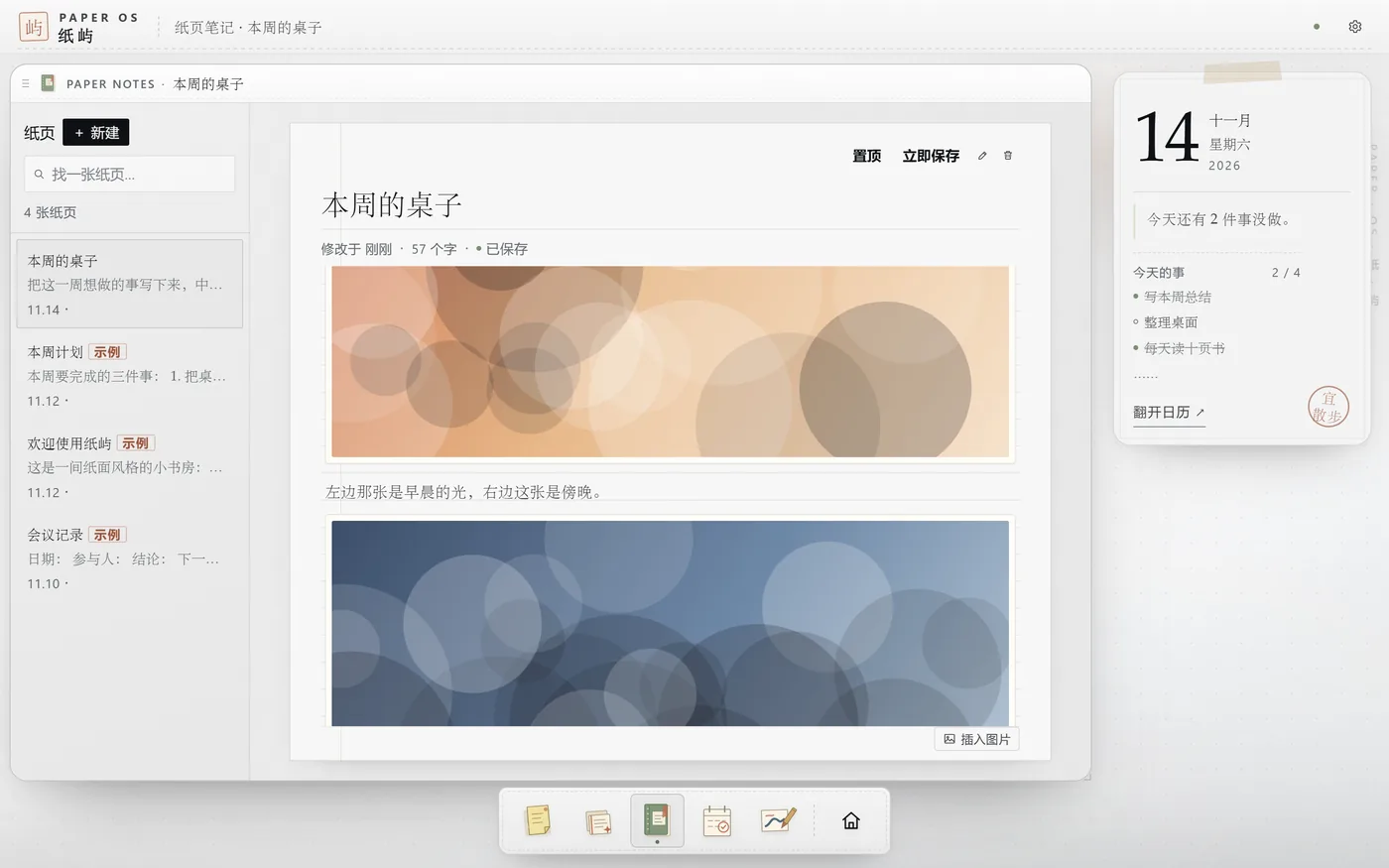
- Long-form writing with a searchable page list on the left and auto-save.
- A new page's title is a placeholder, not a line of literal "Untitled page".
- Pinning: the editor toolbar has Pin / Unpin with
aria-pressed; pinned pages sort first, the rest stay newest-first. Pinning survives reload, export/import and migration.
- Pictures inline (0.7.0): a page body is a block editor, so images can sit between any two paragraphs. Paste a screenshot with
Ctrl/Cmd + V, drop a file onto the page, or use Insert a picture in the editor footer. Drag an image block to reorder it; click the eye to open it full size (Esc closes).
- How pictures are stored: the bytes live next to the workspace under
$DSH_HOME/control-your-schedule/assets/, and the workspace only keeps an id. Every picture is downscaled to a 2560 px long edge and re-encoded (WebP for transparency, JPEG otherwise) with a 1.5 MB target and a 4 MB hard cap; anything that cannot fit is refused with a reason instead of being silently degraded.
- Export stays self-contained: exporting reads the bytes back and inlines them, so a JSON taken to another machine still has its pictures. The workspace backups (
workspace.prev.json, workspace.v*.backup.json) only cover the text, exactly like the snapshot itself.
- Pasting formatted text from elsewhere keeps the words and drops the formatting; nothing foreign is written into a page.
Calendar and tasks
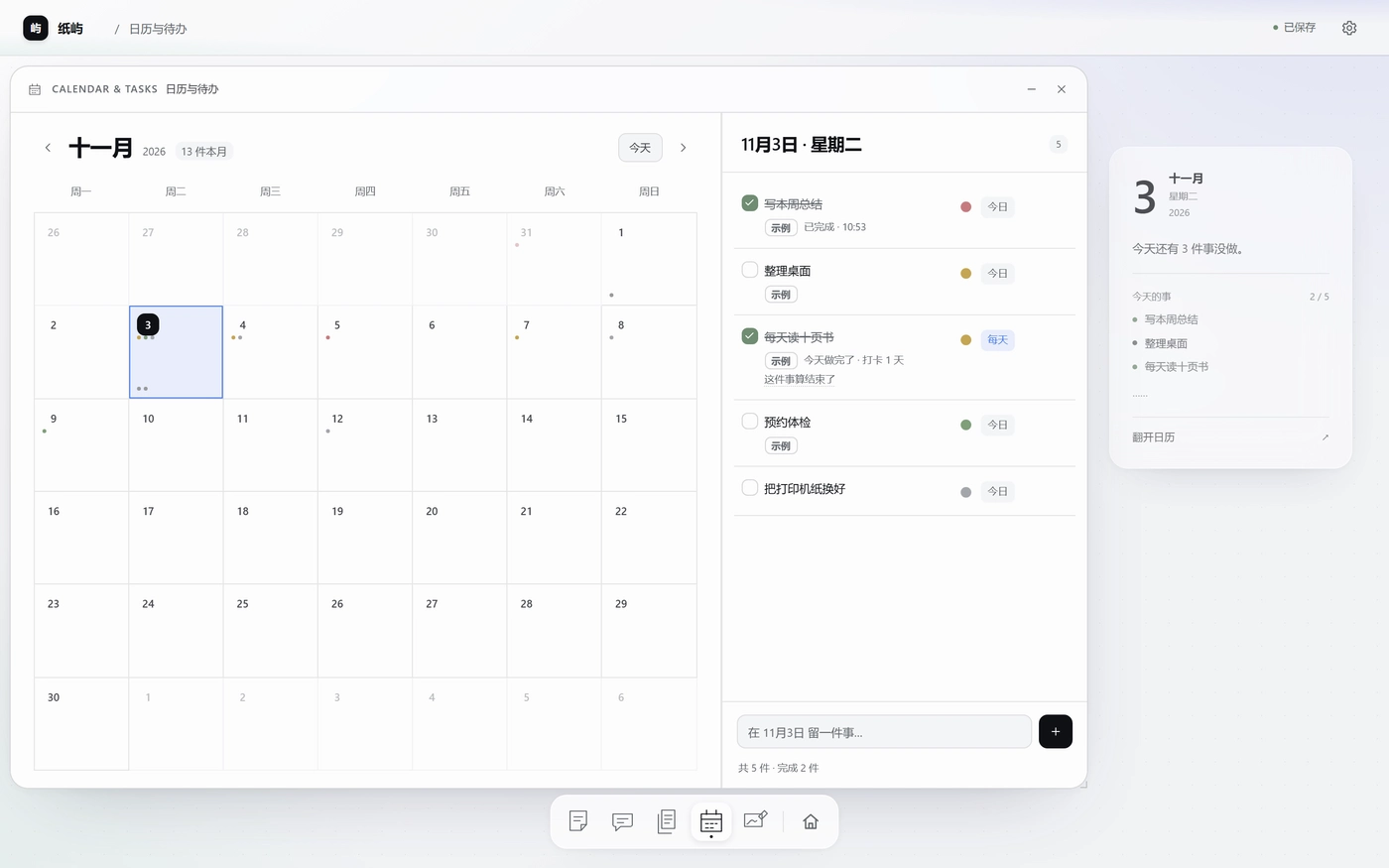
- Every task has four urgency levels (urgent and important / important / urgent / none), switched in place on the task row without opening a detail dialog.
- Calendar dots: unfinished dots sit under the day number and take the level colour; finished dots sink to the bottom of the cell and turn neutral.
- Persistent tasks: a "daily" task reappears once a day from its anchor date; checking in today grows a new unfinished instance tomorrow, while the calendar only shows days you actually checked in. Future dates are never pre-filled. Finishing the run shows "this one is done", stops new instances and can be restored at any time.
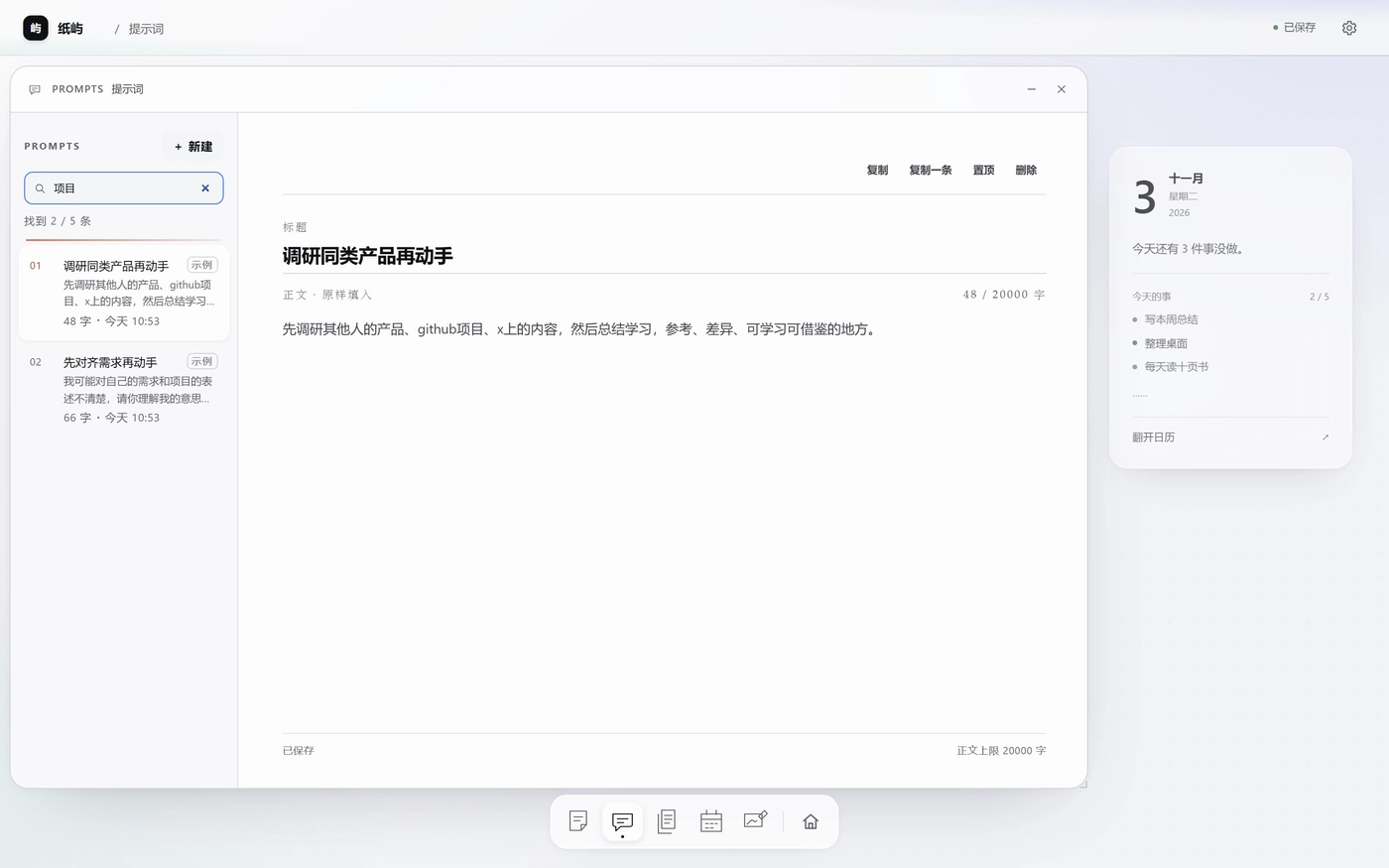
Prompt library and composer entry
- Library: the fifth dock app, seeded with five sample prompts. Search and pin from the list, edit title and multi-line body on the right, auto-saved. Body limit 20,000 characters, up to 300 prompts. New / duplicate / pin / delete, with confirmation on delete.
- Use it while chatting: every composer has a small "Prompts" button on the left of its tool row. It opens a list above the input;
↑↓ selects, Enter fills, Esc closes. It only fills the draft: an empty draft receives the whole prompt, a non-empty one gets an insert at the caret (single-step undo); a sending composer asks you to try again in a moment. It never writes the system prompt and never sends by itself.
Drawing paper
- Freehand drawing with undo/redo, eraser, brush colours and four tip sizes, clear page, delete whole page and export to PNG; the booklet flips left/right and remembers the current page.
Desk, windows and dock
- Today card on the right of a wide desk so windows never cover it; it steps aside on narrow panels.
- Dock: the only entry point to the apps; click toggles a window; icons can be dragged to reorder (or
Alt + ←/→ when focused; the order is remembered and can be reset in Settings → Appearance). The house button gathers every window, and pressing it again restores them.
- Clicking empty desk also gathers all windows into the dock (nothing is destroyed).
- Commands and apps: the first item in Settings, reachable with
Ctrl/Cmd + K; search apps, pages or actions, ↑↓ to select, Enter to run.
- Windows: Classic has no minimise / maximise / close triple; drag the title bar to move and the bottom-right corner to resize; close with
Esc, Ctrl/Cmd + Alt + W or the command list. Native Glow adds explicit minimise and close buttons in the title bar, wired to the same window manager actions.
- First-run tour: six steps, replayable from Settings → Tutorial.
Theme and appearance
- Colours follow DSH: desk, windows, popovers and insets take the host's own colours and the DSH label scale; Follow DSH (default, live) / Light / Dark. The plugin only reads the host theme signal and never writes the host DOM.
- Dark mode was rebuilt: paper grain is removed in dark mode and desk, windows and popovers sit on a real brightness ladder.
- Paper grain can be turned off; paper grain and the hand-written sticky font are classic-only — hidden in Native Glow, values kept, restored on switch back.
Data and upgrades
- Upgrades keep your data: the workspace carries a version and a migration ladder (v1 → v5). The host writes
workspace.v<old>.backup.json before a version change and keeps workspace.prev.json before every write. A workspace that fails validation opens read-only with the original stashed — it is never overwritten with the sample desk. Note that those two backup files cover the text only: page pictures live in the asset folder beside them.
- Switching away and back restores windows and what each app was looking at (selected page, calendar day, sticky scroll, drawing page, settings section).
Installation
The plugin is installed into DSH itself. DSH does not auto-update installed plugins: upgrading means uninstalling and reinstalling.
From npm (recommended)
DSH → Plugins → Add plugin, then enter:
dsh-plugin-control-your-schedule
A version can be pinned too: dsh-plugin-control-your-schedule@0.7.0.
From GitHub
https://github.com/HaoyanZhang123/dsh-plugin-control-your-schedule
From a local checkout
Point Add plugin at the absolute path of this directory:
<your checkout>/dsh-plugin-control-your-schedule
After installing, "便签 / Notes" appears in the left sidebar under Plugins. If it does not, refresh the page; replacing an installed package requires restarting DSH.
Usage
| Goal |
How |
| Open an app |
Click a dock icon, or press Ctrl/Cmd + K and search |
| Collapse / restore a window |
Click the same dock icon again |
| Gather every window |
Click the house button, or click empty desk |
| Close the focused window |
Esc / Ctrl/Cmd + Alt + W / Settings → Commands |
| Reorder the dock |
Drag an icon, or focus it and press Alt + ←/→ |
| New page / sticky / drawing / calendar |
Ctrl/Cmd + Alt + N / B / D / C |
| Save now |
Ctrl/Cmd + S |
| Replay the tour |
Settings → Tutorial |
| Back up data |
Settings → Data → Export workspace |
State is kept per app, so switching back to DSH and returning puts you where you left off.
Configuration
Where the data lives
- DSH data directory (primary):
$DSH_HOME/control-your-schedule/workspace.json — on Windows that defaults to %USERPROFILE%\.dsh\control-your-schedule\workspace.json.
- Browser storage (fallback): IndexedDB / localStorage for a fast first paint.
- Moving machines: export the workspace as JSON in Settings and import it on the other side.
Language, theme and motion
- The UI follows DSH's own language setting by default; Settings → Appearance → Language pins Chinese or English for the desk only. Switching rebuilds the desk and restores what you were looking at.
- Theme: Follow DSH (default) / Light / Dark. Motion: follow system or reduce animations.
- Paper grain, sticky font, desk grid and desk look live under Settings → Appearance.
Compatibility
- Built against DSH 0.2.1-rc.2.
- Tested on Windows 11 with DSH 0.2.1-rc.2: install, sidebar, panel, data retention across reload and view switches, host persistence, export/import.
- CI builds and runs the page contract, DOM nesting, host route and client syntax checks on Windows, macOS and Ubuntu runners.
- Not yet exercised on a real macOS or Linux DSH: the data path uses
DSH_HOME or ~/.dsh and there are no platform-specific binaries. Please open an issue if something breaks.
- Chinese and English pages are built from one source; sample content is generated in the language of first creation, and your own text is never translated.
Project structure
| Path |
Purpose |
index.js |
Host half: /api/control-your-schedule/workspace read/write plus the bundled font route |
src/client.src.js |
Client half: sidebar entry, panel, iframe bridge, composer entry |
assets/paper-os.html |
The desk page — the single UI source |
client.js |
Build output, generated — never edit by hand |
tools/build_page.py |
Build: embeds the page into the client and injects the version |
smoke/run_all_checks.py |
Project gate (page contract, DOM nesting, build, migration, host route) |
smoke/page_e2e.mjs |
Real-browser checks (headless Edge/Chrome), both skins and the upgrade path |
smoke/k3_stickies_test.mjs |
Sticky data and pointer-drag contracts |
smoke/classic_visual_regression.mjs |
Pixel comparison of the classic skin against the previous release |
assets/i18n/en.json, en.templates.json |
English dictionary and parameterised templates (build inputs) |
assets/fonts/ |
Bundled handwriting subset (LXGW WenKai, OFL) with its licence |
Development
# Build client.js (embeds assets/paper-os.html into the client bundle)
python tools/build_page.py

# Verify the bundle matches its sources (used by CI)
python tools/build_page.py --check

# Project gate
python smoke/run_all_checks.py

# Add real-browser suites (needs Edge or Chrome; without it they are SKIP, not a pass)
python smoke/run_all_checks.py --cdp
Design notes
- The UI is not rewritten in React: the page is mounted in a same-origin iframe so dragging, auto-save and keyboard handling keep working unchanged.
- Two writes: the page writes browser storage first for instant use, then posts the snapshot to the host route, which persists it to the DSH data directory; the newer snapshot wins on reload.
- A single load gate: host snapshot, IndexedDB, localStorage, recovery journal and imported files all go through
ingestWorkspace (migration ladder + strict validation of the current version).
- Persistent tasks are a template plus a read-time projection, not materialised daily rows — crossing midnight only redraws.
- Themes are read-only: the plugin reads the host's
data-ds-dark-theme and follows it live with a MutationObserver.
- Host colours are read at runtime from the parent document's
--dsw-alias-* variables, because an iframe does not inherit the parent's custom properties.
- No third-party runtime dependencies; the host uses Node built-ins and the build uses the Python standard library.
Releases
License
MIT, see LICENSE.


