
文件与数据
插件

OpenViking
volcengine
Self-evolving Context Database for AI Agents. Unify Agent Memory, Knowledge RAG and Skills.
PROJECT TOPICS
INSTALL REFERENCE
dsh plugin --profile web add github:Gniy7Ga/dsh-reverie
该命令指向仓库当前默认分支;尚无绑定当前 commit 的完整验证结果。
PROJECT README
中文 · English
DeepSeek Harness 的读书笔记插件:把链接扔进来,自动转录或抓取正文,中英对照精读;随手写下想法;再按天、按周、按主题回顾。全程可以让 AI 解读、陪你对话。
这是个人开发的社区插件,不是 DeepSeek 官方插件,也和乔木 RSS 没有隶属关系。部分代码改编自 乔木 RSS · qiaomu-rss-dsh(GPL-3.0-only),详见 致谢与许可。
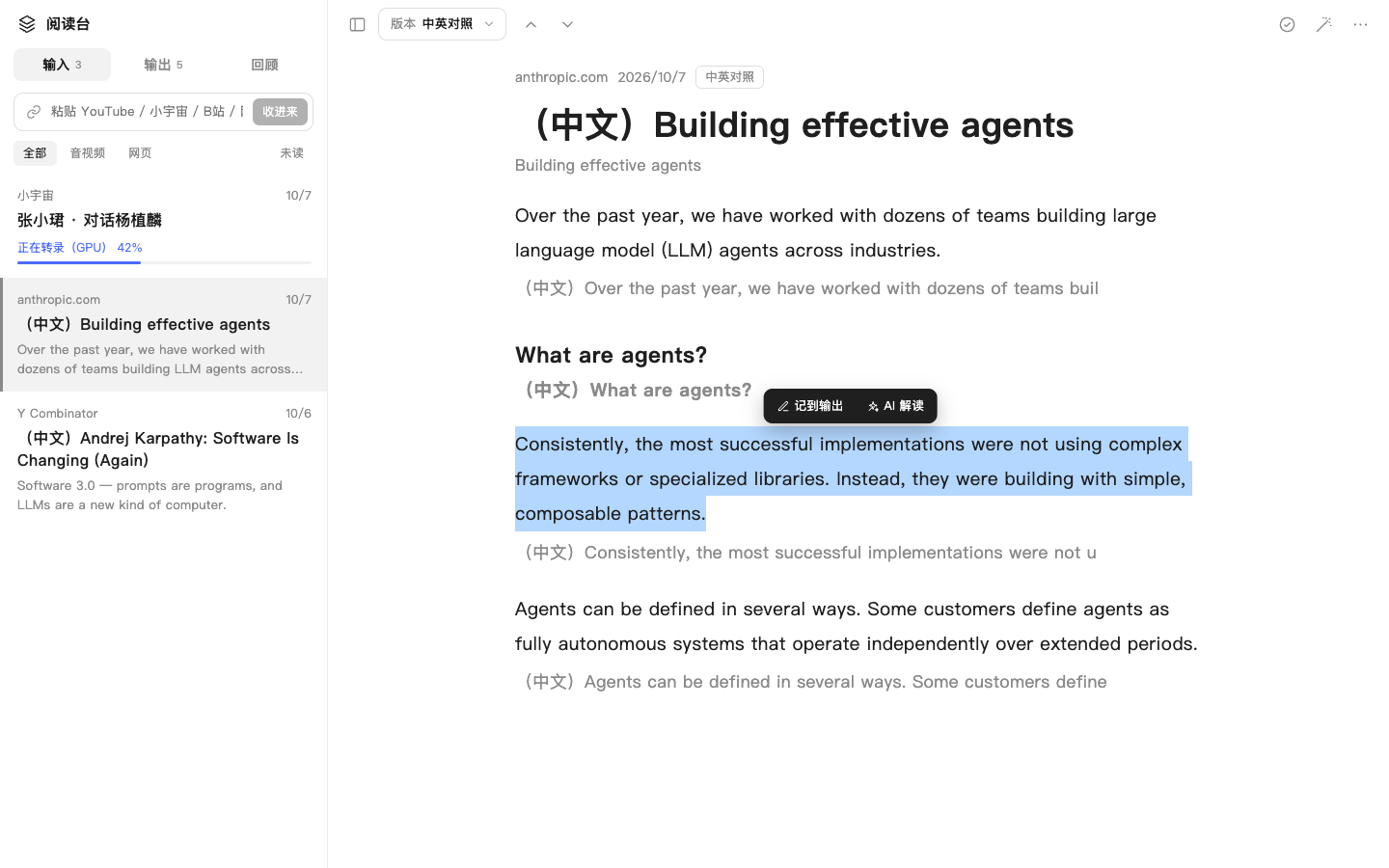
截图来自早期开发版本,当时插件名为「阅读台」,界面与当前版本基本一致。
左栏分三块:
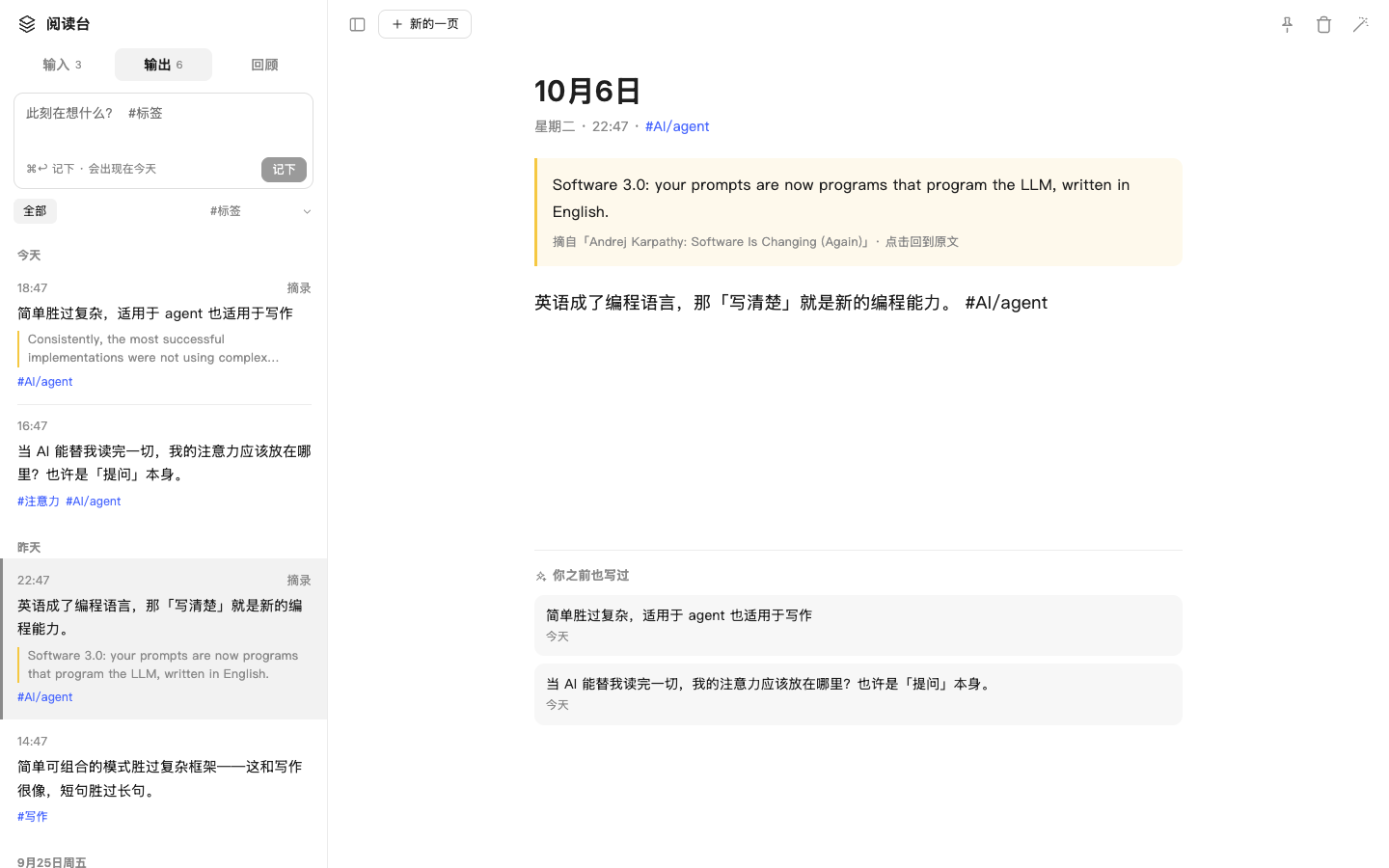
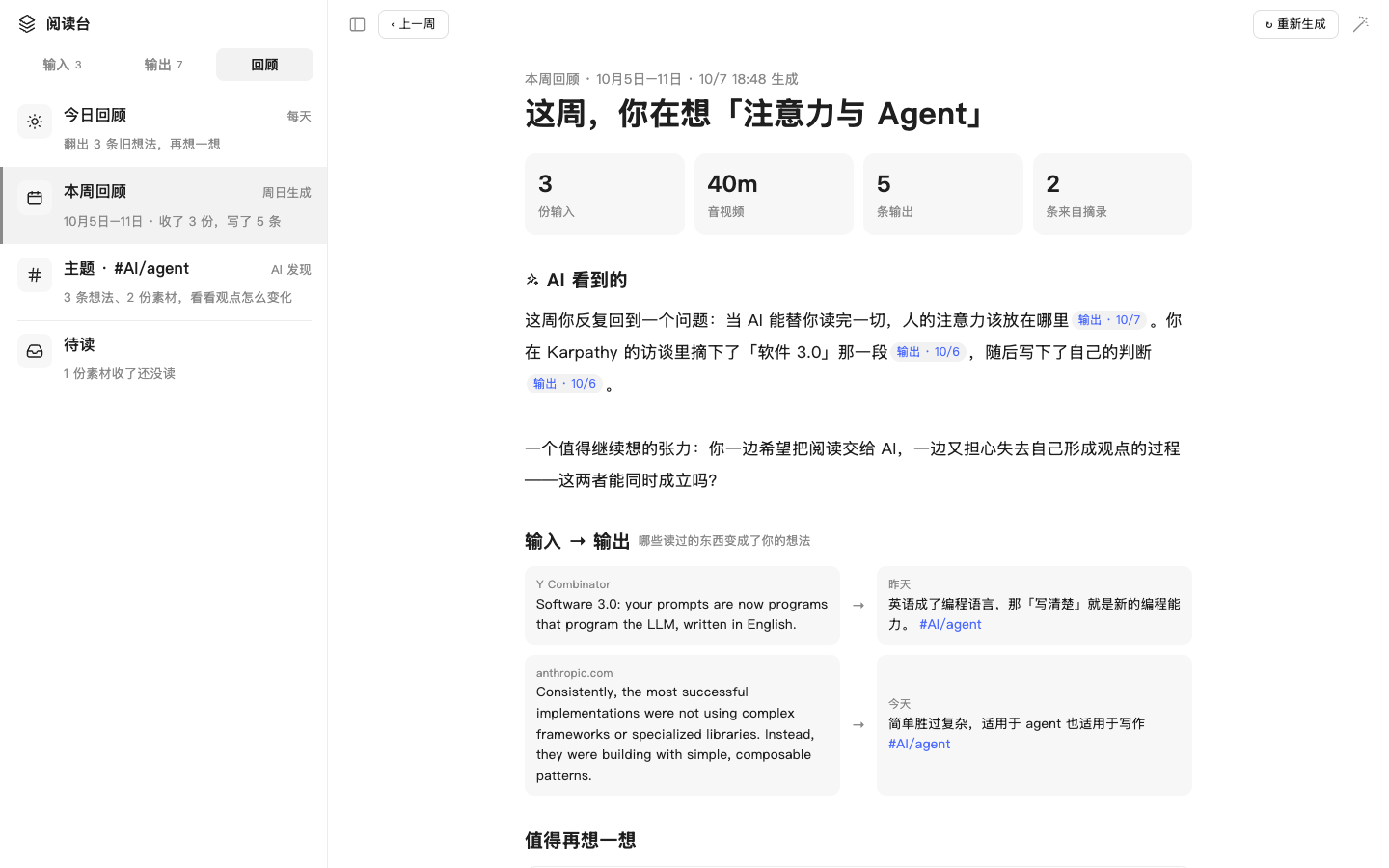
~/Reverie),不会混进其他工作区;在 Harness 左侧会话列表里也能找到。#父/子)。下面按日期分组,可以按标签筛选。Agent 工具:reader_ingest(扔链接)、reader_add_memo(记一条)、reader_search、reader_read_item。在 Harness 主对话里也能往 Reverie 里扔东西。
| 输出 | 本周回顾 |
|---|---|
 |
 |
需要 DeepSeek Harness 0.2.0-rc.2(Desktop 或 dsh CLI)。
方式一:Release 安装包(推荐)
到 Releases 下载 dsh-reverie-<版本>.tgz 和同名 .sha256,在下载目录执行:
shasum -a 256 -c dsh-reverie-0.6.0.tgz.sha256
dsh plugin --profile desktop add "$PWD/dsh-reverie-0.6.0.tgz"
用命令行 Web 界面时把 desktop 换成 web。装好后重启 Harness,在侧边栏打开「Reverie」。也可以在 Harness 对话里把 .tgz 的绝对路径交给 Agent,让它用插件管理安装。
方式二:直接从 GitHub 安装
仓库里提交了构建好的 lib/,不需要在安装时构建:
dsh plugin --profile desktop add github:Gniy7Ga/dsh-reverie#v0.6.0从旧包 my-reader-dsh 升级:先在插件管理里移除 my-reader-dsh(两者注册了同名的 Agent 工具,不能同时启用),再安装 dsh-reverie。第一次启动时会把 storages/my-reader/ 里的数据复制到 storages/reverie/,旧目录保留不动。
只读网页和带字幕的 YouTube 不需要额外安装。转录音视频需要:
yt-dlp 和 ffmpeg:插件会在 /opt/homebrew/bin、/usr/local/bin、~/.local/bin、/usr/bin 里找,例如 brew install yt-dlp ffmpeg。mlx-whisper(Apple 芯片)或 faster-whisper 的 Python 环境。插件会自动识别 AI-Video-Transcriber 的安装目录(~/Documents/Codex/*/*/AI-Video-Transcriber)。其他位置可以在 profile 的 cordis.patch.yml 里指定:
- id: reverie
  name: dsh-reverie
  config:
    toolchain:
      ytDlp: /opt/homebrew/bin/yt-dlp
      ffmpeg: /opt/homebrew/bin/ffmpeg
      # 二选一:
      mlxPython: /path/to/venv/bin/python
      mlxModel: /path/to/whisper-large-v3-mlx       # 含 weights.npz 或 weights.safetensors 的目录
      fasterWhisperPython: /path/to/venv/bin/python
      fasterWhisperHfHome: /path/to/huggingface-cache  # 可选
config.chatWorkspaceDir 可以改 Reverie 工作区所在的父目录(默认是用户主目录)。
数据保存在 Harness home 的 storages/reverie/:library.json 存索引、笔记和设置,bodies/ 存正文。不会上传到别处;翻译和 AI 对话用的是 Harness 当前配置的模型。
需要 Node.js 22+ 和 pnpm。
git clone https://github.com/Gniy7Ga/dsh-reverie.git
cd dsh-reverie
pnpm install
pnpm run build      # 生成 lib/ 和 THIRD_PARTY_LICENSES.md
pnpm test           # 离线测试(假模型)
DSH_HOME=/tmp/reverie-e2e node tests/e2e.mjs   # 联网 + 本机转录的端到端测试
pnpm pack
src/ 是源码,lib/ 是构建产物,和源码一起提交,DSH bundle 直接加载它。改了源码请重新构建,并把更新后的 lib/ 一起提交。包名 dsh-reverie 必须和 cordis.patch.yml 里的 name 一致。
lib/ 的 npm 包见 THIRD_PARTY_LICENSES.md。问题和建议请提交到 Issues。
Reverie is a reading-and-notes plugin for DeepSeek Harness. Paste a link (YouTube, Bilibili, Xiaoyuzhou, Apple Podcasts, media files, web pages, Xiaohongshu, WeChat articles, X/Twitter) and it is transcribed locally with Whisper or extracted to clean text, then translated for side-by-side Chinese/English reading. Write flomo-style notes with #tags, and review them by day, week, or theme with AI summaries. A native Harness conversation can sit beside whatever you are reading. Agent tools: reader_ingest, reader_add_memo, reader_search, reader_read_item.
This is an independent community plugin, not affiliated with or endorsed by DeepSeek or Qiaomu RSS. Install the release tarball with dsh plugin --profile desktop add /absolute/path/to/dsh-reverie-0.6.0.tgz, or dsh plugin --profile desktop add github:Gniy7Ga/dsh-reverie#v0.6.0 (built lib/ is committed), then restart Harness. Data lives under storages/reverie/ in the Harness home.
Licensed under GPL-3.0-only. Parts of the code are adapted from qiaomu-rss-dsh by 向阳乔木 (joeseesun), GPL-3.0-only; the reading layout is modelled on Qiaomu RSS. Every adapted file, its upstream source, and the changes made are listed in NOTICE.md and in each file's header. Icon paths come from Lucide (ISC/MIT); bundled npm packages are listed in THIRD_PARTY_LICENSES.md.
CLASSIFICATION EVIDENCE
系统优先读取 GitHub Topics,再与站内分类词典和词根规则比对。当前命中: notes。
volcengine
Self-evolving Context Database for AI Agents. Unify Agent Memory, Knowledge RAG and Skills.

mindscale-noah
该仓库暂未提供项目说明。

himovo
Turn DeepSeek Harness into a self-hosted enterprise Agent platform with knowledge, deep research, content generation, vibe coding, browser automation, governance, and admin controls.