
其他
完整应用

deepseek-harness
deepseek-ai
DeepSeek Harness: Everything is a Plugin.
PROJECT TOPICS
PROJECT README



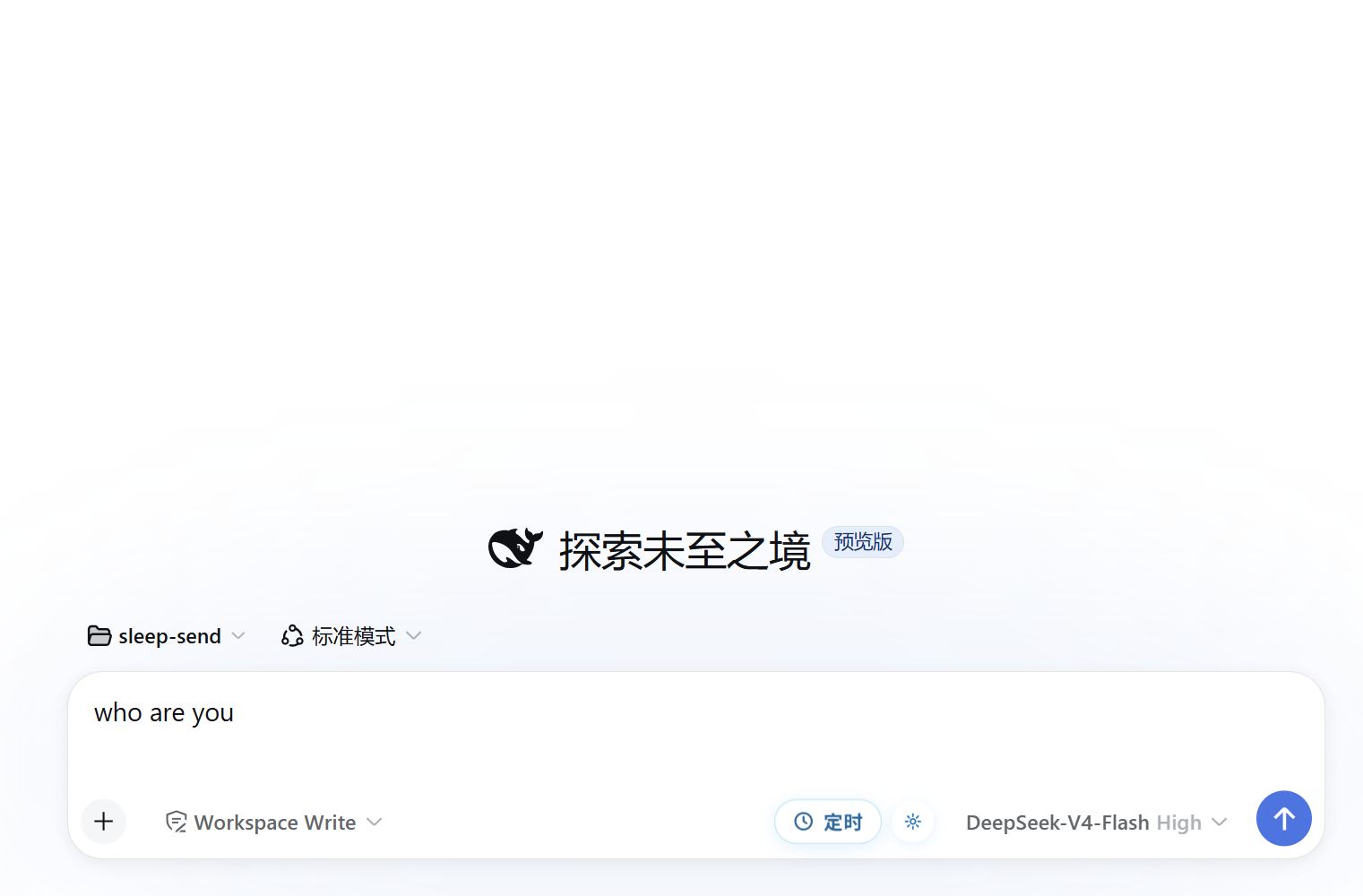
DSH Web 的定时发送 Cordis 客户端插件:在输入框右侧提供「定时发送」按钮与配置面板,支持智能时段、自定义日期时间、多个定时任务,并通过 localStorage 持久化任务,刷新页面后自动恢复。
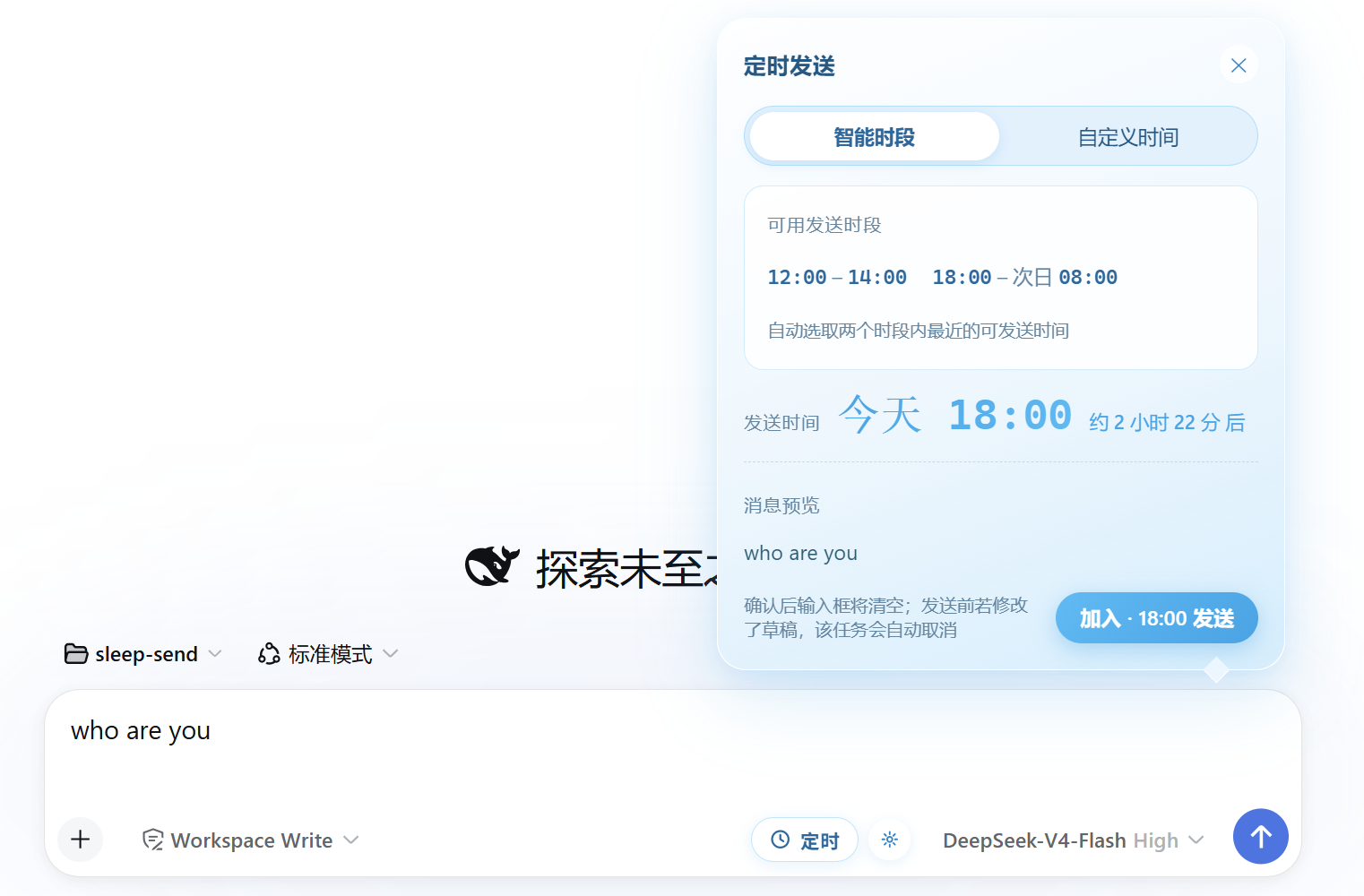
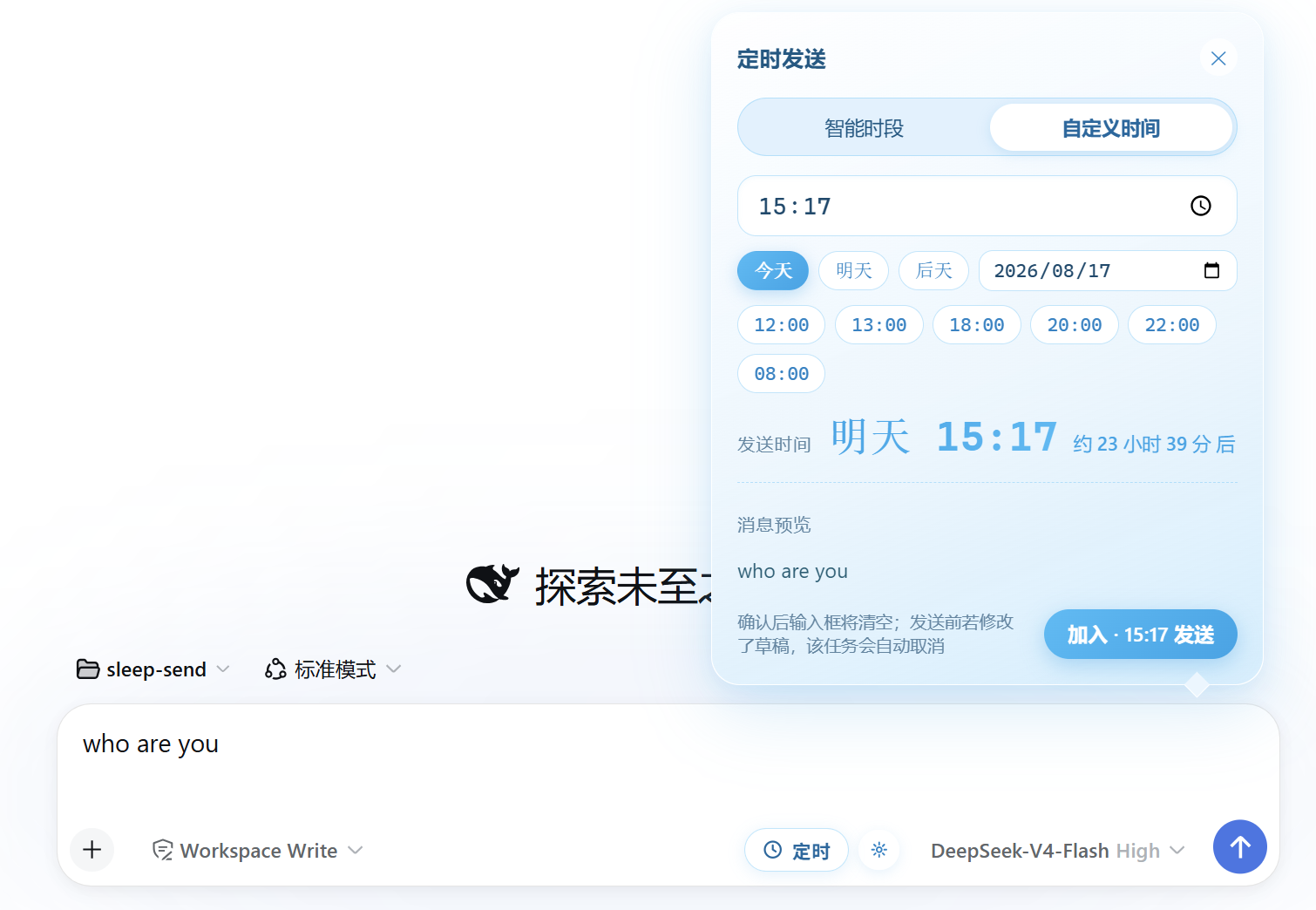
🕐 "sleep-send" —— 把消息"睡"到合适的时刻再发送:默认只在 12:00–14:00 与 18:00–次日 08:00 这类得体时段内自动挑最近的时间发出,也可以完全自定义日期与时刻。
conversation.input.right 槽位,紧挨发送按钮;空草稿禁用、输入后激活。12:00 – 14:00、18:00 – 次日 08:00 两个时段内自动选取最近的可发送时间(当前时间 + 2 分钟起;不在时段内则取下一时段起点)。8月19日 周三 12:00)。dsh.sched-send.v1):任务与自定义偏好刷新后自动恢复;恢复时未到期任务保留、15 分钟内过期的自动补发、更早的过期任务丢弃。:focus-visible 焦点环;动画遵循 prefers-reduced-motion;脉冲动画仅使用 transform/opacity。| 工具行按钮与武装芯片 | 配置弹窗(智能时段) | 配置弹窗(自定义日期时间) |
|---|---|---|
 |
 |
 |
截图为清新天蓝主题;替换
docs/screenshots/下同名文件即可更新。
已发布到 npm,一条命令安装到你的 web profile:
dsh plugin --profile web add dsh-sleep-senddsh plugin --profile web add file:D:\projects\github\sleep-senddsh plugin --profile web add github:Awu12277/dsh-sleep-senddsh web 生效;卸载:dsh plugin --profile web remove dsh-sleep-send也可以作为普通库安装(源码 / 集成参考):
npm install dsh-sleep-send包结构(DSH web 插件协议):
dsh-sleep-send/
├── index.js          # host 侧 cordis 插件骨架(纯 client 插件,无 host 逻辑)
├── client.js         # 浏览器端:window.__ModuleLoader__.load({ id, factory })
├── cordis.patch.yml  # bundle patch:注册 dsh-sleep-send 条目
└── package.json # dsh.bundle.patch + dsh.client.platform: "web"require("react") 获取 React;apply(ctx) 中的 ctx 为 client root context;ctx.get("slots") 访问 conversation.input.right 与 conversation.input.overlay 槽位;timer 服务,缺失时自动降级为浏览器定时器;localStorage['dsh.sched-send.v1'],刷新页面后自动恢复。localStorage['dsh.sched-send.v1'],内容为 { mode, custom, schedules };localStorage 中,不上传任何服务器;npm test # node --check src/index.jsCLASSIFICATION EVIDENCE
系统优先读取 GitHub Topics,再与站内分类词典和词根规则比对。当前命中: 无有效分类标签。
deepseek-ai
DeepSeek Harness: Everything is a Plugin.

anywhere-labs
为 DeepSeek Harness (DSH) 插件生态打造的现代化桌面端解决方案。万物皆「插件」,桌面本身也是「插件」。

walkinglabs
Harness engineering beginner tutorial, from 0 to 1