
消息通讯
插件

Invoice-Downloader
EthanYoQ
电子发票整理与报销准备工具:从邮箱批量收集 PDF/OFD/XML 发票,OCR 识别、分类归档并生成 Excel 汇总;提供 Windows/macOS 桌面版与 DSH 插件。
PROJECT TOPICS
INSTALL REFERENCE
dsh plugin --profile web add github:11ze/dsh-session-bell
该命令指向仓库当前默认分支;尚无绑定当前 commit 的完整验证结果。
PROJECT README
English | 简体中文
Desktop notifications for DeepSeek Harness.
A turn that finishes, a question that waits for your answer, or an approval that waits for your decision raises one native notification. The sender is DeepSeek Harness itself, not a helper app. A click opens the Session that raised it.
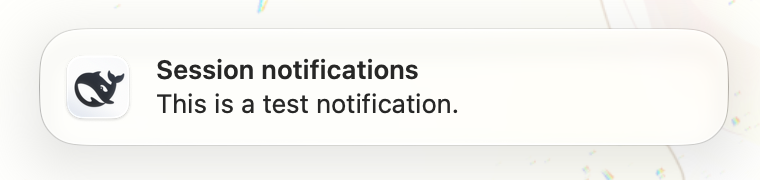
| Event | Notification |
|---|---|
A turn stops (agent/turn-stopping) |
Session title, then the first sentence of the last assistant text |
A question waits for a human (user-questions/request) |
Session title, then the question |
An approval waits for a human (approval/request) |
Session title, then the tool name |
Open More → Settings, then choose Notifications in the settings sidebar.
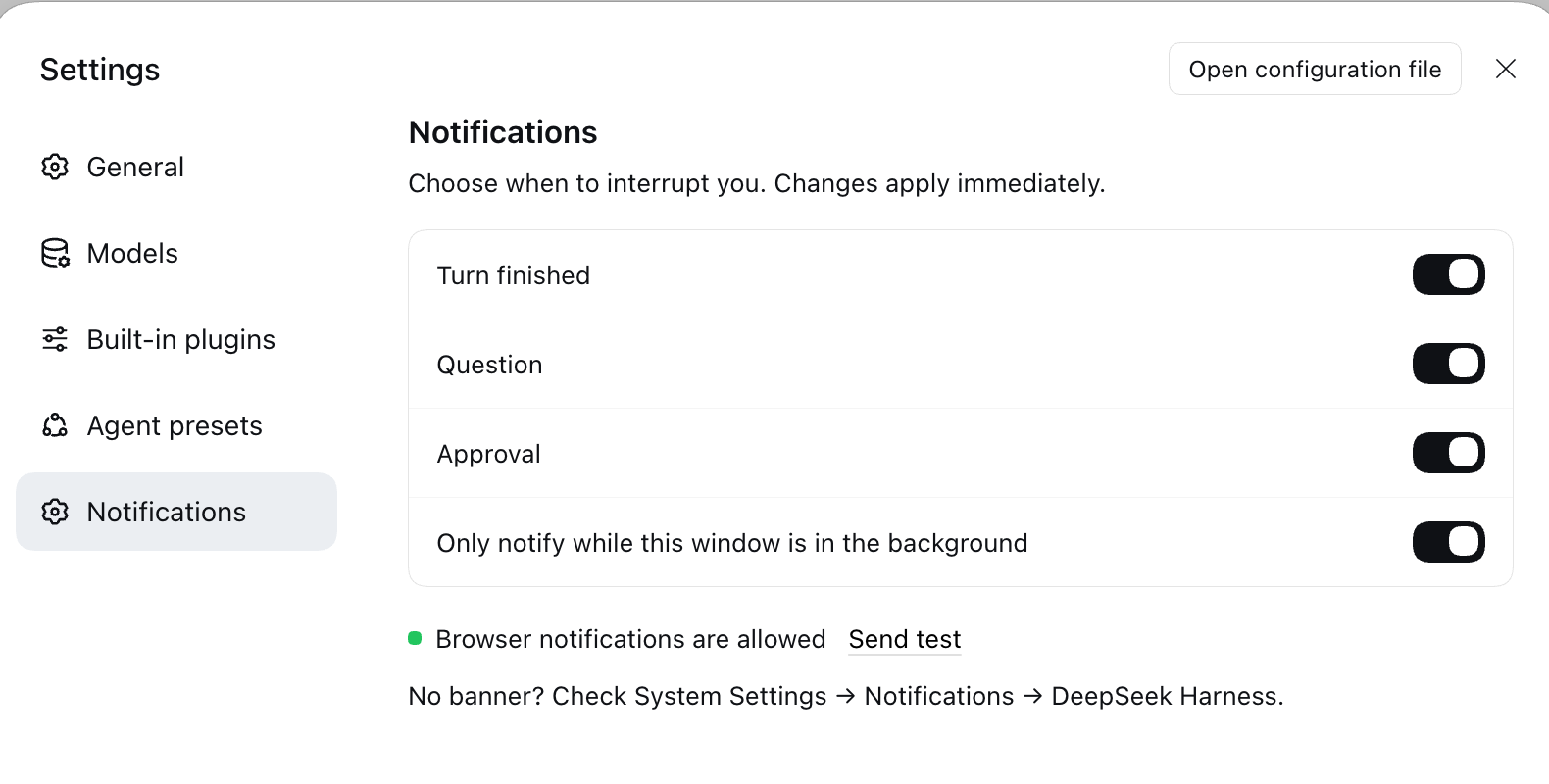
| Switch | What it does |
|---|---|
| Turn finished | Notify when a turn stops. |
| Question | Notify when a question waits for an answer. |
| Approval | Notify when an approval waits for a decision. |
| Only notify while this window is in the background | When on, a focused window shows no notifications. When off, every event notifies. Default on. |
Switches apply immediately; there is no save button. Settings are stored locally in the app (localStorage), not in the app configuration. The section shows the page notification permission and a Send test action; if no banner appears, see Requirements for the system permission.
Approval notifications appear only when the session asks for approval. A session whose approval policy never asks sends no approval notification.
dsh web).In DeepSeek Harness, open the Plugins page from the sidebar, choose Install bundle, and enter:
dsh-session-bellAfter the first install, reload the page once (⇧⌘R). The Host half is live at install time, but the page half is a browser module and loads only with a fresh page. After an update, reload the page and toggle the plugin once. The Host half and the page half must come from the same version.
Two halves, one route.
index.js) listens to agent/turn-stopping,
user-questions/request, and approval/request. It turns each event into a
Server-Sent Event on /session-bell/events. For approval it sends the tool
name only, not the command or reason. No Web server means no route and no
work, so the CLI stays silent.client.js) subscribes to that route, filters events by the
switches, suppresses notifications while the window is focused, and raises
the native notification. A newer event for the same Session closes that
Session's previous banner. A click opens that Session, an empty body is
localized in the page, and a closed stream reconnects by itself.The route carries Session id, title, a clipped body, the event kind, and for approval the tool name. Settings stay in localStorage. Nothing leaves the machine; there is no network egress.
npm install
npm test
Link the directory as a bundle and toggle the plugin once:
plugin_manager install_bundle  <absolute path to this directory>
plugin_manager set_plugin      include:session-bell  enabled:false
plugin_manager set_plugin      include:session-bell  enabled:true
After a change, reload the page for client.js and the plugin for index.js.
.github/workflows/publish.yml publishes on every push to
main, but only when package.json names a version that npm does not have yet. It uses npm
trusted publishing (OIDC), so the repository stores no token, and it attaches provenance.
main.npm version patch # or minor, major
git push --follow-tagsOne setup step lives on npmjs.com: Settings → Trusted publishing must name this repository
and the workflow file publish.yml. Without it the job fails with ENEEDAUTH.
| Path | Role |
|---|---|
index.js |
Host half: events to Server-Sent Events |
client.js |
Page half: settings page, notification, click to open the Session |
cordis.patch.yml |
Bundle patch that inserts the Host row |
locale/*.json |
Plugin Manager title and description |
icon.svg |
Plugin Manager icon |
test/ |
Node tests for Host events and client filtering |
MIT
CLASSIFICATION EVIDENCE
系统优先读取 GitHub Topics,再与站内分类词典和词根规则比对。当前命中: notifications。
EthanYoQ
电子发票整理与报销准备工具:从邮箱批量收集 PDF/OFD/XML 发票,OCR 识别、分类归档并生成 Excel 汇总;提供 Windows/macOS 桌面版与 DSH 插件。

Bytedesk
Open Souce IM with AI powered live-chat, email, ticket support, omni-channel customer service,alternative to slack + zendesk

wenbin-wb
🚀 DeepSeek Harness 多通道远程访问与安全守护插件 | 局域网扫码直连、Cloudflare / 自建公网隧道、微信 / QQ / 飞书 / Telegram 机器人全生命周期对话 | 内置全协议访问安全认证、后台防篡改与容灾保命体系