

模型与 MCP
待识别

rea
morluto
Reverse engineer anything with agents, from app behavior down to native binaries.
PROJECT TOPICS
INSTALL REFERENCE
dsh plugin --profile web add github:zyileven/dsh-settings-sidebar
该命令指向仓库当前默认分支;尚无绑定当前 commit 的完整验证结果。
PROJECT README
Show or hide sidebar panel entries and add shortcuts to Settings sections. Existing panels use their actual sidebar names, not the shorter names of their corresponding Settings sections.
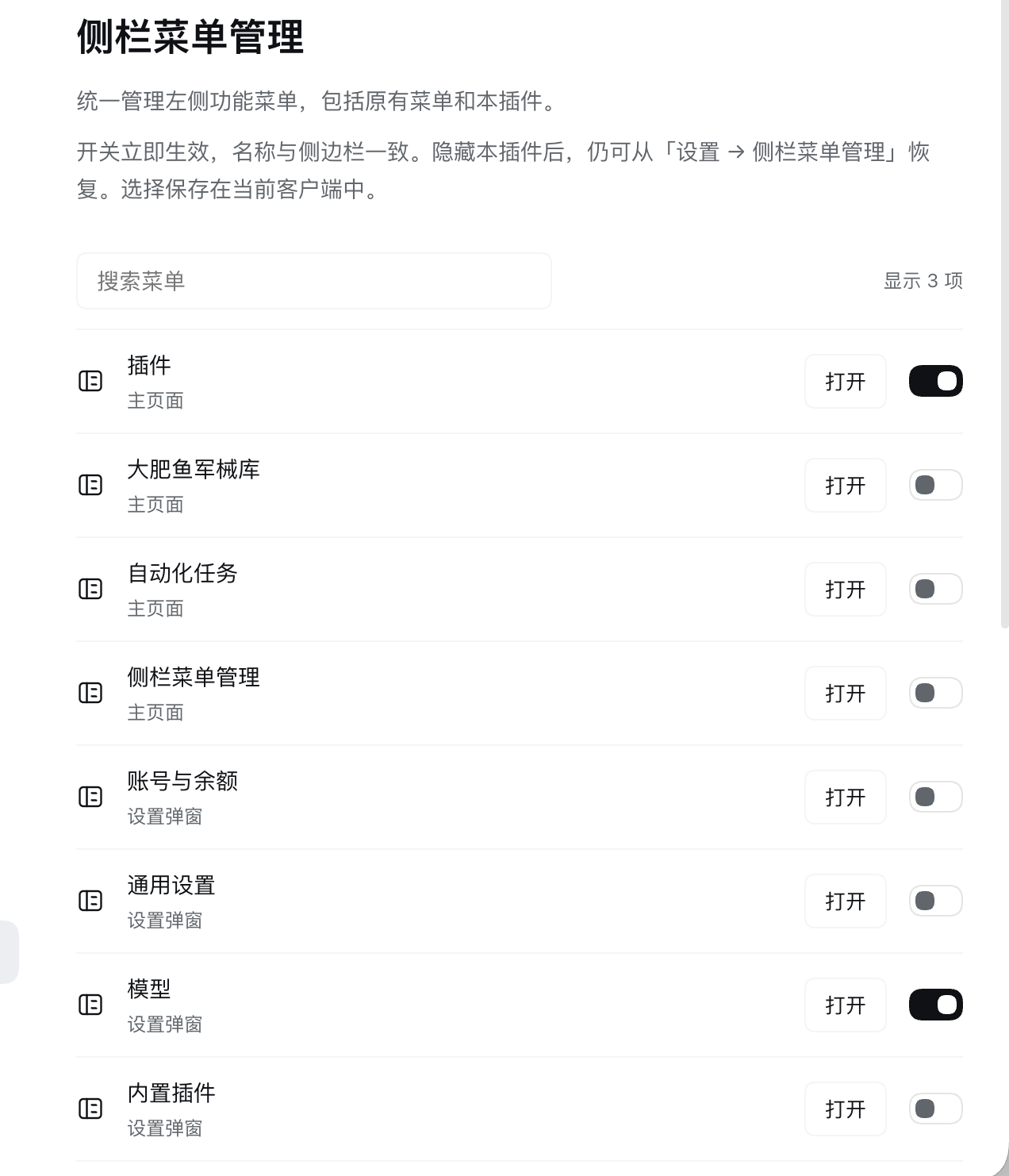
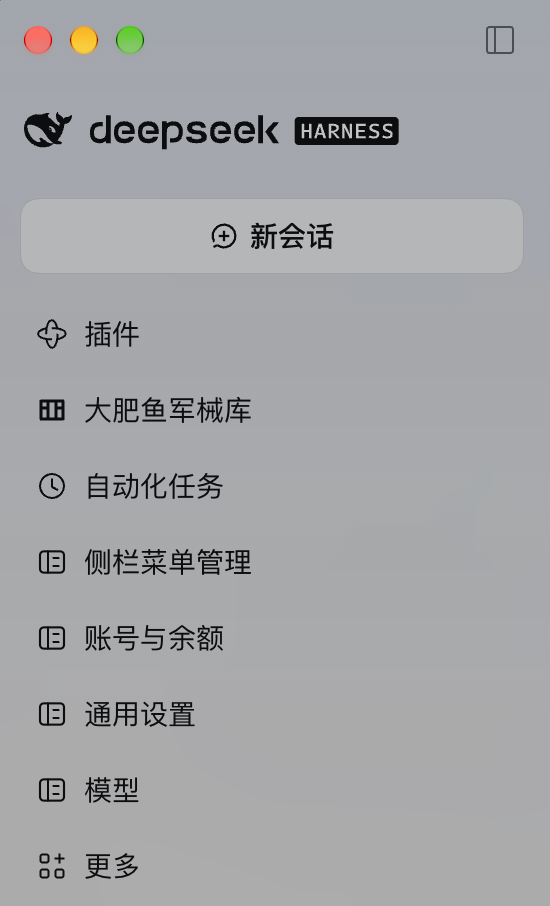
Screenshots show two example configurations. Captured and provided by the plugin author for publication.
Requires DeepSeek Harness Web or Desktop 0.2.2-rc.1 or newer (engines.dsh: >=0.2.2-rc.1) with the sidebar, Settings and layout client APIs. The Harness refuses to install the plugin where the running version does not satisfy that range. The plugin ships directly loadable JavaScript: no build, install scripts or additional runtime dependencies. React and the client store are supplied by the Harness module loader.
Ask your Harness agent:
Install the GitHub plugin github:zyileven/dsh-settings-sidebar
Or install into your active CLI profile (desktop below is the Desktop profile; substitute your own):
dsh plugin --profile desktop add github:zyileven/dsh-settings-sidebarAlternatively, download dsh-settings-sidebar.tgz from Releases and run:
dsh plugin --profile desktop add ./dsh-settings-sidebar.tgzFor a pinned version, use github:zyileven/dsh-settings-sidebar#v1.4.0. The package keeps its internal identifier @local/dsh-settings-sidebar; it is distributed through GitHub/tarballs, not npm.
Where a menu opens depends on whether its content has a main page. Entries with their own main-content page open that page in the main content area, exactly as the original sidebar button does; entries that exist only as a Settings section have no main page, so they open the Settings dialog already positioned on that section. Such a dialog does not replace the page you were on: closing it leaves that page selected, and if that page's plugin has been removed the shortcut falls back to the conversation. The Plugins inventory page and the built-in-plugin Settings section are separate entries.
Hiding an entry does not disable its plugin, delete its page or remove its Settings entry. New Session, workspace browsing and account/Settings controls are outside the panel-menu scope; Settings remains available for recovery.
Visibility choices stay in this client's localStorage. No network requests, account/model/Host configuration changes, session-data changes or model tools are added. Preferences do not sync between clients. First-version pins are migrated; failed saves report an error and preserve the current state. Uninstalling removes policy styles and added shortcuts, restoring original panels. Local preferences remain for reinstalls.
The current host has no public filter for every original sidebar panel. Original entries are hidden by a stylesheet rendered in shell.overlay, scoped to the global navigation and complete button accessibility names. Labels are CSS-string escaped and follow locale changes. The plugin does not read or rewrite other plugins' DOM or replace the sidebar. New Settings shortcuts use ordinary slot registrations and disposers.
layout.panelInfo subscription and the Settings shell's shared Store openSection action. Host upgrades require revalidation. Settings navigation failures are reported in the manager.The SVG icon is original artwork; the storefront PNG is converted from it. No third-party UI artwork is bundled.
npm test
npm pack --ignore-scripts
Node's built-in tests cover names, original/self visibility, shortcut lifecycle, persistence/migration, failed storage, preserved modal backgrounds and listener disposal. Installed Desktop checks also exercised original-panel hiding, manager recovery through Settings and closing Models Settings back onto the Plugins page. These checks are not a cross-version compatibility guarantee.
CLASSIFICATION EVIDENCE
系统优先读取 GitHub Topics,再与站内分类词典和词根规则比对。当前命中: deepseek-harness。
morluto
Reverse engineer anything with agents, from app behavior down to native binaries.

deepseek-ai
DeepSeek Harness: Everything is a Plugin.

nexu-io
The 1st Collaborative AI Design Agent Workspace. Local-first and open source. Create motion, prototypes, websites, apps, dashboards, presentations, images, and videos with your team and AI agents. Share work, exchange feedback, and iterate together in one workspace.