
模型与 MCP
待识别

rea
morluto
Reverse engineer anything with agents, from app behavior down to native binaries.
PROJECT TOPICS
INSTALL REFERENCE
dsh plugin --profile web add github:zptalk0221-cpu/dsh-remote-desktop
该命令指向仓库当前默认分支;尚无绑定当前 commit 的完整验证结果。
PROJECT README
English | 中文
Turns DeepSeek Harness running on a computer into a phone-friendly remote-desktop shell with landscape conversation reading and mobile input.
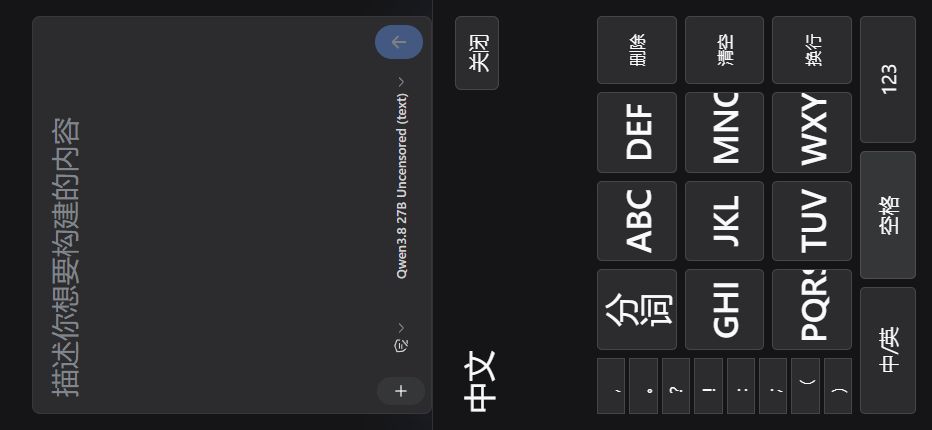
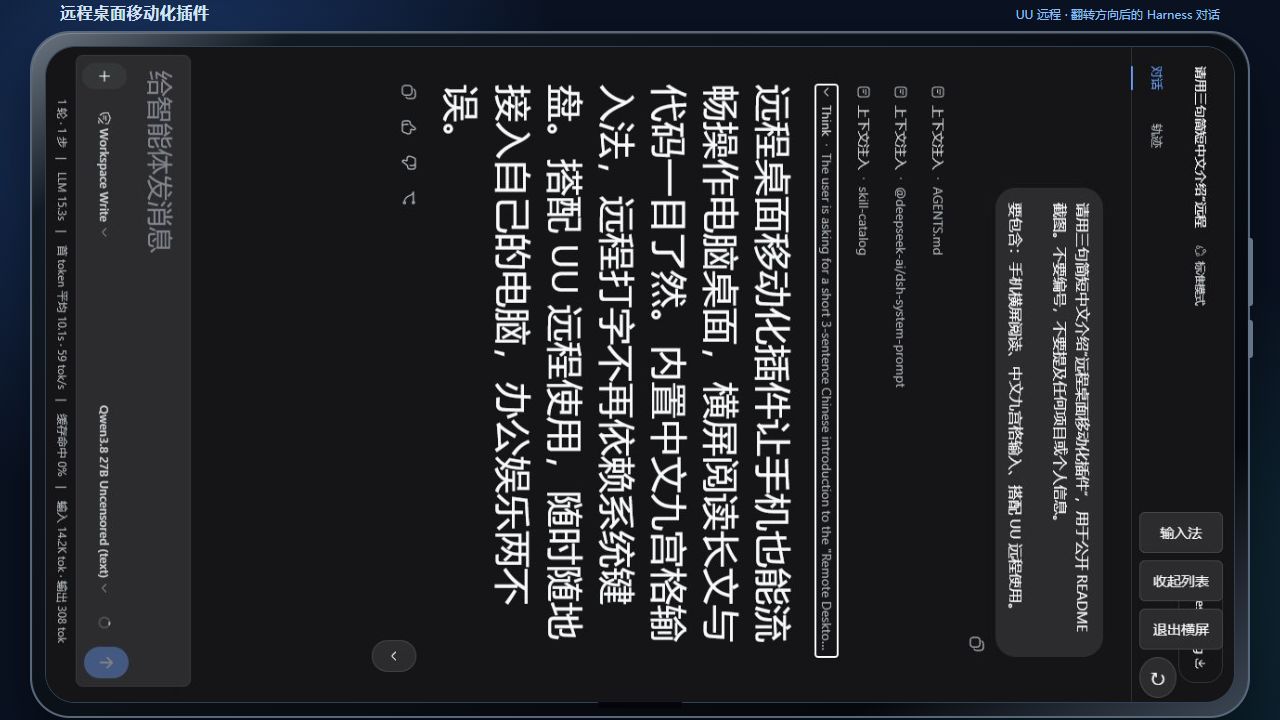
The second preview shows a complete Harness conversation after 翻转方向: LLM body text remains phone-readable, while the device shell identifies the UU Remote-style remote-desktop context around it.
Use this plugin together with a remote-desktop app such as UU Remote. The remote-desktop app carries the computer display and input to the phone; this plugin adapts the Harness Web interface for touch, landscape reading, and Chinese input. It does not provide or establish a remote-desktop connection.
横屏遥控: rotates the page for landscape phone reading, keeps the session list available by default, and enlarges LLM body text while keeping Think rows compact.输入法: supplies common symbols, T9 Chinese candidates, a QWERTY English keyboard, a numeric keyboard, and delete, clear, newline, space, and language controls.收起列表 / 展开列表: toggles the session list at any time, including while the page is in landscape mode.The candidate strip has a fixed height so changing candidates never resizes the keys. The first Chinese-mode key is 分词, which inserts a separator; after numeric pinyin input, the symbol column becomes a pinyin-combination selector that narrows candidates.
Install the plugin and start Harness Web on the computer:
pnpm dsh plugin --profile web add github:zptalk0221-cpu/dsh-remote-desktop
pnpm dsh web
Connect to that computer from a phone through UU Remote or another trusted remote-desktop app, then open Harness Web.
Use the controls at the lower right: select 横屏遥控 for landscape reading, 输入法 to type, and 翻转方向 if the remote desktop reports the opposite orientation.
Candidates are written into the most recently focused Harness composer. Focus the composer before choosing one.
The plugin installs as an out-of-tree bundle in the selected $DSH_HOME profile, so Harness upgrades do not replace it. The dictionary is embedded in lib/client.js; runtime use does not contact Google or download a dictionary. The repository includes the browser bundle, so GitHub installs do not need a prepare script or local build toolchain.
The plugin is built from the Harness workspace because its client bundle consumes Harness-provided React and client slot runtime dependencies. From the Harness checkout:
pnpm --dir plugins/dsh-remote-desktop buildCommit the generated lib/client.js together with source changes before publishing a release. The package entry points are index.js for the host half, cordis.patch.yml for profile composition, and lib/client.js for the browser half.
This is a Harness plugin, not a remote-desktop service, standalone Web application, replacement composer, or separate dictionary service. Configure remote device access according to the security policy of your chosen remote-desktop app.
CLASSIFICATION EVIDENCE
系统优先读取 GitHub Topics,再与站内分类词典和词根规则比对。当前命中: deepseek-harness。
morluto
Reverse engineer anything with agents, from app behavior down to native binaries.

deepseek-ai
DeepSeek Harness: Everything is a Plugin.

nexu-io
The 1st Collaborative AI Design Agent Workspace. Local-first and open source. Create motion, prototypes, websites, apps, dashboards, presentations, images, and videos with your team and AI agents. Share work, exchange feedback, and iterate together in one workspace.