
模型与 MCP
待识别

rea
morluto
Reverse engineer anything with agents, from app behavior down to native binaries.
PROJECT TOPICS
INSTALL REFERENCE
dsh plugin --profile web add github:zhang-guangjie/dsh-video-bg
该命令指向仓库当前默认分支;尚无绑定当前 commit 的完整验证结果。
PROJECT README
真没想到你能做到这一步啊!领域展开——【无量空处】
English | 中文
Loop a local video as the background of the DeepSeek Harness chat UI — on the
plain Web surface (dsh web) and inside DSH Desktop, which renders the same web
app. The panels become translucent so the video shows through, while chat
bubbles and the composer stay readable.
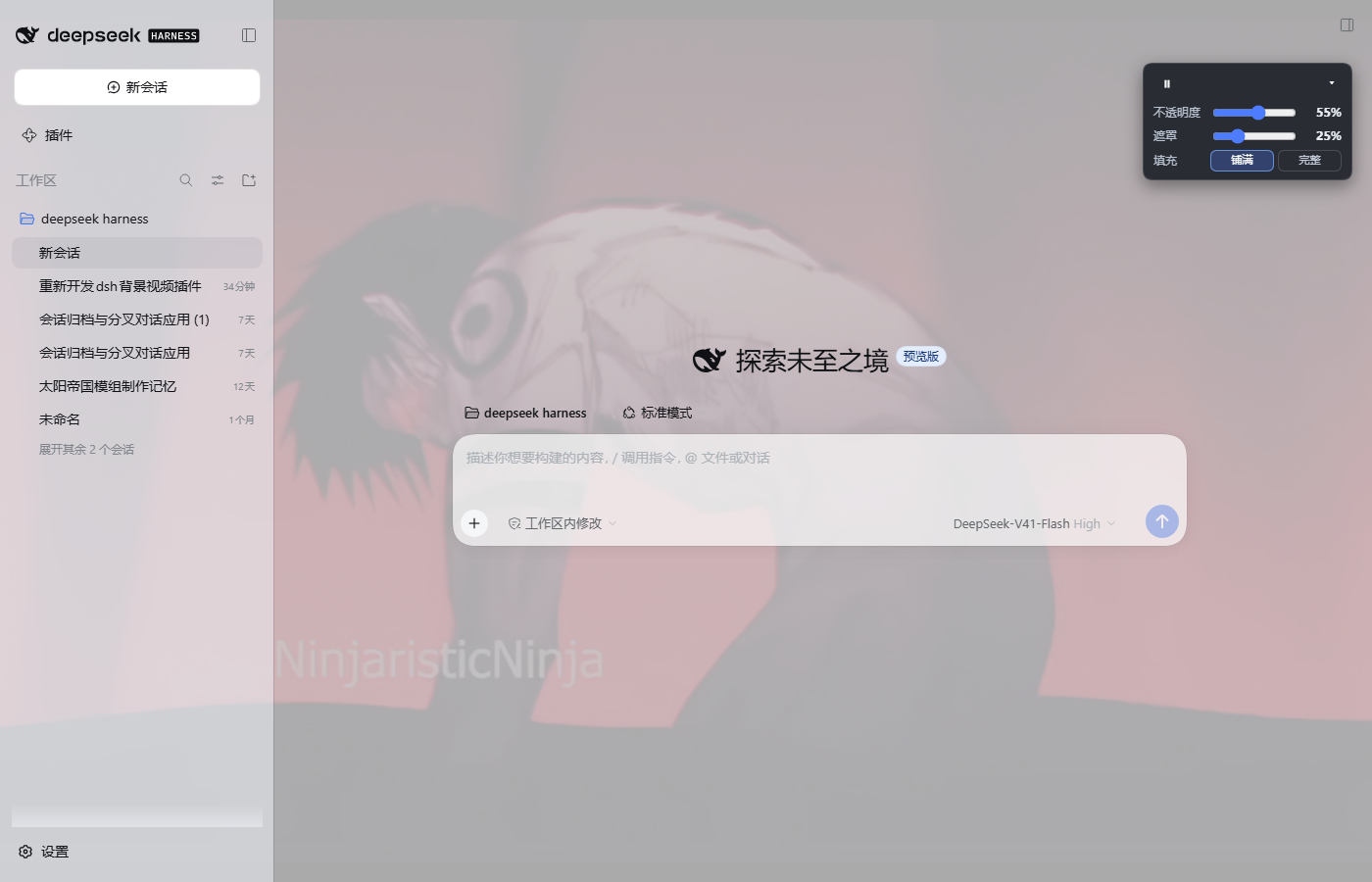
<video> painted at z-index: -1
and streamed from the host over HTTP, so a multi-hundred-MB file plays without
ever being uploaded. HTTP Range (206/416) support lets the browser seek and
read ahead.--dsw-alias-bg-base,
--dsw-specific-sidebar-fill, --dsw-specific-input-major, …) are remapped to
semi-transparent colors for both light and dark themes, so every surface that
uses a token becomes translucent automatically. Chat bubbles and the composer
keep near-opaque fills.cover/contain), and collapse. Choices persist in
localStorage (dsh.videoBg.v3); the video pauses when the window is hidden.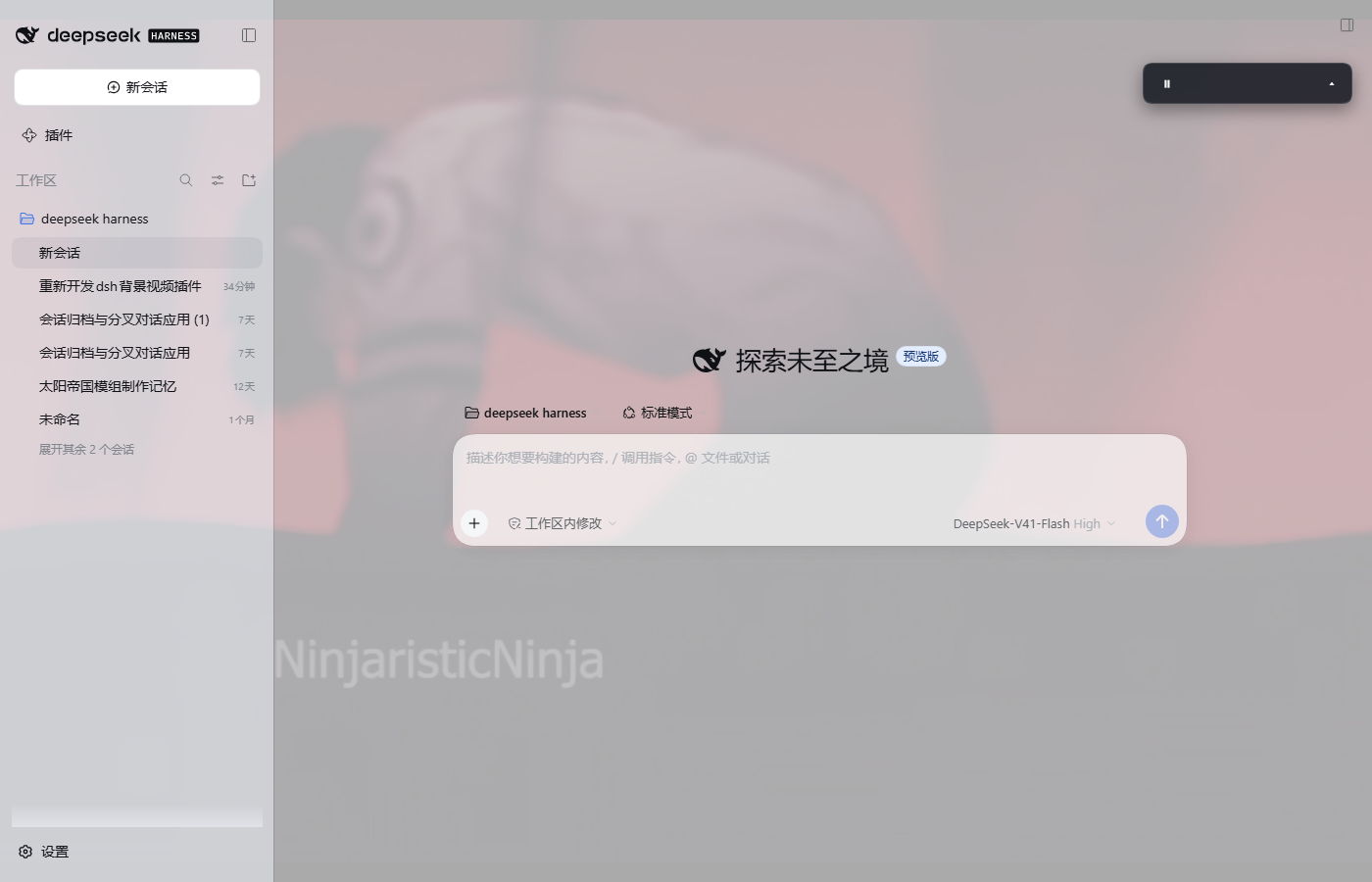
engines.dsh in package.json), Web or Desktop.
The bundle is validated against the installed runtime before it loads.node:fs, node:path, node:url).video/mp4.The package is a normal DSH bundle, so any of these work:
# From GitHub (plain JavaScript — no build step, no build-script approval)
dsh plugin --profile desktop add github:zhang-guangjie/dsh-video-bg
dsh plugin --profile web add github:zhang-guangjie/dsh-video-bg

# From a local checkout (useful while developing)
dsh plugin --profile desktop add link:/absolute/path/to/dsh-video-bg

# From npm, once published
dsh plugin --profile desktop add dsh-video-bg
You can also install it from the GUI's plugin manager (Plugins → install /
browse). Installing a bundle selects it in dsh.profile.bundles automatically —
do not add the row by hand.
Desktop note: with the shipped profile, a newly installed bundle is applied live (the running composition recomposes and the page receives the new client entry). If your profile is startup-only, fully quit and restart DSH Desktop once.
Resolution order for the file:
videoPath;DSH_VIDEO_BG_PATH;media/background.mp4 (a small default clip).Set videoPath in your profile's own patch layer
($DSH_HOME/profiles/<profile>/cordis.patch.yml):
- id: ui-video-bg
  config:
    videoPath: 'D:\my-video.mp4'   # any local path; ~ is expanded
    fit: cover                     # cover | contain
    opacity: 55                    # initial video opacity, 0-100
    veil: 25                       # initial scrim, 0-100
videoPath and fit are read by the host; opacity/veil are only defaults
for a browser that has no saved slider values yet (the control's own values win
afterwards).ui-video-bg; changing the config hot-reloads the plugin when
HMR is enabled.DSH_VIDEO_BG_PATH before starting DSH.The floating control at the top-right has:
| Control | Effect |
|---|---|
| ▶ / ⏸ | Pause / resume the background video |
| 不透明度 / Opacity | Video opacity (0–100%), persisted |
| 遮罩 / Scrim | Dark veil between video and UI (0–100%), persisted |
| 填充 / Fit | cover (fill the window) or contain (show the whole frame) |
| ▴ / ▾ | Collapse / expand the settings panel |
The badge next to the toggle reports buffering and file errors. A missing file is
also reported by GET /video-bg/status and logged by the host.
lib/index.js, exported from the package root) declares
inject = ['webServer'] and registers a prefix route:GET/HEAD /video-bg/media — streams the configured file with single-range
support and a revision-based cache key (?v=<size>-<mtime>), so a changed
file is fetched again instead of served from a stale media cache.GET /video-bg/status — JSON with ok, rev, size, mime, the effective
path/source and the configured defaults.lib/client.js, exported as ./client) is a lazy
window.__ModuleLoader__.load({ id, factory }) bundle. apply(ctx) mounts
everything inside ctx.effect(...), so disabling the plugin or hot-replacing it
removes the attribute, styles, video, scrim and control.dsh-app://app/ and forwards every other path to the
same authenticated loopback host, so both work unchanged. All URLs in the
client are document-relative (video-bg/media), never absolute.videoPath is configuration, not user input: treat the profile patch as
trusted configuration, like any other DSH row config.dsh.bundle.patch → cordis.patch.yml inserts the ui-video-bg row.dsh.client.platform: "web" + exports["./client"] → served by the client
module system.engines.dsh and peerDependencies gate the bundle to the matching DSH
runtime; the host half imports no @deepseek-ai/* package, it only consumes the
injected webServer service.locale/en.json / locale/zh.json, the icon in
assets/icon.svg, and the storefront screenshots in screenshots.json.allowBuilds approval.| Symptom | Check |
|---|---|
| Warning badge, no video | GET /video-bg/status — error: "missing"/"unreadable" names the cause; fix videoPath |
| Video plays but is barely visible | raise opacity, lower the scrim, or pick contain/a brighter clip |
| Another skin/plugin covers the video | skins that hardcode opaque surfaces can out-paint the token remap; disable the skin or the other plugin |
| Just installed, nothing appears | the profile may be startup-only — fully restart DSH; on Web reload the page |
| Large file takes a moment to start | the browser fetches the first ranges from disk; the rest streams with range requests |
# syntax check (plain JavaScript, no build)
node --check lib/index.js
node --check lib/client.js

# install into a test profile and boot the Web surface on a spare port
dsh plugin --profile mytest add link:/absolute/path/to/dsh-video-bg
dsh --profile mytest --no-open --port 0
The host and client contracts are documented in the official DSH references for client modules and the web server; this package intentionally has no runtime dependencies.
MIT
CLASSIFICATION EVIDENCE
系统优先读取 GitHub Topics,再与站内分类词典和词根规则比对。当前命中: deepseek-harness。
morluto
Reverse engineer anything with agents, from app behavior down to native binaries.

deepseek-ai
DeepSeek Harness: Everything is a Plugin.

nexu-io
The 1st Collaborative AI Design Agent Workspace. Local-first and open source. Create motion, prototypes, websites, apps, dashboards, presentations, images, and videos with your team and AI agents. Share work, exchange feedback, and iterate together in one workspace.