模型与 MCP
待识别

rea
morluto
Reverse engineer anything with agents, from app behavior down to native binaries.

zenro21/dsh-open-card
给 DeepSeek Harness Web UI 的任意面板加上可拖拽边框:点选后拉边框改长宽,还能收起、滚动、平移、置前,尺寸自动记忆并跨刷新恢复。 / Drag-to-resize any panel in the DeepSeek Harness Web UI: pick a block, drag its borders to set width and height, then collapse, scroll, move or raise it. Sizes persist and are restored on reload.
PROJECT TOPICS
INSTALL REFERENCE
dsh plugin --profile web add github:zenro21/dsh-open-card
该命令指向仓库当前默认分支;尚无绑定当前 commit 的完整验证结果。
PROJECT README
可拖拽边框的面板尺寸调节插件 · A drag-to-resize panel add-on for DeepSeek Harness
| 收起态 | 展开态 |
|---|---|
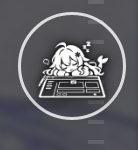 |
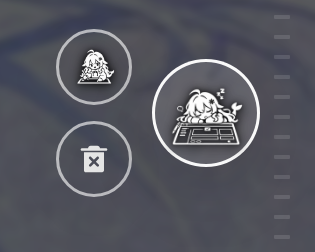 |
| 整体界面 |
|---|
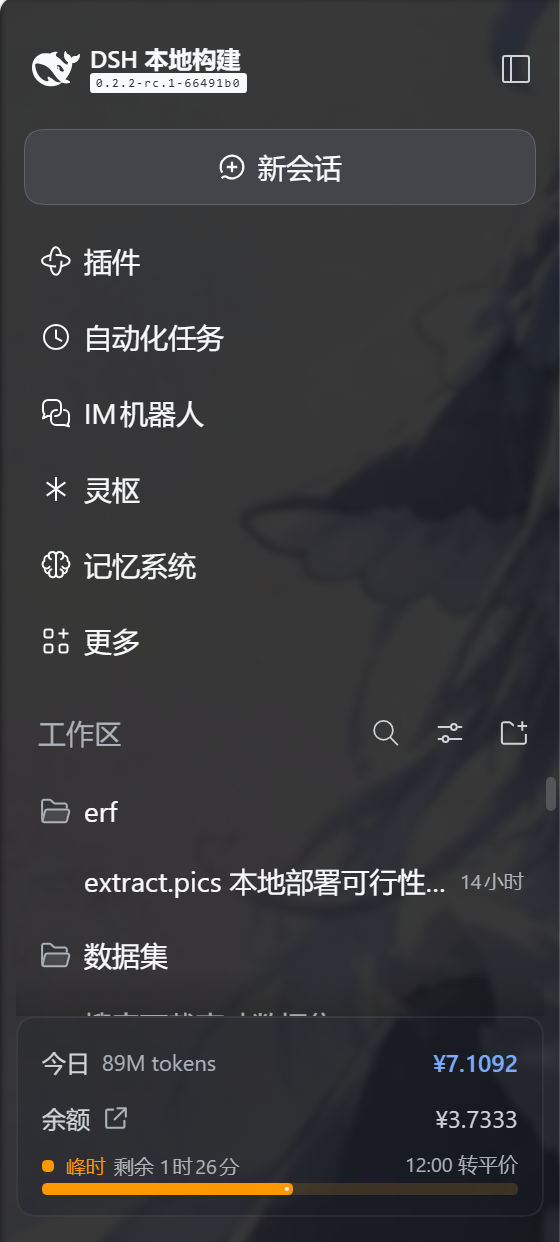 |
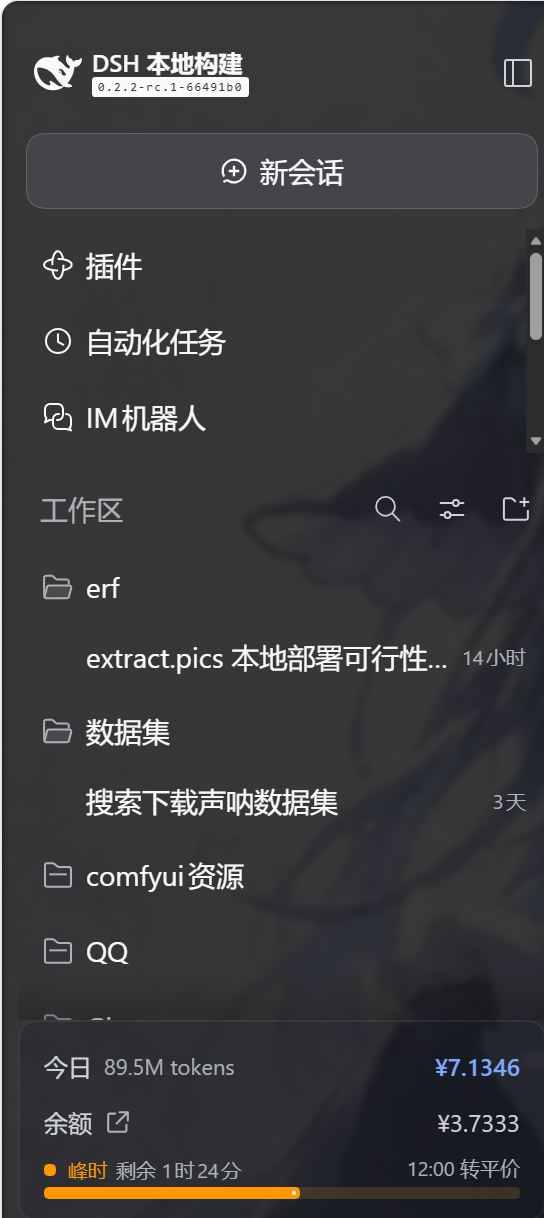 |
dsh-open-card 是 DeepSeek Harness Web UI 的一个客户端插件。它给页面上任意界面块加一层可拖拽的边框:点选之后拉边角改长宽,还能整体平移、置前、收起,尺寸记在浏览器里,刷新后自动恢复。
第三方插件常常在自己的面板里塞满内容,把会话列表、输入区、工具栏挡住,而用户没法把它的尺寸改小——因为布局宽度由框架内部的 store 独占,插件之间也没有互相调整的公开接口。
这个插件不去猜别人的 DOM 结构,也不依赖任何插件的内部实现:由用户点选目标块,插件在改动前快照它原有的内联样式,再用内联样式直接写 width / height / transform / z-index。所以它对任何插件、任何面板都生效,并且随时可以一键还原。
| 能力 | 说明 |
|---|---|
| 点选块 | 鼠标移上去蓝框高亮,点一下选中;Alt+R 进入/退出点选模式 |
| 拖拽改尺寸 | 8 个方向控制点,任意拖长拖宽 |
| 收起 | 把块压成 0 高让出位置,块本身还在,随时展开 |
| 滚动模式 | 块缩小后内容保持原大小、改为内部滚动,不被压扁截断(缩到 50% 以下自动开启) |
| 上溯一层 | 点选常落在最内层的小 span 上,一键选中包含它的容器 |
| 平移 | 按住整体拖动,位置也一起记住 |
| 置前 | 提到最前,避免被别的浮层盖住 |
| 复位 | 这一块还原成插件改动前的样子 |
| 记忆 | 尺寸、位置、收起/滚动状态按元素持久化在 localStorage,刷新后自动重建 |
| 自动最小化的悬浮球 | 平时只留一枚大圆;点一下才有功能圆钮从朝屏幕里侧的方向逐颗弹出,点别处或静置 2.4 秒自动收回。圆钮本身可拖动并记住位置,拖到边缘自动收进视口 |
# 1. 把本仓库放进任意目录,例如
git clone https://github.com/<you>/dsh-open-card.git

# 2. 用 Harness 的插件管理器安装这个包目录
#    (在 DSH 会话里调用 plugin_manager,或走插件页面的「安装本地包」)
plugin_manager({ action: "install_bundle", target: "<绝对路径>/dsh-open-card" })
安装后刷新页面即可;右下角会出现一枚圆形悬浮球。
Esc 退出点选或取消选中。按住圆球可拖动,位置会被记住。dsh-open-card.sizes.v1 — 每个元素的尺寸/位置/收起/滚动状态,键是元素选择器(锚定最近的 id 或 data-slot)。dsh-open-card.dock.v1 — 悬浮球位置。dsh-resizer 升级时会自动读取旧键,不丢配置。ctx.layout 只暴露导航与面板选择(selectPanel / toggleSidebar / openRightbar / closeRightbar),没有改列宽的入口——三列宽度由 AppFrame 内部 store 独占。因此本插件不触碰框架布局,而是作用于用户选中的具体元素。
同时,shell.overlay 自带 z-index: 20 的层叠上下文,挂在那里永远压不过鲸鱼挂件一类的高 z-index 浮层;所以整个 UI 用 ReactDOM.createPortal 挂到 document.body,自己开一层 z-index: 2147483000。
图标图片由 @zenro21 提供;部分按钮图形取自 Bootstrap Icons(MIT)。
MIT
| Collapsed | Expanded |
|---|---|
|
|
| Full interface |
|---|
|
|
dsh-open-card is a client-side plugin for the DeepSeek Harness Web UI. It puts a draggable frame around any panel on the page: click a block, drag its borders to resize it, then move it, raise it, or collapse it entirely. Sizes are stored in the browser and restored on reload.
Third-party plugins often fill their own panel with content that covers your conversation list, composer, or toolbar — and you cannot shrink them, because column widths are owned by an internal layout store and plugins expose no API to resize one another.
Instead of guessing at other plugins' DOM structure, this plugin lets you pick the block. It snapshots the block's existing inline style, then writes width / height / transform / z-index directly. It therefore works on any panel from any plugin, and every change can be undone with one click.
| Capability | Description |
|---|---|
| Pick a block | Hovering outlines the block in blue; click to select. Alt+R toggles pick mode |
| Drag to resize | Eight handles — drag any border or corner |
| Collapse | Squash the block to zero height to free the space it covers; the block stays alive and can be expanded again |
| Scroll mode | When a block is shrunk, its content keeps its natural size and scrolls internally instead of being squeezed (auto-enabled below 50%) |
| Select parent | Picking often lands on a tiny inner span; jump to the containing container in one click |
| Move | Drag the whole block; its offset is remembered too |
| Raise | Bring the block to the front so other overlays cannot cover it |
| Reset | Restore this block to exactly how it looked before the plugin touched it |
| Persistence | Size, offset, collapsed and scrolling state are persisted per element in localStorage and re-applied on reload |
| Self-minimising launcher | At rest it is a single circle. One click pops the action buttons out toward the middle of the screen, one at a time; clicking elsewhere or idling for 2.4 s folds them back. The circle itself is draggable and remembers its position, and is nudged back inside the viewport at the edges |
# 1. Put this repository anywhere, e.g.
git clone https://github.com/<you>/dsh-open-card.git

# 2. Install the package directory through the Harness plugin manager
#    (call plugin_manager in a DSH session, or use "install local bundle" in the plugins page)
plugin_manager({ action: "install_bundle", target: "<absolute-path>/dsh-open-card" })
Reload the page afterwards; a round launcher appears in the bottom-right corner.
Esc leaves pick mode or clears the selection. Hold the circle to drag it; its position is remembered.dsh-open-card.sizes.v1 — per-element size/offset/collapsed/scrolling state, keyed by a CSS selector anchored on the nearest id or data-slot.dsh-open-card.dock.v1 — launcher position.dsh-resizer reads the old keys, so nothing is lost.ctx.layout only exposes navigation and panel selection (selectPanel / toggleSidebar / openRightbar / closeRightbar); there is no API for setting column widths, because the three-column widths are owned by the internal AppFrame store. This plugin therefore never touches the framework layout — it only affects the specific element you pick.
Also, shell.overlay establishes a stacking context at z-index: 20, so anything mounted there stays below high-z-index overlays such as floating widgets. The whole UI is mounted on document.body through ReactDOM.createPortal inside its own layer at z-index: 2147483000.
Icon artwork by @zenro21; some button glyphs come from Bootstrap Icons (MIT).
MIT
CLASSIFICATION EVIDENCE
系统优先读取 GitHub Topics,再与站内分类词典和词根规则比对。当前命中: deepseek、deepseek-harness。
morluto
Reverse engineer anything with agents, from app behavior down to native binaries.

deepseek-ai
DeepSeek Harness: Everything is a Plugin.

nexu-io
The 1st Collaborative AI Design Agent Workspace. Local-first and open source. Create motion, prototypes, websites, apps, dashboards, presentations, images, and videos with your team and AI agents. Share work, exchange feedback, and iterate together in one workspace.