
模型与 MCP
待识别

rea
morluto
Reverse engineer anything with agents, from app behavior down to native binaries.
PROJECT TOPICS
INSTALL REFERENCE
dsh plugin --profile web add github:yillkid/dsh-share-room
该命令指向仓库当前默认分支;尚无绑定当前 commit 的完整验证结果。
PROJECT README
Invite others into your AI conversation. They open a link on a phone or a desktop, then discuss with you and ask the AI together. No account needed.
A plugin for DeepSeek Harness (DSH).

Full video with captions: docs/media/demo.mp4 · Discussion and feedback: DSH Discussions
The UI text is currently in Traditional Chinese.
| Owner (desktop) | Guest (phone) |
|---|---|
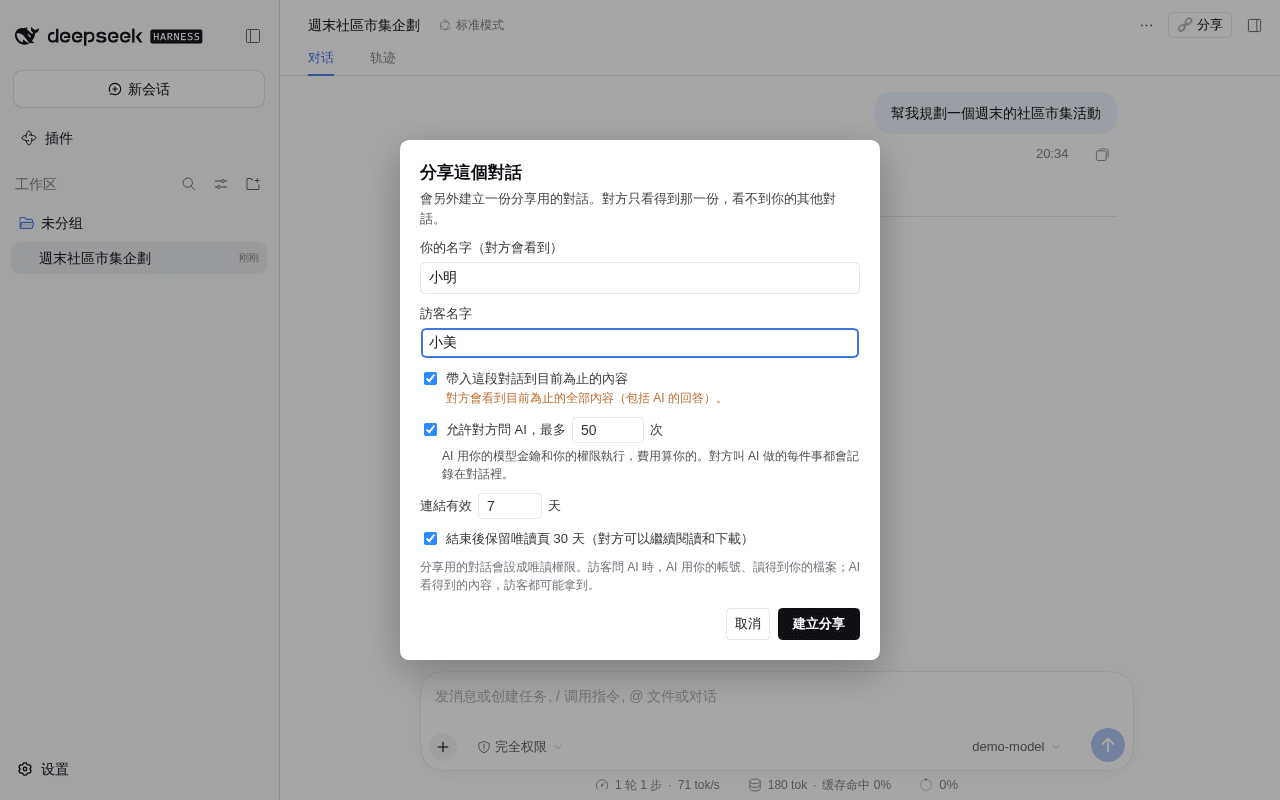 |
 |
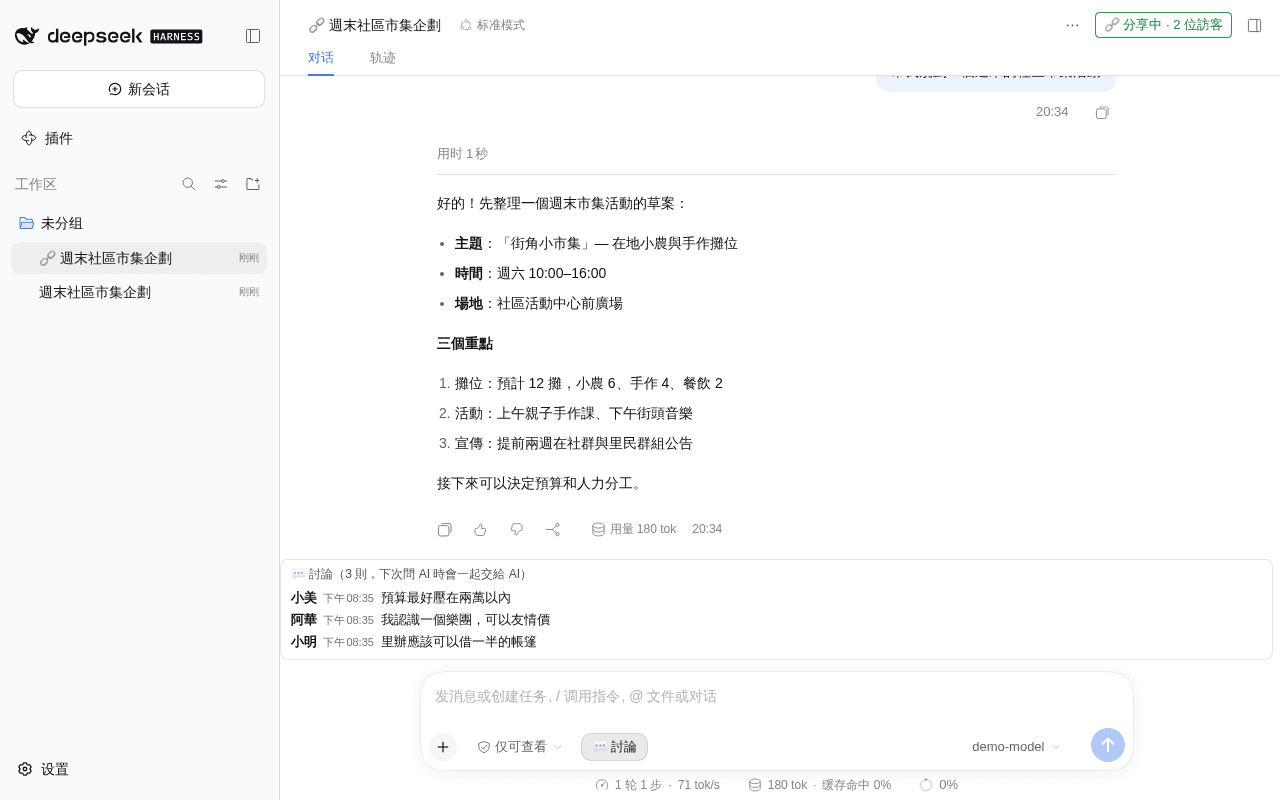 |
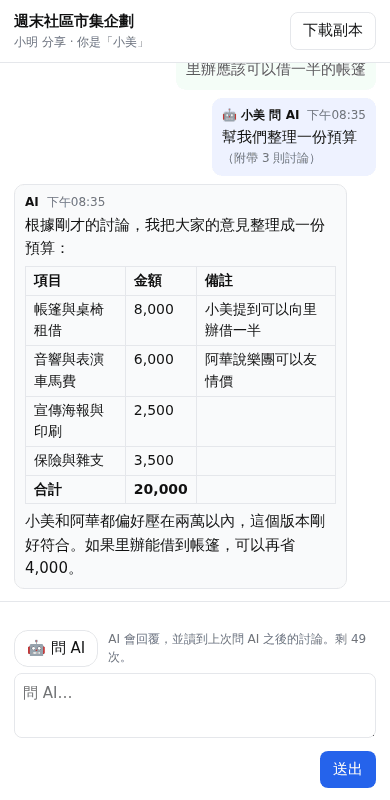 |
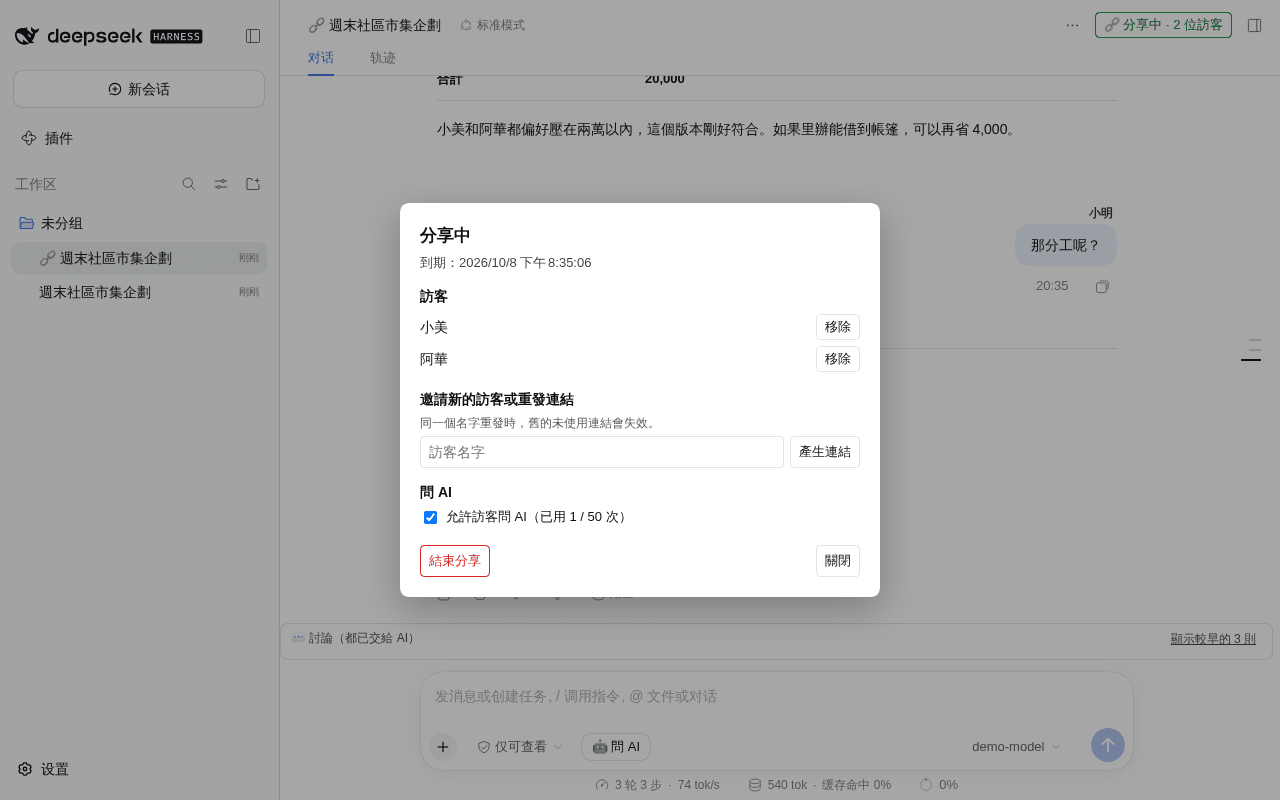 |
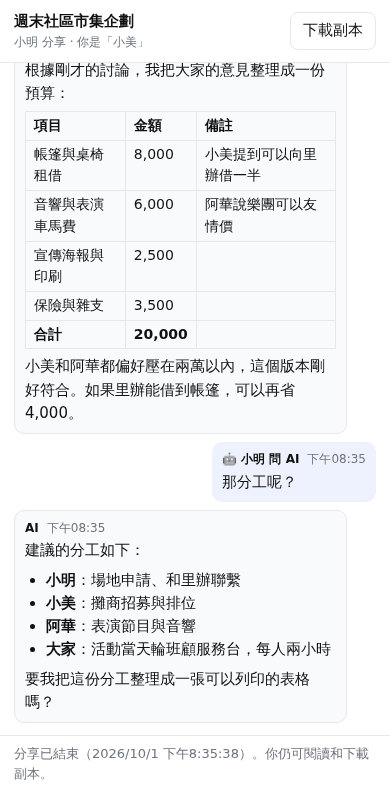 |
Guests can ask your AI, and the AI answers with whatever it can see. dsh-share-room limits the damage, but it cannot make the AI keep a secret.
read-only permission, so anything more needs your approval. If the switch fails, no share is created. Your original conversation keeps its own permission.workspace-write or full access. Full access lets the AI run any command and change or delete any file without asking you, so it must first be allowed under Settings → General → 分享可使用完全權限 (off by default), and each time you pick it you confirm again. Turning that switch off moves full-access shares back to read-only. If you raise the conversation above the chosen level from the composer, guests can't ask the AI until it's back. Every change is written to the audit log.script-src 'self', no inline script) and treats everything as text. Markdown in AI answers becomes a fixed set of elements, and links and images stay inactive. Still, if an injection bug ever slipped through, the injected code would run with your login. For the strongest isolation, serve /share/ from a separate hostname.You need:
0.1.5-rc.1 or 0.1.7-rc.2 (both tested);Steps:
Install it into your DSH web profile:
dsh plugin --profile web add dsh-share-roomDSH installs it from npm with pnpm and adds it to the profile's dsh.profile.bundles for you.
Restart DSH. 🔗 Share appears in the conversation header.
To update, run dsh plugin --profile web update dsh-share-room. To uninstall, run dsh plugin --profile web remove dsh-share-room.
To install from GitHub instead of npm: dsh plugin --profile web add github:yillkid/dsh-share-room#v0.3.0.
Where things live:
/api/share-room.* and uses DSH's own login./share/<id>/, and the plugin authenticates guests itself.@summersec/dsh-web-auth), it must let /share/ through, and only that. See docs/web-auth-public-prefixes.md.X-Forwarded-Proto: https, guest cookies get Secure automatically. Set SHARE_ROOM_SECURE_COOKIE=1 to force it on.Sharing is on after install. The owner can turn it off under Settings → General → 對話分享 (Conversation sharing). While it is off:
Nothing is deleted: shares, links and records stay, and everything resumes when sharing is switched back on.
A site template can make it off by default with config: { enabled: false } for share-room in cordis.patch.yml. The owner's own choice wins.
node --test test/*.test.js        # unit and server tests, no DSH needed
node e2e/two-browsers.mjs         # two-browser end-to-end test on a throwaway DSH, see e2e/README.md
The design and decisions are in PLAN.md (Chinese). Releases are in CHANGELOG.md.
CLASSIFICATION EVIDENCE
系统优先读取 GitHub Topics,再与站内分类词典和词根规则比对。当前命中: deepseek-harness。
morluto
Reverse engineer anything with agents, from app behavior down to native binaries.

deepseek-ai
DeepSeek Harness: Everything is a Plugin.

nexu-io
The 1st Collaborative AI Design Agent Workspace. Local-first and open source. Create motion, prototypes, websites, apps, dashboards, presentations, images, and videos with your team and AI agents. Share work, exchange feedback, and iterate together in one workspace.