English | 简体中文
dsh-usage-stats
Token usage statistics plugin for the DeepSeek Harness web UI.
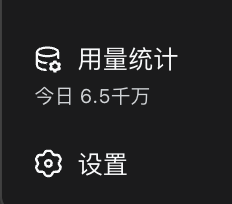
Adds a 用量统计 entry to the sidebar footer, directly above the 设置 (Settings) button:
- Today total at a glance — the trigger shows a fuzzy figure of today's token usage (in 千 / 万 / 百万 / 千万 / 亿), with the exact value on hover.
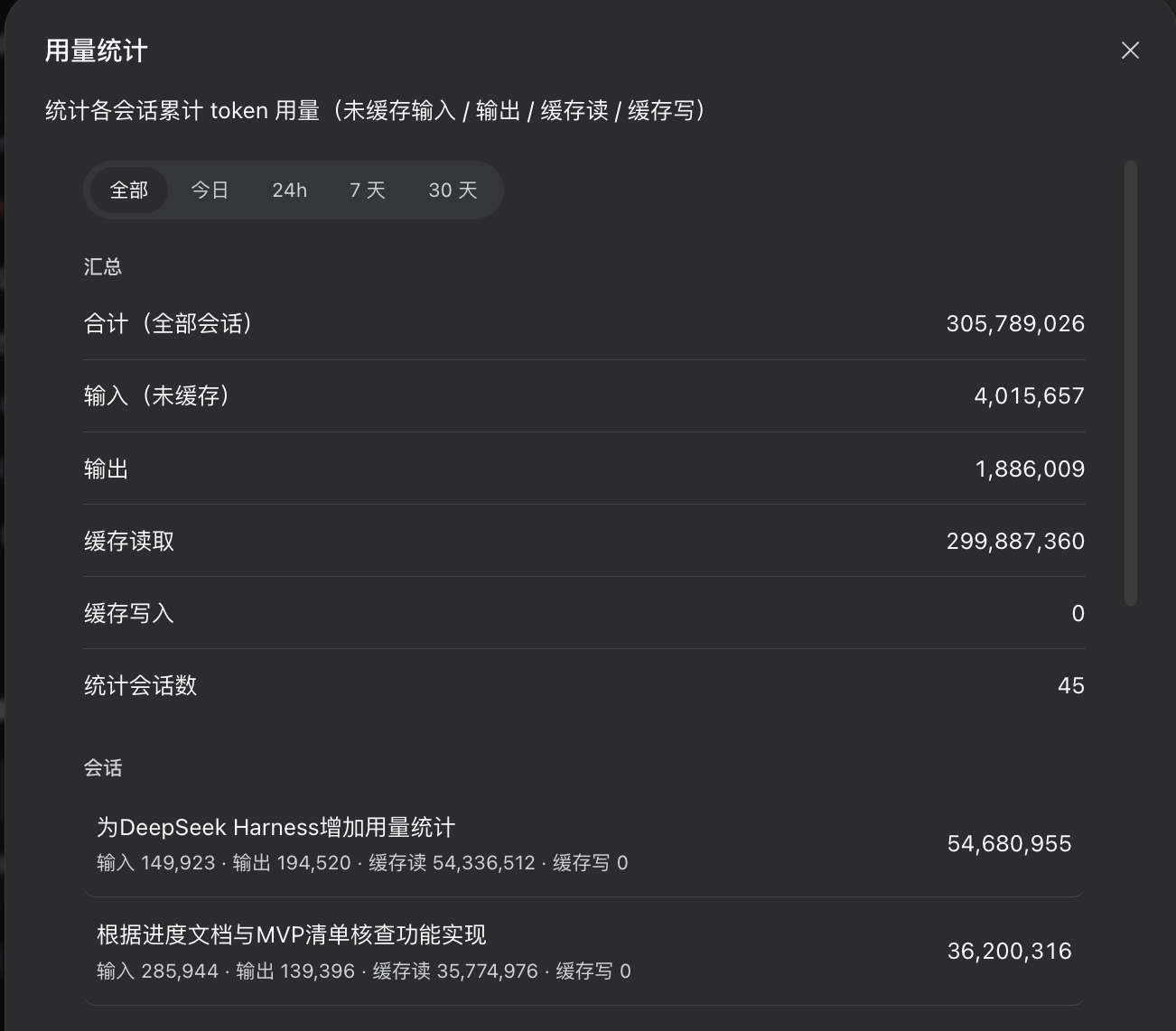
- Stats modal — a summary (uncached input / output / cache read / cache write, session count) plus a per-session breakdown list, with time filters 全部 / 今日 / 24h / 7 天 / 30 天.
- Durable ledger — the per-session
tokenUsage projection disappears when a session is deleted; this plugin keeps its own copy in localStorage (dsh.usageLedger.v1) so historical totals survive session removal. Best-effort: falls back to in-memory when storage is unavailable.
Screenshots
Sidebar footer entry (above the Settings button):
Usage stats modal:
Requirements
@deepseek-ai/dsh web profile (any recent 0.1.0-rc.x)- Peer packages:
react, @deepseek-ai/cordis, @deepseek-ai/dsh-client-runtime, @deepseek-ai/dsh-client-locale, @deepseek-ai/dsh-client-ui-primitives, @deepseek-ai/dsh-client-ui-slots (the dsh web profile already ships these).
Install
-
Install the package where the profile can resolve it
cd "$(dsh home)/profiles/web"      # e.g. ~/.dsh/profiles/web
pnpm add dsh-usage-stats           # or: dsh plugin --profile web add dsh-usage-stats
For a local checkout instead of the registry:
pnpm add file:/path/to/dsh-usage-stats
-
Register the loader entry in the profile's patch layer
($DSH_HOME/profiles/web/cordis.patch.yml — the file the boot message tells you to edit, not cordis.yml):
- insert:
    - id: usage-stats
      name: 'dsh-usage-stats'
-
Restart dsh web (plugin roster + boot manifest are composed at startup).
Publish (for maintainers)
npm publish
The package name is unscoped so you can republish under your own scope
(e.g. @your-scope/dsh-usage-stats) by renaming name in package.json and
the id/name in the loader entry and the client bundle.
How it works
lib/client.js is a window.__ModuleLoader__.load(...) client bundle (the
DSH web client-plugin format), declared via dsh.client in package.json.- It registers into the
sidebar.footer.action list slot (rendered above
the Settings button) with order: 10, bound to its own usageStats locale
namespace.
- Data source: the standard
useSessions list snapshot's per-session
projectionValues.tokenUsage, merged into the durable ledger.
License
MIT


