
模型与 MCP
待识别

rea
morluto
Reverse engineer anything with agents, from app behavior down to native binaries.
PROJECT TOPICS
INSTALL REFERENCE
dsh plugin --profile web add github:xuhao1/VibeWand
该命令指向仓库当前默认分支;尚无绑定当前 commit 的完整验证结果。
PROJECT README
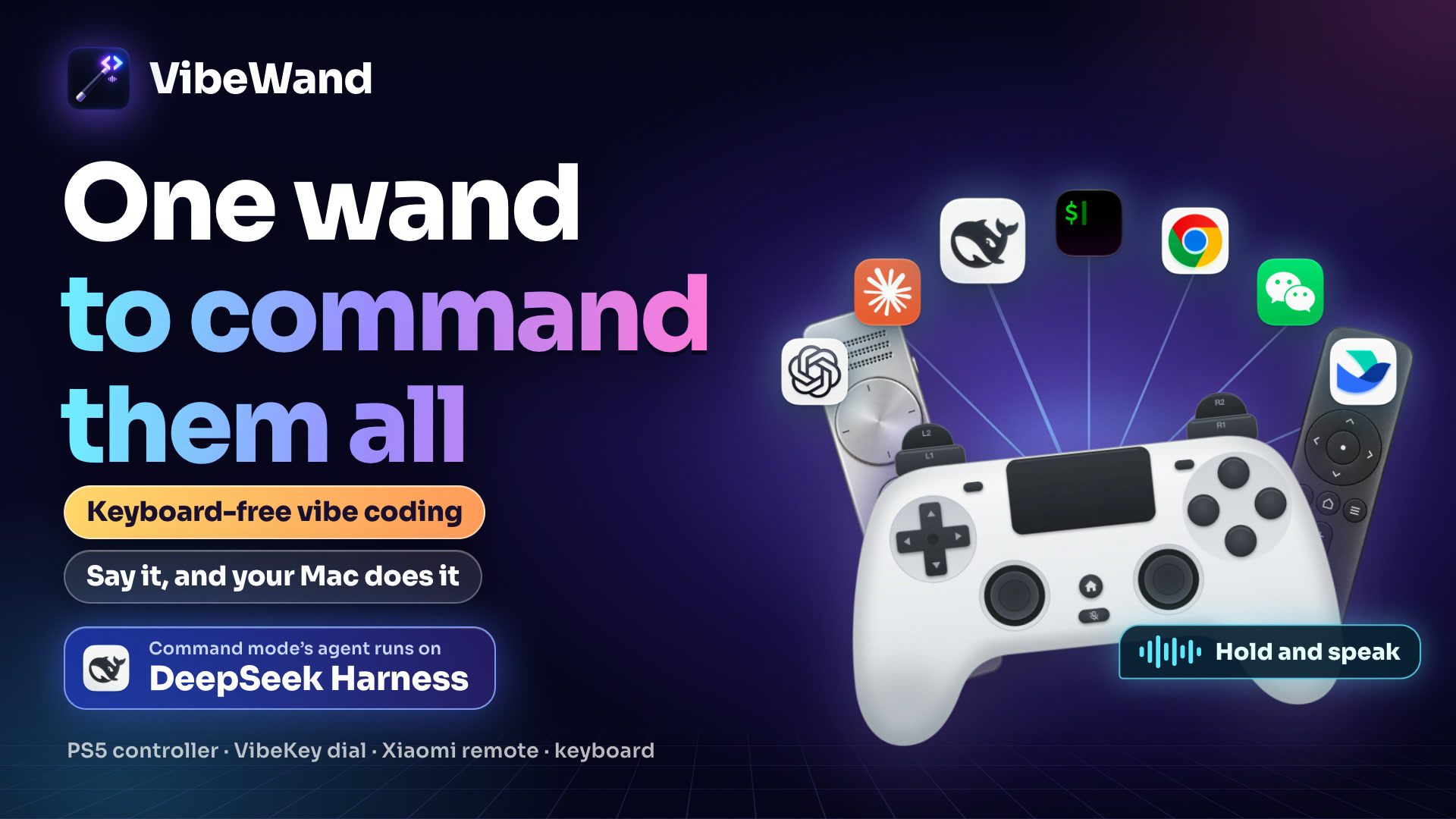
A dial, a game controller, a remote or just the keyboard, plus a spoken sentence, for driving the AI tools on your Mac: Codex, Claude, DeepSeek Harness and WorkBuddy, Claude Code, Codex and OpenCode in a terminal, and browsers, WeChat and Feishu.
简体中文 · Get started · Apps · Computer use · Documentation · Project site
 Codex |
 Claude |
 DeepSeek Harness |
 WorkBuddy |
 iTerm2 |
 Safari |
 Chrome |
 |
 Feishu |
Most of vibe coding is not typing. You read a reply, flip between chats, change the model, say a sentence, and wait. One hand is enough for all of that. VibeWand puts it on a dial or a controller so you can lean back while you work.
The tools keep multiplying, and each has its own chat list, model menu and shortcuts. VibeWand replaces none of them. It puts them behind one set of motions: the same dial reads, the same button listens and the same press switches in every app, and the work is still done by the software you chose. What is unified is the way in, not the features. That is what "One wand to command them all" means.
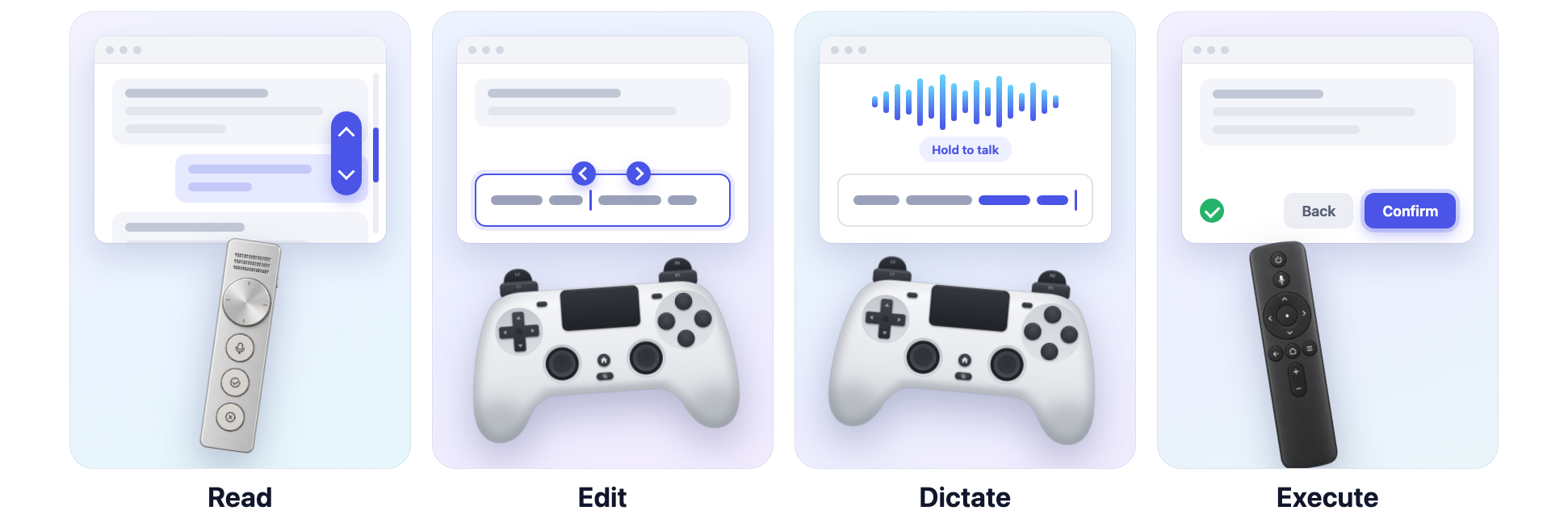
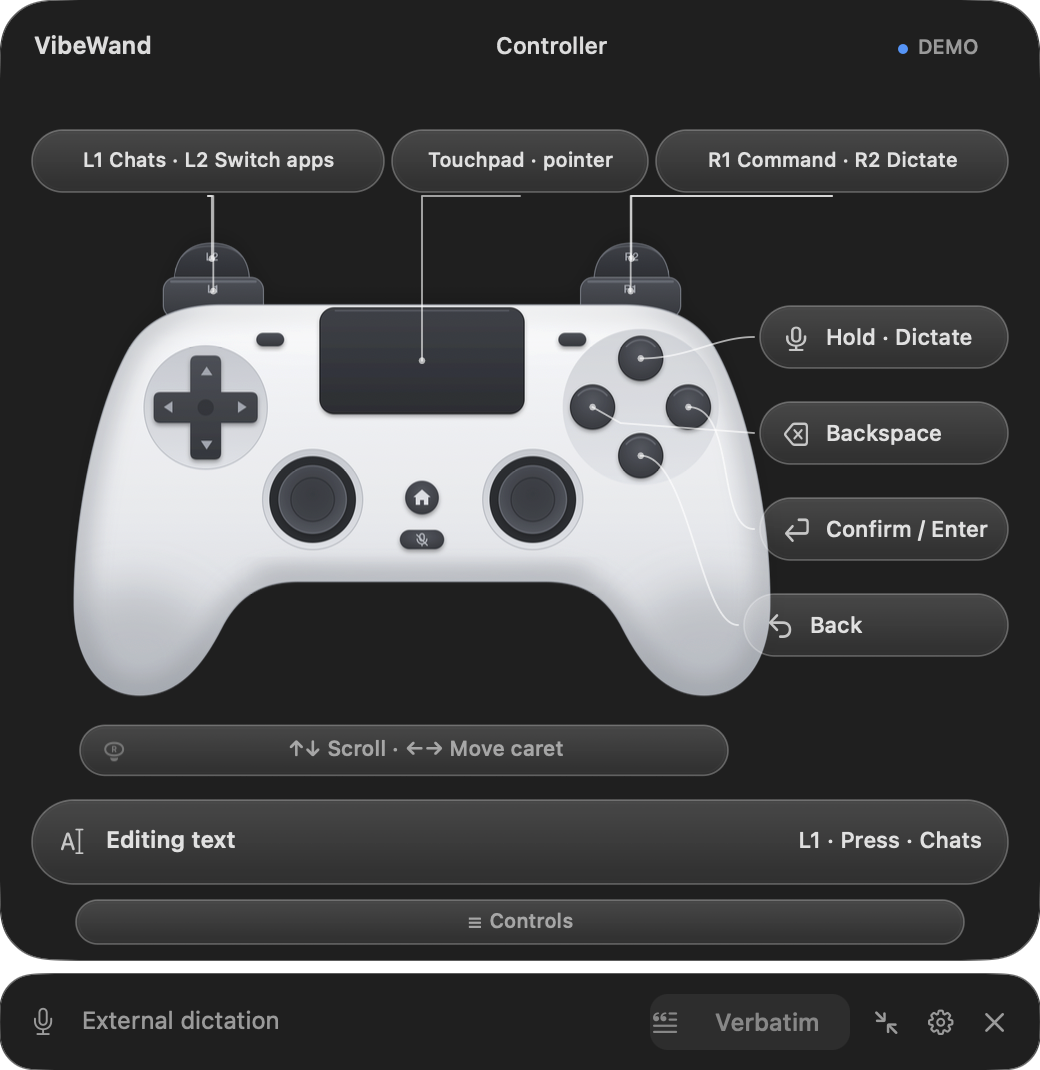
Actual VibeWand 0.11.2 window, captured in Demo mode.
A floating overlay shows what each button will do right now. It collapses into a thin bar when you want it out of the way, and the button that expands and collapses it never moves.
| Type | Connection | Tested with |
|---|---|---|
VibeKey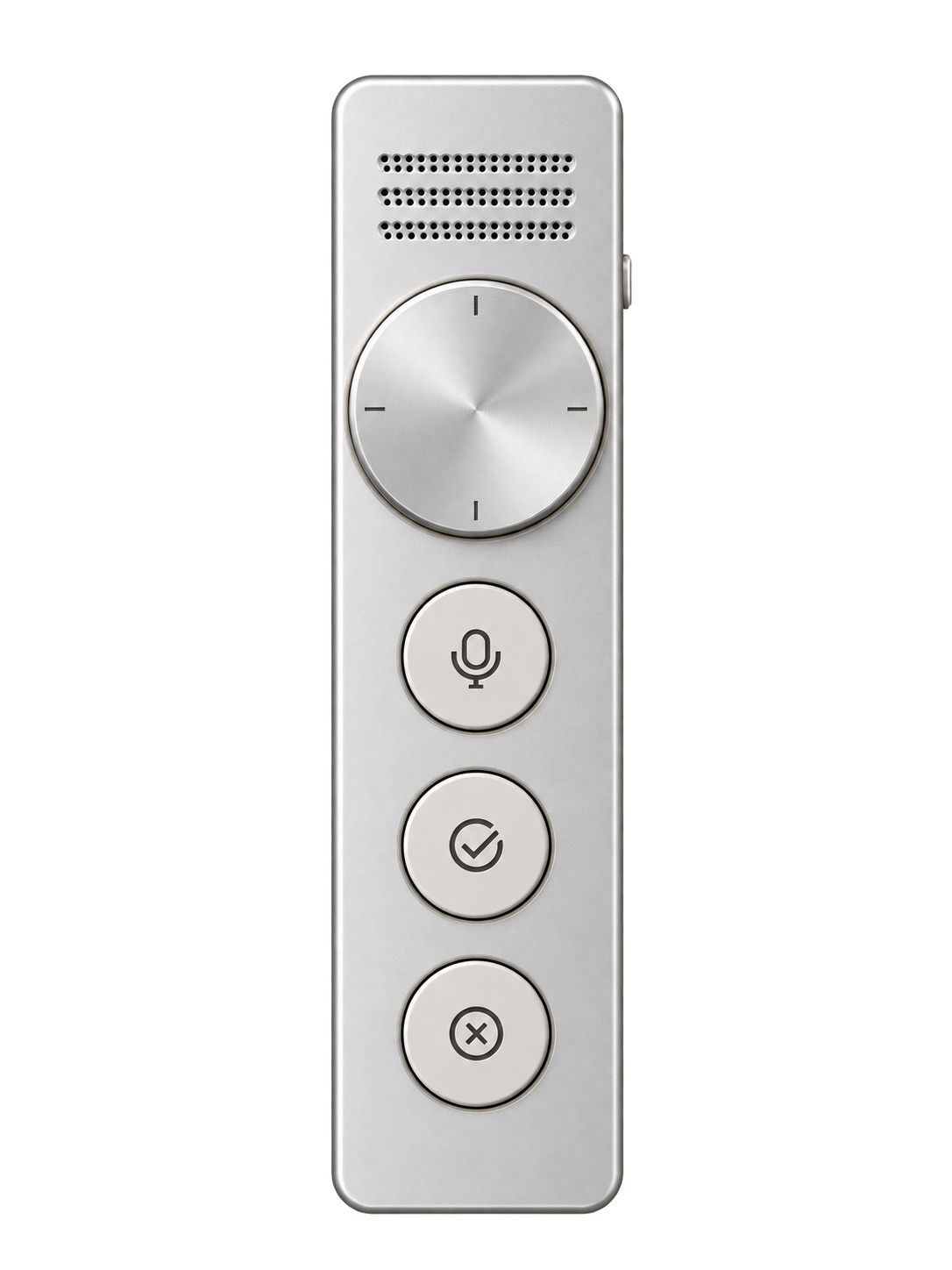 |
USB receiver, built-in protocol | Ulanzi VibeKey (AU05) |
Controller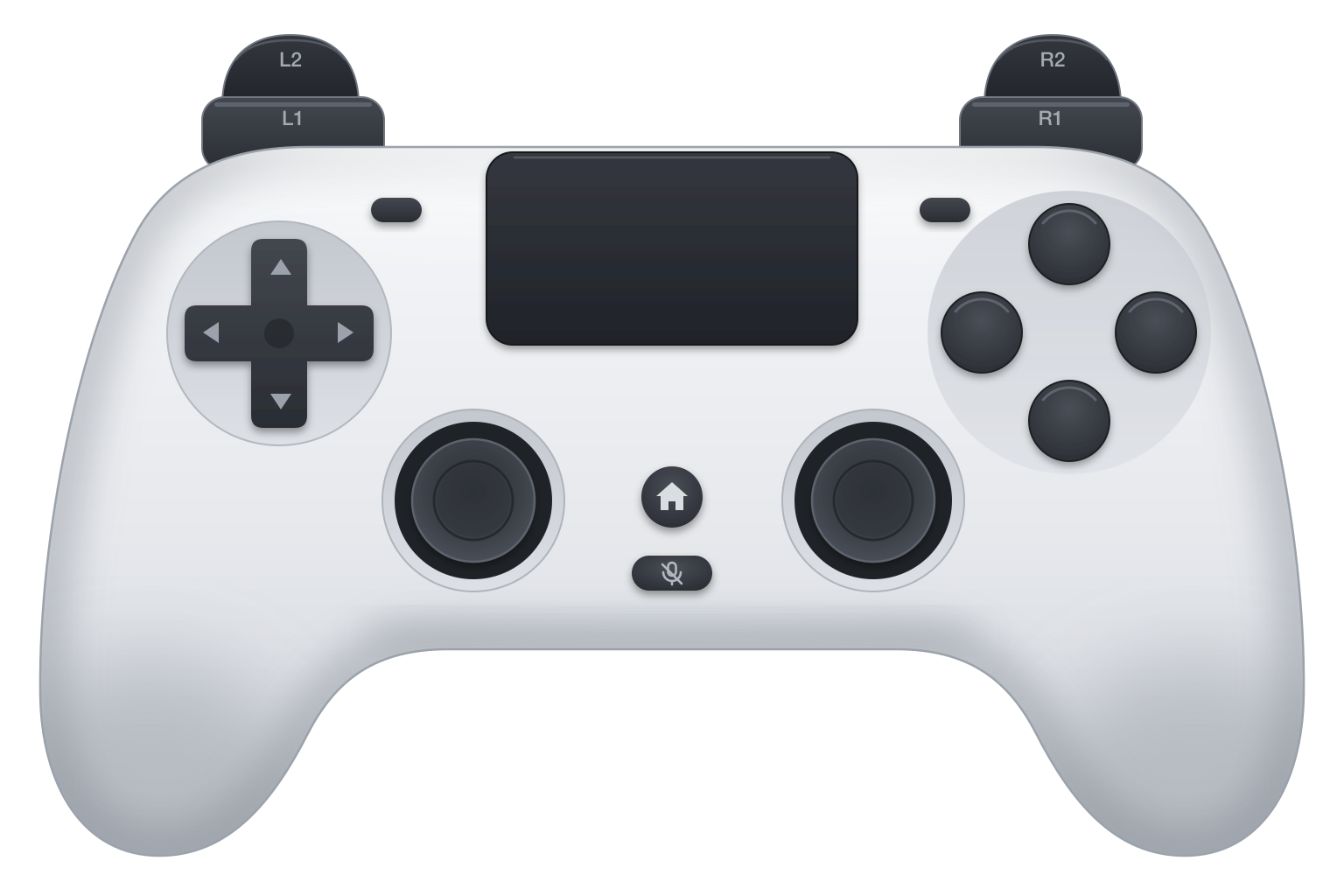 |
USB or Bluetooth, detected by macOS | Sony DualSense (PS5) |
Remote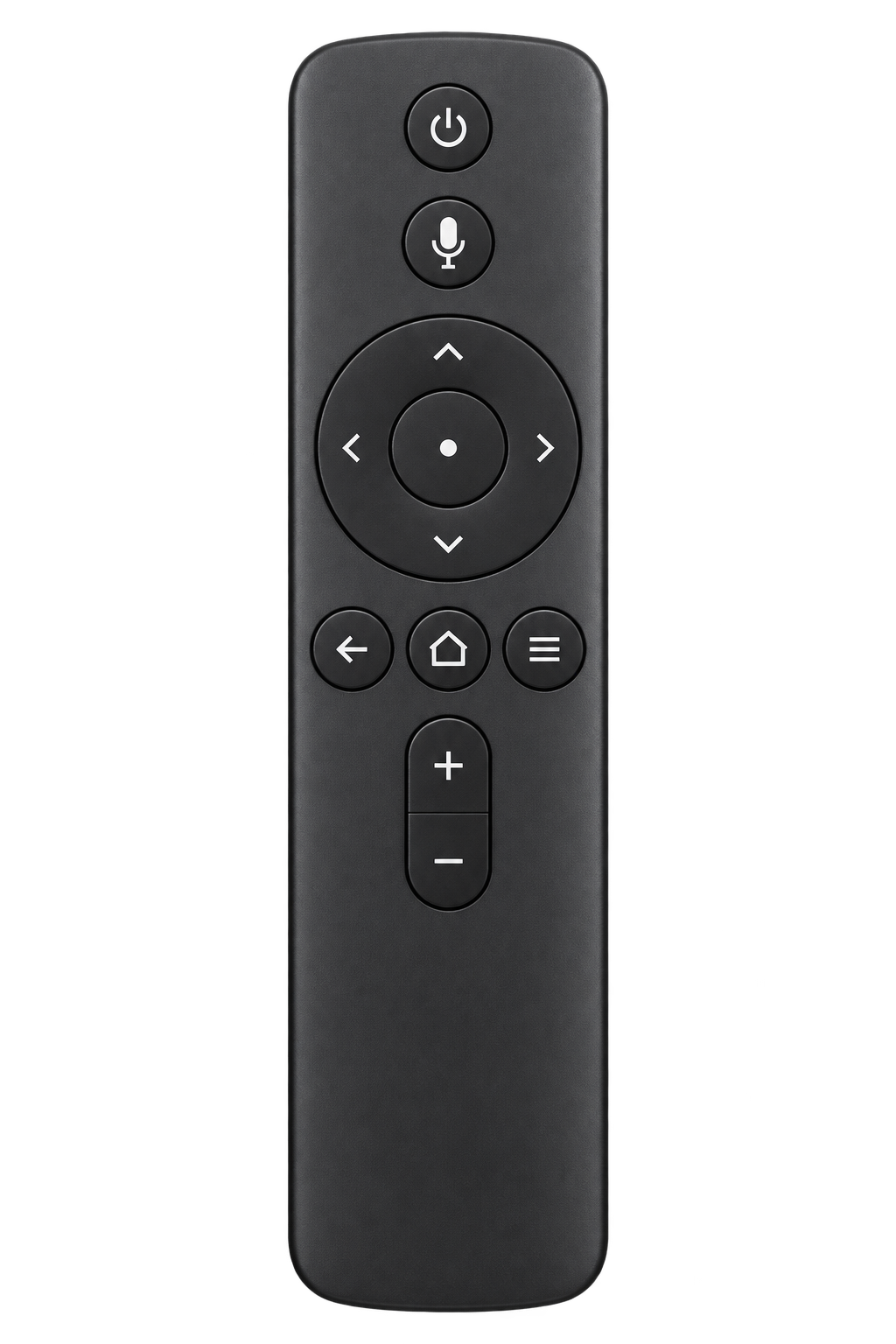 |
Needs an imported HID profile | Xiaomi Bluetooth Remote 2 Pro |
| Keyboard | No device needed: six key combinations stand for the buttons, and any key, a custom keyboard's extra keys included, is recorded by pressing it | Key events posted into a test window; a physical custom keyboard has not been tried |
Several devices can stay connected at once. Press a button on one and the overlay and button layout follow it; there is nothing to switch in Settings. A Bluetooth controller powers itself off after about ten idle minutes, so Settings has a "Keep the controller awake" switch.
Forgot what a button does? Bring up the controls card at any time: the device in the middle, each control with what it does right now, and whatever you press lights up without reaching the app. It draws your own layout, so a button you changed shows what you gave it.
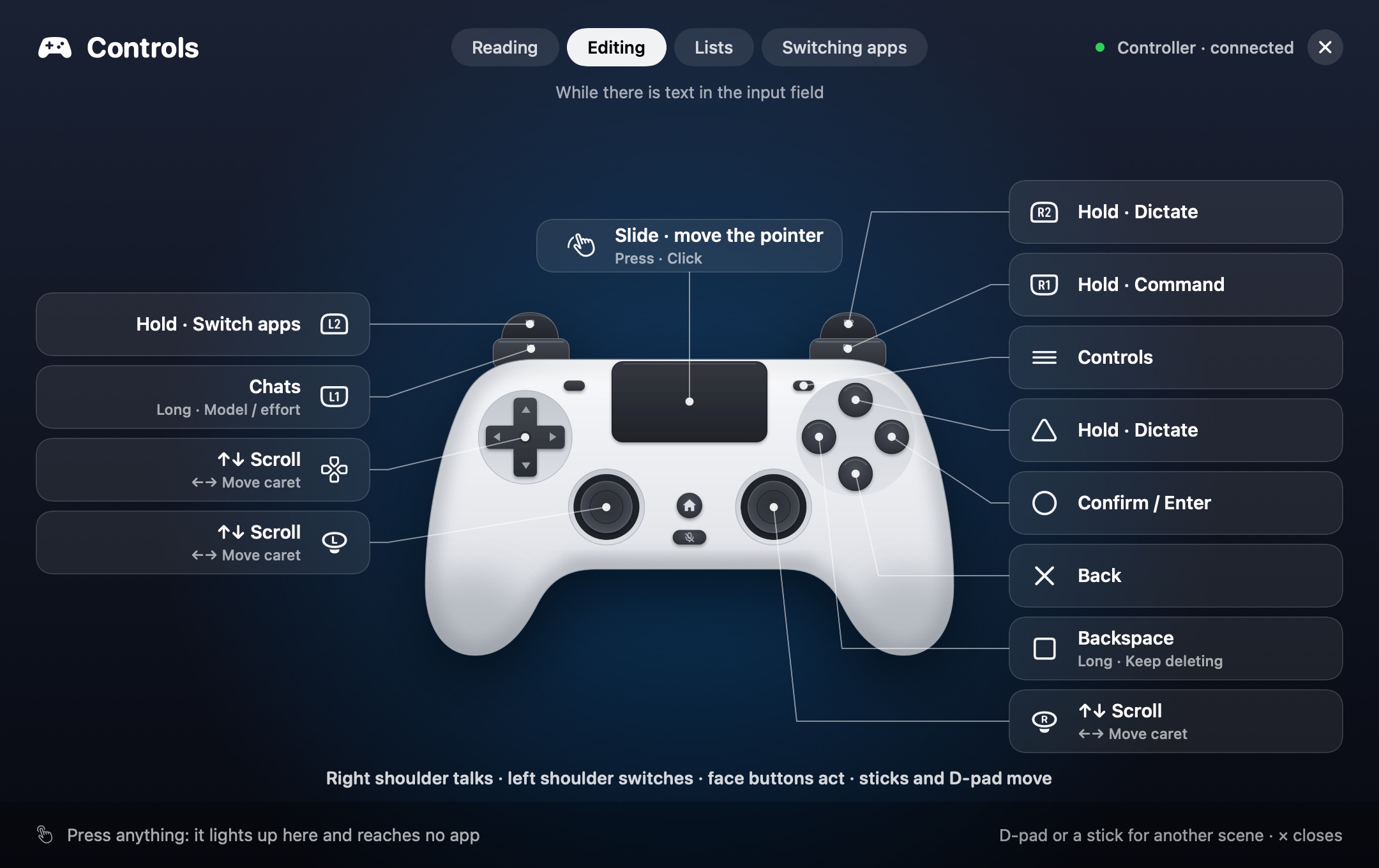
The controls card of VibeWand 0.10.2, the controller's default layout. Rendered off screen from the app's own view, with no device connected.
Per-model details are in the hardware guide.
VibeWand is an independent project. It is not affiliated with, sponsored by or endorsed by Ulanzi, Sony, Xiaomi or any other device maker. Product names and trademarks belong to their owners.
| Program | Scroll and read | Switch chats | Change model | Set reasoning effort | Dictate |
|---|---|---|---|---|---|
| Codex |
✓ | ✓ | ✓ | ✓ | ✓ |
| Claude |
✓ | ✓ | ✓ | ✓ | ✓ |
| DeepSeek Harness |
✓ | ✓ | ✓ | ✓ | ✓ |
| WorkBuddy |
✓ | ✓ tasks | ✓ | — | ✓ |
| Claude Code, Codex and OpenCode in iTerm2 |
✓ | ✓ | ✓ | Codex only | ✓ |
| Browsers: Safari, Chrome, Edge, Brave, Firefox, Opera, Vivaldi |
✓ | ✓ tabs | — | — | ✓ |
| WeChat, Feishu / Lark |
✓ | ✓ chats | — | — | ✓ |
A ✓ is something you can do in that app. How each app is operated, the versions tested and the known limits are in Applications. A few notes:
The first five rows, the AI tools, were exercised on a real machine. The terminal row was accepted in iTerm2 3.7.3 against Codex CLI 0.160.0, Claude Code 2.1.289 and OpenCode 1.18.34 with the screen read back after every step; see the acceptance record. WorkBuddy 5.6.2 passed native UI readback checks for task search and opening, model switching, draft editing and dictation delivery with transcript replay.
Three things work in apps that are not in the table. Dictation follows the keyboard focus: native fields fill in as you speak, and everything else gets a single paste when you release, after which your clipboard is put back. Switching macOS apps works everywhere. The controller's touchpad moves the pointer and clicks. To make another app answer the chat and model buttons, add it in Settings by bundle ID and assign the shortcuts. These app actions go only to the apps in the table and to rules you added yourself, matched by full bundle ID and never by window title, and each one can be turned off in Settings.
App names and icons are trademarks of their owners and are shown only to indicate compatibility. VibeWand is not affiliated with, sponsored by or endorsed by them.
What VibeWand does is computer use: it works out what the front app is showing and operates it for you. It reads the control structure that macOS Accessibility provides, the same one a screen reader gets; by default it takes no screenshots and clicks nothing it has only seen. For an app that publishes no controls, you can let command mode look at a picture of the window and click in it. An action starts either from a button you press or from a sentence you say.
| Driven by buttons | Driven by a sentence (command mode) | |
|---|---|---|
| Status | Released | Released in 0.9.0; usable once a model is set up |
| Who decides what happens | The button and the current context, by fixed rules; no model is involved | The model you configured, choosing among 13 tools. Seeing the window and clicking in its picture, and in plugin mode the harness's own tools, are added only if you turn them on; while it speaks in a voice of the voice service there is one more, for changing that voice |
| What it looks at | Which app is in front; whether focus is in a field and whether the draft is empty; whether a chat, model or effort list is open and what it offers; input-method candidates and unknown dialogs | App, window and chat titles; the kind, name and state of the controls in the front window; the status line an app announces; with seeing turned on, a picture of the window and the text read in it |
| What it does | Presses buttons and adjusts sliders; sends shortcuts and arrow keys; scrolls the conversation; parks the pointer on a candidate or clicks it; writes or pastes text; switches apps | Finds and opens chats; opens an app's own search and types the keywords; switches apps, opens a file or URL; presses a control, sends a shortcut, chooses a menu item, types into a field; with seeing turned on, clicks a line of text or a point in the window's picture |
| Reach | The apps in the table above and the rules you added | Any app whose controls can be read, and with seeing turned on those that publish none, one at a time |
Both paths keep the same rules:
What each capability covers, which channel each app uses and what has been verified in real apps is in Computer use.
Download VibeWand 0.11.3 (Apple Silicon) · Release notes
Requires macOS 26 or later on an M-series Mac (0.8.4 is the last version for macOS 13 to 15). Unzip, drag VibeWand.app into Applications and open it. The first launch shows a guide that walks you through the steps below, voice input and command mode; every step can be skipped. By hand:
This build is ad-hoc signed and not notarized by Apple, so the first launch takes one extra step. See Get started.
You need Xcode 26 or later and Opus from Homebrew. The minimum system is macOS 26:
brew install opus
bash scripts/build-app.sh
The result is dist/VibeWand.app. The build downloads pinned versions of Node.js and DeepSeek Harness as the kernel for command mode, which makes the app about 325 MB; VIBEWAND_SKIP_KERNEL=1 leaves it out. More in the development guide.
Default controls · Settings and remapping · Voice input · Command mode · Applications · Troubleshooting · Development
Device input and configuration stay on your Mac. VibeWand has no server and needs no account. With an external input method it only holds Fn for you. With built-in recognition, audio stays in memory; macOS dictation runs on device when it can, SenseVoice always does, and API mode sends audio to the endpoint you entered. Keys live in the macOS Keychain and are never part of an exported configuration. Dictated text goes into the field and no further; sending it is up to you. With vocabulary learning on (off by default), the dictations you corrected are kept on this Mac until the vocabulary is next brought up to date, sent then to the model service of command mode, and deleted. A terminal has no composer control, so VibeWand reads the few rows next to the cursor to find the prompt; they are reduced to a state in memory and dropped, never stored or sent anywhere.
Command mode is on by default, and until you set up a model it does nothing and contacts no service. After that, the words of your commands, the titles of apps and chats, and the labels of controls in the front window while the interface is operated are sent to the model service you chose yourself. The contents of fields and documents are not, unless you turn on seeing the window, which sends the model a picture of the window as it is and the text read in it. When Voice input uses Alibaba Qwen Realtime, its model hears commands itself by default, and all of this goes to that voice service together with the recording of the command; with several models instead, the voice service is sent only the line that is to be read out. What each command did is recorded on this Mac, a spoken command with its recording (which can be turned off), and deleted after 14 days. See Command mode.
VibeWand is free software, copyright (C) 2026 Hao Xu. You may use it for any purpose, and redistribute and modify it under the GNU General Public License, version 3 (GPL-3.0-only): whatever you distribute that is built on it carries the same license and comes with its source. It is provided without warranty, as far as the law allows.
For use the GPL does not fit, such as building VibeWand's code into a closed-source product, a commercial license is available from the author; open a commercial licensing inquiry to ask. Contributions are accepted on terms that keep both possible.
The license grants no trademark rights in the name “VibeWand” or its icon. A modified version you pass on has to be plainly marked as different from the original, and should go by another name. Third-party components keep their own licenses; see the third-party notices, which also say how to put in your own build of the LGPL library that ships. The icons of supported apps under assets/apps/ belong to their owners and are not covered by this license. What is still undecided is listed in Licensing and copyright: open items.
CLASSIFICATION EVIDENCE
系统优先读取 GitHub Topics,再与站内分类词典和词根规则比对。当前命中: deepseek-harness。
morluto
Reverse engineer anything with agents, from app behavior down to native binaries.

deepseek-ai
DeepSeek Harness: Everything is a Plugin.

nexu-io
The 1st Collaborative AI Design Agent Workspace. Local-first and open source. Create motion, prototypes, websites, apps, dashboards, presentations, images, and videos with your team and AI agents. Share work, exchange feedback, and iterate together in one workspace.