

模型与 MCP
待识别

rea
morluto
Reverse engineer anything with agents, from app behavior down to native binaries.
PROJECT TOPICS
INSTALL REFERENCE
dsh plugin --profile web add github:xuex991/dsh-working-changes
该命令指向仓库当前默认分支;尚无绑定当前 commit 的完整验证结果。
PROJECT README


A small, read-only DSH plugin that shows what the current session has changed and lets you browse local branch history across its Git repositories. It works for a single repository and for container workspaces containing multiple independent repositories.
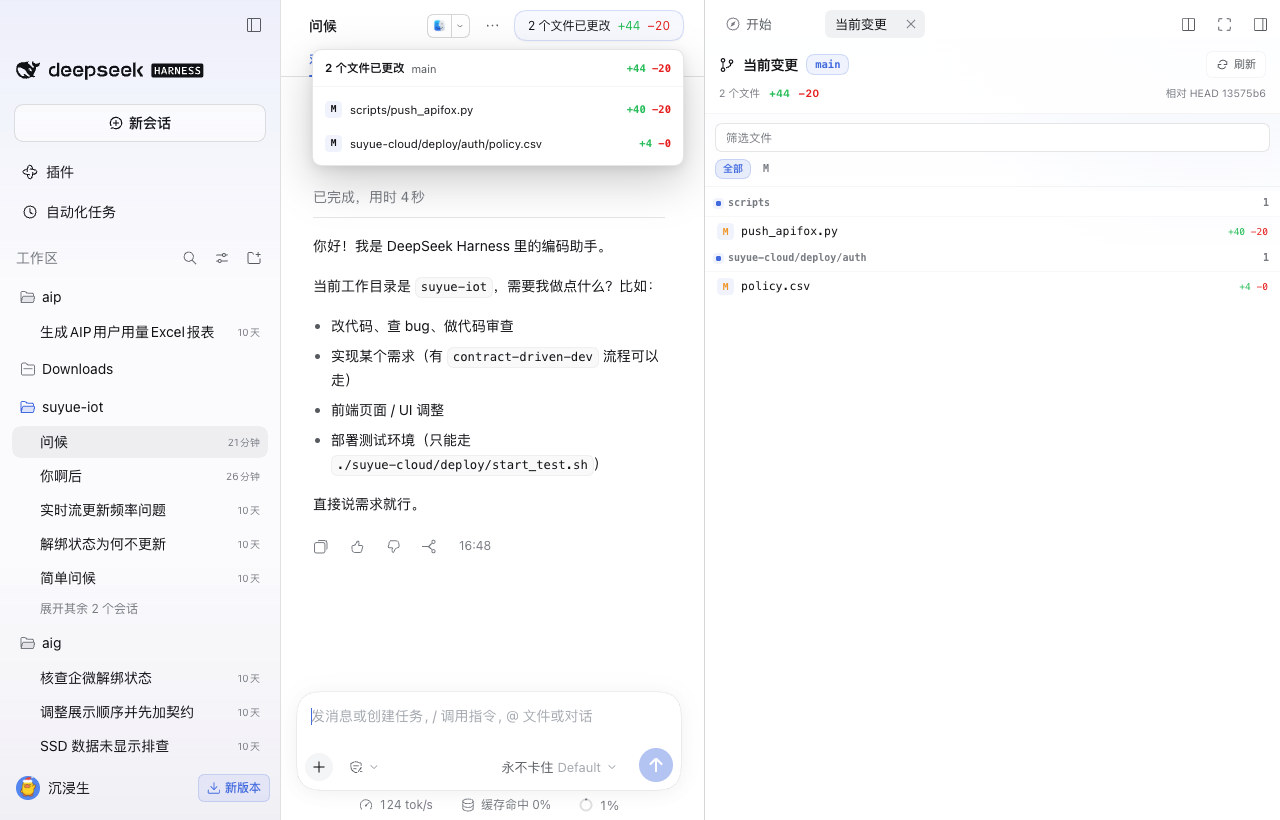
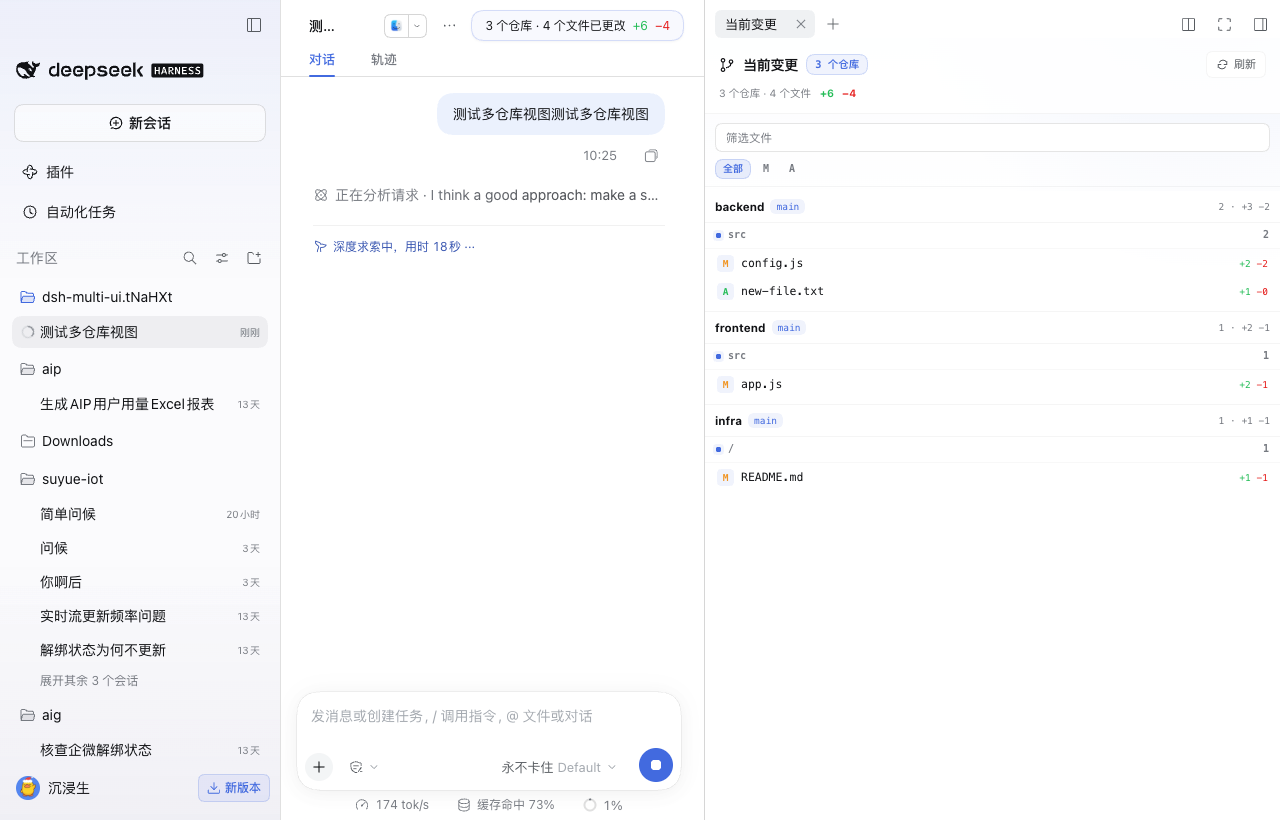
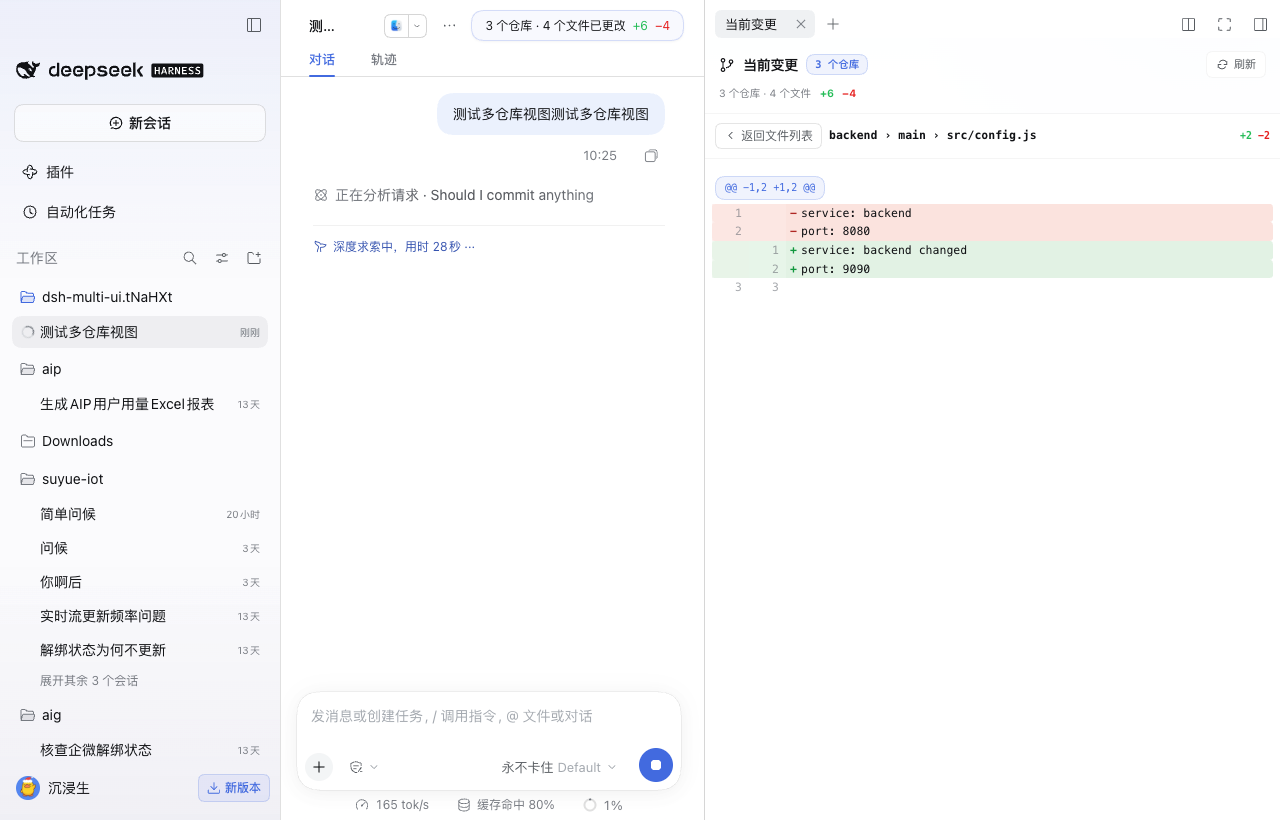
branch · changed files · +insertions −deletions in the session header.repositories · files · +insertions −deletions for multi-repository
workspaces and groups files by repository.https://github.com/xuex991/dsh-working-changes.In Plugins → Discover → Index sources, add:
https://xuex991.github.io/dsh-working-changes/index.jsonThen open Working Changes from the discovery page.
All three xue1991 DSH plugins and their stable install entry points are also listed at xuex991.github.io/dsh-working-changes.
0.2.1-rc.2 or newer.git available in the DSH host environment.HEAD; staged and unstaged states are
labeled separately, while the file diff remains the combined worktree-to-HEAD diff.分支 · 更改文件数 · +新增行 −删除行。仓库数 · 文件数 · +新增行 −删除行,并按仓库分组。https://github.com/xuex991/dsh-working-changes。在 插件 → 发现 → 索引源 中添加:
https://xuex991.github.io/dsh-working-changes/index.json安装后,在发现页找到 当前变更。
三个插件的最新版本和安装入口统一列在 xuex991.github.io/dsh-working-changes。
HEAD。project/ ← 不是 Git 仓库
frontend/.git ← 会发现
backend/.git ← 会发现
infra/.git ← 会发现
node_modules/... ← 跳过每个文件都属于唯一仓库;右侧栏的 diff 会携带该仓库根和它自己的 tree 对。一个仓库读取失败不会隐藏其他仓库的改动。
Host RPC 支持 discoverDepth、repos、repoLabels、untracked、
maxRepos、concurrency 和 repoTimeoutMs。默认发现一层、最多 20 个仓库、
4 个仓库并发、每个仓库 15 秒超时。显式传入 repos 时会关闭自动发现。
npm test
node --check index.js
node --check src/git.js
node --check src/operations.js
node --check lib/client.js
The Host RPC is exposed at POST /api/session-changes with snapshot, diff,
history, commits, and commit operations. A temporary GIT_INDEX_FILE
represents the worktree as a Git tree, so the plugin never modifies the user's
real index.
CLASSIFICATION EVIDENCE
系统优先读取 GitHub Topics,再与站内分类词典和词根规则比对。当前命中: deepseek-harness。
morluto
Reverse engineer anything with agents, from app behavior down to native binaries.

deepseek-ai
DeepSeek Harness: Everything is a Plugin.

nexu-io
The 1st Collaborative AI Design Agent Workspace. Local-first and open source. Create motion, prototypes, websites, apps, dashboards, presentations, images, and videos with your team and AI agents. Share work, exchange feedback, and iterate together in one workspace.