
模型与 MCP
待识别

rea
morluto
Reverse engineer anything with agents, from app behavior down to native binaries.
PROJECT TOPICS
INSTALL REFERENCE
dsh plugin --profile web add github:xinranmn-wq/dsh-agent-ops
该命令指向仓库当前默认分支;尚无绑定当前 commit 的完整验证结果。
PROJECT README
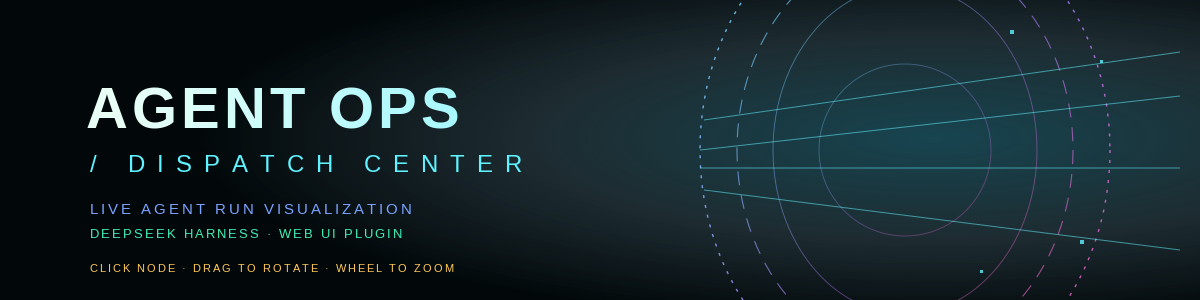
DeepSeek Harness(DSH)的 AI Agent 运行可视化插件。
它直接挂在 DSH Web UI 里:把当前会话中 Agent 的工具调用、Token 消耗、子代理和事件日志,展开成一块可交互的实时可视化面板 —— 会转动的卡片环、可点选的记忆云、完整的运行状态 HUD。
DSH 插件 · AI Agent 运行可视化 · Agent 可观测性 · Canvas 2D + React · 零运行时依赖 · 全本地运行
Agent Ops 是一个 DeepSeek Harness(DSH)插件。安装后 DSH 页面右下角会出现一个发光圆环,点开是一整屏的 Agent 运行可视化面板:
MEMORY INSPECTOR 里查看详情,按住拖动可以旋转,滚轮可以缩放。GLOBAL STATUS、AGENT ROSTER、DISPATCH BUFFER、AGENT REGISTRATION、MEMORY INSPECTOR,以及底部的 TASK FEED、WORKER PROFILE、TOOL CHANNEL / QUEUE、TELEMETRY 四条信息流。LIVE FEED 徽标表示正在展示当前 DSH 会话的真实事件流;会话空闲或数据不可达时,面板自动切换到 SIMULATION 演示模式,画面不会静止。shell.overlay 插槽(用于全屏 HUD 覆盖层);dsh.client);webServer、sessions 服务与 session/event 事件。client.js,安装不需要 Node.js 或任何构建步骤;src/*.js)时需要 Node.js 22+ 重新 node build.mjs。git clone https://github.com/xinranmn-wq/dsh-agent-ops.git帮我把
C:\path\to\dsh-agent-ops这个目录作为本地插件 bundle 安装到当前 profile。 DSH 里的 Agent 会调用插件管理能力(plugin_manager→install_bundle),把插件写进当前 profile。
Ctrl+Shift+R)。右下角会出现发光圆环,点它打开面板;每次页面加载也会自动打开一次。dsh plugin --profile <你的 profile 名> add link:C:\path\to\dsh-agent-ops打开 DSH 的 设置 → 插件,按当前版本的入口添加本地插件目录 / 启用 Agent Ops 调度中心,然后强刷页面。
安装后可在 设置 → 插件 里确认条目「Agent Ops 调度中心 / Agent Ops Dispatch Center」已启用; 插件的显示名、描述与图标来自
locale/{zh,en}.json和icon.svg。
| 操作 | 效果 |
|---|---|
| 点击右下角发光圆环 | 打开 / 关闭面板 |
ESC 或右上角 × |
关闭面板 |
| 悬停记忆云节点 | 显示节点标签,右侧 MEMORY INSPECTOR 同步 |
| 点击记忆云节点 | 钉住该记忆;关联卡片自动转到可见位置并亮起;整环平滑减速 |
| 拖动记忆云 | 旋转记忆云(松开后带惯性) |
| 滚轮(指针在场景上) | 缩放记忆云 |
| 点击卡片 | 聚焦该卡片,整环减速便于阅读 |
| 点击空白处 | 取消选中,恢复旋转 |
| 点击 TASK FEED / DISPATCH BUFFER 行 | 选中对应记忆(与场景双向联动) |
LIVE FEED = 当前 DSH 会话的真实事件流;SIMULATION = 会话空闲或接口不可达时自动播放的演示数据。
session/event 追加事件,折叠成一份紧凑快照,通过同源、只读的 GET /dsh-agent-ops/state 暴露给页面;DSH Host DSH Web 页面
┌──────────────────────────┐ ┌──────────────────────────────┐
│ session/event 事件流 │ GET /dsh-agent- │ HUD(React) │
│ ↓ 折叠成 snapshot │ ops/state ←1100ms│ ├─ 轮询快照 / 空闲转演示 │
│ webServer 只读路由 │ ──────────────────▶ │ ├─ 构建场景模型 │
└──────────────────────────┘ │ └─ shell.overlay 全屏挂载 │
│ Scene(Canvas 2D) │
│ ├─ 卡片环 / 旋转 / 粒子射线 │
│ ├─ 记忆云(伪 3D,可交互) │
│ └─ 网络图 / 后期效果 / 相机漂移 │
└──────────────────────────────┘| 文件 | 作用 |
|---|---|
index.js |
Host 半:监听会话事件、维护快照、注册 /dsh-agent-ops/state |
client.js |
浏览器半的构建产物(由 build.mjs 从 src/* 拼装,请勿手改) |
src/scene.js |
Canvas 场景:卡片环、记忆云、粒子射线、网络图、后期效果 |
src/hud.js |
React HUD:面板、轮询、演示模式、交互联动、启动圆环 |
src/entry.js |
注册到 shell.overlay 插槽 |
cordis.patch.yml |
插件包 patch:向 profile 插入 dsh-agent-ops 插件行 |
locale/*.json / icon.svg |
插件管理器的显示元数据与图标 |
test-host.mjs / test-client.mjs |
无需 DSH 的本地验证:Host 半假上下文试跑、浏览器半加载/渲染/交互冒烟测试 |
node build.mjs        # src/scene.js + src/hud.js + src/entry.js -> client.js
node --check client.js
node test-host.mjs    # Host 半冒烟测试(假 Cordis 上下文 + 假 HTTP)
node test-client.mjs  # 加载 bundle、渲染 HUD 树、跑场景帧与指针交互
修改浏览器半后:
node build.mjs 重新生成 client.js;index.js)后,需重启 DSH 才会重新加载该模块。CI:
docs/ci-example.yml是一份 GitHub Actions 配置示例。把它复制到.github/workflows/verify.yml即可在每次 push/PR 时自动做语法检查、构建一致性校验和两套冒烟测试。
想调手感,主要旋钮都在 src/scene.js 顶部/附近:
| 常量 | 含义 | 当前值 |
|---|---|---|
CARD_N |
卡片环上的卡片数量 | 42 |
CARD_F |
卡片环的径向半径系数 | 0.79 |
ringSpeed / idle 基础转速 |
环的角速度(rad/s) | ≈0.27 |
FAN_SPREAD |
卡片出口粒子扇开的半角 | ≈19.5° |
LINK_TARGET_ANGLE |
选中记忆后卡片停靠的可见位置 | RING_NEAR + 0.12 |
memC.r |
记忆云半径系数 | 0.152 · min(W,H) |
配色集中在 src/scene.js 的 PALETTE 表与 src/hud.js 的 CSS 变量里,可以按喜好替换成任意主题。
client.js 是构建产物:改完源码请重新 build 并提交产物;SIMULATION 模式下展示的是内置演示数据,不是真实运行记录;CARD_N 或减少粒子池大小。plugin_manager 的 remove_bundle(包名 @local/dsh-agent-ops);DeepSeek Harness 插件、DSH 插件、AI Agent 运行可视化、Agent 可观测性、Agent 监控面板、工具调用可视化、Token 用量监控、子代理/多代理可视化、事件流看板、Canvas 可视化、React 仪表盘、本地优先、无需联网。
Agent Ops / Dispatch Center is a DeepSeek Harness (DSH) plugin for live AI agent run visualization and agent observability. It mounts as a full-screen, interactive panel inside the DSH Web UI:
GET /dsh-agent-ops/state route, with a built-in simulation fallback when the session is idle.Install: clone/download the repo, ask the DSH agent to install this directory as a local bundle (plugin_manager → install_bundle), then reload with Ctrl+Shift+R and click the glowing ring at the bottom-right. No Node.js or build step is needed to install.
Everything runs locally; the plugin reads only session-run metadata and never uploads data anywhere.
Keywords: DeepSeek Harness plugin, DSH plugin, AI agent observability, agent run visualization, agent monitoring dashboard, tool-call visualization, token usage, subagent visualization, Canvas, React.
MIT licensed.
CLASSIFICATION EVIDENCE
系统优先读取 GitHub Topics,再与站内分类词典和词根规则比对。当前命中: deepseek、deepseek-harness。
morluto
Reverse engineer anything with agents, from app behavior down to native binaries.

deepseek-ai
DeepSeek Harness: Everything is a Plugin.

nexu-io
The 1st Collaborative AI Design Agent Workspace. Local-first and open source. Create motion, prototypes, websites, apps, dashboards, presentations, images, and videos with your team and AI agents. Share work, exchange feedback, and iterate together in one workspace.