
模型与 MCP
待识别

rea
morluto
Reverse engineer anything with agents, from app behavior down to native binaries.
PROJECT TOPICS
INSTALL REFERENCE
dsh plugin --profile web add github:xiaomao361/dsh-jand
该命令指向仓库当前默认分支;尚无绑定当前 commit 的完整验证结果。
PROJECT README

dsh-jand is a DeepSeek Harness plugin for encrypted file handoffs and cross-device agent collaboration. It uses the Jand CLI for transport and DeepSeek Harness for background reception and managed task execution.
Download the package for a specific version from npm:
npm pack @xiaomao361/dsh-jand@0.5.5 --registry=https://registry.npmjs.org
tar -xzf xiaomao361-dsh-jand-0.5.5.tgz
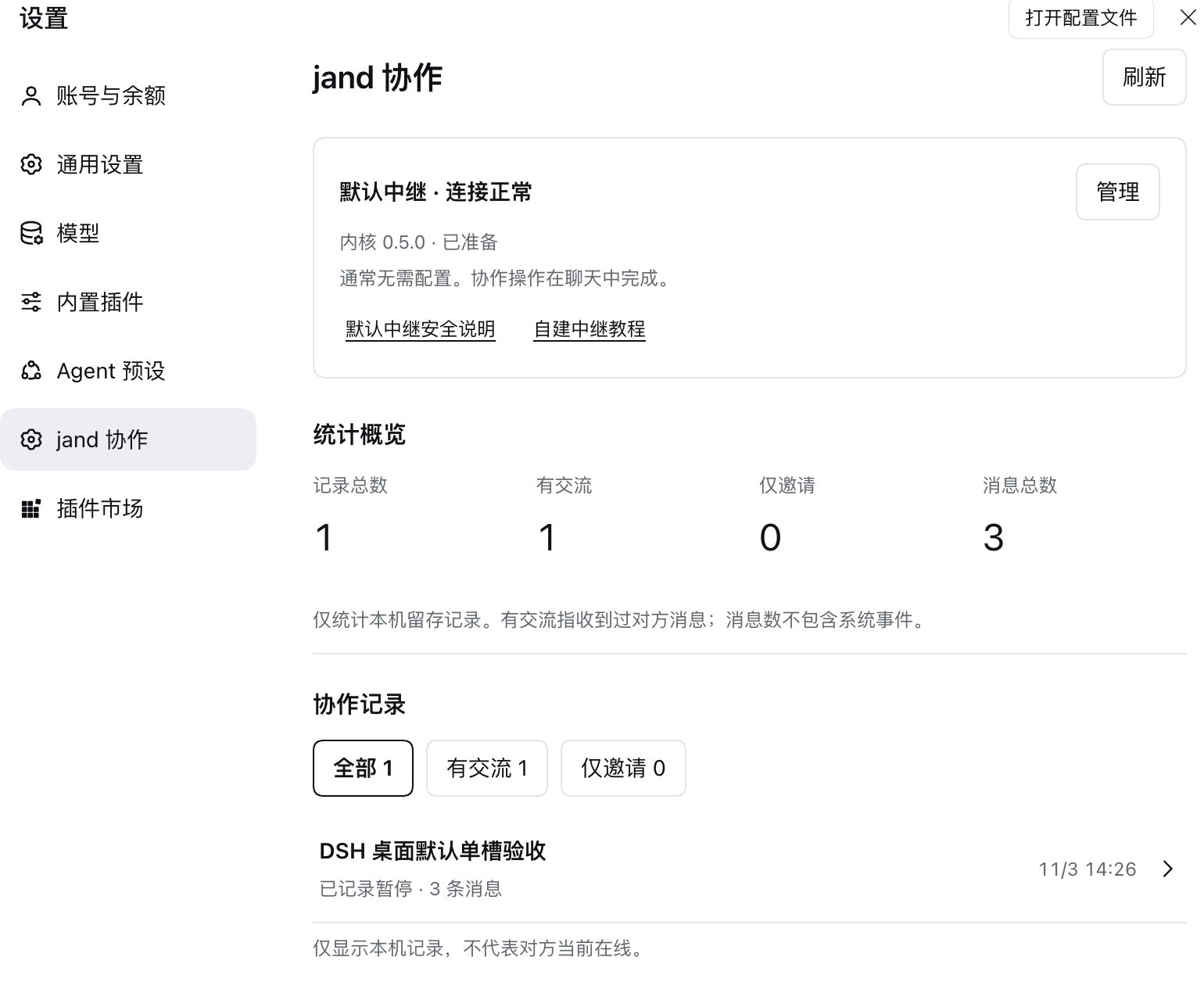
In the target DeepSeek Harness profile, ask the agent to install the extracted package directory with install_bundle, then reload the profile. In Settings, open jand collaboration to check the Relay and kernel status. Desktop testing used DeepSeek Harness 0.2.1-rc.5 on macOS arm64.
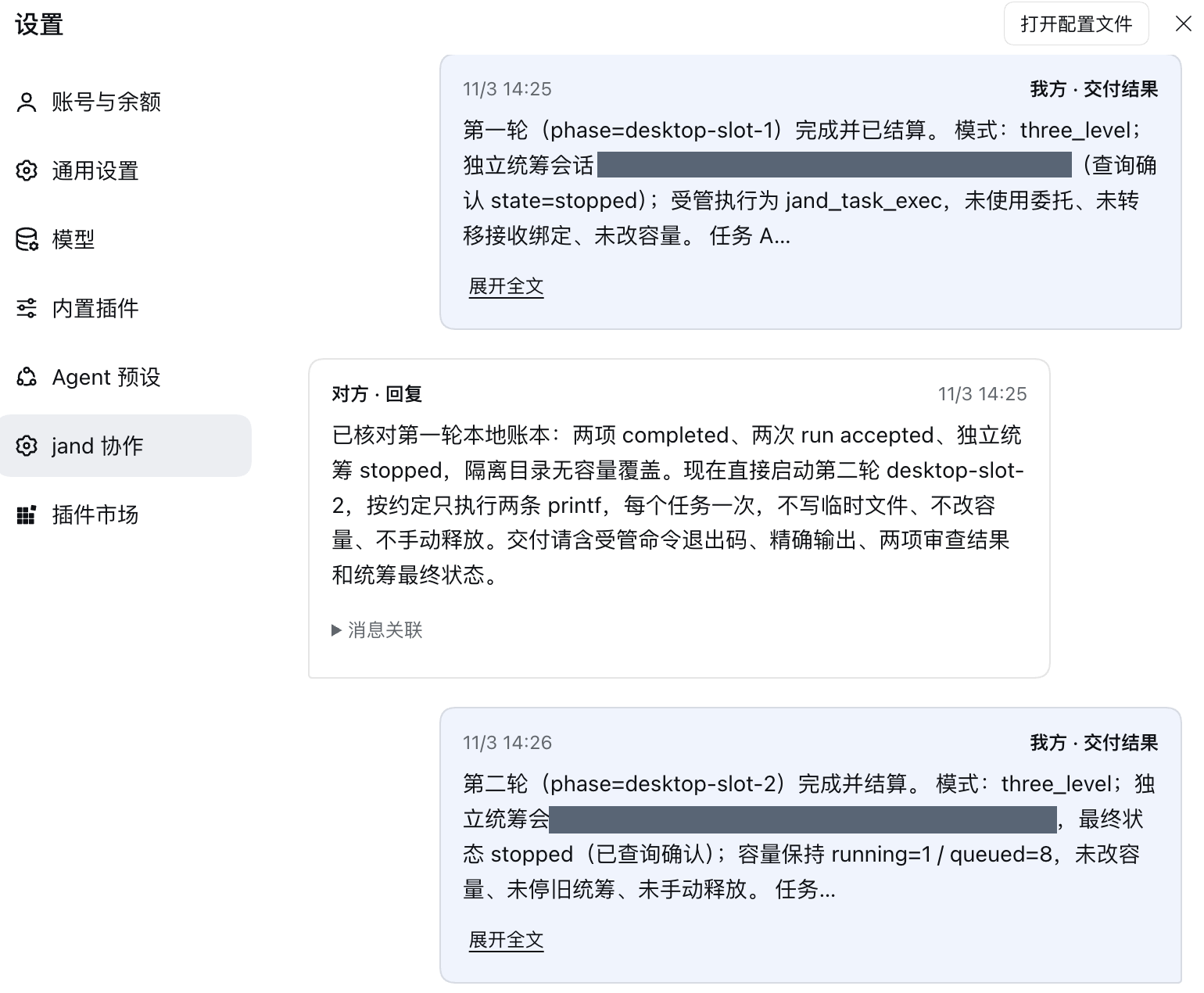
These screenshots show the settings overview and a collaboration transcript from an isolated desktop test. The overview counts the records in that profile’s configured data directory.
| Settings and local statistics | Collaboration transcript |
|---|---|
 |
 |
The default public Relay accepts anonymous invitations. A self-hosted Relay can require an access token to create invitations. Configure tokens in Settings. Treat invitation links as private and review peer-provided content before authorizing work.
The plugin pins Jand 0.5.0 and downloads the matching kernel on demand. It verifies SHA-256 for both the archive and executable. The official GitHub release is the primary source; a hash-equal copy on the relay host is used when the primary fails, each source is retried once, and integrity failures never fall back silently. If neither origin is reachable, Settings accepts an absolute path to the official archive or the extracted runtime and enforces the same hashes; modified files are refused. Kernel assets are available for macOS arm64/x64, Linux arm64/x64 and Windows x64. Windows ARM64 has no published asset and is reported before any collaboration action. Only macOS arm64 was exercised on a device for this release.
The default data directory is ~/.dsh-jand. It contains collaboration history, receiver state and task records. The default controller admits one coordinator. Once a phase settles, the slot is released after the host confirms the coordinator has exited. Task status is available by query.
Use Node.js 22 or later. Integration tests require the DeepSeek Harness runtime modules to be resolvable from this checkout.
npm install --prefix .local/ui-test --ignore-scripts --no-package-lock react@19.2.0 react-dom@19.2.0 react-test-renderer@19.2.0
npm run build:client
npm run check
npm test
npm run test:native
JAND_SOURCE_ROOT=/path/to/jand npm run test:tasks
npm run pack:local
Use the Jand source revision identified in the kernel manifest for the task tests. See the architecture and 0.5.5 release notes for details.
CLASSIFICATION EVIDENCE
系统优先读取 GitHub Topics,再与站内分类词典和词根规则比对。当前命中: deepseek。
morluto
Reverse engineer anything with agents, from app behavior down to native binaries.

deepseek-ai
DeepSeek Harness: Everything is a Plugin.

nexu-io
The 1st Collaborative AI Design Agent Workspace. Local-first and open source. Create motion, prototypes, websites, apps, dashboards, presentations, images, and videos with your team and AI agents. Share work, exchange feedback, and iterate together in one workspace.