
模型与 MCP
待识别

rea
morluto
Reverse engineer anything with agents, from app behavior down to native binaries.
PROJECT TOPICS
INSTALL REFERENCE
dsh plugin --profile web add github:xiaohui-zhangxh/dsh-session-handoff
该命令指向仓库当前默认分支;尚无绑定当前 commit 的完整验证结果。
PROJECT README
在 DSH 输入框下方常驻状态栏,显示会话启动时间、工作时间与对话轮次;到上限自动交接,让任务在同一工作区的新会话里继续。手动点「立即交接」时,新会话读完交接文件会先汇报下一步,等你确认再开始。 A DeepSeek Harness plugin that shows the session start time, accumulated work time, and turn count, and hands the task off to a fresh session in the same workspace at a configurable limit; a manual handoff reports the next step and waits for your confirmation before continuing.
效果展示 · 安装 · 更新 · 技术文档 · License
状态栏常驻显示启动时间、工作时间、轮次与上下文占用;接近上限时,轮次转为警示色。

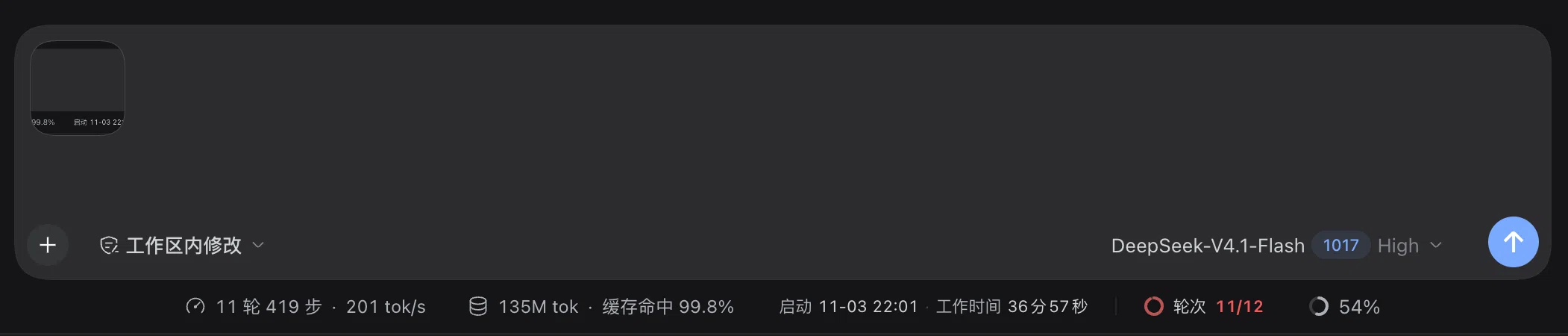
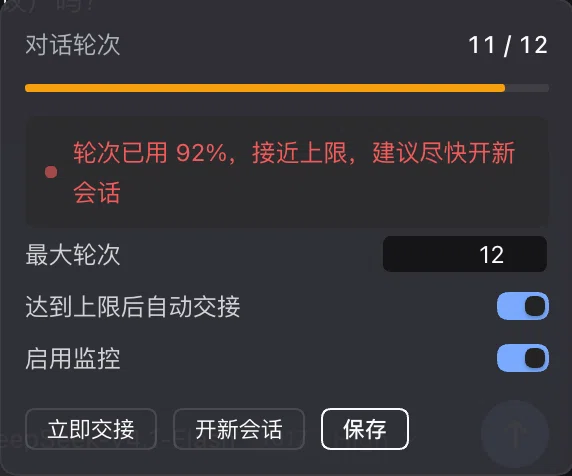
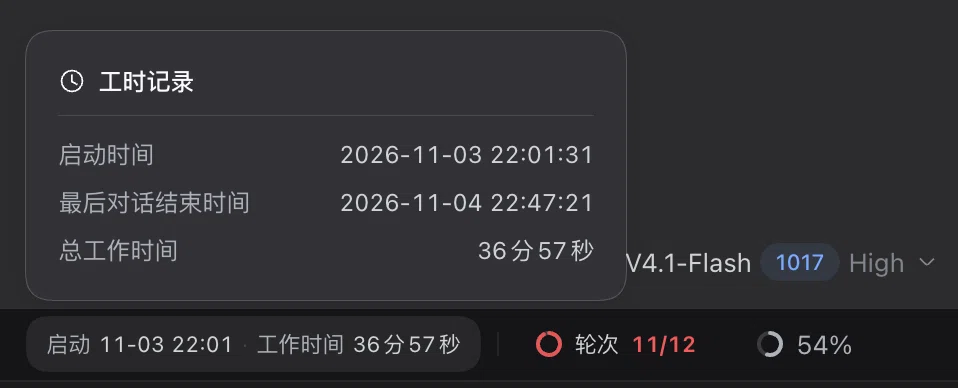
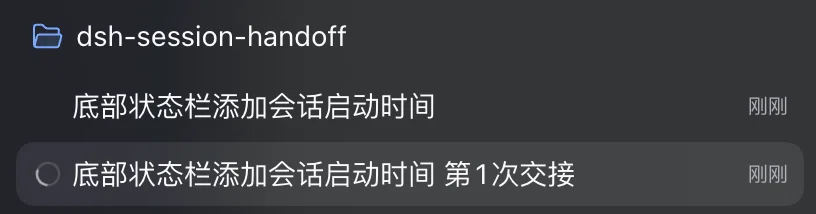
左:轮次设置与自动交接 · 中:工时记录(启动 / 最后对话结束 / 总工作时间) · 右:交接后的新会话落在原工作区,标题沿用「原标题 第N次交接」
需要 DSH 0.2.x 的 Web / 桌面 profile。
方式一:克隆后用 link 安装(推荐,以后更新最省事)
git clone https://github.com/xiaohui-zhangxh/dsh-session-handoff.git
dsh plugin --profile desktop add "$(pwd)/dsh-session-handoff"
安装完成后完整重启 DSH。
方式二:在 DSH 的 Plugins 页安装
侧栏 → Plugins → Add plugin,填入仓库地址:
https://github.com/xiaohui-zhangxh/dsh-session-handoff安装并启用后,完整重启 DSH。
DSH 不会自动更新第三方插件,需要手动更新一次。
方式一(link 安装)
cd dsh-session-handoff
git pull
然后完整重启 DSH。若新版本改动了依赖,再执行 dsh plugin --profile desktop install。
方式二(Plugins 页安装)
Plugins → 该插件 → 卸载 → Add plugin 重新填入仓库地址 → 启用 → 完整重启 DSH。
为什么都需要重启:宿主半边不会热重载;浏览器半边会自动换新,重启后最稳妥。
显示规则、面板行为、交接流程、设置项、本机接口、测试与已知边界见 docs/TECHNICAL.md。
CLASSIFICATION EVIDENCE
系统优先读取 GitHub Topics,再与站内分类词典和词根规则比对。当前命中: deepseek-harness。
morluto
Reverse engineer anything with agents, from app behavior down to native binaries.

deepseek-ai
DeepSeek Harness: Everything is a Plugin.

nexu-io
The 1st Collaborative AI Design Agent Workspace. Local-first and open source. Create motion, prototypes, websites, apps, dashboards, presentations, images, and videos with your team and AI agents. Share work, exchange feedback, and iterate together in one workspace.