
模型与 MCP
待识别

rea
morluto
Reverse engineer anything with agents, from app behavior down to native binaries.
PROJECT TOPICS
PROJECT README

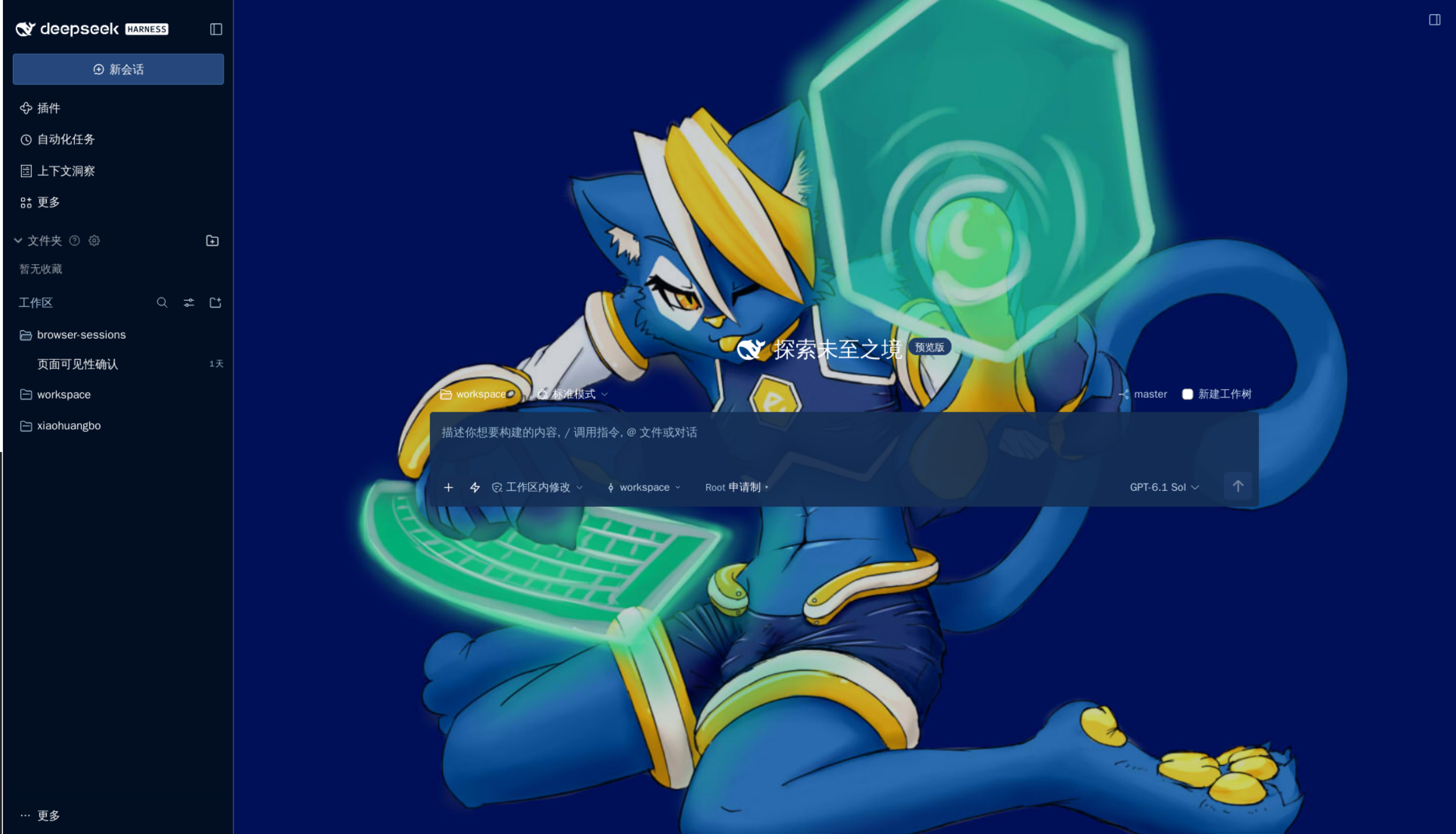
The classic e621 navy hexagon theme for DeepSeek Harness — custom backgrounds, a random image library, timed rotation, colorful code highlighting and an in-page settings panel.
给 DeepSeek Harness 换上 e621 经典深蓝六边形主题:自定义背景、随机图库、定时轮换、彩色代码高亮,以及独立的设置页面。



Author / 作者: xiaohuangbo
Repository / 仓库: https://github.com/xiaohuangbo/dsh-e621-style
点击图片可查看完整尺寸。Click an image for the full size.
| 设置 → e621 蓝色主题 / Settings → e621 blue theme | 会话界面 / Session view |
|---|---|
 |
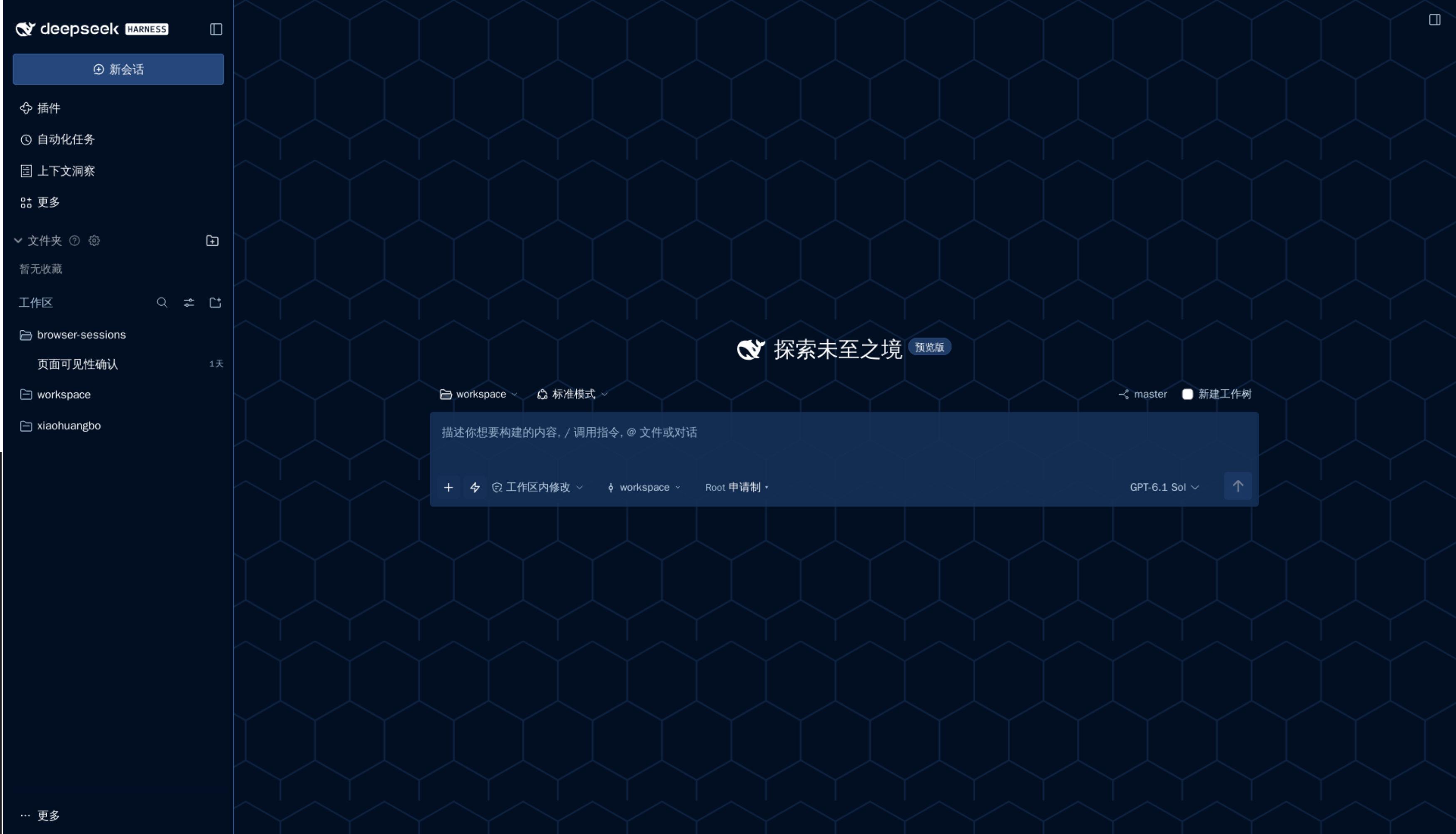 |
A single-package skin that adapts the default hexagon theme of the local e621ng frontend to the DeepSeek Harness Web GUI. It keeps DSH's conversation, sidebar, editor and tool interactions, and restyles them with the classic e621 look: layered navy panels (#020f23 / #152f56 / #1f3c67), pale blue links (#b4c7d9), gold accents (#e8c446), the Verdana font stack, 4 px radii and light text inputs with a pale yellow focus fill.
cover / contain / auto) and position.自动 / 中文 / English language buttons (auto follows the DSH language; forced languages affect only this page), e621-style square toggle switches, gold pressed states and a live background preview.Install from npm into the current DSH profile:
env 'npm_config_@xiaohuangbo:registry=https://registry.npmjs.org' dsh plugin add @xiaohuangbo/dsh-e621-style@1.2.0The explicit environment override matters when ~/.npmrc maps the @xiaohuangbo scope to GitHub Packages. To install the latest main code from GitHub instead, paste the repository URL into the same add box:
dsh plugin add 'github:xiaohuangbo/dsh-e621-style#main'On the official desktop app, open Plugins → Add plugin and enter the npm package name @xiaohuangbo/dsh-e621-style. For local development, install the project directory from the DSH Plugin Manager with install_bundle, using the package directory as the target.
After enabling, restart DSH once (or refresh the page), then open Settings → e621 blue theme. No build step or install scripts are required; the package has zero runtime dependencies.
This is a whole-interface skin. If another full skin (such as a Claude-style skin) is enabled at the same time, both rewrite the same global appearance and the page can look wrong. Keep exactly one of them enabled; the others can stay installed.
dsh plugin --profile web update @xiaohuangbo/dsh-e621-styleUnder the default DSH pnpm settings, npm releases younger than 24 hours are not picked up automatically; install the fresh version explicitly with @xiaohuangbo/dsh-e621-style@^<version>.
Tested with DSH 0.2.2-rc.1 web profiles. The theme registers a dark in-process theme and token overrides through ctx.theme, mounts an unloadable style layer in shell.overlay, and contributes its page through settings.section; unloading the plugin removes its tokens, styles, image events and timers without touching the DSH root. Browsers need CSS :has() support. Colors hardcoded by third-party plugins may not follow DSH theme tokens.
npm run build
npm run check   # syntax checks plus 20 tests
npm pack --dry-run
Tests cover URL validation and library limits, normalization and numeric boundaries (including language and scale), random selection, CSS escaping, syntax/control/state contrast, and the scoping of theme styles. The browser artifact is assembled from core.js, theme.js, styles.js, storage.js and client.source.js by scripts/build.mjs with no bundler.
npm run publish:npm    # npmjs.org
npm run publish:gh     # GitHub Packages (npm.pkg.github.com)
npm run publish:both   # publish to both registries in sequence
First authenticate to npmjs with npm login. For two-factor authentication pass the current code with npm run publish:npm -- --otp=123456. For GitHub Packages, create a classic token with write:packages, configure ~/.npmrc (@xiaohuangbo:registry=https://npm.pkg.github.com and the _authToken), export GITHUB_TOKEN, then run npm run publish:gh. GitHub Packages visibility is not guaranteed by --access public: after the first publish, open the package settings and choose Public.
MIT for the plugin's own code and original artwork (the hexagon texture and icon are self-drawn). The palette and layout values are adapted from the local e621ng source (Danbooru Project, BSD 2-Clause); see THIRD_PARTY_NOTICES.md. This project is not affiliated with e621 or the Danbooru Project, and bundles no e621 artwork.
单包皮肤,把本地 e621ng 前端的默认 hexagon 主题适配到 DeepSeek Harness Web GUI。保留 DSH 的会话、侧栏、编辑器与工具交互,套上经典 e621 外观:三层深蓝面板(#020f23 / #152f56 / #1f3c67)、淡蓝链接(#b4c7d9)、金色强调(#e8c446)、Verdana 字体栈、4px 小圆角,以及聚焦变淡黄的亮色输入框。
自动 / 中文 / English 语言按钮(自动跟随 DSH 语言,强制语言只影响本页)、e621 方形开关、金色选中态与实时背景预览。从 npm 安装到当前 DSH profile:
env 'npm_config_@xiaohuangbo:registry=https://registry.npmjs.org' dsh plugin add @xiaohuangbo/dsh-e621-style@1.2.0若 ~/.npmrc 把 @xiaohuangbo scope 指向 GitHub Packages,上面的显式环境变量覆盖必不可少。想用 main 分支最新代码,在同一个添加框里填入 GitHub 地址:
dsh plugin add 'github:xiaohuangbo/dsh-e621-style#main'官方桌面版在「插件 → 添加插件」中填入 npm 包名 @xiaohuangbo/dsh-e621-style。本地开发时,可在 DSH Plugin Manager 中用 install_bundle 安装项目目录,并把项目目录作为 target。
启用后重启一次 DSH(或刷新页面),然后打开「设置 → e621 蓝色主题」。无需构建或安装脚本,包没有任何运行时依赖。
这是整页皮肤。若同时启用另一套整体皮肤(例如 Claude 风格皮肤),双方会改写相同的全局外观,界面可能错乱。同一时间只启用一套;其他皮肤可以保留安装状态。
dsh plugin --profile web update @xiaohuangbo/dsh-e621-styleDSH 内置 pnpm 默认不自动选择发布未满 24 小时的 npm 版本;想立即用新版,可显式安装 @xiaohuangbo/dsh-e621-style@^<版本号>。
已在 DSH 0.2.2-rc.1 Web profile 上验证。主题通过 ctx.theme 注册进程内深色主题并叠加令牌层,在 shell.overlay 挂载可卸载的样式层,通过 settings.section 贡献设置页;卸载插件会清除令牌、样式、图片事件与计时器,不替换 DSH 根组件。浏览器需要支持 CSS :has()。第三方插件硬编码的颜色可能不跟随 DSH 主题令牌。
npm run build
npm run check   # 语法检查与 20 项测试
npm pack --dry-run
测试覆盖 URL 校验与图库容量、配置归一化与数值边界(含语言与缩放)、随机选择、CSS 转义、语法色/控件/文字对比度,以及主题样式的作用域限定。浏览器产物由 scripts/build.mjs 从 core.js、theme.js、styles.js、storage.js、client.source.js 组装,无需打包器。
npm run publish:npm    # 发布到 npmjs.org
npm run publish:gh     # 发布到 GitHub Packages(npm.pkg.github.com)
npm run publish:both   # 依次发布到两个 registry
先用 npm login 登录 npmjs;如需双重验证,运行 npm run publish:npm -- --otp=123456(换成当前六位验证码)。发布到 GitHub Packages 需要带 write:packages 权限的 classic token,配置 ~/.npmrc(@xiaohuangbo:registry=https://npm.pkg.github.com 与 _authToken),导出 GITHUB_TOKEN 后运行 npm run publish:gh。GitHub Packages 的公开状态不由 --access public 自动保证:首次发布后请在包设置中选择 Public。
插件自有代码与原创美术(六边形纹理、图标均为自绘)采用 MIT。配色与布局数值改编自本地 e621ng 源码(Danbooru Project,BSD 2-Clause),详见 THIRD_PARTY_NOTICES.md。本项目与 e621、Danbooru Project 无隶属关系,也不附带 e621 美术资源。
CLASSIFICATION EVIDENCE
系统优先读取 GitHub Topics,再与站内分类词典和词根规则比对。当前命中: deepseek-harness、deepseek-harness-plugin。
morluto
Reverse engineer anything with agents, from app behavior down to native binaries.

deepseek-ai
DeepSeek Harness: Everything is a Plugin.

nexu-io
The 1st Collaborative AI Design Agent Workspace. Local-first and open source. Create motion, prototypes, websites, apps, dashboards, presentations, images, and videos with your team and AI agents. Share work, exchange feedback, and iterate together in one workspace.