
模型与 MCP
待识别

rea
morluto
Reverse engineer anything with agents, from app behavior down to native binaries.
PROJECT TOPICS
INSTALL REFERENCE
dsh plugin --profile web add github:wysxxx/dsh-account-identity
该命令指向仓库当前默认分支;尚无绑定当前 commit 的完整验证结果。
PROJECT README
给 DeepSeek Harness(DSH)换一个自己想用的名字和头像。
DSH 目前还没有为侧边栏提供独立的昵称和头像设置,登录后会直接沿用账号资料。
比如,账号里用的是微信头像,而你只想在 DSH 里换张图。账号身份就是为这个需求做的:在 DSH 里单独设置显示名称和头像,不用修改 DeepSeek 账号资料。
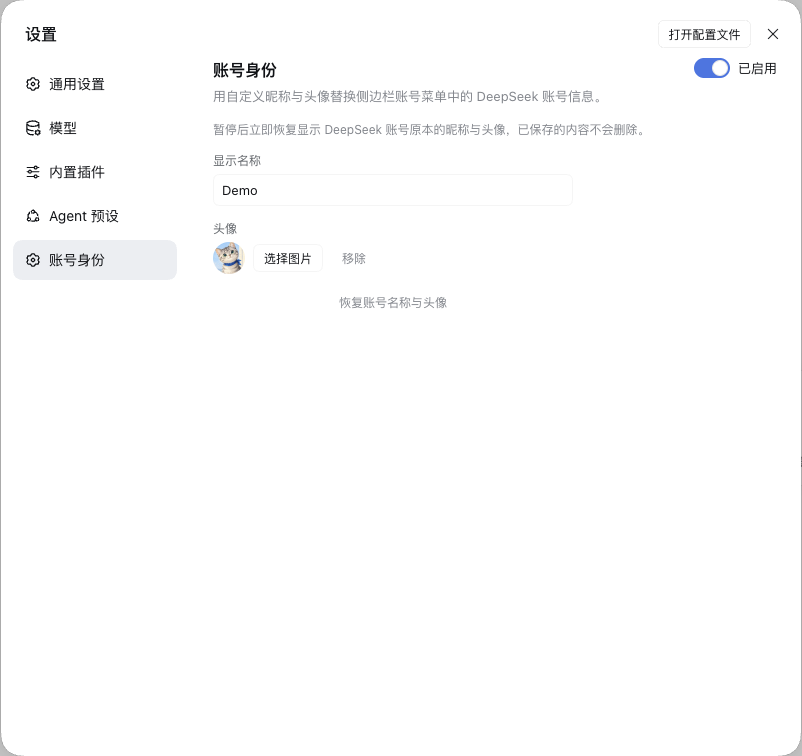
原生 DSH 界面示意,使用演示昵称与头像。
https://github.com/wysxxx/dsh-account-identity/releases/download/v0.2.0/dsh-account-identity-0.2.0.tgz安装包也可以在 v0.2.0 发布页下载。
安装完成后,插件 页面的已安装列表中会出现 账号身份。使用入口在:
左下角账号菜单 → 设置 → 账号身份
后续修改也在这个设置页完成。只想换头像,可以把显示名称留空;点击头像旁的 移除 可恢复账号头像。关闭右上角的开关可以暂停自定义,点击 恢复账号名称与头像 则会清除已保存的自定义内容。
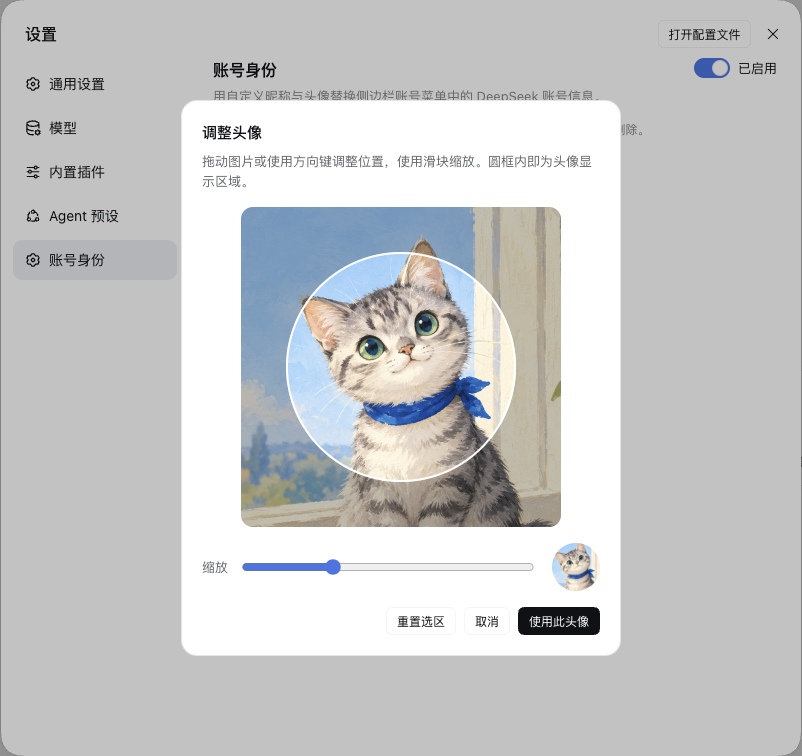
选好区域后再确认,点击“取消”或按 Escape 不会替换当前头像。示例图片由 ImageGen 生成,界面是插件的实际截图。
以 macOS 默认 Desktop profile 为例,插件文件通常位于:
~/.dsh/profiles/desktop/node_modules/dsh-account-identity/名称、裁切后的头像等设置保存在同一 profile 的 cordis.patch.yml 中。自定义 DSH 数据目录或使用其他 profile 时,路径会不同。日常使用直接打开 设置 → 账号身份 即可。
如果使用第三方主题或费用插件,界面的呈现可能不同;尚未逐一验证所有主题。侧栏收起时,部分费用组件会沿用紧凑图标视图,完整金额需展开侧栏查看。
自定义账号入口尚未覆盖官方赠金通知栈与意见反馈入口。图片格式、数据保存、主题适配、停用恢复及开发说明见 详细说明。
遇到问题,可到 Issues 提供 DSH 版本、复现步骤和去除个人信息的截图。
Set a separate display name and avatar for the DeepSeek Harness sidebar without changing your DeepSeek account profile. Choose a local image, pan and zoom the crop, preview it, then confirm to save.
Install the release package through Plugins → Add plugin, restart if prompted, then open Settings → Account identity. See details for data handling, compatibility and development notes.
MIT. Upstream code notices are included in THIRD_PARTY_NOTICES.md.
CLASSIFICATION EVIDENCE
系统优先读取 GitHub Topics,再与站内分类词典和词根规则比对。当前命中: deepseek-harness。
morluto
Reverse engineer anything with agents, from app behavior down to native binaries.

deepseek-ai
DeepSeek Harness: Everything is a Plugin.

nexu-io
The 1st Collaborative AI Design Agent Workspace. Local-first and open source. Create motion, prototypes, websites, apps, dashboards, presentations, images, and videos with your team and AI agents. Share work, exchange feedback, and iterate together in one workspace.