dsh-win-computer-use
状态:✅ 已交付 · 发布件就绪(Status: delivered · publish-ready · not yet listed in the community catalog)
中文说明 →
Windows-native computer use for DeepSeek Harness.
One batch tool runs a whole find → click → type → wait → screenshot sequence inside a single
engine request, and drives windows through focus-free paths — so the agent works on this
machine without taking over the desktop you are using.
What it saves
These are readings, not estimates. DeepSeek Harness records usage on every assistant
message, so the numbers below come from its own session log.
|
One tool call per action |
This plugin |
| An 8-action task (launch → wait → find → type → click → read back → capture) |
8+ model requests |
1 model request |
| The conversation, re-sent |
8 times |
once |
| Measured: what one request re-sent |
— |
185,404 tokens for the 8-step batch call; in the same long session the per-request average was 437,542 tokens (peak 473,134) |
| Same task, in context tokens |
8 × 437k ≈ 3.5M |
≈ 437k → ~3.06M less (88%) |
| Engine startup |
~800 ms per call (≈6.4 s for 8 calls) |
~800 ms once, then 40–100 ms per action |
| Seeing the result |
screenshot, then a second read_image request |
screenshot returned inline in the same call |
| Wall clock for the 8-step task |
— |
1 call, 1.4 s of engine time, target window never in the foreground |
The lever is the round trip, not the schema. Every request re-sends the entire
conversation — that is what the provider bills as input on each turn, and it is why
turning eight calls into one matters far more than shaving bytes off a tool definition.
And straight about the schema: merging eight single-purpose tools into two made that
block bigger — 4,149 → 6,977 characters, because computer's step schema documents
41 fields. That block is a fixed prefix carried on every request and served from the prompt
cache, and growing it is a deliberate trade: the field documentation is what lets the model
write a whole steps array correctly on the first attempt. One avoided retry is worth far
more than the prefix, since a retry is another full context re-send — the most expensive
single request measured here was 386,879 uncached input tokens.
When to delegate (two experiments, measured)
An operation can be run by a subagent instead of by the conversation driving it. Whether that is
worth anything depends on one thing — how many turns the main agent would have needed — and both
cases were measured from the session logs.
1. A task the main agent can specify without looking — same machine, both arms:
| Arm |
Cost |
| Main agent drives it directly (one batch call) |
522,925 — 1 request |
| Delegated to a subagent |
525,007 + 99,092 (5 child requests) = 624,099 |
Delegating cost 19% more: one batch call finished it in one turn, while a fresh child needed five.
So "operations always go to a subagent" is wrong.
2. A cold, multi-turn task — the window shows a random code; nothing can be typed until it is read
off the screen, so the main agent cannot finish in one turn:
| Arm |
Cost |
| Main agent drives it directly |
559,092 + 560,636 + 562,535 = 1,682,263 — 3 requests |
| Delegated to a subagent |
565,459 (1 request) + 98,535 (5 child requests) = 663,994 |
Delegating saved 61%. Both runs verified themselves (status: OK 2776 / status: OK 7152) with no
focus change on either side.
The two constants do all the work: the main agent carried ≈560,000 tokens per request, the child
≈20,000 — a factor of 28. Since the child's side barely grows with complexity while the main agent's
grows linearly, the saving scales with the task:
| Turns the main agent would have needed |
Main agent |
Delegated |
Saving |
1 (specifiable in one steps array) |
0.56M |
0.66M |
−15% (don't) |
| 2 |
1.12M |
0.64M |
43% |
| 3 |
1.68M |
0.66M |
61% (measured) |
| 5 |
2.80M |
0.70M |
75% |
| 10 |
5.60M |
0.80M |
86% |
| 20 |
11.2M |
0.99M |
91% |
The more complex the task, the more it saves — asymptotically ~96%.
The routing rule
- Can the whole
steps array be written without looking at the screen? (open X → type Z into Y →
press OK → capture) → do it yourself, one call. Delegating is more expensive.
- Otherwise — the next step depends on what the screen says, or the work has several stages →
delegate the whole thing to a subagent, and do not scout it first: scouting pays the exploration
cost once more, at the expensive agent's rates.
Reuse, measured
A background child is durable — the same operator was handed a second task with send_message and
completed it (mirror=reuse-arm-ok, 6 steps, no focus change). Two tasks inside that one child cost
120,803 child tokens, and its per-request context only grew from 18,496 to 21,554: reuse does not
inflate the child.
It still cannot pay for itself. A background child costs the parent one extra turn per result, and
one parent turn is ~525,000 tokens — about 14× the two tasks' entire child budget. Reuse is worth
doing for other reasons (the operator keeps what it has learned about this machine, and the parent
never absorbs a second brief), not to save tokens.
The plugin ships this protocol as the computer-operator skill, so the guidance costs one
catalog line until an agent actually loads it.
Why this one
|
|
| It does not take your desktop |
Input defaults to UI Automation patterns and Win32 messages, which reach a window without focusing it. Screenshots use PrintWindow, which captures a window that is covered. When physical input is unavoidable, the previous foreground window and cursor position are restored afterwards. mode: "background" refuses rather than silently taking your screen. |
| Steps address controls, not coordinates |
find locates a control and as: "ref" remembers it, so click and type name the control instead of you computing pixel positions from a screenshot. |
| A warm engine |
A background engine holds the PowerShell/UIA setup, so Add-Type is paid once. It retires itself when idle (default 10 min) and carries a content fingerprint, so editing the engine takes effect on the next call without a restart. |
Tools
Two tools, deliberately. A separate tool per verb costs schema tokens on every request.
| Tool |
What it does |
computer |
Takes steps: [{op, …}, …]: find, click, type, key, wait, shot, windows, uia, mouse, focus, clipboard, process, display, sleep. Steps can reference an element found earlier by name (as: "ref"), so clicking a button needs no coordinate arithmetic. A shot as the last step returns the picture inline. |
computer_shot |
Screenshot only. With window/pid it captures that window offscreen (PrintWindow) without activating it; also region, display, scale. |
// one call: new chat, type a message, send it, wait, capture the result
{"steps": [
  {"op": "click",    "window": "ChatGPT", "name": "新聊天"},
  {"op": "wait",     "window": "ChatGPT", "type": "Edit", "timeout_ms": 8000},
  {"op": "type",     "window": "ChatGPT", "type": "Edit", "text": "你好", "mode": "background"},
  {"op": "key",      "keys": "enter", "window": "ChatGPT"},
  {"op": "sleep",    "ms": 7000},
  {"op": "shot",     "window": "ChatGPT"}
]}
Reading is cheaper than looking
For text content — a chat reply, a log, a status line — read the window as text instead of
capturing it:
{"op": "read", "window": "ChatGPT", "tail": 2000}                                  // newest 2000 chars
{"op": "wait", "window": "ChatGPT", "state": "text_stable", "stable_ms": 2500, "tail": 2000}
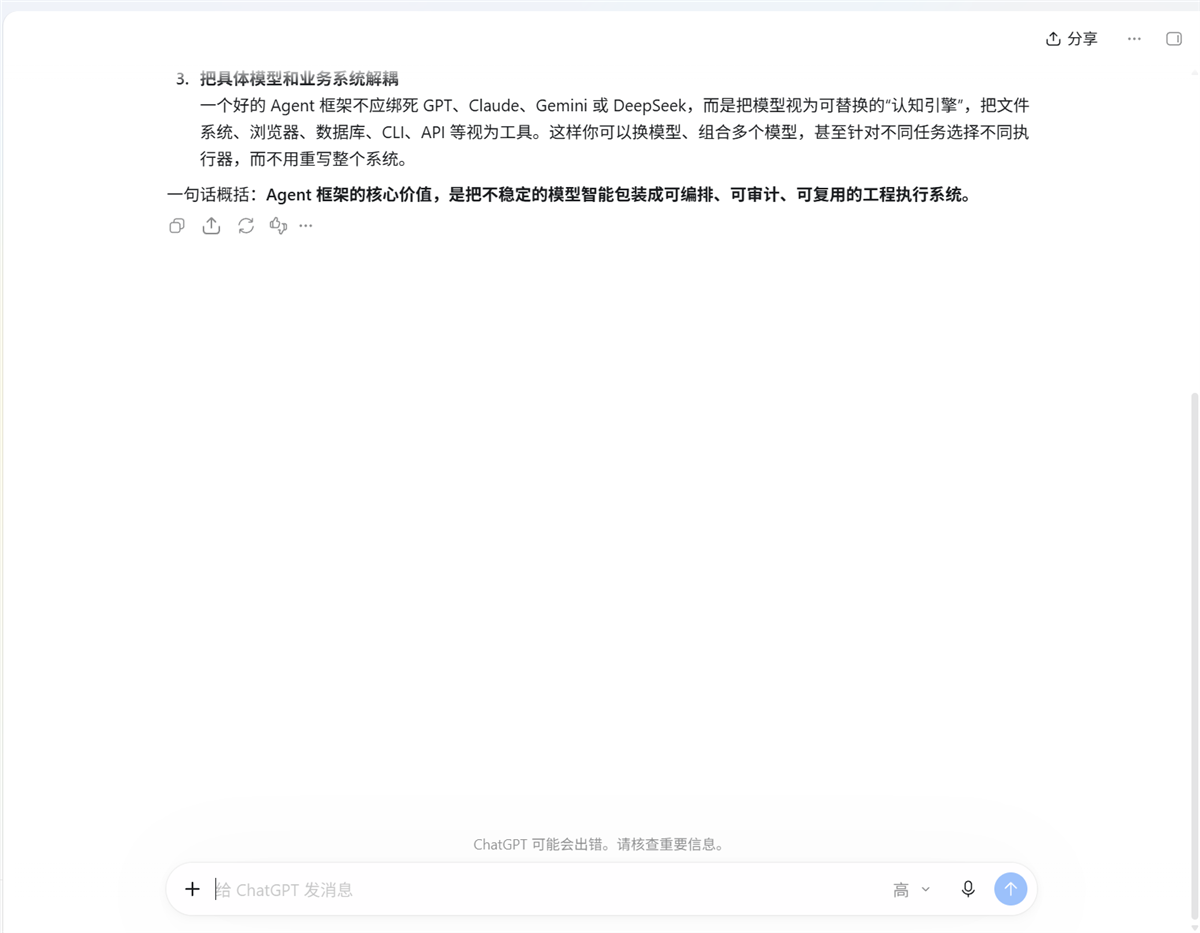
Measured against the ChatGPT desktop app: one long reply came back as 2,200 characters of quotable
text in a single ~280 ms call, where a screenshot costs an image, cannot be quoted exactly, and
captures whichever window happens to be on top. Document reading order puts the newest content last
and the app's own chrome first, so a tail read is clean by construction.
It is also more reliable than element search inside browsers. At one point the ChatGPT window's UIA
element tree had collapsed to 13 nodes — caption buttons and empty panes, the entire page gone —
while read still returned 25,722 characters of page text. So a find returning nothing in a
Chromium app does not mean the control is absent; it can mean the tree was never built.
wait state: "text_stable" replaces a guessed sleeps: it polls the text and returns it once it stops
changing (measured: 4 polls, 2.6 s on a settled page). And when the element tree is gone, writing can
still work — focus plus a physical type reaches the composer with real keystrokes.
Writing without the element tree
The other half of the same problem: when Chromium's tree collapses there is no element to address,
and activating a window does not give its input box keyboard focus — keystrokes sent after a
plain activation are dropped, Ctrl+A selects nothing, and Enter goes to whatever the app itself
had focused. That last one is exactly how a "sent" message quietly never sends.
So type and key accept an x/y point and click it first, which is what actually transfers
keyboard focus:
{"op": "type", "window": "ChatGPT", "mode": "physical", "x": 1436, "y": 1205,
 "text": "...", "verify": true}                       // click to focus, real keys, read back
{"op": "key", "keys": "enter", "window": "ChatGPT", "x": 1436, "y": 1205}
Measured on the ChatGPT app with its element tree down to 13 nodes: strategy: "physical.keystrokes",
focusClick: true, verified: true, and the text present in the composer afterwards. Long text can
go "via": "clipboard" — one clipboard write plus Ctrl+V instead of thousands of SendInput records
(the previous clipboard text is saved and restored).
Combined, a chat round needs no element tree at all: click-and-type, Enter, wait text_stable, read.
Two more things that only showed up under real use:
- The foreground is returned once per call, not once per step. Restoring it between steps of the
same batch hands the foreground to the user's window and the target app loses control-level focus —
so the next step's Enter or Ctrl+A lands nowhere. That is exactly how a "send" quietly does nothing.
Now the cursor is restored after every physical step and the foreground at the end of the call
(reported as
foregroundRestored); a step with restore: false opts out, which is how "leave this
app in front" is expressed.
- Pure stability settles on "still working".
wait state: "text_stable" was measured settling on
the ChatGPT app's "正在回应" placeholder — a stable short string — and returning a reply that had
not arrived. Pass guards:
{"op":"wait","state":"text_stable","absent":"正在回应","contains":"ChatGPT 说"}.
How background operation works
mode defaults to "auto": try the focus-free layers first, fall back to physical input.
mode: "background" refuses instead of silently taking your screen. mode: "physical" is the
only mode that really takes focus — and it hands it back.
| Action |
Layer 1 (no focus) |
Layer 2 (no focus, legacy controls) |
Layer 3 (borrows the desktop) |
| click |
UIA Invoke / SelectionItem / Toggle / ExpandCollapse |
BM_CLICK, WM_LBUTTONDOWN+UP straight to the control |
SetCursorPos + mouse_event |
| type |
UIA ValuePattern.SetValue |
WM_SETTEXT, verified by reading the control back |
SendInput per character (any Unicode, including CJK) |
| keys |
— (keystrokes must go through the OS input queue; there is no honest background form) |
— |
keybd_event |
| screenshot |
PrintWindow(PW_RENDERFULLCONTENT) for a window |
— |
CopyFromScreen |
Every background attempt has to prove itself: text written through WM_SETTEXT is read back and
compared before it counts as success.
Requirements
- Windows. (
apply() hard-checks process.platform.)
- Windows PowerShell 5.1 (
powershell.exe) as the engine — it ships UIAutomationClient and
System.Drawing; PowerShell 7 does not.
- dsh web on the
0.1.x line.
Install
dsh plugin --profile web add github:wwwort/dsh-win-computer-use
Once it is published to npm, dsh plugin --profile web add dsh-win-computer-use will work too.
Build
lib/ is committed, so installing never builds anything. To rebuild:
DSH_CHECKOUT=<dsh source checkout> bash scripts/build.sh
node scripts/preflight.mjs        # verifies the dsh.bundle manifest and the real pack list
Measured (2026-09-19, 2560×1600, Windows 11)
|
Result |
| A whole task, one call |
8 steps (launch app → wait → find field → type → click → read back label → capture): 1 call, 1.4 s |
| Background typing |
uia.valuePattern / win32.wm_settext, readback bg-typed 中文 OK, with the target never in the foreground; the foreground stayed on the user's own window |
| Background click |
win32.bm_click; the app's own click counter went to 1 |
| Offscreen capture |
a window covered by another app captured intact (source: "printwindow") |
| Cold vs warm call |
~800 ms (one-shot process) → 42–104 ms (warm engine) |
| Engine edit |
changing win.ps1 made the next call retire the old engine and start a fresh one; 1 log line, no retry storm |
| Rounds 2–3 above |
the follow-up referenced the previous answer — the same session, driven entirely by tool calls |
The screenshots in this repository are real captures from that run, cropped to remove unrelated
desktop content.
Known limits
- Windows only.
key has no background implementation — use type (value write) or click (Invoke) when you
need zero disturbance.- Legacy controls (WinForms and friends) often expose no UIA patterns at all and appear as
Pane; those go through the Win32 message layer. Chromium render widgets ignore WM_SETTEXT,
so browser pages need UIA ValuePattern or physical input.
- A contenteditable field can accept
SetValue yet keep reporting its placeholder. type therefore
returns verified: true|false plus a note rather than implying success.
- Concurrency with a human: "move the pointer, then click" is not atomic, so the engine refuses
to click when the pointer did not arrive, and reports where it actually is.
- UIA traversal can take hundreds of milliseconds on a complex window;
uia truncates at
max_nodes and says so.
- Window titles are matched by substring, and a zero-width character breaks the match — Edge's own
title contains one.
windows restore activates the window (SW_RESTORE); a minimized window cannot be captured
meaningfully without restoring it first.
License
BSD-3-Clause.


