

其他
插件

dsh-bili-scroll
c1overzz
DSH 插件:每天替你刷一轮 B站,读字幕挑出值得的、写一份日报,值得的 @ 你
PROJECT TOPICS
INSTALL REFERENCE
dsh plugin --profile web add github:wucl12/dsh-side-branch
该命令指向仓库当前默认分支;尚无绑定当前 commit 的完整验证结果。
PROJECT README



English | 简体中文
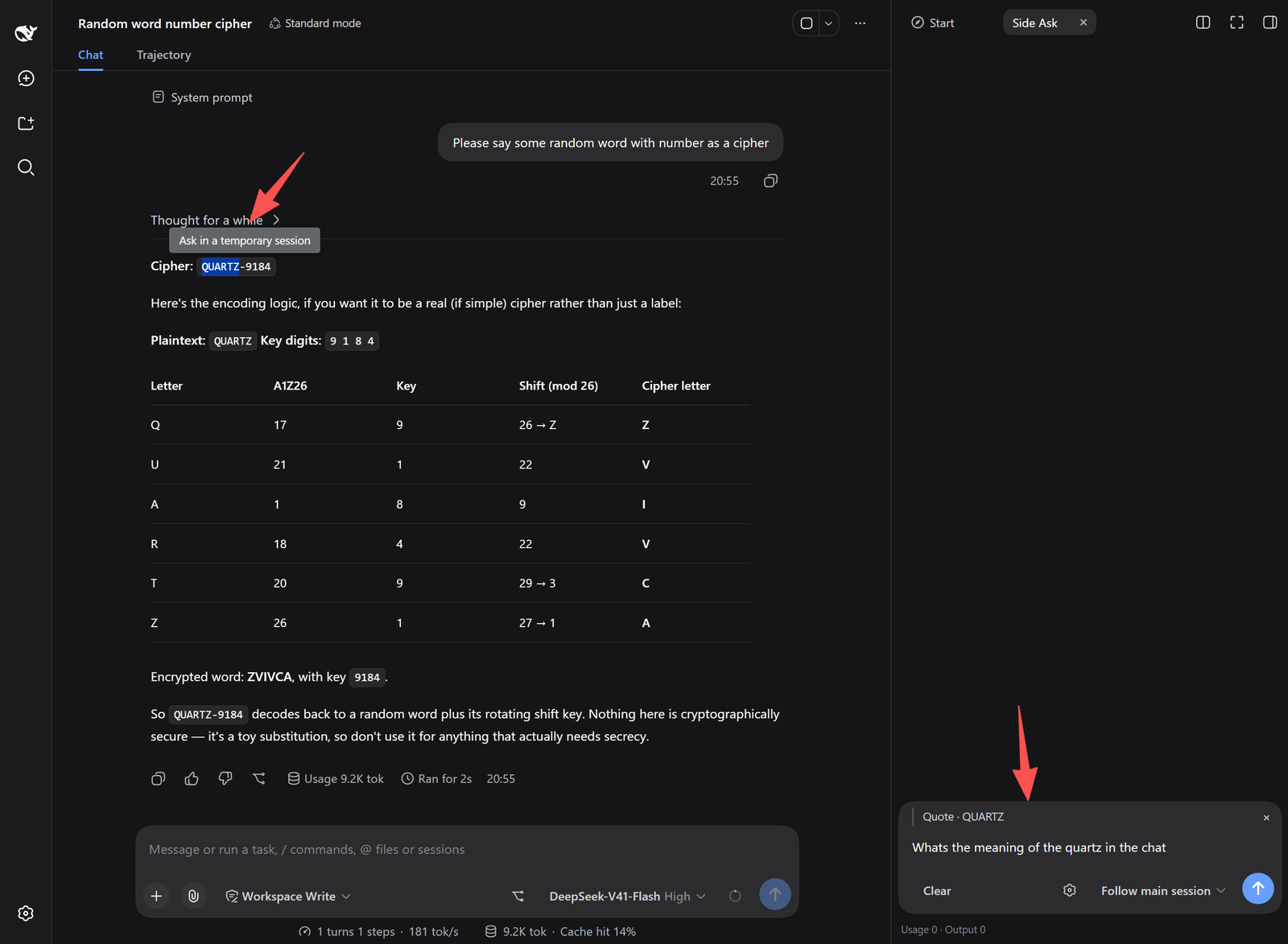
Quote any passage in the main session and ask about it in a read-only branch in the right sidebar. The answer streams there — and never enters the main session's model context.
You know the moment: the agent is mid-refactor and you just want to ask "where else is this function used?" — without the main session remembering the question, and without re-processing a long, expensive context for a side query.
dsh plugin --profile web add dsh-side-branch
# then restart DSH — client plugins load at startup; refreshing the browser is not enough
--profile should be the profile you actually run (web, desktop, …). Requires Node.js ≥ 20 and pnpm on your PATH.
Written by the agent itself. Every line of code in this repository was written by DSH in a real session. The author's part was the workflow: setting the direction, reviewing the plans, and verifying the behaviour by hand. See How this was built.
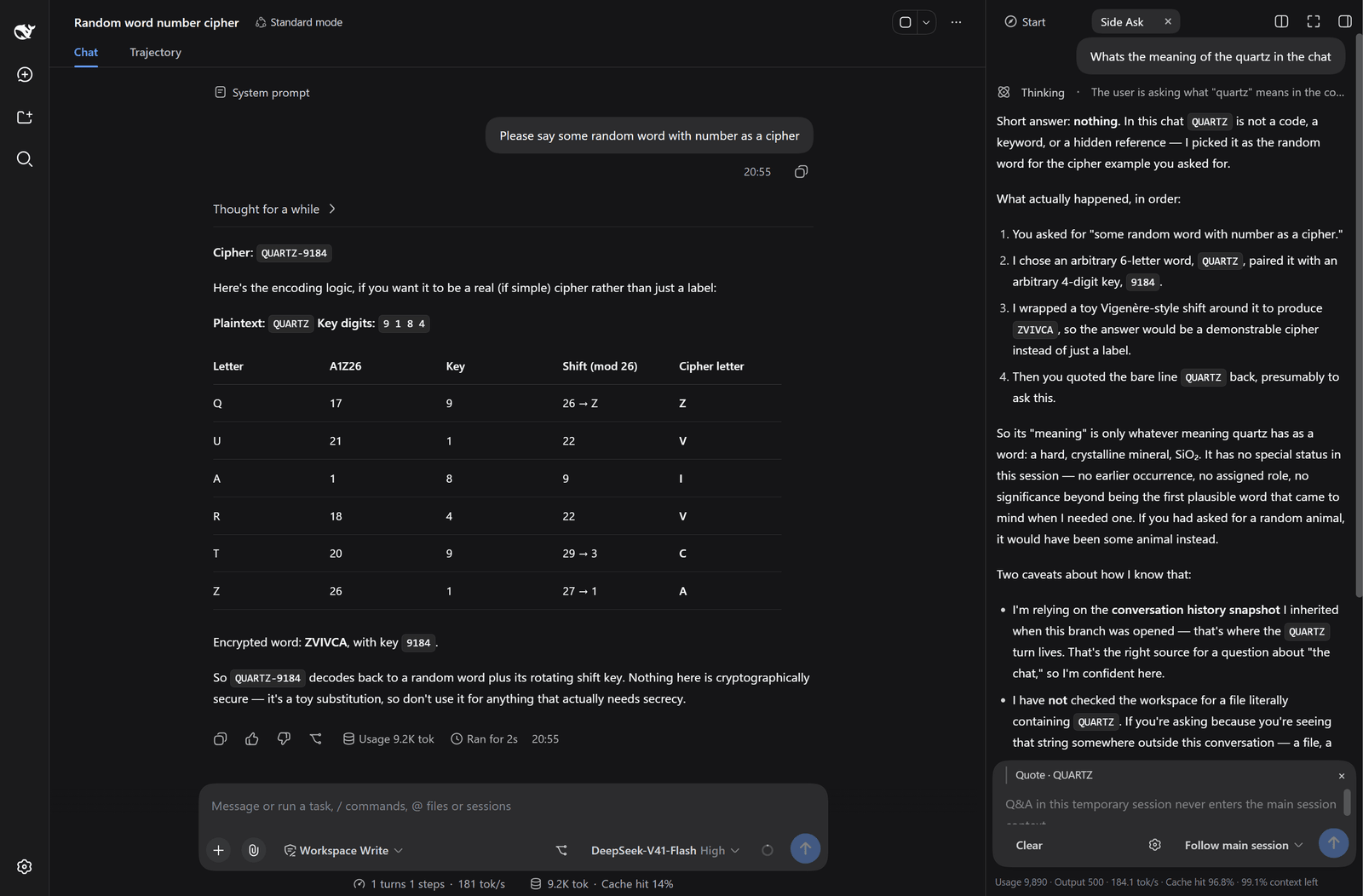
The answer never comes back. The host never writes the branch's output into the parent session. What you ask in the branch stays in the branch — the main agent will not suddenly "know" what you discussed on the side.
It cannot touch your files. Read-only is enforced when a tool is called, not by hiding tools from the prompt. ctx.tools.guard() passes six side-effect-free tools (read, glob, grep, web_search, web_fetch, lsp) and refuses everything else. Because the tools stay in the prompt, the branch's prompt prefix is byte-identical to the main session's, so it keeps hitting the parent's prefix cache — measured 97%–98%, which is what makes a side question nearly free. Why it works this way, and what it costs, is in docs/TECHNICAL.md.
It follows the main session. Every follow-up rebuilds the branch from the main session's latest settled turns and replays the branch's own earlier questions and answers into it. A turn the main session just finished is already visible; something you asked three rounds ago is still remembered.
You can inspect what it was given. Expand Inherited from the main session to see, turn by turn, what the branch actually received — plus the preamble injected into its prompt, verbatim.
# npm
dsh plugin --profile web add dsh-side-branch

# or straight from GitHub
dsh plugin --profile web add github:wucl12/dsh-side-branch
Use the profile you actually run (web, desktop, …). Then restart DSH — client plugins load at startup, and refreshing the browser is not enough.
Prerequisites: Node.js ≥ 20, and pnpm on your PATH (dsh plugin forwards to pnpm).
Also available from a marketplace — dsh-market and the awesome-dsh-plugin catalog both list it.
🤖 Prompt for AI agents: if you are the agent installing this plugin or reading its source, read
AGENTS.mdfirst — it carries the hard constraints, the architecture, and the installation guide.
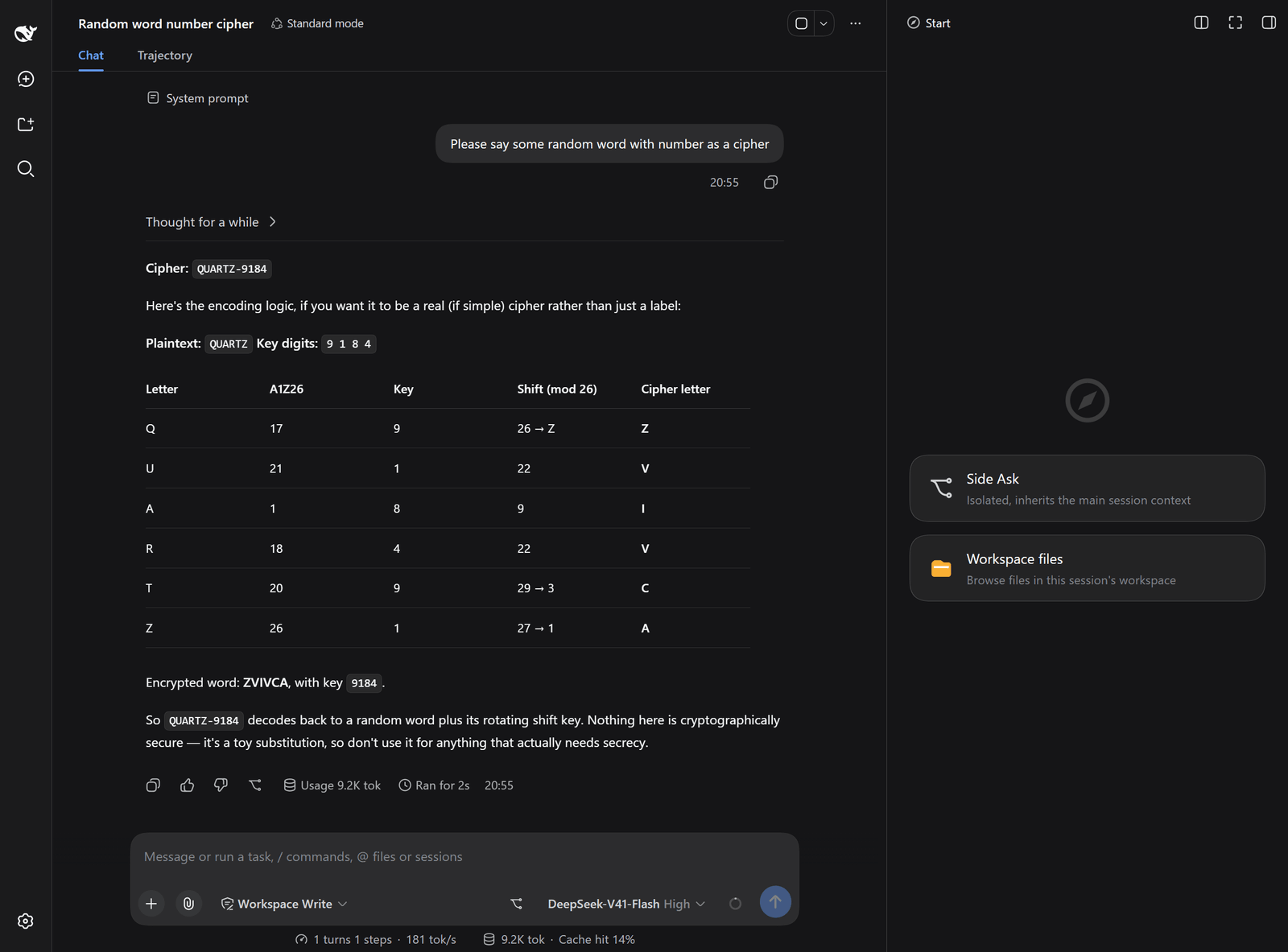
↗ button to the right of the main session's input opens the panel directly (can be disabled in settings).
| DSH | Status |
|---|---|
0.1.5-rc.2 |
✅ verified |
0.1.7-rc.2 |
✅ verified (archive gate) |
0.2.0-rc.2 |
✅ verified — loads, /side-branch routes register, panel exercised by hand |
0.2.1-rc.3 |
✅ verified — loads, /side-branch routes register and answer (200 / 405 + Allow), and the served client bundle carries the scoped quote entry |
The version-dependent seams (the archive gate, unarchiveSession) are feature-detected at runtime rather than compared by version number, which is why one published version serves all four. Details in docs/TECHNICAL.md.
The quote entry added in 0.2.2 needs the conversation-surface markers DSH renders around a session's body ([data-conversation-content], or [data-conversation-scroll] on older hosts). On a host that renders neither, the entry stays hidden rather than guessing — everything else in the plugin is unaffected.
web_fetch / web_search still have network access, and read can read any file the process can. The allowlist is hardcoded and cannot be relaxed through settings.turn/end) — but quoting it by hand is unaffected: the limit is on seeing it automatically, not on being able to quote it.DSH_HOME and run at once, that sweep skips entirely — a second DSH never has its live branches deleted.used figure it reports is an estimate, so it will not match the real usage once a turn settles.ptc preset (a code-execution-only tool surface), the branch falls back to plain text Q&A, because run_code is always refused.Side-chat plugins here differ mainly in where the answer ends up and what the side session is allowed to do.
Side Ask (dsh-side-branch) |
dsh-sidebar-qa |
dsh-selection-toolbar |
|
|---|---|---|---|
| Where the answer ends up | A separate branch; the host never writes it back | A separate DSH session | The current conversation — the selection is sent as a user message |
| Tool access of the side session | Six side-effect-free tools; writes refused when called | Not stated in its README | Same session, so the full tool set |
| Sees the main session's newest settled turns | Every follow-up (forced rebuild) | Optional — full inherit / summarize / truncate | Yes — it is the same session |
| Nested follow-ups / follow-up history tree | No | Yes | No |
| Runtime dependencies | none | none (since 1.0.0) | — |
The other two columns are what those projects' public READMEs said at the time of writing, and may have moved on since. One row is deliberately a loss:
dsh-sidebar-qadoes nested follow-ups, this plugin does not. The table is here to help you choose, not to rank anyone.
This plugin is a dogfooding result: the entire codebase — host half, client half, and the self-checks under scripts/ — was written by DSH itself, working against the contracts in AGENTS.md. No line of code was written by hand.
The human part was the workflow around it: choosing what to build, setting the direction, reviewing each plan before it was carried out, and verifying the result by hand in a real session. When that verification found something wrong, it went back as a requirement — which is how the archive-gate fix, the multi-segment answer bug and the re-fork design were found.
docs/TECHNICAL.md: full technical reference — prefix-cache mechanics, the read-only enforcement pipeline, PTC behaviour, and every known limitation.AGENTS.md: the architecture contract and hard constraints the agent worked from.SECURITY.md: security commitment scope and vulnerability reporting channels.docs/CHANGELOG.md: release history.CLASSIFICATION EVIDENCE
系统优先读取 GitHub Topics,再与站内分类词典和词根规则比对。当前命中: 无有效分类标签。
c1overzz
DSH 插件:每天替你刷一轮 B站,读字幕挑出值得的、写一份日报,值得的 @ 你

hellowind777
一个自主的高级智能伙伴,不仅分析问题,更持续工作直到完成实现和验证。

xing-shuyin
Just open your browser — get all your work done.