模型与 MCP
待识别

rea
morluto
Reverse engineer anything with agents, from app behavior down to native binaries.

wu04186767/dsh-plugin-macos
Native macOS tools for DeepSeek Harness agents: 21 local tools for notifications, clipboard, screenshots, speech, keep-awake, dark mode, Spotlight, Shortcuts, AppleScript and Safari control. Zero dependencies.
PROJECT TOPICS
INSTALL REFERENCE
dsh plugin --profile web add github:wu04186767/dsh-plugin-macos
该命令指向仓库当前默认分支;尚无绑定当前 commit 的完整验证结果。
PROJECT README
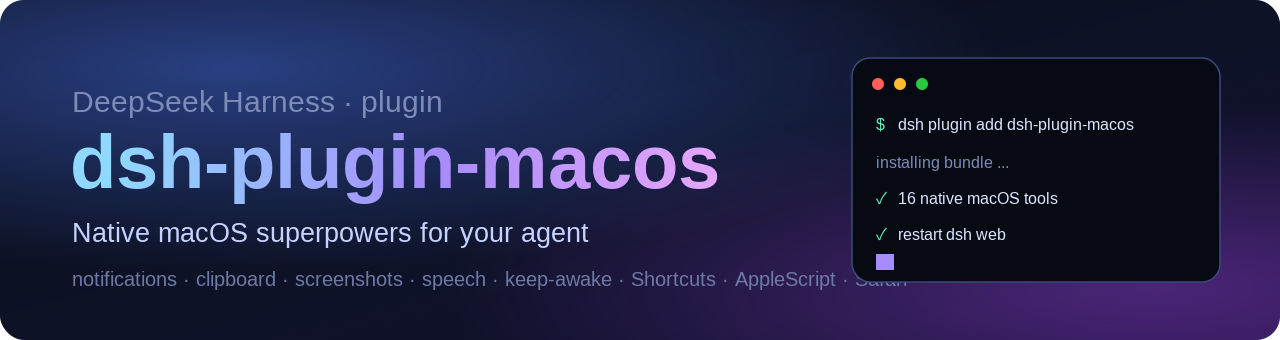
Native macOS superpowers for your DeepSeek Harness agent.
21 local tools for notifications, clipboard, screenshots, speech, keep-awake, dark mode,
Spotlight, Shortcuts, AppleScript and Safari control.




English | 中文
Your agent can write code. This gives it hands on your Mac.
DeepSeek Harness (dsh) agents can already run bash, but every native macOS action still means
hand-writing AppleScript. dsh-plugin-macos packages the 21 chores you keep asking an agent to do into
typed, model-facing tools — notifications, clipboard, screenshots, speech, keep-awake, appearance,
Spotlight, Shortcuts, AppleScript and real Safari tabs. Everything runs locally through
child_process and osascript: no cloud service, no browser extension, no accessibility tree, no build step,
no npm dependencies.
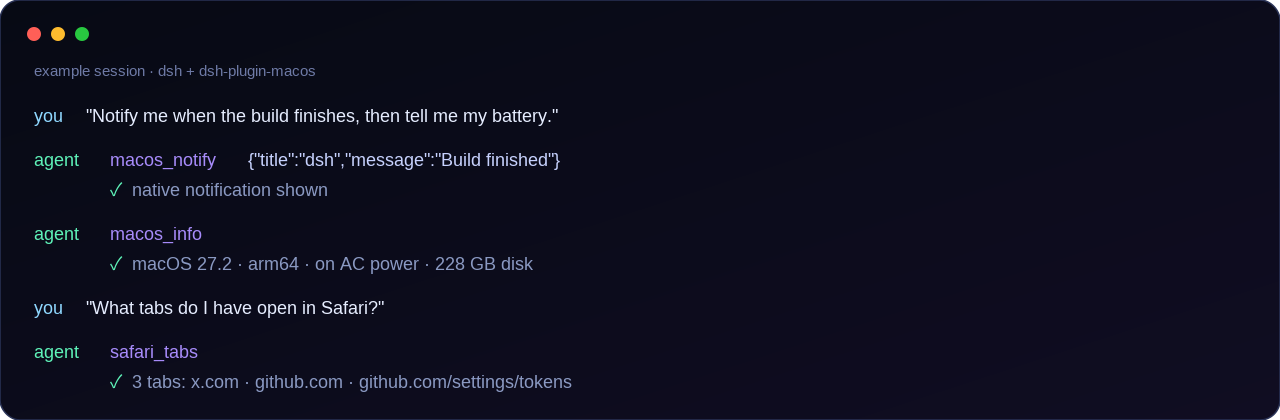
git clone, add the bundle, restart. No compile, no install scripts.| Tool | What it does | Notes |
|---|---|---|
macos_info |
macOS version, chip, hostname, uptime, battery source, disk, memory | read-only |
macos_network |
hostname, primary interface, IPv4, current Wi-Fi SSID | read-only |
macos_processes |
top processes by CPU or memory | read-only |
macos_spotlight | search files with Spotlight (mdfind) |
read-only | |
macos_finder_path |
POSIX path of the front Finder window | read-only |
macos_frontmost_app |
name of the frontmost application | read-only |
macos_screenshot |
capture the screen (or a region) to a PNG, return its path | Screen Recording |
| Tool | What it does | Notes |
|---|---|---|
macos_notify |
native notification banner with optional sound | Automation |
macos_say |
speak text with the system voice | |
macos_clipboard_read |
read the clipboard text | read-only |
macos_clipboard_write |
replace the clipboard text | |
macos_volume |
get or set output volume 0–100 | |
macos_dark_mode |
get or set dark mode | Automation: System Events |
macos_keep_awake | keep the Mac and display awake (caffeinate), stop, or report status |
||
macos_shortcuts |
list the user's Shortcuts, or run one by name | |
macos_open |
open a URL, file, folder or application | |
macos_applescript |
run an AppleScript or JXA snippet and return stdout | powerful |
| Tool | What it does | Notes |
|---|---|---|
safari_tabs |
list every Safari window and tab, plus the active tab | Automation: Safari |
safari_open |
open a URL in a new tab or the current tab | |
safari_page_text |
read the visible text of the front page | |
safari_javascript |
evaluate JavaScript in the front tab and return the result | needs one Safari setting |
Safari tools drive your real, logged-in Safari — no extension, no cloud browser, no API key.
Requirements: macOS 13 or newer, DeepSeek Harness 0.2.x, and the Node runtime bundled with dsh.
dsh plugin --profile web add github:wu04186767/dsh-plugin-macosUse --profile desktop if you run the DeepSeek Harness desktop app, then restart the app
(or dsh --profile web) so the bundle loads.
git clone https://github.com/wu04186767/dsh-plugin-macos.git
dsh plugin --profile web add ./dsh-plugin-macosdsh --profile web --dump-config | grep dsh-plugin-macosYou should see the plugin row in the composed profile, and the plugin appears under Settings → Plugins in the Web UI. Then ask your agent something like:
Use the macos_info tool and tell me how much disk space I have left.
The first call to some tools triggers a one-time macOS consent prompt. Allow it for the application that hosts dsh (DeepSeek Harness, or your terminal if you launched dsh from one):
| Permission | Used by | Where to grant / revoke |
|---|---|---|
| Automation → Safari | safari_* tools |
System Settings → Privacy & Security → Automation |
| Automation → System Events | macos_dark_mode, macos_frontmost_app |
same |
| Automation → Finder | macos_finder_path |
same |
| Screen Recording | macos_screenshot |
System Settings → Privacy & Security → Screen Recording |
| Safari developer setting | safari_javascript |
Safari → Settings → Developer → Allow JavaScript from Apple Events |
Run node scripts/doctor.mjs from a checkout to exercise every permission-dependent tool once and see
exactly which permissions macOS currently allows.
The plugin makes no network requests and stores no telemetry.
These tools act on your Mac with the same authority as the dsh process that loads them — just like the
built-in bash tool. A few practical notes:
macos_clipboard_read can expose passwords or tokens you copied earlier.macos_applescript can automate almost any Mac app; treat it as arbitrary local automation.@deepseek-ai/dsh-tools 0.2.1-rc.5 and
0.2.2-rc.1: all 21 model-facing schemas register, and the tools execute and dispose correctly.git clone https://github.com/wu04186767/dsh-plugin-macos.git
cd dsh-plugin-macos
node test/smoke.mjs # exercises the read-only tools against your Mac
node scripts/doctor.mjs # permission health check: runs every permission-dependent tool onceindex.js tool definitions (name, description, JSON schema, execute)
lib/define.js zero-dependency builder for dsh-ready tool definitions
lib/tools.js the actual macOS work (argv arrays + osascript)
lib/exec.js process / AppleScript helpers and permission messages
test/smoke.mjs registration + live read-only checks
scripts/doctor.mjs permission health check
locale/ English and Chinese plugin metadata
cordis.patch.yml bundle patch that inserts the plugin into a dsh profileIssues and pull requests are welcome — especially reports for older macOS versions and new tool ideas.
MIT © 2026 wu04186767
Built with DeepSeek Harness, on a Mac, by an agent and a human.
CLASSIFICATION EVIDENCE
系统优先读取 GitHub Topics,再与站内分类词典和词根规则比对。当前命中: deepseek-harness。
morluto
Reverse engineer anything with agents, from app behavior down to native binaries.

deepseek-ai
DeepSeek Harness: Everything is a Plugin.

nexu-io
The 1st Collaborative AI Design Agent Workspace. Local-first and open source. Create motion, prototypes, websites, apps, dashboards, presentations, images, and videos with your team and AI agents. Share work, exchange feedback, and iterate together in one workspace.