
其他
完整应用

deepseek-harness
deepseek-ai
DeepSeek Harness: Everything is a Plugin.
PROJECT TOPICS
INSTALL REFERENCE
dsh plugin --profile web add github:wozoulesky/dsh-obsidian
该命令指向仓库当前默认分支;尚无绑定当前 commit 的完整验证结果。
PROJECT README
Embed your locally running DeepSeek Harness (DSH) into Obsidian as an AI collaborator: your vault becomes its working directory, and DSH can read, write, and search your notes directly.
Most Obsidian ↔ agent bridges wrap a web UI or shell out to a CLI. This one is a native client: it speaks DSH's own RPC and event stream, then renders everything with Obsidian's own UI.
Cmd+Z undoes it.401 / 404 / connection-refused are translated into an actionable conclusion (Settings → Diagnose connection).The plugin is a client, not a runtime: it needs a local DSH to talk to (see Prerequisites). If something looks wrong, the diagnose button will tell you which of the two it is.
http://127.0.0.1:19387, the dsh web command defaults to http://127.0.0.1:3080. On startup the plugin auto-detects both (desktop first) and writes the working one back to settings — you normally don't need to type an addressConversation
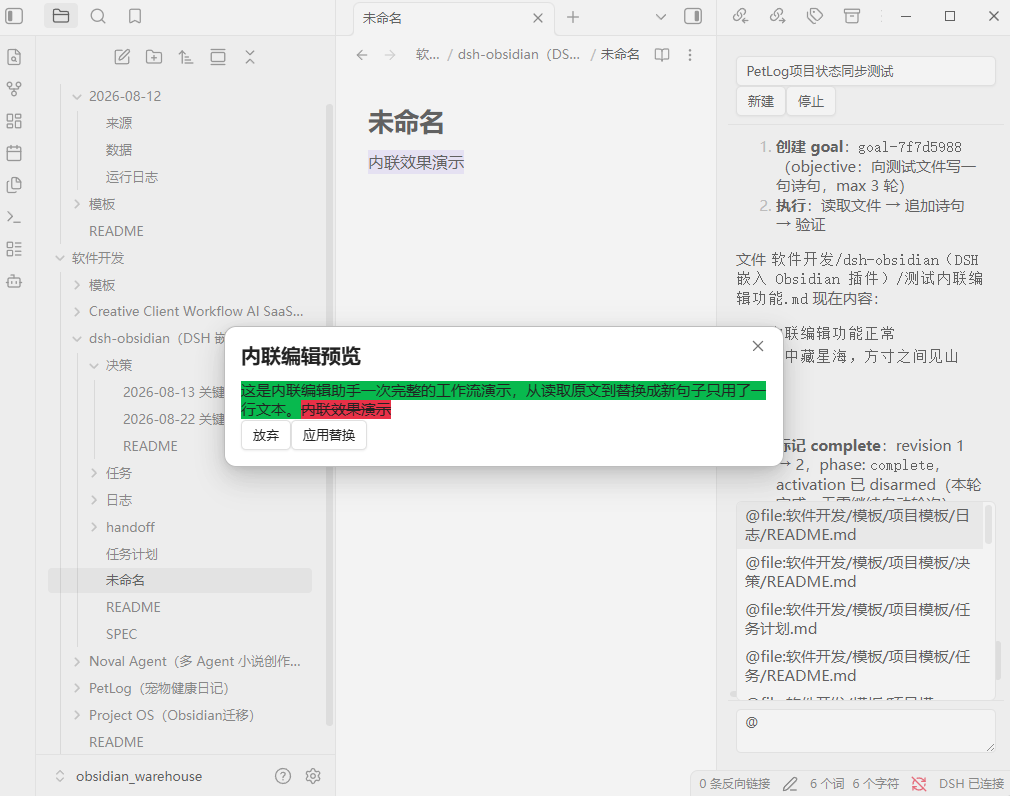
Editing your notes
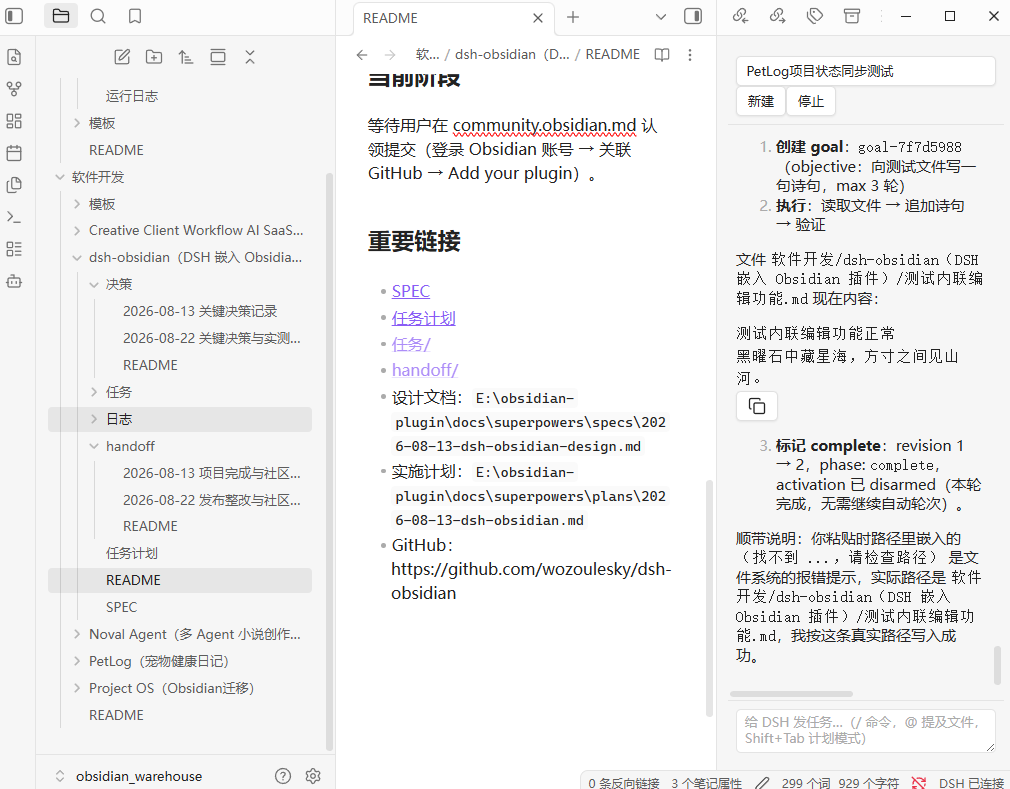
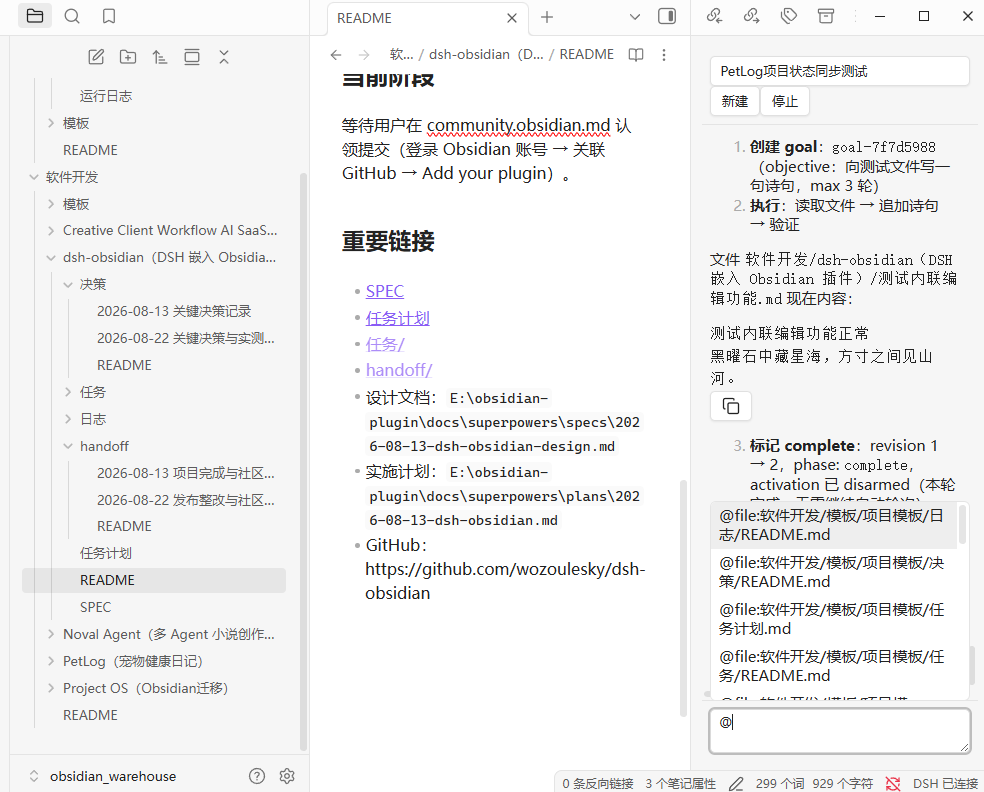
@ to pick vault files (@file:path, content injected) or folders (@folder:path, directory tree injected), with truncation and missing-file notices/clear; Shift+Tab toggles plan mode with a status bannerContext & control
Long sessions stay bounded: when DSH compacts history, replaced messages collapse into the summary instead of piling up.
| Chat sidebar | @ Mention picker |
|---|---|
 |
 |
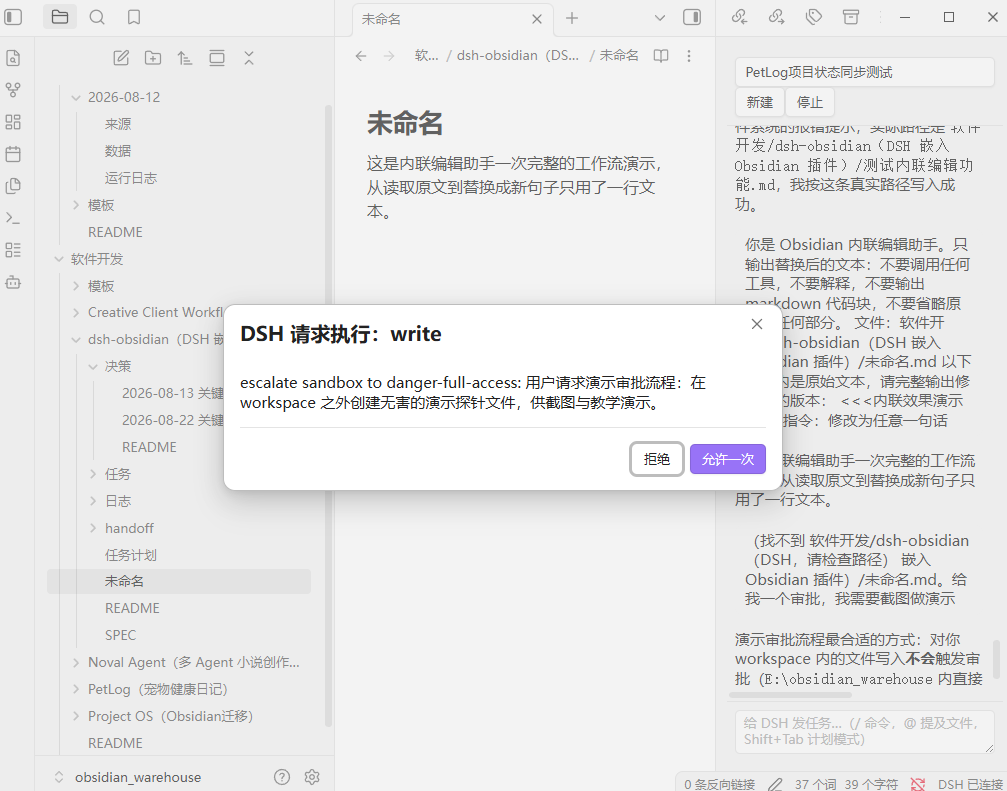
| Inline edit diff preview | Approval popup |
|---|---|
 |
 |
| Thinking process & context usage | Todos & goal |
|---|---|
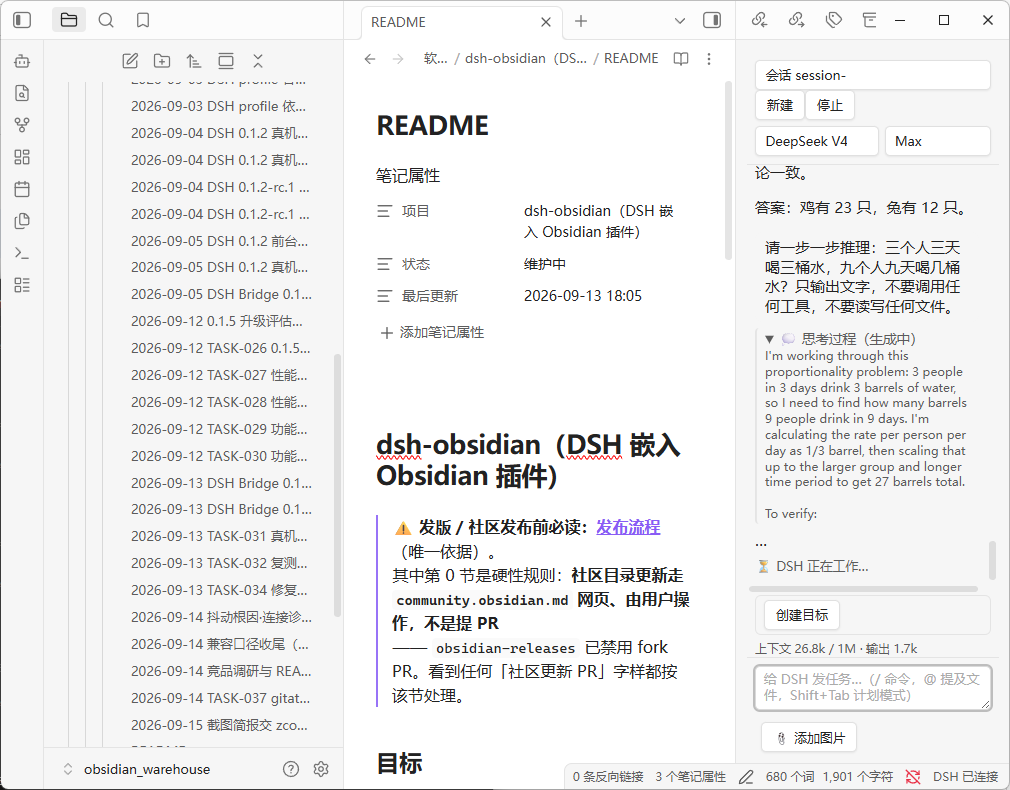 |
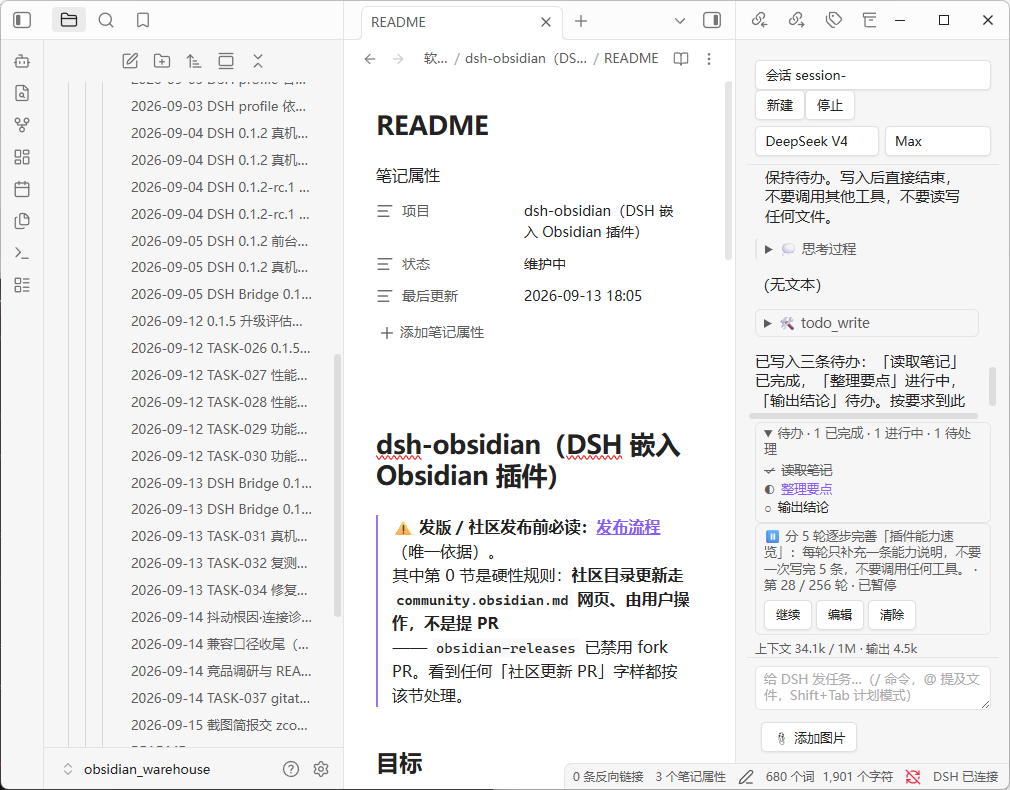 |
| Model & reasoning effort | Connection diagnosis |
|---|---|
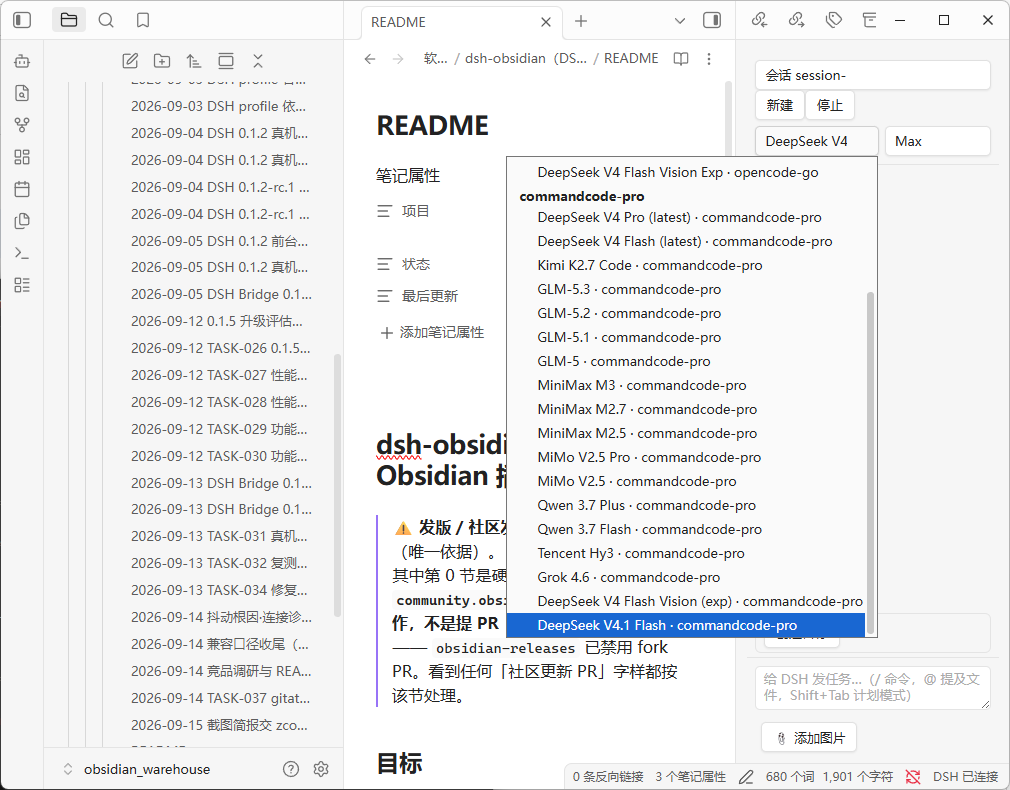 |
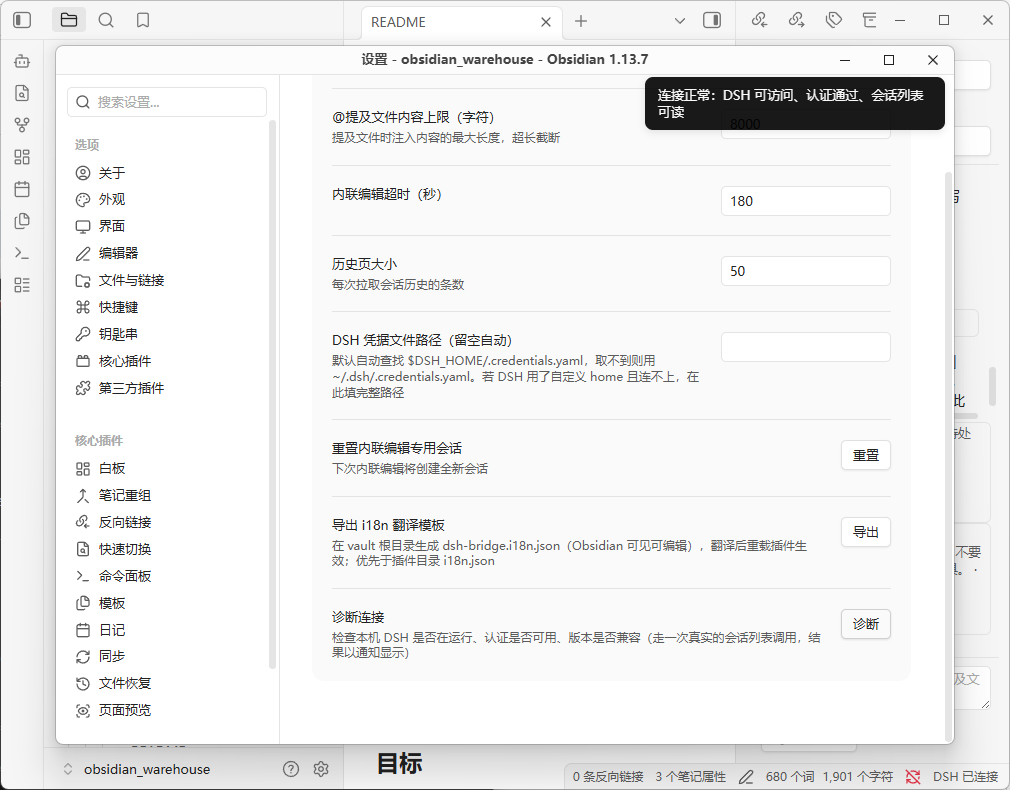 |
http://127.0.0.1:19387 for the desktop app, http://127.0.0.1:3080 for dsh webPrefer a manual install? Grab the latest artifacts from the GitHub releases page and extract them into vault/.obsidian/plugins/dsh-bridge/.
npm install && npm run buildmain.js, manifest.json, and styles.css into vault/.obsidian/plugins/dsh-bridge/All data flows through your local DSH to its configured model providers, using the same policy as the DSH Web GUI. The plugin sends no telemetry.
The plugin ships with all UI strings in a key-value table (built-in default: Chinese). To switch the UI to another language:
dsh-bridge.i18n.json at the root of your vault (visible in Obsidian's file explorer).The vault-root file takes priority; a legacy i18n.json inside the plugin directory (.obsidian/plugins/dsh-bridge/) is still read as a fallback. Missing keys or invalid JSON silently fall back to the built-in defaults. In v0.1.x, model-facing instructions (inline-edit prompt, @mention expansion) intentionally remain in Chinese; the UI-only string table is safe to translate.
npm install
npm run dev    # watch build
npm test # unit testsTransport: unary RPC over Node http (POST /api/<namespace>/<method> with {args} payload + self-signed browser-session cookie); live streams over a bundled ws WebSocket (/api/remote.mux — session/follow, session/control, $events). A core layer folds session events into view models; a UI layer renders the sidebar and modals.
| DSH version line | Plugin version | Status |
|---|---|---|
0.2 line (verified on 0.2.0-rc.2) |
0.1.8+ (current) | ✅ Protocol-layer verification and in-Obsidian UI acceptance both pass (2026-10-01): the plugin's own code connected to a live 0.2.0-rc.2 over real HTTP + WebSocket — authentication, all 18 RPC endpoints, and the $events / session/control / session/follow streams pass; and a real Obsidian 1.13.7 accepted @-mentions, streaming output, approval-gated file writes, inline-edit diff, and port auto-detection. 0.2 did not change auth, the RPC envelope, or the WS frame protocol, so no upgrade work is needed. The one gotcha is the port: the desktop app pins 19387, dsh web defaults to 3080 — the plugin auto-detects it (desktop first), so you normally don't set it by hand. Per-item record and verification boundaries: docs/dsh-0.2-compat-audit-2026-10-01.md |
0.1.5 line (verified on 0.1.5-rc.1) |
0.1.6+ (incl. 0.1.7) | ✅ Verified end to end on a real vault (2026-09-13): streamed output, approvals, inline-edit diff, reconnect |
0.1.2 line (0.1.2-rc.1, 0.1.2) |
0.1.5+ | ✅ Supported — the contract this plugin was built against. 0.1.6+ keeps it working through capability probing: the 0.1.5 streaming channel is requested field by field and dropped automatically if the server rejects it. Verified on a real machine at plugin 0.1.5, covered by unit tests since |
before 0.1.2 (e.g. 0.1.0-rc.6) |
≤ 0.1.4 | ❌ Not supported — returns 401/404. Upgrade DSH, or stay on plugin 0.1.4 |
| newer than 0.2 (0.3+) | latest plugin | ⚠️ Unverified — DSH ships often and has already changed this plugin's contract twice (0.1.2 → 0.1.5). If the panel breaks after a DSH upgrade, check for a plugin update first |
Direct filesystem access (disclosed for community review): DSH's browser-session authentication requires reading the signing secret from ~/.dsh/.credentials.yaml (the DSH process's credentials store, outside the vault). The plugin reads this file read-only — it never writes, never logs its contents, and only uses the secret to sign the per-request cookie required by DSH's browser-session API (0.1.2-rc.1 onwards). The vault API cannot reach this path (it is outside the vault root), so Node fs is required for this one purpose.
CLASSIFICATION EVIDENCE
系统优先读取 GitHub Topics,再与站内分类词典和词根规则比对。当前命中: 无有效分类标签。
deepseek-ai
DeepSeek Harness: Everything is a Plugin.

anywhere-labs
为 DeepSeek Harness (DSH) 插件生态打造的现代化桌面端解决方案。万物皆「插件」,桌面本身也是「插件」。

walkinglabs
Harness engineering beginner tutorial, from 0 to 1