
模型与 MCP
待识别

rea
morluto
Reverse engineer anything with agents, from app behavior down to native binaries.
PROJECT TOPICS
INSTALL REFERENCE
dsh plugin --profile web add github:wisqqud/dsh-discord-rich
该命令指向仓库当前默认分支;尚无绑定当前 commit 的完整验证结果。
PROJECT README
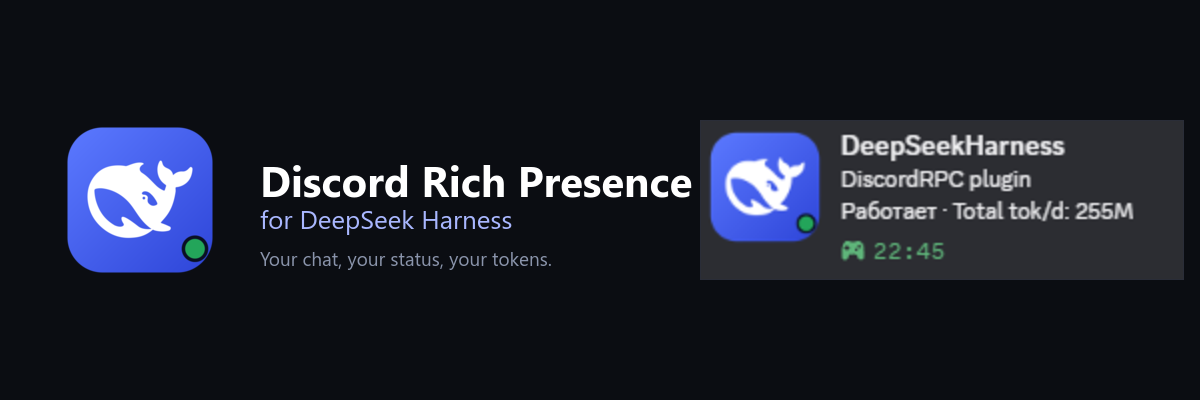



Your chat, your status, your tokens — right in Discord.
You know that moment when you look at your Discord profile and it still says "Playing: nothing in particular"? This plugin fixes that small, silly thing.
While you work in DeepSeek Harness, your Discord card quietly shows the chat you have open, whether the agent is working, how many tokens you have used today, and a timer that starts with the turn. No commands, no copy-paste, no dashboards.
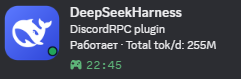
The real card, captured from Discord. The screenshot is in Russian; the plugin also speaks English and Chinese.
Working while the agent is running, Idle when it is
waiting for you.Total tok/d is the token total for today, not a
lifetime number that never changes.Clone the repository:
git clone https://github.com/MakotoNikki/dsh-discord-rich.gitIn DSH Desktop, open Plugins and install the dsh-discord-rich folder as
a bundle. If you prefer a package, run npm pack in the folder and install
the resulting .tgz.
Restart DSH Desktop.
Keep Discord open. Any client with local Rich Presence IPC works: Stable, PTB, Canary, Vesktop, Equicord, and friends.
Open Settings → Discord Rich Presence. The status dot should turn green and the preview should show your chat. That is it.
The card already works with the shared Application ID. You do not need to create a Discord application just to try it.
The name at the top of the Discord card is the name of the Discord application, not something the plugin invents. The shared app is called DeepSeekHarness. If you want your own name, avatar, or assets:
The settings header has a small RU / EN / CN switch. It changes everything at
once: the settings page and the Discord card. The choice is saved in the plugin
config, and EN is used when nothing has been chosen yet.
| Language | Status | Tokens today | Hover text |
|---|---|---|---|
| English | Working / Idle |
Total tok/d: 255M |
1.2M tokens in this chat |
| Русский | Работает / Ожидает |
Токенов за день: 255M |
1.2M токенов за чат |
| 中文 | 工作中 / 空闲 |
今日 Token:255M |
本聊天 1.2M token |
Discord can show a small tooltip when someone hovers over the large image. To make it show the token count for the current chat:
assets/icon-1024.png with the key dsh.dsh.If you use the shared app, the dsh asset may already be there. If hover does
nothing, a custom app with your own uploaded asset is the reliable option.
Everything is local.
| What you see | What to try |
|---|---|
| Nothing appears in Discord | Make sure Discord is running, then restart DSH Desktop. Check that the status dot is green in the plugin settings. |
| The card says "DeepSeekHarness" | That is the shared app's name. Create your own Discord application to use a different name. |
| The status is stuck on "Connecting" | Click Reconnect in the settings. Make sure Discord's Activity Privacy → Share your detected activities is enabled. |
| Hover does nothing | Upload the icon as an Art Asset with the key dsh and set the same key in the plugin settings. |
| The chat title is wrong | Switch to another chat once, or wait for the 15-second refresh. The card follows the active tab, not the last message. |
| The old app name is still cached | Quit Discord completely and start it again. |
The web part of the plugin sits in the session header and reports which chat is open to the host. The host reads DSH's built-in session projection cache (or the native session log if that cache is unavailable), builds the activity, and sends it to Discord through the local IPC socket. No server, no account, no cloud.
index.js          host: Discord IPC, usage cache, HTTP API
client.js         settings page, language switch, active-tab reporter
locale/           en / ru / zh plugin metadata
assets/           plugin icon and Discord Art Asset
test.mjs          activity and session-selection tests
npm run check
npm testMIT. See LICENSE. The code is free to use, change, and share.
The icon uses the DeepSeek whale mark. DeepSeek and the whale logo belong to DeepSeek; Discord belongs to Discord Inc. This is an unofficial community plugin, not affiliated with or endorsed by either company.
CLASSIFICATION EVIDENCE
系统优先读取 GitHub Topics,再与站内分类词典和词根规则比对。当前命中: deepseek、deepseek-harness。
morluto
Reverse engineer anything with agents, from app behavior down to native binaries.

deepseek-ai
DeepSeek Harness: Everything is a Plugin.

nexu-io
The 1st Collaborative AI Design Agent Workspace. Local-first and open source. Create motion, prototypes, websites, apps, dashboards, presentations, images, and videos with your team and AI agents. Share work, exchange feedback, and iterate together in one workspace.