
模型与 MCP
待识别

rea
morluto
Reverse engineer anything with agents, from app behavior down to native binaries.

wilsonchengassistant/dsh-file-download
Download any file the DSH Sidebar previews (PDF, XLSX, DOCX, images, binaries) to a remote browser: an authenticated streaming attachment route plus a Download control in the preview header and the unpreviewable state.
PROJECT TOPICS
INSTALL REFERENCE
dsh plugin --profile web add github:wilsonchengassistant/dsh-file-download
该命令指向仓库当前默认分支;尚无绑定当前 commit 的完整验证结果。
PROJECT README
Download any file the DSH Sidebar previews — PDF, XLSX, DOCX, images, HTML, text, or a binary no renderer claims — straight to the browser you are reading from.
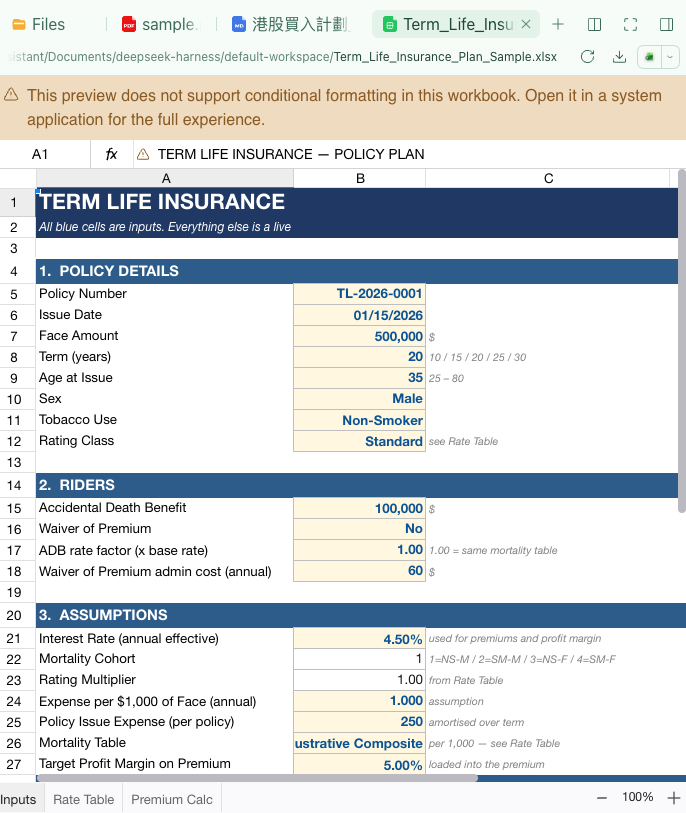
DeepSeek Harness's document preview renders a file instead of handing it to you: an XLSX becomes a grid, a PDF becomes pages, an image becomes pixels. When the reader is not sitting at the Host — a phone, another laptop, a Tailscale peer — there was no way to keep a copy:
/api/file is not a workaround either: it answers with the file's own
Content-Type and no Content-Disposition, so the browser renders it, and it
caps the body at the image-attachment limit (~20 MB) — a real workbook or
scanned PDF exceeds that.
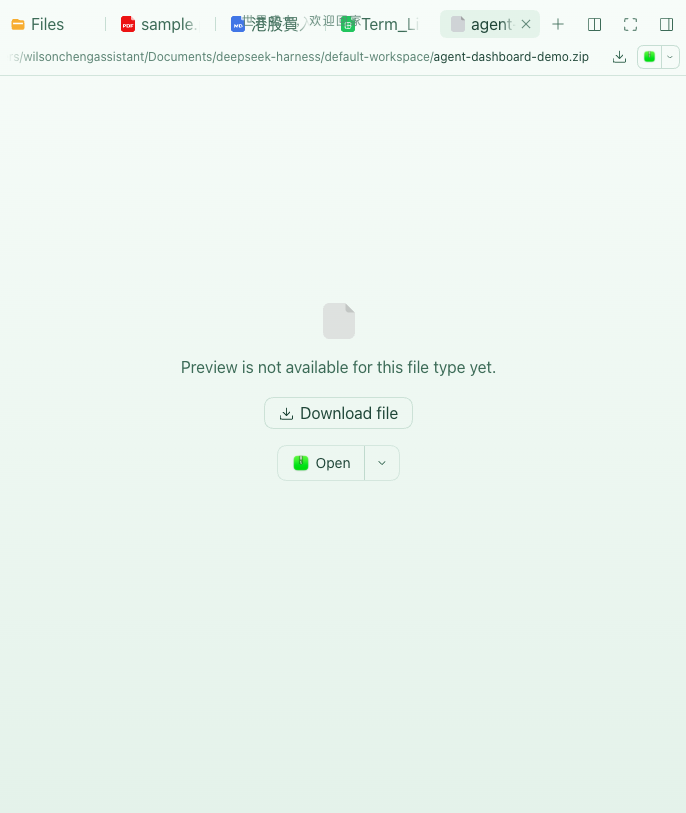
It adds two things, each one file:
Host half — GET/HEAD /api/file-download?path=<absolute path>
Content-Disposition: attachment, with an ASCII fallback and
an RFC 5987 filename*, so 投資計劃_2026.xlsx saves under its real name.Range / 206 / Content-Range / 416, so an interrupted download
resumes.Content-Type: application/octet-stream + nosniff: the response can never
become a document in the browser./api, so the Connection carrier's authentication and trust fence
apply before the handler runs — the same boundary /api/file uses.Browser half — a Download control in two existing extension points
sidebar.right.tab.document.actions — the document preview header, next to
the preview's own tools. Every renderer shares that header, so PDF, XLSX,
DOCX, images, HTML, Markdown, text and this repo's media previews all get it.sidebar.right.tab.document.unpreviewable — the empty state, where the stock
UI only offers Open. A labelled Download file button now sits above it.Both are plain <a download> links, so middle-click and Save link as work too.
Nothing is fetched into the conversation, and no bytes are buffered in the
browser before the save starts.
The plugin is a profile-local package, not on npm yet. From a checkout:
dsh plugin --profile web add file:/absolute/path/to/dsh-file-downloadOr add it to the profile's package.json yourself:
{
  "dependencies": { "dsh-file-download": "file:/absolute/path/to/dsh-file-download" },
  "dsh": { "profile": { "bundles": [/* … */, "dsh-file-download"] } }
}
Then install and restart the Host — dsh web builds its client module graph
at boot, so a newly installed browser half only appears after a restart:
cd "$DSH_HOME/profiles/web" && pnpm install
# restart dsh webThe plugin ships English and Simplified Chinese dictionaries, and the strings follow the app's language setting automatically.
Traditional Chinese comes from the separate
dsh-zh-hant language
pack, which owns the zh-Hant locale for the whole app and derives it from
every plugin's zh table. This plugin deliberately does not register a
zh-Hant copy of its own: the locale service allows only one dictionary per
(namespace, locale), and the pack registers its namespaces in a loop — so a
second registration here would take down every namespace after
fileDownload in the pack's alphabetical order.
With the pack installed, a zh-Hant reader sees:
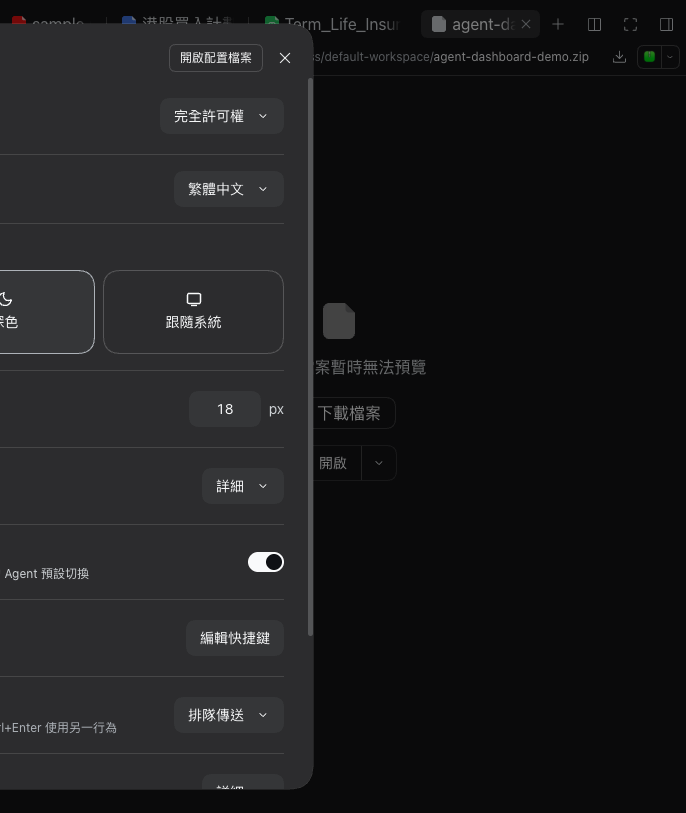
Without it, the copy degrades to Simplified, which is the pack's documented fallback rather than a bug.
| DSH | Status |
|---|---|
0.2.0-rc.2 |
verified (headless Chrome, dsh web) |
The slots this plugin extends are declared by
@deepseek-ai/dsh-client-ui-sidebar-documentpreview. A future release that
renames them fails loudly at boot (slot not found), never silently.
npm test # 22 unit tests: header encoding, range semantics, route guards, both componentsManual check, with the Host running:
.zip and click
Download file in the empty state.Everything above was measured, not assumed: a 28.6 MB MP4, a 27 KB Markdown file with a Chinese filename, a 27.6 KB XLSX and a 3.8 MB ZIP were downloaded through the route and through the browser, and every SHA-256 matched the Host file.
MIT © Wilson Cheng
CLASSIFICATION EVIDENCE
系统优先读取 GitHub Topics,再与站内分类词典和词根规则比对。当前命中: deepseek-harness。
morluto
Reverse engineer anything with agents, from app behavior down to native binaries.

deepseek-ai
DeepSeek Harness: Everything is a Plugin.

nexu-io
The 1st Collaborative AI Design Agent Workspace. Local-first and open source. Create motion, prototypes, websites, apps, dashboards, presentations, images, and videos with your team and AI agents. Share work, exchange feedback, and iterate together in one workspace.