部署运维
基础设施

sandbase-harness
sandbaseai
Local-first, self-hosted AI agent runtime and MCP bridge with sandboxed sessions, memory, credentials, audit/replay, and a local Console.

wellorbetter/dsh-plugin-window-stats
DSH web plugin: see every session's conversation progress and token usage at a glance — all-windows overview, session analysis, cost estimation, and a token heatmap. 窗口统计插件:一屏看全所有会话的对话进度与 Token 消耗——全窗口总览、会话分析、成本估算、Token 热力图。
PROJECT TOPICS
PROJECT README



A DeepSeek Harness web plugin that shows every session's conversation progress and token usage at a glance.
All-windows overview · session analysis · cost estimation · token heatmap.
100% read-only and local — no outbound requests, no session writes.
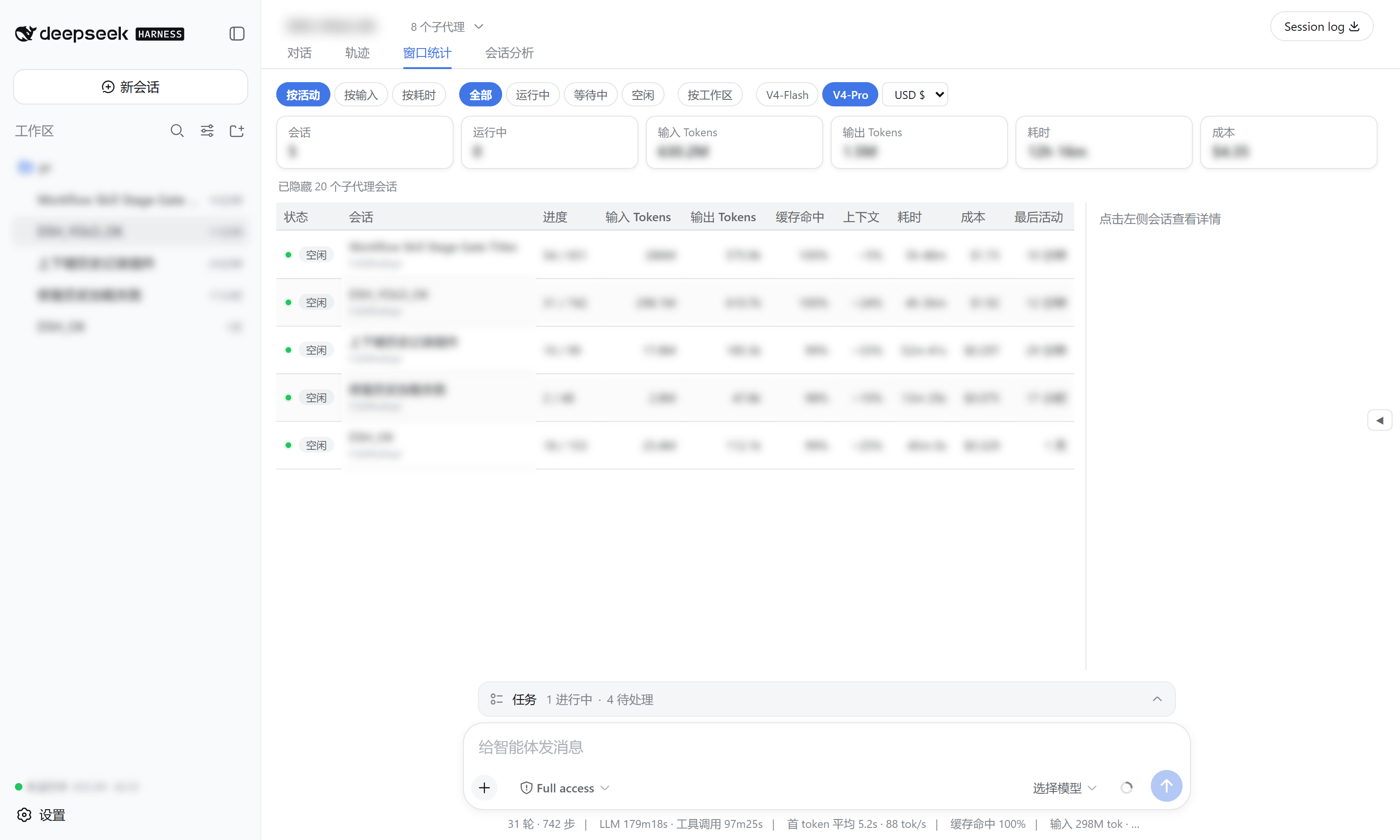
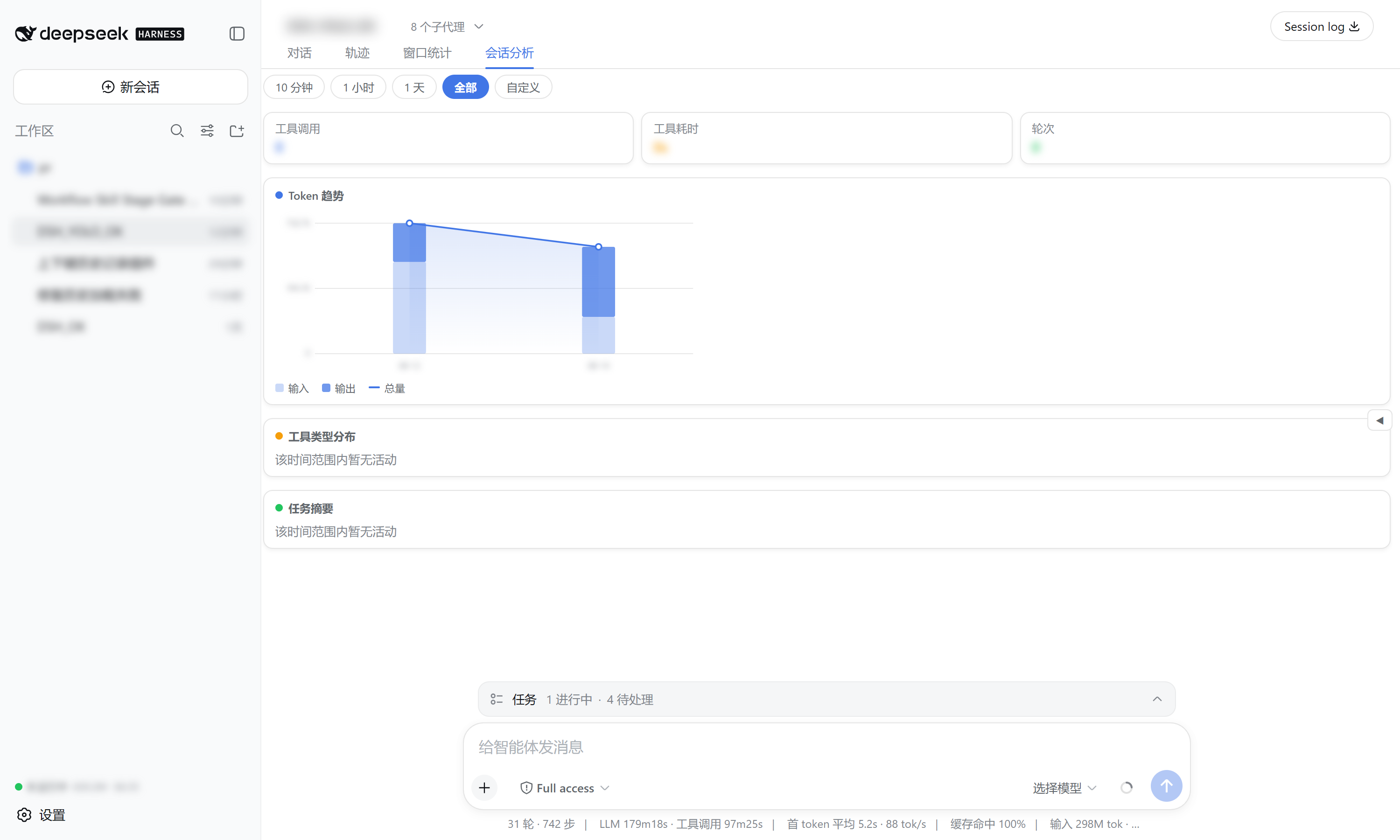
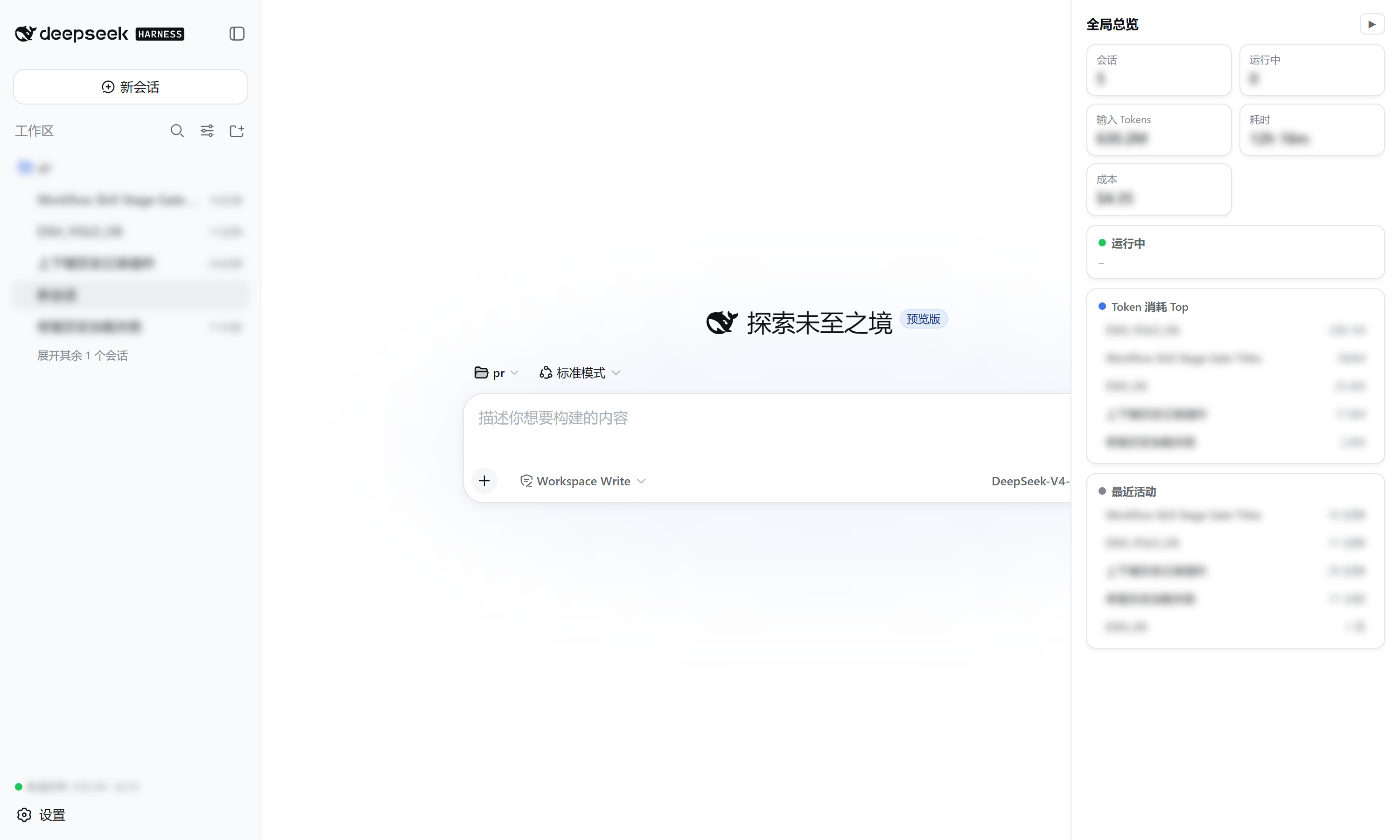
Installing this bundle adds a cross-session observability surface to every session of the target dsh profile. It reads the official tokenUsage / sessionStats / contextPressure / contextBreakdown projections (plus a tokenHistory projection it registers itself), so no host service or new RPC is required beyond that one projection unit.
| Surface | What it shows |
|---|---|
窗口统计 view tab |
One row per session: status, turns/steps, input/output tokens, cache-hit ratio, context occupancy, duration, cost, last activity — with sort / filter / group-by-workspace / model & currency selectors, and a right detail panel (token buckets, context composition, timing, heatmap). |
会话分析 view tab |
Time-range analysis (presets + custom) of the current session: token trend chart, tool-type duration distribution (donut + bars), and per-turn task summaries. |
| Sidebar footer summary | Always-visible running count, total tokens, and cost. |
| Right overview drawer | Collapsed by default; expands to a running-sessions + top-token-consumers + recent-activity panel with click-to-open. |
| Displayed | Source |
|---|---|
| turns / steps / wall times | sessionStats projection |
| input / output / cache tokens | tokenUsage projection |
| context occupancy / composition | contextPressure + contextBreakdown projections |
| per-day token history (heatmap) | tokenHistory projection (registered by this plugin) |
| status | SessionSummary.running / pendingInteraction / completed |
Cost is estimated from DeepSeek's official pricing (V4-Flash / V4-Pro, cache-hit / cache-miss / output priced separately) with USD / CNY / EUR / GBP / JPY switching.
Requires the dsh CLI (install DeepSeek Harness).
# from GitHub (recommended)
dsh plugin --profile web add github:wellorbetter/dsh-plugin-window-stats

# or from a local checkout
dsh plugin --profile web add ./dsh-plugin-window-stats
Restart the profile (dsh web) after installing. The plugin is a bundle: it declares dsh.bundle.patch, so dsh plugin reconciles it into the profile's dsh.profile.bundles automatically. It ships pre-built JavaScript (lib/), so a GitHub install needs no build step or allowBuilds permission.
After restarting dsh web:
pnpm install
pnpm verify # typecheck + build + testMIT
CLASSIFICATION EVIDENCE
系统优先读取 GitHub Topics,再与站内分类词典和词根规则比对。当前命中: observability。
sandbaseai
Local-first, self-hosted AI agent runtime and MCP bridge with sandboxed sessions, memory, credentials, audit/replay, and a local Console.

Han-1413141
Cost tracking for DeepSeek Harness: session and model costs, token usage, budgets, provider balances, and coding-plan quotas. Bilingual English/Chinese UI.

wssfk12138
DeepSeek Harness Token 余额监控插件:鲸鱼娘待机/扣费/复苏动画、峰谷计费、连续扣费飘字与会话费用统计。