
模型与 MCP
待识别

rea
morluto
Reverse engineer anything with agents, from app behavior down to native binaries.
PROJECT TOPICS
INSTALL REFERENCE
dsh plugin --profile web add github:wdxtub/dsh-wdx-git
该命令指向仓库当前默认分支;尚无绑定当前 commit 的完整验证结果。
PROJECT README
Git without leaving your AI session.
WDX Git is a Git panel for DeepSeek Harness: the right sidebar manages the repository for the current session, and the global page in the left sidebar lists every workspace at once. After AI edits, you don't need to switch to a terminal, or choose between a row of Pull / Push / Fetch buttons: one sync button pulls, merges, and pushes, and it labels itself from the repository state — Fetch origin / Pull origin / Push origin / Publish branch / Sync. The Commit tab opens by default with every change checked, and AI can write the commit message for you.
DSH 0.2.x · macOS / Windows / Linux · MIT
AI made writing code faster, but the Git flow is still the old one:
pull, merge, push;WDX Git keeps that flow next to the session and leaves only the decisions that genuinely need you:
| Common flow | WDX Git |
|---|---|
| Fetch first, then decide Pull / Push | The toolbar button shows Fetch / Pull / Push automatically; one click does what's needed |
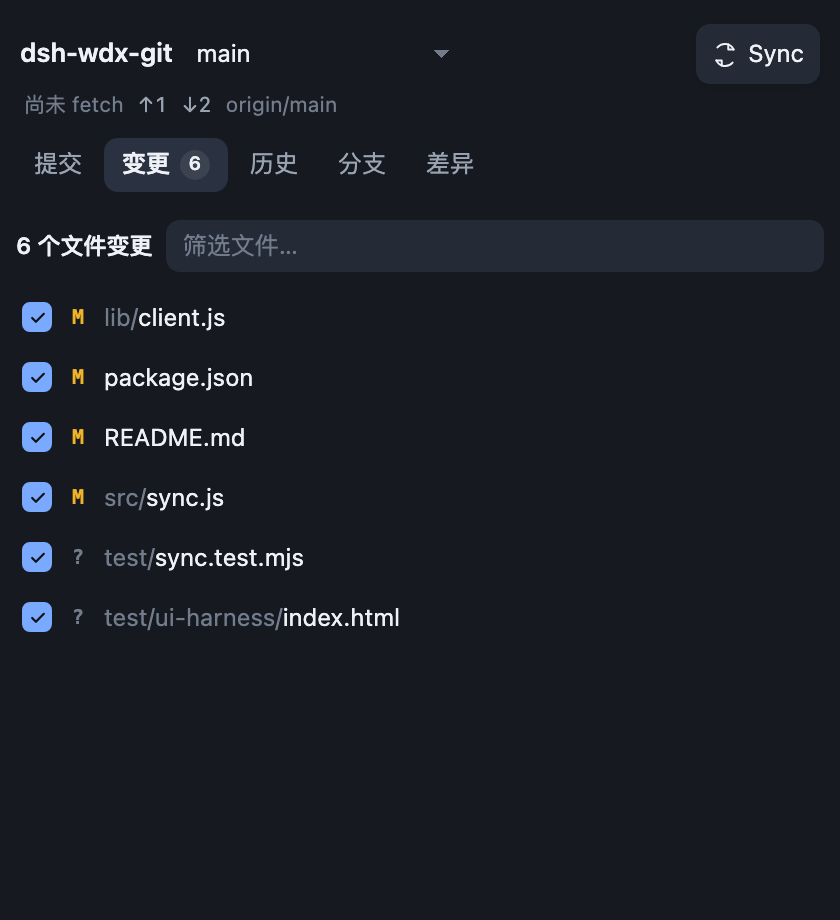
| Manually check the files to commit | Everything is checked by default; uncheck what you don't want to commit |
| Write the commit message yourself | AI reads this diff and writes it in the repository's style |
| Switch to an external tool on conflict | See ours / theirs in the panel and continue after resolving |
It's not another GitHub Desktop; it brings the smoothest parts of GitHub Desktop into DSH.
pull / push / staging;The toolbar shows only the repository, the branch, and one sync button. The label follows the repository state:
| State | Button |
|---|---|
| In sync | Fetch origin |
| Behind the remote only | Pull origin |
| Local commits only | Push origin |
| New commits on both sides | Sync |
| No upstream yet | Publish branch |
When the branch is behind or ahead, the button shows count badges with directional arrows: ↓ for remote commits to pull, ↑ for local commits to push.
Whatever the label, one click lets WDX Git do the work:
fetch → set upstream if needed → fast-forward or merge → push when needed
conflict → resolve → continue / restore stash → push
Working-tree changes are stashed automatically before a merge and restored afterwards. A rejected push is fetched + merged and retried (up to 4 rounds). On conflict it stops and waits for you; once you've resolved it, it continues and pushes automatically — no need to understand commit / continue / stash. Sync runs on the host, so switching to another session or repository right after you commit doesn't cancel the push; the toolbar shows it is still running and reports the result when it lands. No force push, no automatic rebase, no rewriting existing history.
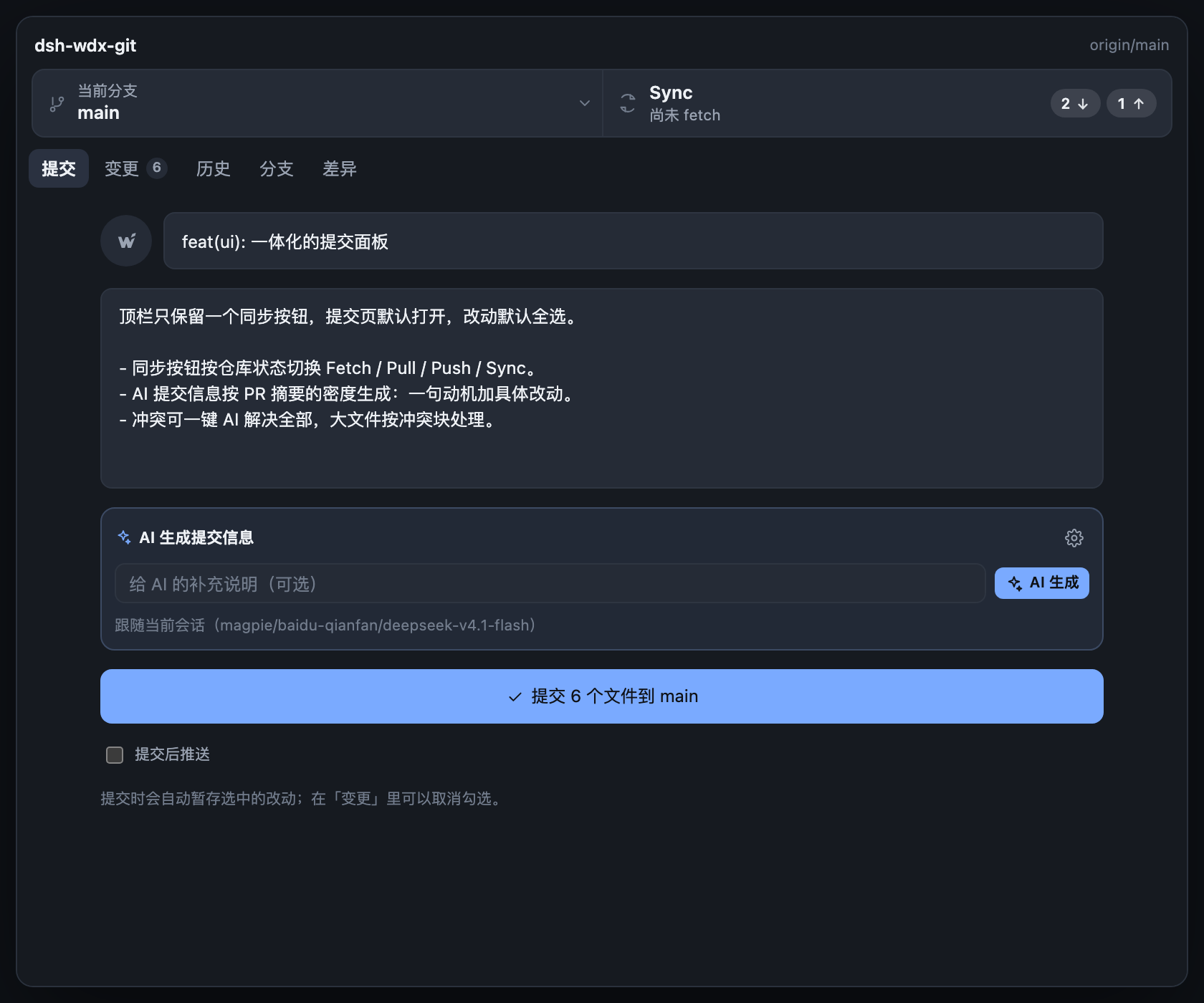
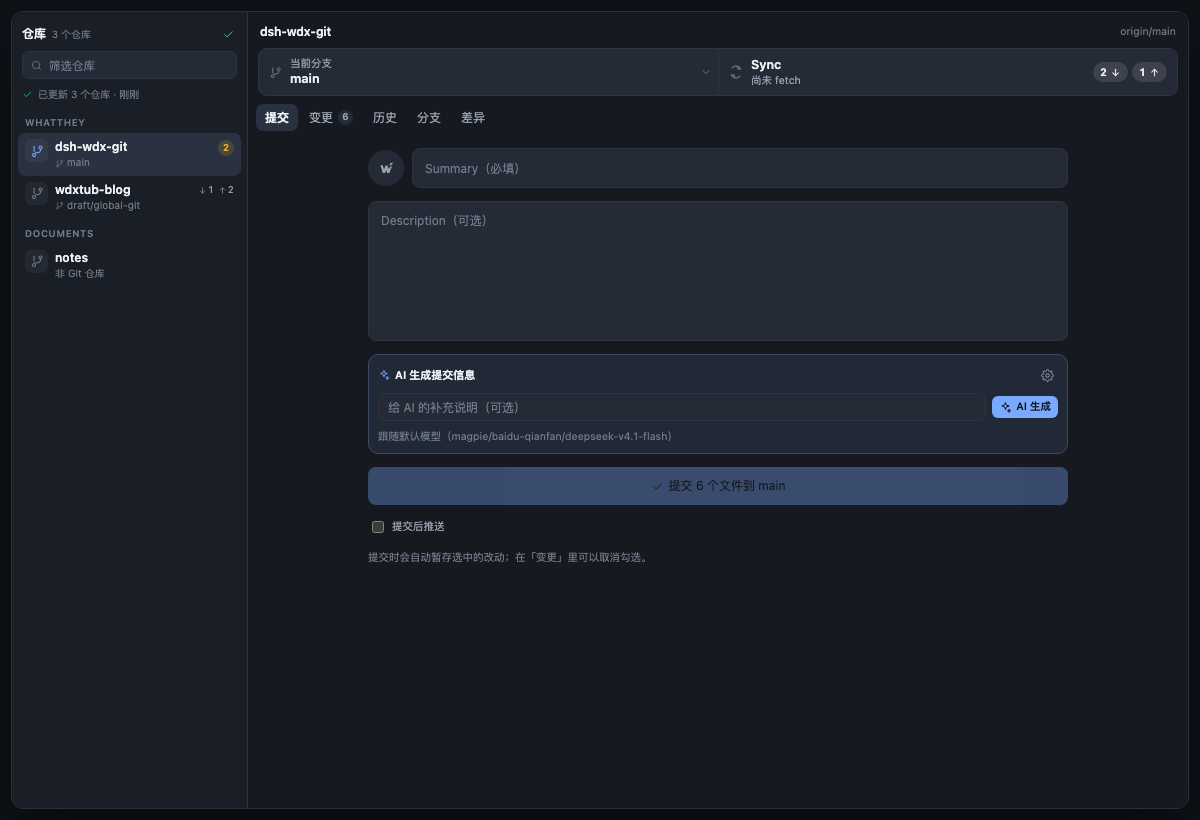
Opening the panel shows the commit form: a generic committer icon and a Summary line, Description on its own line, then the AI area and the commit button. Every change is checked by default; unchecking a file leaves it in the working tree and out of this commit.
Only the checked paths are staged. To commit everything, just write the title and click; to be more selective, uncheck files under "Changes".
AI only generates content. Staging, committing, pushing, and writing conflict resolutions all happen after you click.
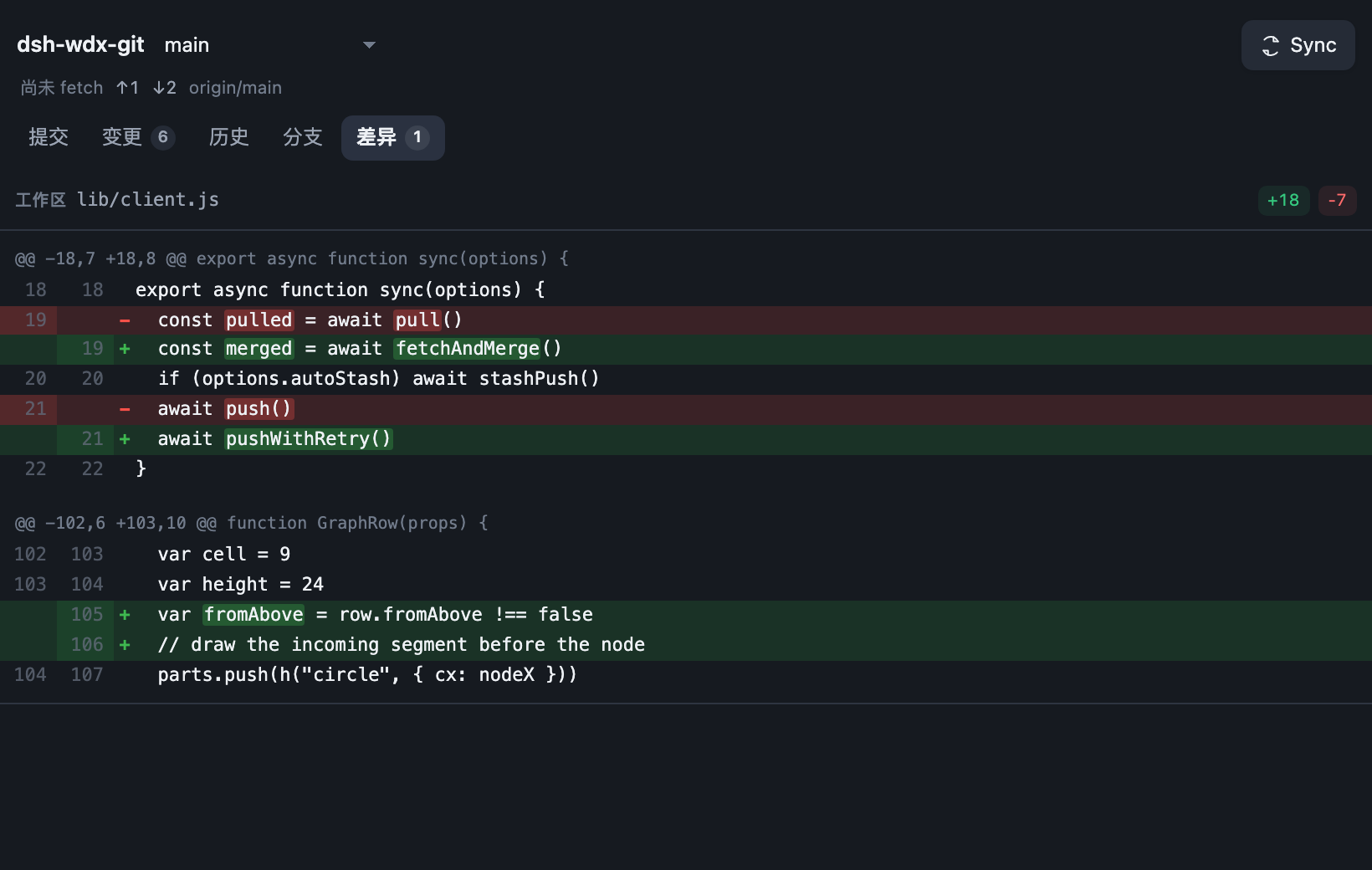
| Changes: checked by default | Diff: word-level highlight |
|---|---|
 |
 |
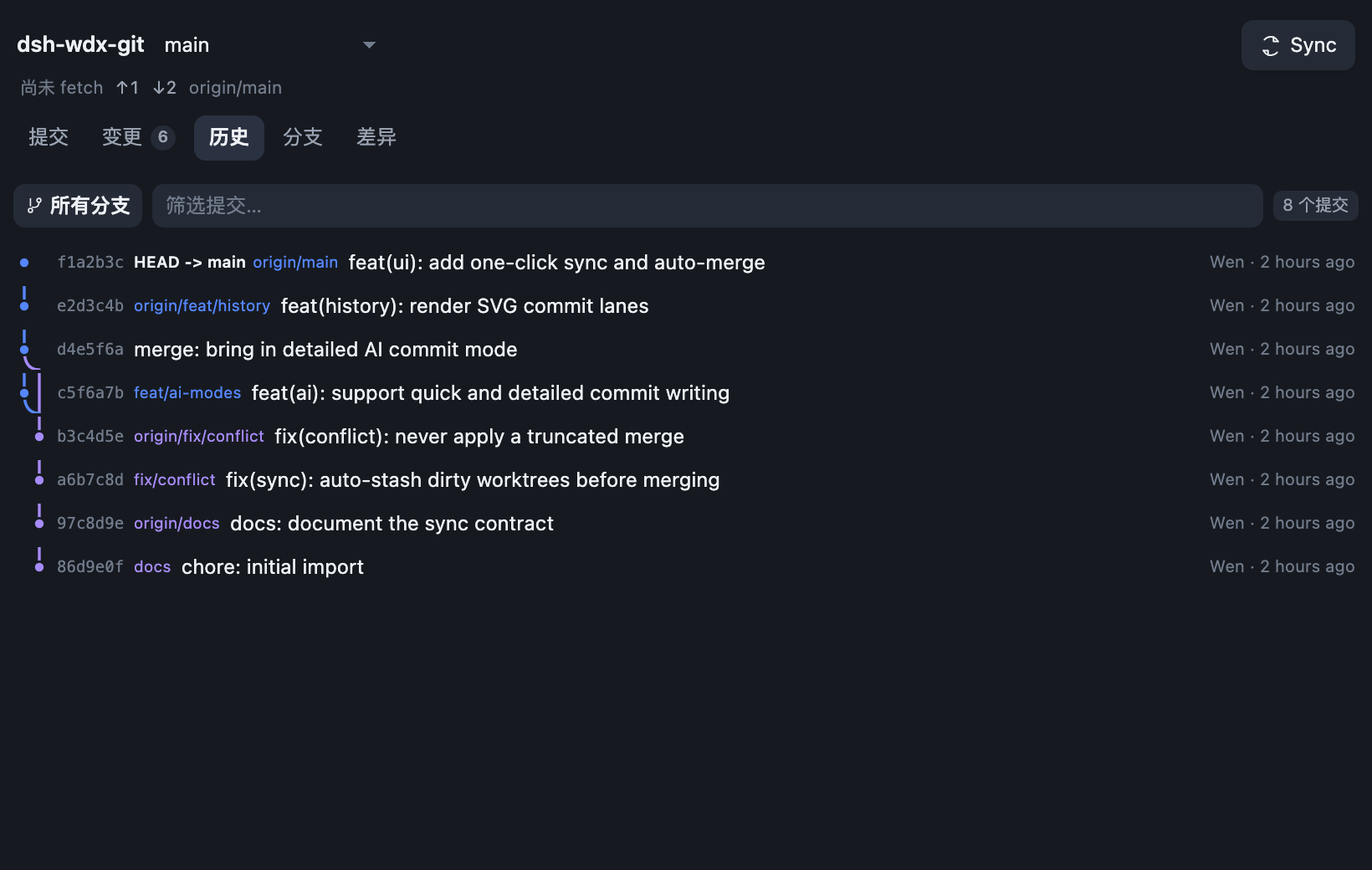
| History: SVG lanes | Branches and stash |
|---|---|
 |
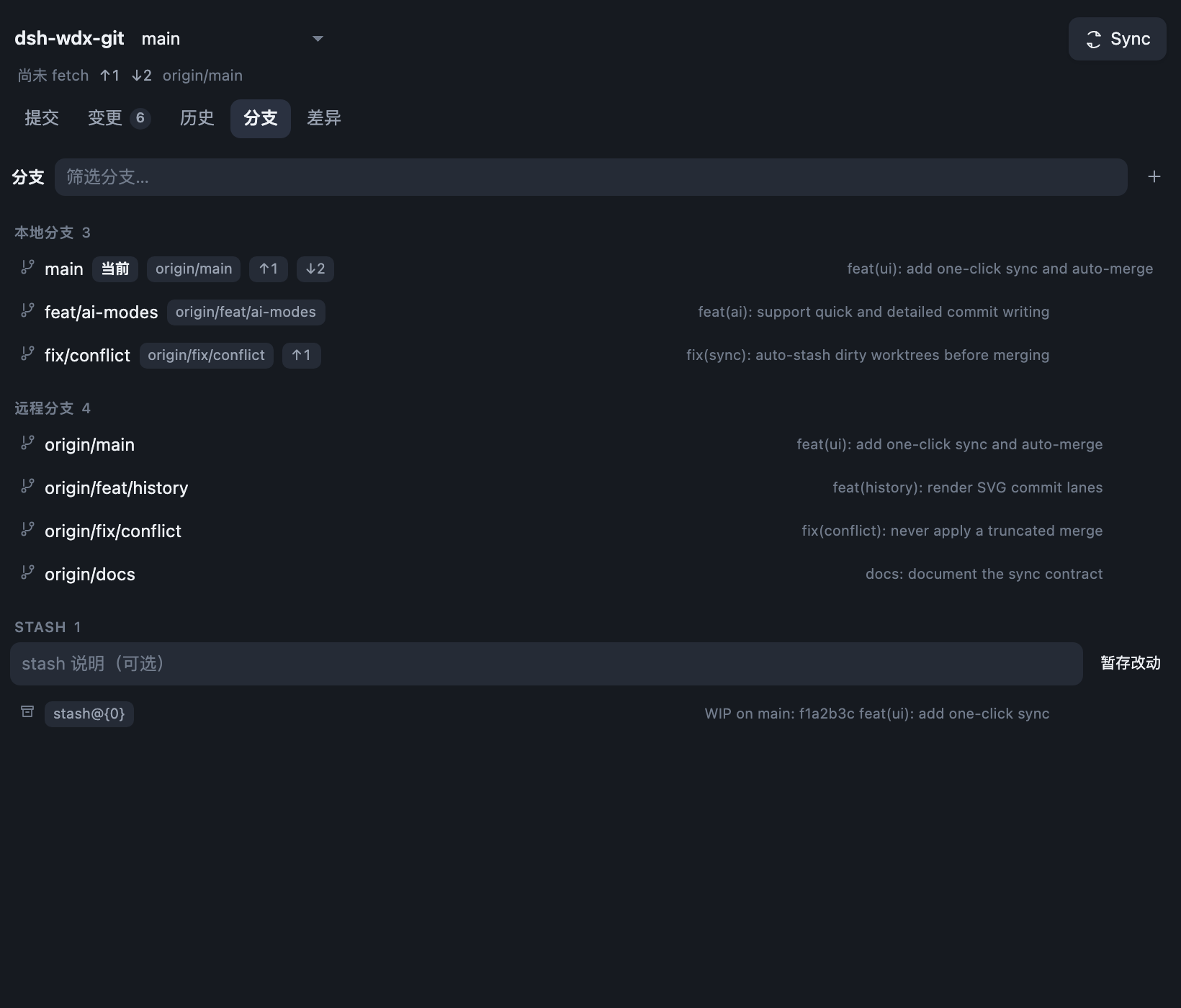 |
| AI and sync settings | Conflict resolution |
|---|---|
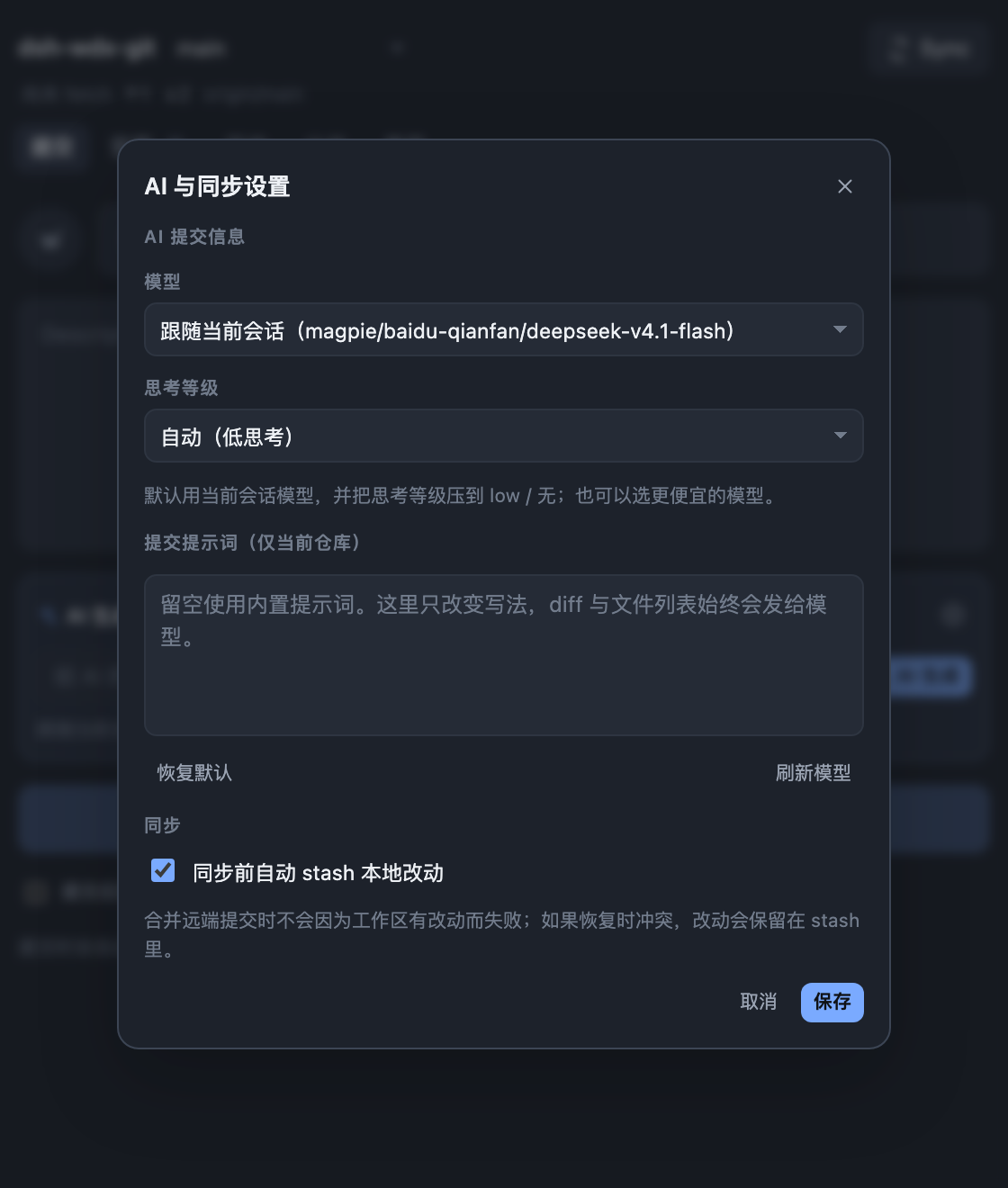 |
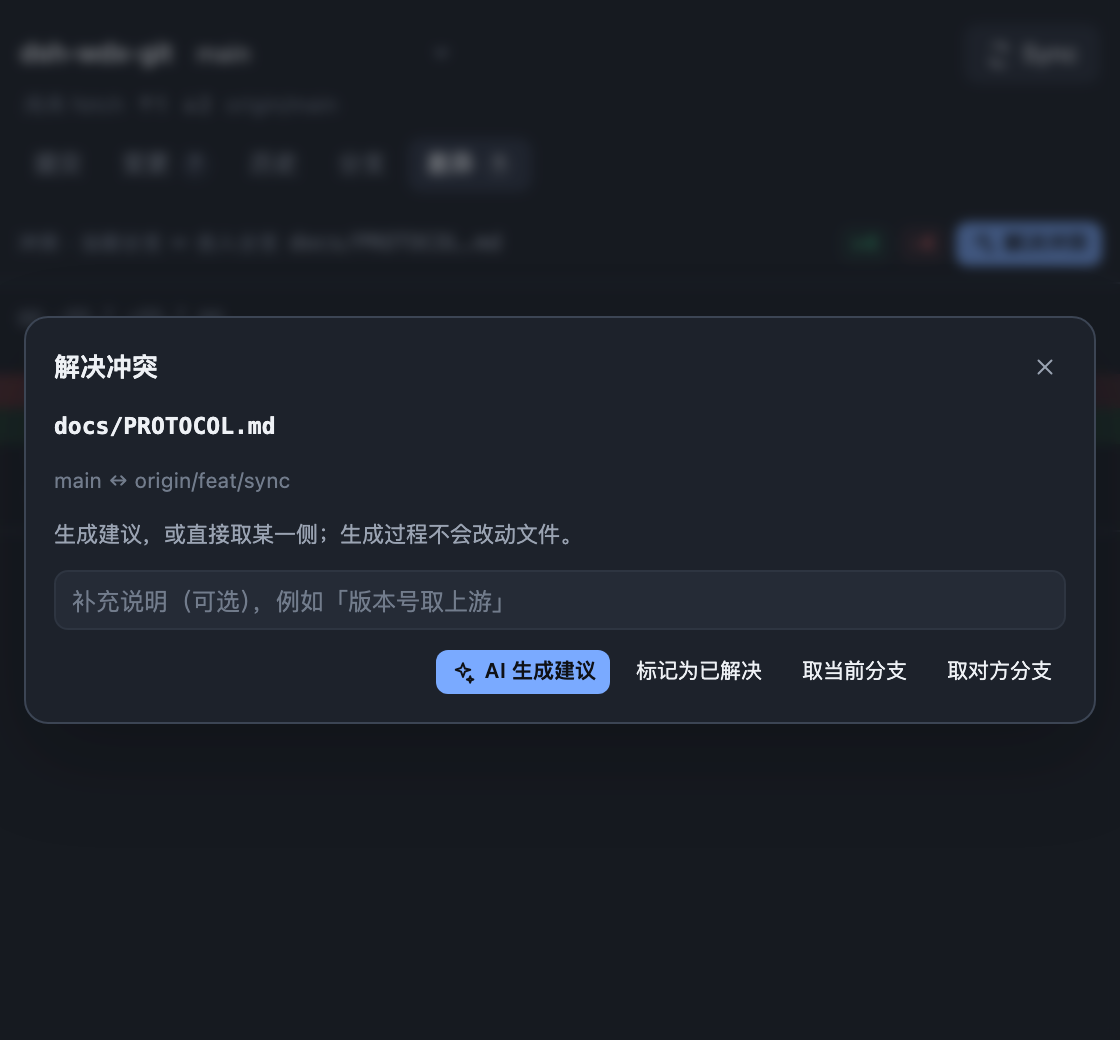 |
Open Plugins → Add plugin in the DSH sidebar and enter the package name:
dsh-wdx-gitChoose the npm official registry as the install source, then enable it. If the mirror isn't synced yet, switch the install source and try again.
npm package page: https://www.npmjs.com/package/dsh-wdx-git
git clone https://github.com/wdxtub/dsh-wdx-git.git
dsh plugin --profile desktop add ./dsh-wdx-git
Refresh the page after installing. There are three entry points:
After updating Host code (
index.js/src/), reopen DSH so the Host reloads; refreshing the page only updates the client.
Q: Why does the toolbar button change?
A: It reflects one thing only: what a click will mainly do. In sync is Fetch origin, behind is Pull origin, local commits is Push origin, both sides is Sync, and no upstream is Publish branch. The button shows the last fetch time and ahead/behind count badges with directional arrows; the repository row shows the upstream. After clicking, the status line tells you whether it fetched, merged, or pushed, and whether it touched the stash.
Q: Does it ever force push?
A: No. When the remote has advanced and the push is rejected, it only fetches + merges + retries once; if that fails it shows you git's own error. It never rebases automatically or rewrites history.
Q: Can AI see my whole repository?
A: No. It sees the diff for this commit, the file list, recent commit titles, and the selected untracked text files. Requests go to the model provider you chose in settings.
Q: Does it work with private repositories?
A: Yes. WDX Git uses your machine's existing git credentials; any repository git can reach on this machine works in the panel.
Q: How are proxies handled?
A: On macOS it reads the system proxy automatically; other platforms use HTTPS_PROXY / HTTP_PROXY / ALL_PROXY, or git's own http.proxy configuration.
Q: What about conflicts?
A: A conflict during sync stops and waits for you; it won't merge before you act. In the panel you can view both sides, take one, click "Resolve all with AI" to merge and stage files one by one (large files are resolved per conflict region), or edit by hand and "Mark as resolved". Once everything is resolved, the plugin automatically creates the merge commit / continues the rebase, restores the auto-stashed local changes, and pushes according to the original action.
Q: What's the relationship to GitHub Desktop?
A: The interaction is inspired by GitHub Desktop, but this is a native panel redesigned for DSH sessions: one button, default commit, default-checked changes — it doesn't replace your existing Git workflow.
origin is preferred;npm test (currently 63 tests)index.js / src/, client in the single file lib/client.js, no build step.MIT
CLASSIFICATION EVIDENCE
系统优先读取 GitHub Topics,再与站内分类词典和词根规则比对。当前命中: deepseek-harness。
morluto
Reverse engineer anything with agents, from app behavior down to native binaries.

deepseek-ai
DeepSeek Harness: Everything is a Plugin.

nexu-io
The 1st Collaborative AI Design Agent Workspace. Local-first and open source. Create motion, prototypes, websites, apps, dashboards, presentations, images, and videos with your team and AI agents. Share work, exchange feedback, and iterate together in one workspace.