

其他
完整应用

deepseek-harness
deepseek-ai
DeepSeek Harness: Everything is a Plugin.
PROJECT TOPICS
INSTALL REFERENCE
dsh plugin --profile web add github:wangzhishou/onebox-dsh-bridge
该命令指向仓库当前默认分支;尚无绑定当前 commit 的完整验证结果。
PROJECT README
English | 简体中文


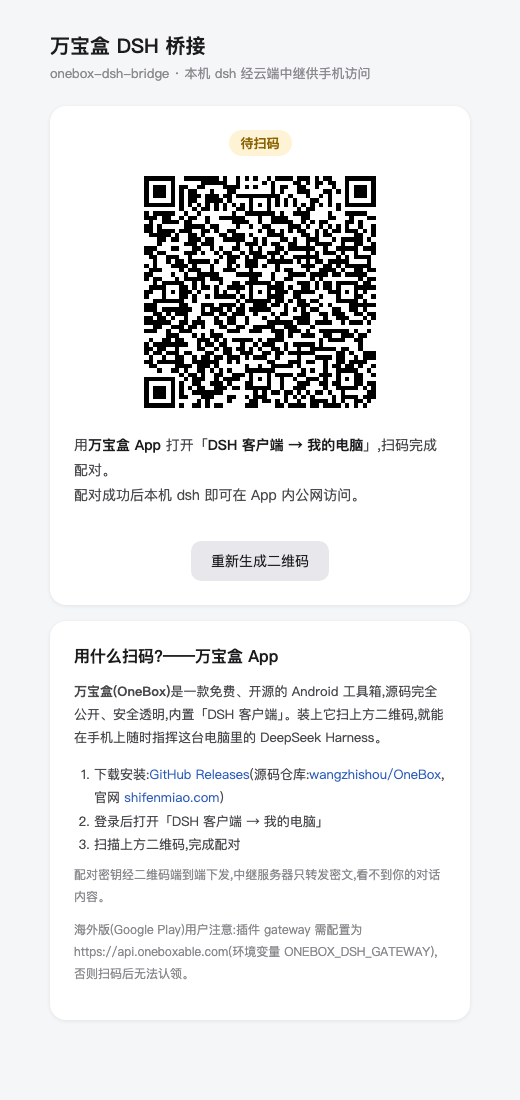
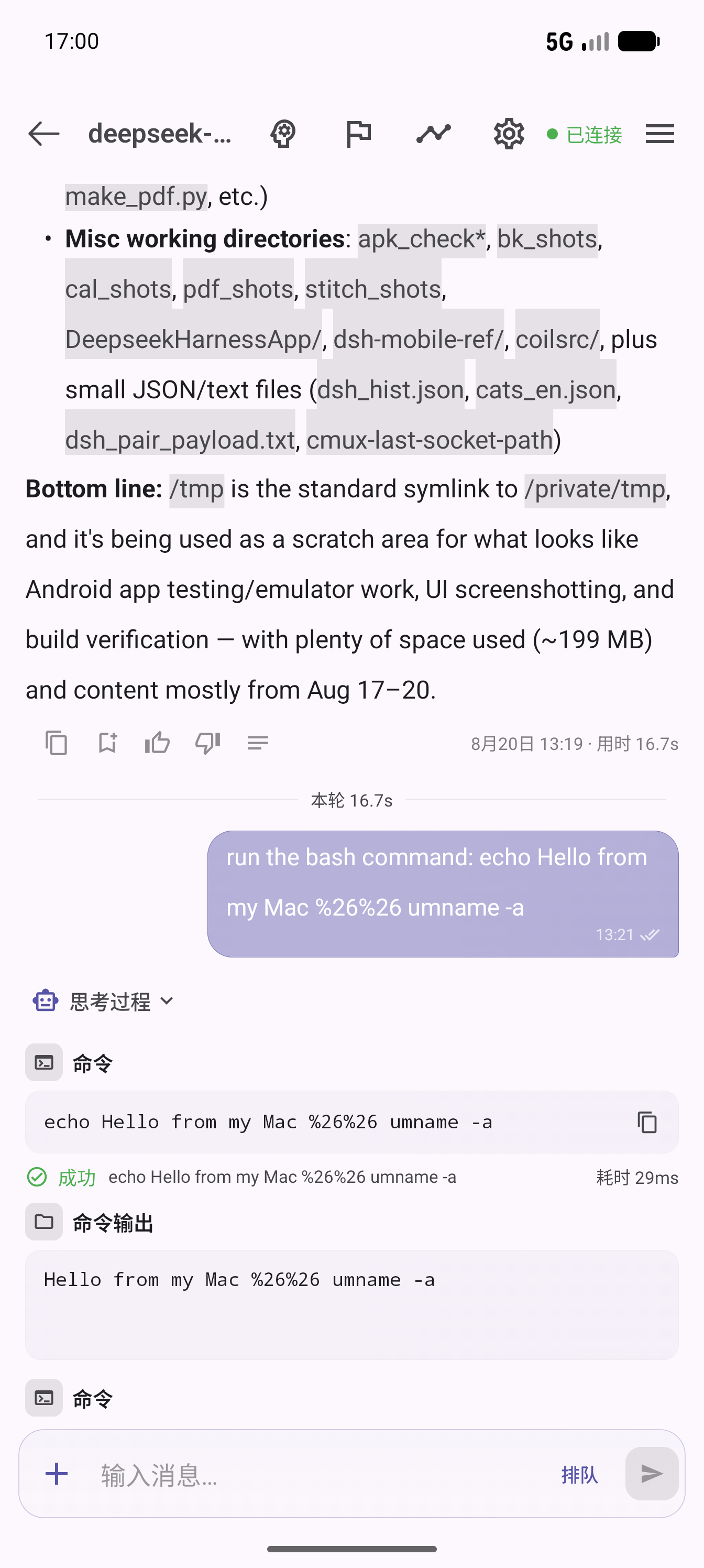
A DeepSeek Harness (dsh) plugin that bridges your local dsh web to the OneBox cloud relay, so the OneBox Android app can reach your computer's AI agent over the public internet — scan-to-pair, token management and tunnel frame multiplexing, all inside the plugin. Your agent is online as soon as dsh web starts.
Built for the open-source OneBox (万宝盒) Android app. The plugin page also includes the app download info, so anyone running DSH can pair their phone in a minute.
OneBox App ⇅ https://api.wanbaohe.com/dsh/* (CN relay) or https://api.oneboxable.com/dsh/* (international relay)
                 ⇅ outbound WSS (control tunnel, JSON frame multiplexing)
         onebox-dsh-bridge (this plugin)
                 ⇅ loopback
local dsh web (127.0.0.1:3080)/onebox-bridge page in the dsh web GUI (self-contained HTML, zero external deps) showing the pairing QR code and online statusPOST /dsh/pair-sessions → a ≥128-bit secret is generated locally and encoded into the QR (oneboxdsh://pair?v=1&g=…&p=…&s=…) → polls GET /dsh/pair-sessions/:id/status?s=… every 2s; once the app scans and claims, the plugin receives its device token/dsh/agent?token=…; tunnel frames: http → local POST /api/<method> answered by http-resp; ws-open/ws-frame/ws-close bridge the local /api/events.mux|host streamsWith the dsh CLI installed:
dsh plugin --profile web add onebox-dsh-bridgeRunning dsh from a source checkout (prefix commands with pnpm dsh, from the deepseek-harness repo root):
pnpm dsh plugin --profile web add onebox-dsh-bridgeThe package declares dsh.bundle, so add automatically merges the plugin row into the profile's composition layer. Restart dsh web to take effect.
Compatibility: the bridge itself is protocol-agnostic — it forwards /api/<method> over HTTP and tunnels WebSocket frames verbatim, so it does not hard-code DSH endpoint names. Verified against dsh 0.1.5-rc.2 (npm next) for the pairing page, status API, QR pair-session creation, and the tunnelled /api/remote.mux WebSocket. Older releases (0.1.0-rc.7 / 0.1.0-rc.8, which used /api/events.mux and /api/events.host) still tunnel fine, but the app requires dsh 0.1.2 or newer — see the compatibility note in the OneBox DSH client. The plugin must live in the web profile (it injects the webServer service that only the web composition provides).
Since dsh 0.1.5 every /api request — including the /api/remote.mux WebSocket upgrade — goes through the
connection browser-trust fence and browser authentication: loopback is not exempt, Authorization: Bearer is
not recognised, and --trusted-host only widens the Host fence (403), not the auth one (401). The plugin therefore
mints the local session cookie through ctx.connection.authenticatedUrl (lib/session-cookie.js), attaches it to
every tunneled HTTP call and WS upgrade, and re-mints once on 401.
To try the Android app against your machine without deploying the relay, run the LAN proxy — it injects the same
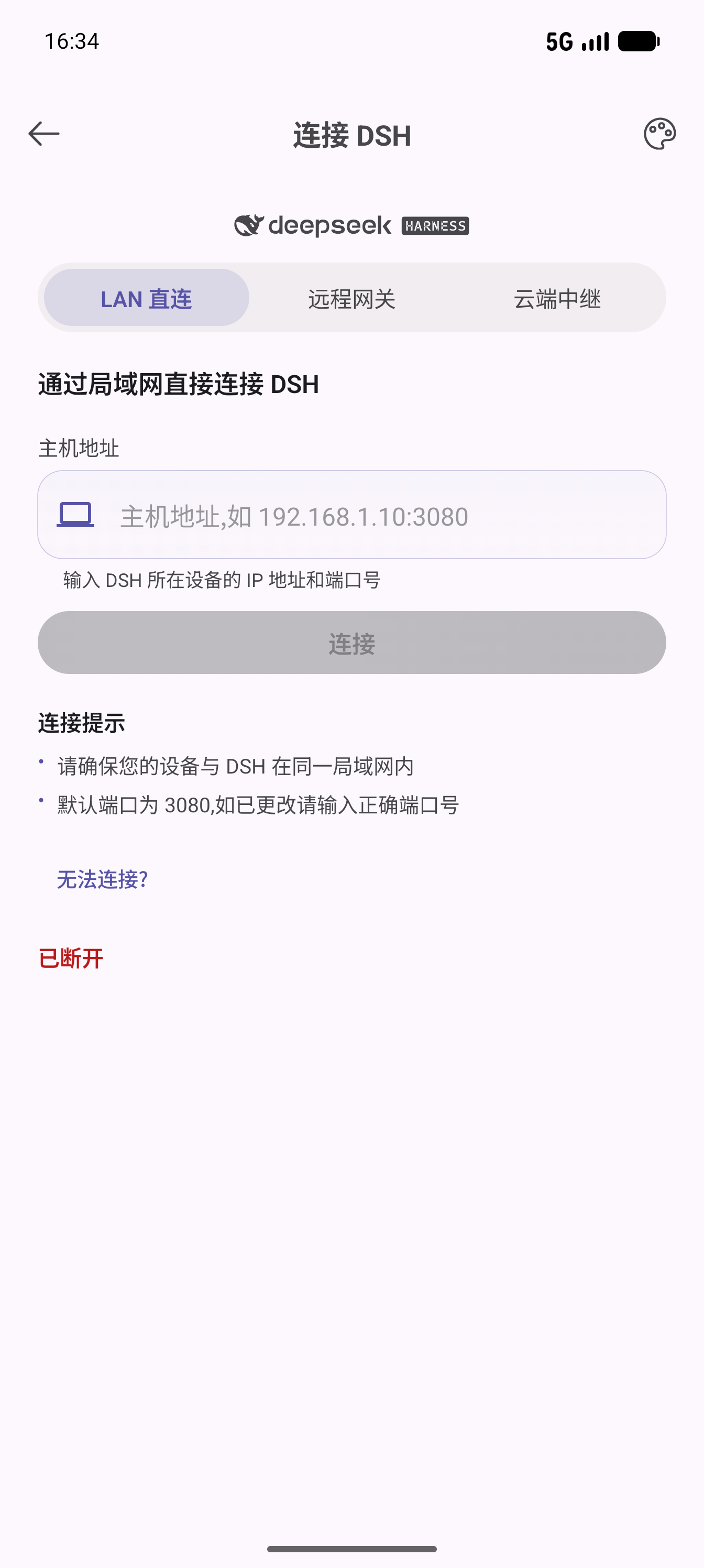
session cookie and rewrites Host, so the app's "direct connect" mode works on a phone in the same LAN:
# 1) start dsh web and copy the ?token=… from the URL it prints
# 2) from this repo:
node tools/lan-proxy.mjs --token <token> --port 3081
# 3) in the app: DSH Client → direct connect → http://<your-LAN-IP>:3081
It exposes your local dsh /api (browser-session privileges) to the LAN, so use it only on a network you trust
and stop it (Ctrl-C) when done.
Installing straight from GitHub also works:
dsh plugin --profile web add github:wangzhishou/onebox-dsh-bridgehttp://127.0.0.1:3080/onebox-bridge in dsh web (adjust the port to your deployment)Page buttons: Regenerate QR code (invalidates the old session and creates a new pairing session; codes expire after 10 minutes and are rebuilt automatically) and Unbind & re-pair (deletes the local token, back to waiting-for-scan).
The plugin is the computer-side half; the phone-side half is the free, open-source OneBox Android app:
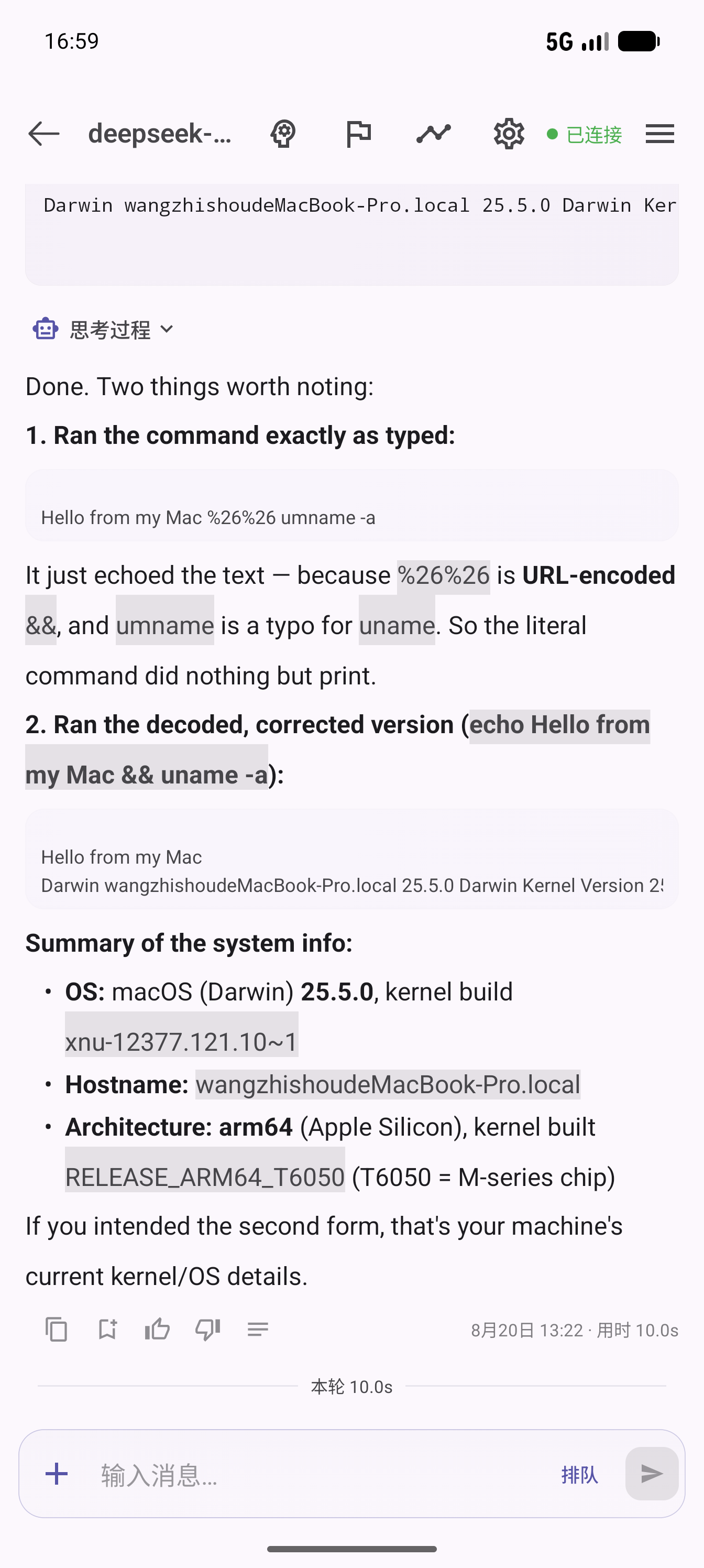
| Plugin pairing page | App connect page | App chat control | Feedback & stats |
|---|---|---|---|
 |
 |
 |
 |
All optional. Priority: environment variable > plugin config > default.
| Key | Env var | Default | Description |
|---|---|---|---|
gateways |
ONEBOX_DSH_GATEWAYS (comma-separated) |
https://api.wanbaohe.com + https://api.oneboxable.com |
OneBox gateways. Both deployments are paired at once by default — the page shows one QR per gateway, labeled by app channel, and the first one scanned wins. The app JWT is only valid on its own deployment, so dual pairing saves users from configuring anything |
gateway |
ONEBOX_DSH_GATEWAY |
— | Single-gateway override (equivalent to a one-element gateways list) |
upstream |
ONEBOX_DSH_UPSTREAM |
127.0.0.1:3080 |
Local dsh address (host:port) |
deviceName |
— | system hostname | Device name reported to the app during pairing |
dataDir |
ONEBOX_DSH_DATA_DIR |
~/.dsh/profiles/web/onebox-dsh-bridge |
Token storage directory (token.json, mode 0600; old tokens are invalidated automatically when their gateway leaves the configured list) |
To change config, override the whole row in the profile's ~/.dsh/profiles/web/cordis.patch.yml (a patch replaces the entire config value — list every key):
- id: onebox-dsh-bridge
  name: 'onebox-dsh-bridge'
  config:
    gateways:
      - https://api.wanbaohe.com
      - https://api.oneboxable.com
    upstream: 127.0.0.1:3080
deviceName: My Macdsh plugin --profile web remove onebox-dsh-bridgeOptionally delete the credentials directory ~/.dsh/profiles/web/onebox-dsh-bridge/; paired devices can be revoked in the app under My Computers.
/onebox-bridge page, like dsh web itself, has no extra auth (loopback-only by default); the QR code contains the pairing secret — never expose dsh web directly to the public internetws + qrcodeCLASSIFICATION EVIDENCE
系统优先读取 GitHub Topics,再与站内分类词典和词根规则比对。当前命中: 无有效分类标签。
deepseek-ai
DeepSeek Harness: Everything is a Plugin.

anywhere-labs
为 DeepSeek Harness (DSH) 插件生态打造的现代化桌面端解决方案。万物皆「插件」,桌面本身也是「插件」。

walkinglabs
Harness engineering beginner tutorial, from 0 to 1