
模型与 MCP
待识别

rea
morluto
Reverse engineer anything with agents, from app behavior down to native binaries.
PROJECT TOPICS
INSTALL REFERENCE
dsh plugin --profile web add github:wangwuli-AAA/dsh-session-isolation
该命令指向仓库当前默认分支;尚无绑定当前 commit 的完整验证结果。
PROJECT README
Give every session in a chosen DeepSeek Harness workspace its own working directory — new sessions start there, and existing sessions get one the first time they are opened — without turning each session into a separate workspace.
@local/dsh-session-isolation is a local DSH bundle with two halves:
agent/created; when a session starts (startup), gets a
fresh conversation (clear), or is an existing session resumed while still at
the workspace root, it
creates <workspace>\<baseDir>\<session-id> and switches the session's
working-directory projection to that directory.Session ownership never changes: SessionHeader.cwd stays the workspace root, so
the sidebar keeps grouping the session under its original workspace.
default-workspace\
├─ _sessions\                    ← one folder per new session
│  ├─ session-8c0bdfb7-…\
│  │  └─ poem.md
│  └─ session-f7f8c56c-…\
└─ … ← existing workspace files, untouched_sessions\<session-id>
and only write there unless they explicitly go elsewhere.SessionHeader rewrite,
no changes to DSH's profile or workspace registry._sessions folder — are never moved.The folder button added by the bundle, right of DSH's built-in "Open in…" split button:

The files panel browsing the same workspace — every session folder lives under
_sessions:
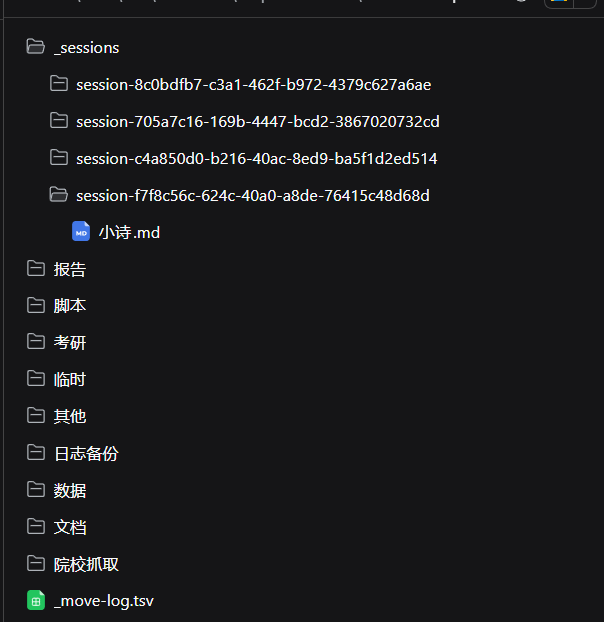
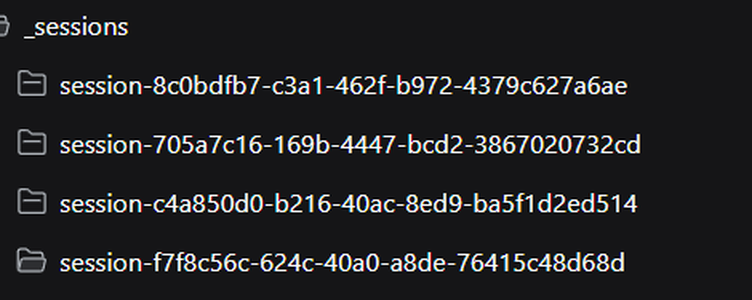
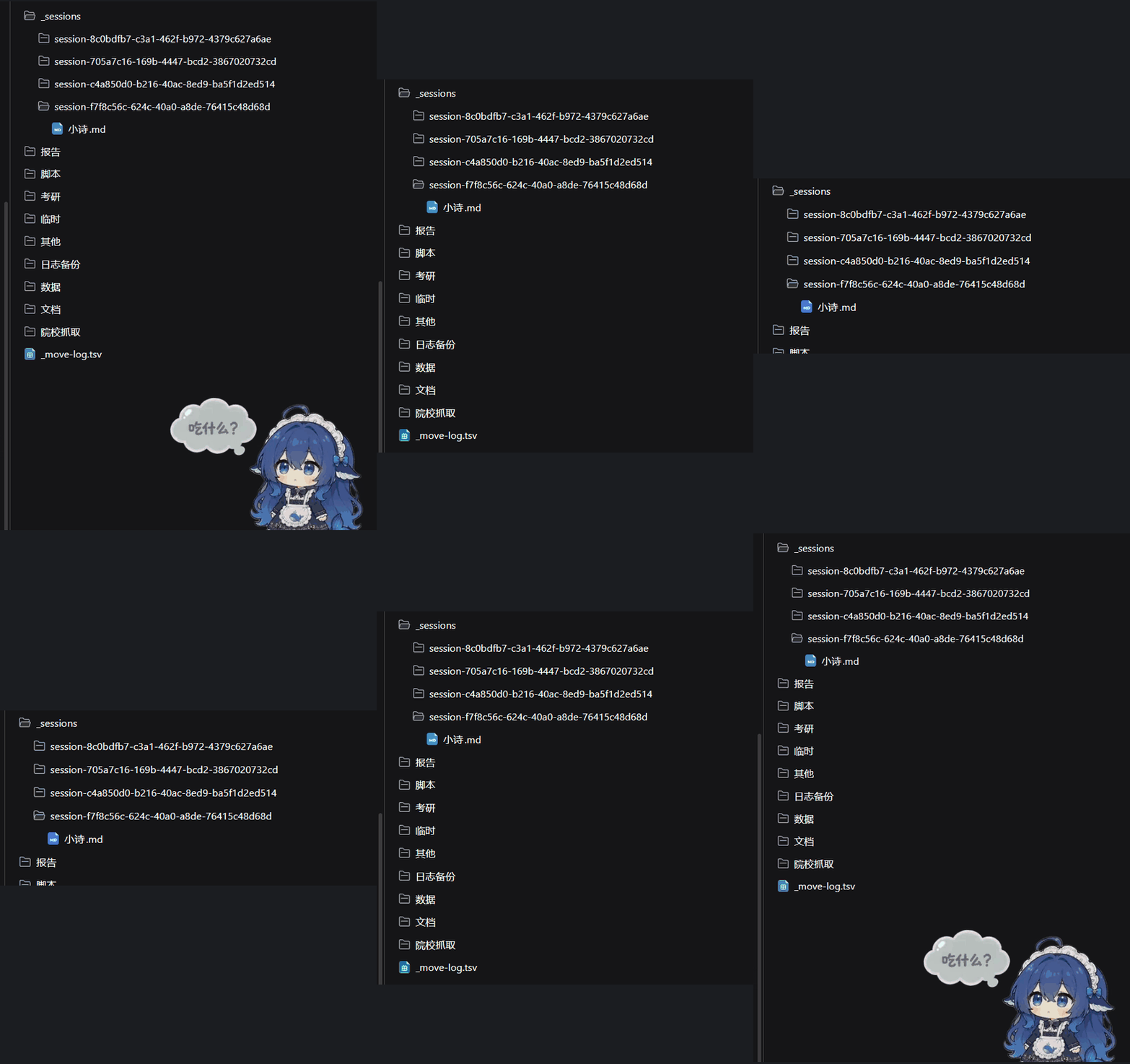
Animated tour of the files panel, zooming into _sessions — one folder per
isolated session:
@deepseek-ai/dsh-working-directory and the browser module
system — both are on by default in the desktop build.node: built-ins and
path semantics, so other platforms work as long as the configured workspace
paths are absolute.The package is not published to npm. DSH links a local bundle into the current
profile and mounts the Host row declared by the bundle's own cordis.patch.yml.
D:\dsh-session-isolation.cordis.patch.yml: replace the example
workspaces entry with your own workspace root (absolute path; write doubled
backslashes in YAML on Windows).plugin_manager install_bundle target=<repo path>A local install is a link: DSH uses the folder in place, so keep it where it is (moving or deleting it disables the plugin).
The inserted session-isolation row in cordis.patch.yml:
| Field | Type | Default | Meaning |
|---|---|---|---|
workspaces |
string[] |
required | Absolute workspace roots. Only sessions whose header.cwd equals one of them are isolated. |
baseDir |
string |
_sessions |
Directory name under each workspace. Relative paths are resolved per workspace; absolute paths are used as-is. |
isolateSubagents |
boolean |
true |
Also give subagent sessions their own directory. |
Invalid configuration makes the plugin fail at activation (the row shows as failed) instead of silently doing nothing.
agent/created is a serial event: DSH awaits every listener before the session
creation transaction resolves, and a listener that throws aborts creation. The
bundle therefore treats isolation as best-effort — the whole routine is wrapped in
try/catch, failures only produce a warn log line, and the session keeps the
workspace root.
It acts whenever a session's header.cwd matches a configured workspace and
the session is still at that workspace root; the source only decides when DSH
creates the agent (startup, clear, resume, compact). A session that
already replayed its own working directory — an _sessions folder, or one the
user moved to — is left alone, so isolation is applied exactly once per session.
The button never guesses: it asks the Host, then reuses DSH's own file-manager routes.
GET /session-isolation/session-directory?sessionId=<id>
  -> 200 {"sessionId": "...", "directory": "<workspace>\\_sessions\\<id>"}   isolated
  -> 404                                                                     not isolated / deleted
The route shares the web server's trust fence (connection.requestRejection,
i.e. DSH's Host/Origin check plus browser auth), answers 405 for non-GET and
400 without a session id. Once a path is returned, the browser half calls the
profile's own GET /open-in-app/apps and POST /open-in-app/open; on Windows
that is File Explorer.
DSH's browser code assumes session working directory == workspace root. With an isolated session that assumption can produce two kinds of broken file addresses:
.../default-workspace_sessions/session-<id>/a.md
(workspace root glued to baseDir);a.md, which the Host then resolves against
the workspace root and misses.The browser half wraps sidebarRight.openResource and fixes both before opening:
it inserts the missing / when a known workspace root is glued to baseDir, and
prefixes relative paths with <baseDir>/<session-id>/ once the Host confirms the
session is isolated. Repair only applies to configured-workspace, isolated
sessions; every other address passes through untouched. The wrapper is idempotent,
routes to the original method, and never throws.
Only newly opened files are repaired — tab addresses persisted by an older build are not rewritten, so click the file once after upgrading.
Changing index.js or client.js requires restarting DSH Desktop: the browser
half is served from exports["./client"] by the client module system and is
composed at boot.
session.v4.jsonl.zstd) contains a
working-directory/change event pointing at _sessions\<session-id>.Current working directory: <workspace>\_sessions\<id>._sessions directory.working-directory/change event; resuming a session still at the workspace
root adds exactly one and gives it a folder.Tested with DSH 0.2.1-rc.2, 0.2.1-rc.3 and 0.2.1-rc.5 on Windows 11. The bundle only uses public, stable contracts and patches no DSH internals:
agent/created (serial, awaited listener), the workingDirectory
service, webServer.register + connection.requestRejection, sessions.get.dsh.client packaging (exports["./client"] →
/plugins/<name>/client.js), the conversation.session.header.utilities slot,
the slots / locale / sessions services, and DSH's /open-in-app routes.Behaviour of the host and client contracts above was re-checked against
0.2.1-rc.3 and again against 0.2.1-rc.5 (2026-10-30) — working directory
service, agent/created signature, webServer.register +
connection.requestRejection, slot registration (the bundle's header button is
registered and active), file-address grammar and /open-in-app body validation
are unchanged — no code changes were required. v1.2.2 (2026-10-30) additionally
isolates resumed sessions that are still at the workspace root, so existing
sessions get a folder the first time they are opened after installing the bundle;
this was verified on 0.2.1-rc.5. v1.2.3 (2026-10-30) makes the header button
retry the directory lookup for a few seconds after a miss (and never cache a
miss), so a session restored while the window boots still gets its button.
Runtime dependencies: none (Node built-ins only).
workspace-write, or a bundled PowerShell
without its Modules directory); those are unrelated to this bundle._sessions\<id> folder behind; nothing
cleans it up automatically._sessions folder can be deleted at any time — the session falls back to the
workspace root, and the folder is recreated on its next entry.Disable the session-isolation row in the plugin manager to stop isolating
sessions, or remove the whole bundle. Existing sessions and their _sessions
folders are unaffected and can be deleted by hand.
index.js — Host half (isolation + read-only directory route).client.js — browser half (header button + address repair), served via
exports["./client"].cordis.patch.yml — the Host row inserted by the bundle.locale/, icon.svg — plugin-manager display metadata.MIT — see LICENSE.
CLASSIFICATION EVIDENCE
系统优先读取 GitHub Topics,再与站内分类词典和词根规则比对。当前命中: deepseek-harness。
morluto
Reverse engineer anything with agents, from app behavior down to native binaries.

deepseek-ai
DeepSeek Harness: Everything is a Plugin.

nexu-io
The 1st Collaborative AI Design Agent Workspace. Local-first and open source. Create motion, prototypes, websites, apps, dashboards, presentations, images, and videos with your team and AI agents. Share work, exchange feedback, and iterate together in one workspace.