
其他
完整应用

deepseek-harness
deepseek-ai
DeepSeek Harness: Everything is a Plugin.
PROJECT TOPICS
PROJECT README
English | 中文
Session Settings, MCP Server, and Skill Management plugin for DeepSeek Harness (DSH) Web GUI.
Configure per-session or global settings directly from the Web GUI with immediate effect:
subagent, subagent_fork, workflow).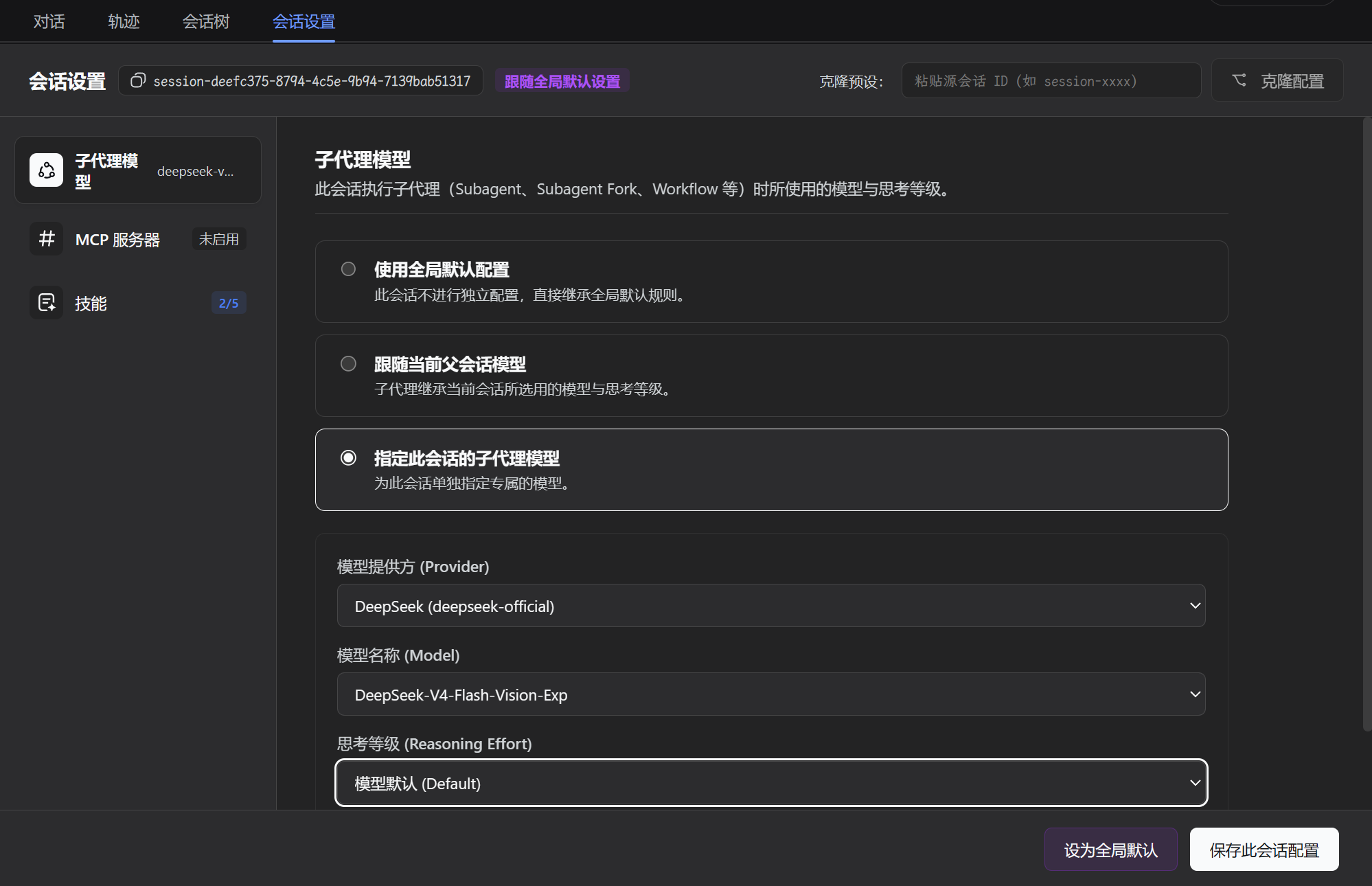
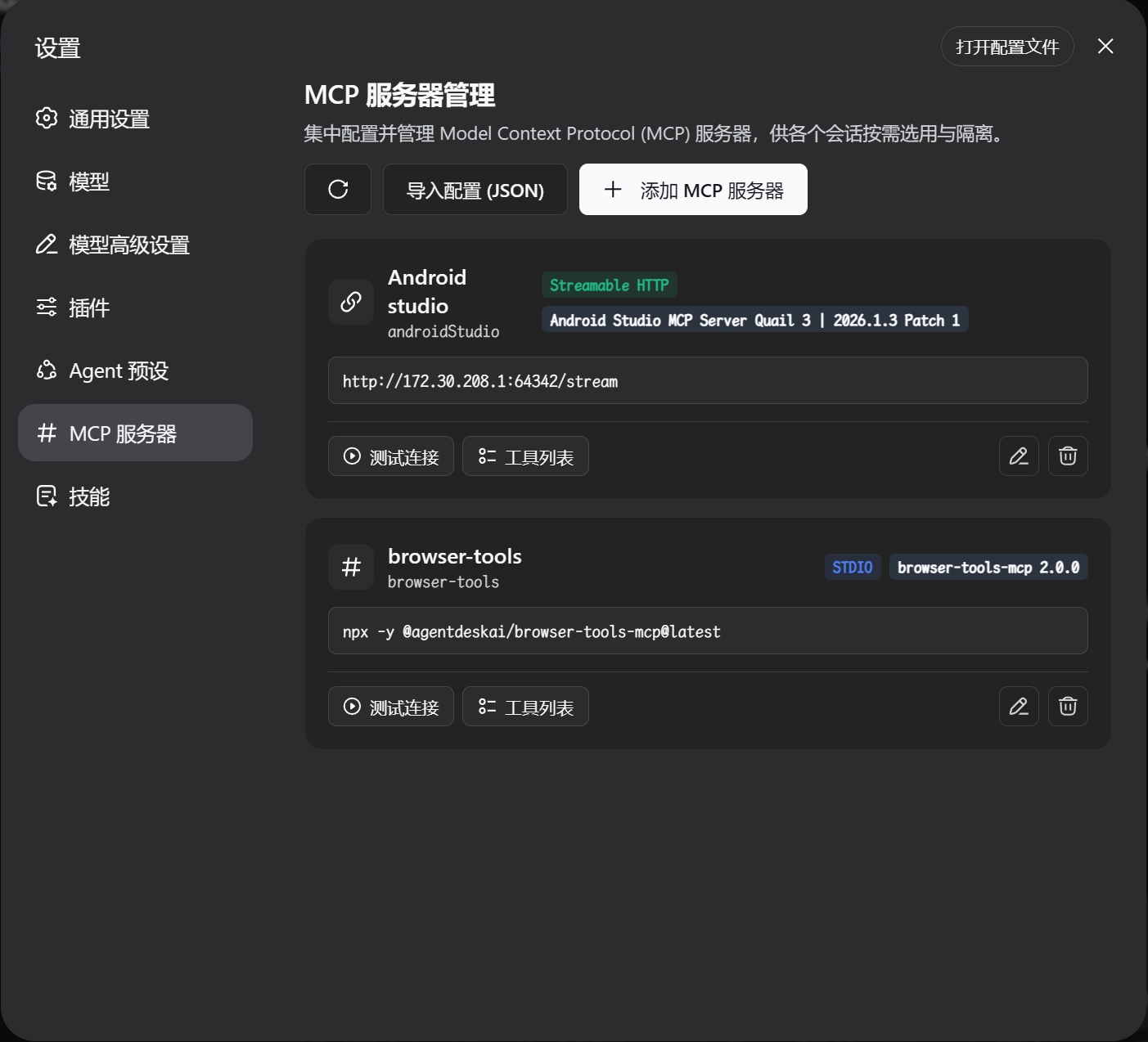
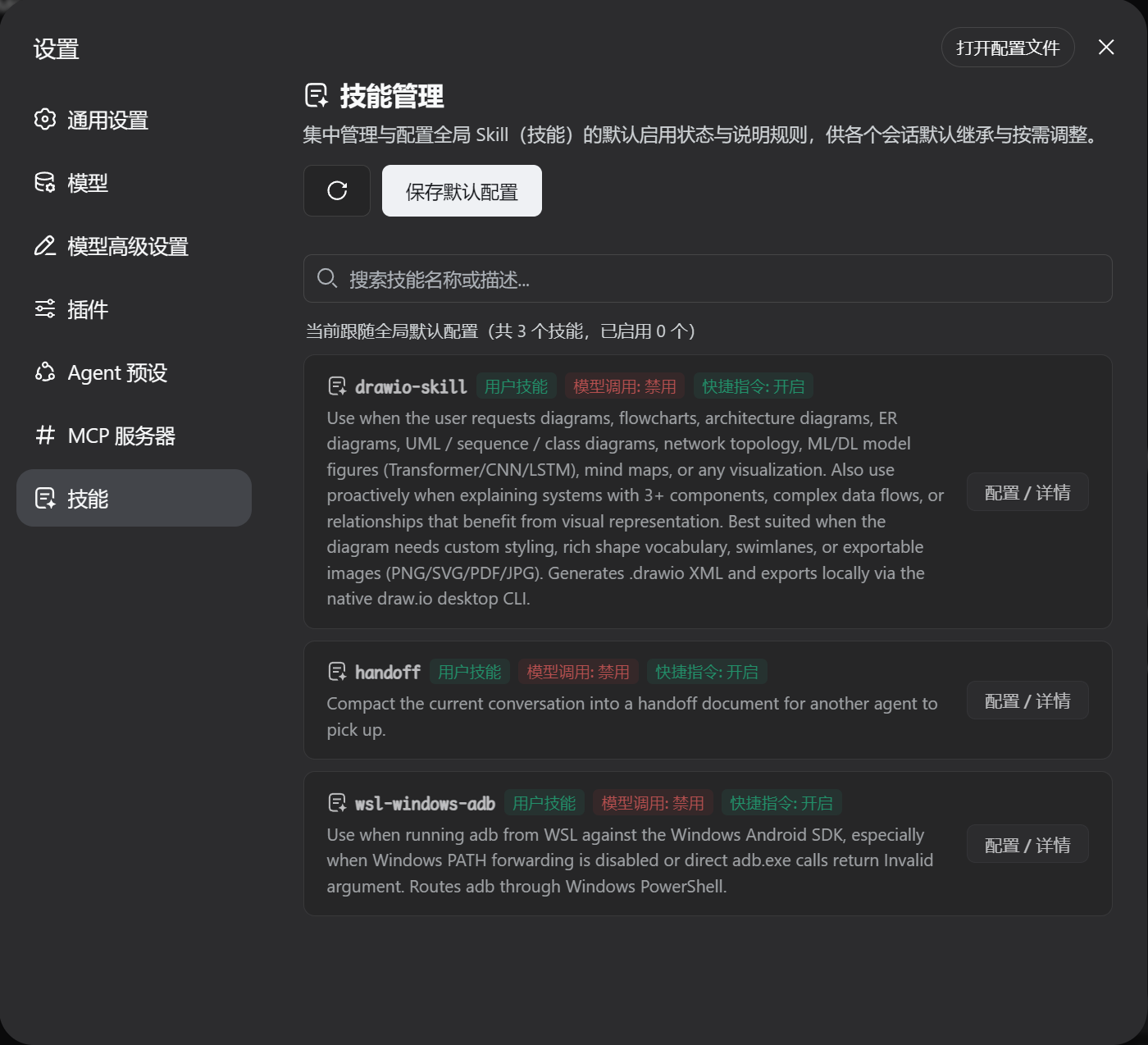
| Plugin Branch | Compatible DeepSeek Harness (DSH) Mainline | Architecture & Features |
|---|---|---|
main branch |
>= 0.1.5-rc.1 |
Native support for Session Format V3, Cordis 4.0.2, modern subagent/descriptor contracts, and dynamic SystemPromptProjection. |
⚠️ Note: The
mainbranch of this plugin targets DSH 0.1.5-rc.1 and above natively without legacy backward-compatibility shims. It does not support DSH ≤ 0.1.2. Please ensure your DSH host is upgraded to the latest mainline release.
This repository includes a GitHub Actions workflow that automatically builds and deploys a minimal release to the dist branch (containing built artifacts and manifests without raw source bloat).
You can install this plugin with a single command without any local build step:
dsh plugin --profile web add github:u9521/dsh-session-settings#distNote: After installation, start or restart the Web service:
dsh web
Clone the repository to your local machine:
mkdir -p ~/.dsh/plugins
cd ~/.dsh/plugins

git clone https://github.com/u9521/dsh-session-settings.git
cd dsh-session-settingspnpm install
pnpm run builddsh plugin --profile web add .List the plugins in the web profile to verify that @local/dsh-session-settings is registered:
dsh plugin --profile web listdsh webIf you installed via the one-line command from the GitHub dist branch, update directly using dsh plugin --profile web update:
dsh plugin --profile web update github:u9521/dsh-session-settings#distNote: After updating, start or restart the Web service:
dsh web
If you installed from cloned local source, pull the latest commits from the main branch and rebuild:
# Step 1: Navigate to the plugin source directory
cd ~/.dsh/plugins/dsh-session-settings
# Step 2: Pull latest commits from the main branch
git pull origin main
# Step 3: Update dependencies and rebuild artifacts
pnpm install
pnpm run build
# Step 4: Restart the Web service
dsh webTo disable and completely remove the plugin, use the DSH CLI to remove it from the web profile:
dsh plugin --profile web remove @local/dsh-session-settingsNote: If installed via the GitHub specifier, you can also run:
dsh plugin --profile web remove github:u9521/dsh-session-settings#distAfter uninstallation, start or restart
dsh webto return to the default DSH interface.
| Command | Description |
|---|---|
pnpm run build |
Full build (runs tsc type check + generates lib/ bundles) |
pnpm run check |
Type check only (tsc --noEmit) without emitting files |
pnpm run fmt |
Format source code and configuration files with Prettier |
pnpm run fmt:check |
Check code formatting compliance |
dsh web after updating session settings or disabling tools/skills?A: No. The host plugin intercepts requests dynamically at runtime and manages tool/skill policies on demand. As soon as you save settings in the Web GUI, they take effect on the very next request.
A: See the Uninstallation section above and run dsh plugin --profile web remove from the corresponding profile.
This project is licensed under the MIT License.
CLASSIFICATION EVIDENCE
系统优先读取 GitHub Topics,再与站内分类词典和词根规则比对。当前命中: 无有效分类标签。
deepseek-ai
DeepSeek Harness: Everything is a Plugin.

anywhere-labs
为 DeepSeek Harness (DSH) 插件生态打造的现代化桌面端解决方案。万物皆「插件」,桌面本身也是「插件」。

awesome-dsh-plugin
A curated list of plugins for DeepSeek Harness (dsh) · DeepSeek Harness 插件精选列表