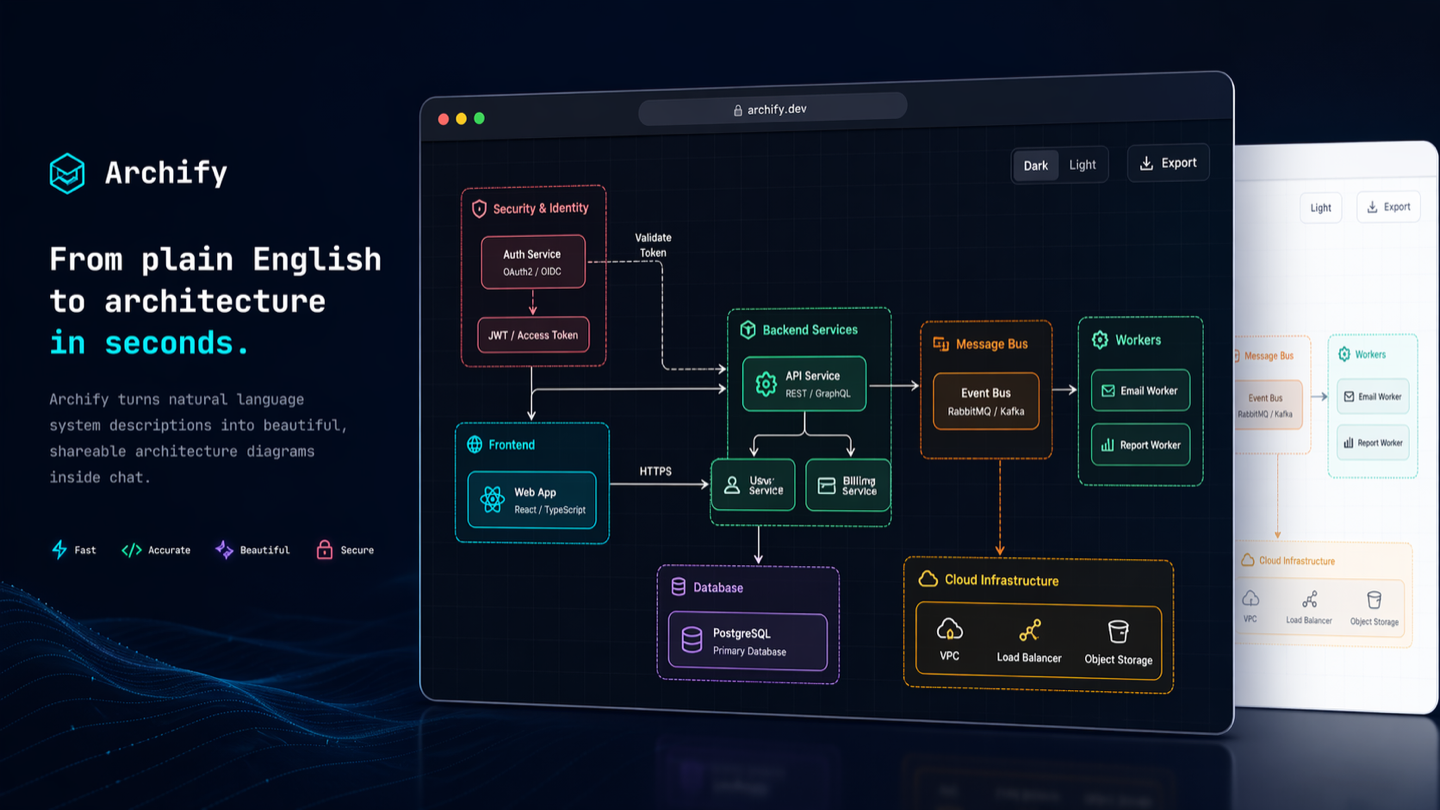
Turn anything you want to understand, plan, or share into an interactive visual.
Start with an idea, a question, or a plan. Describe it to your AI agent, and Archify turns it into an interactive HTML you can explore, customize, and share. From travel itineraries and learning maps to complex systems—make it your own.
See what the community is creating—and imagine what you could make next.
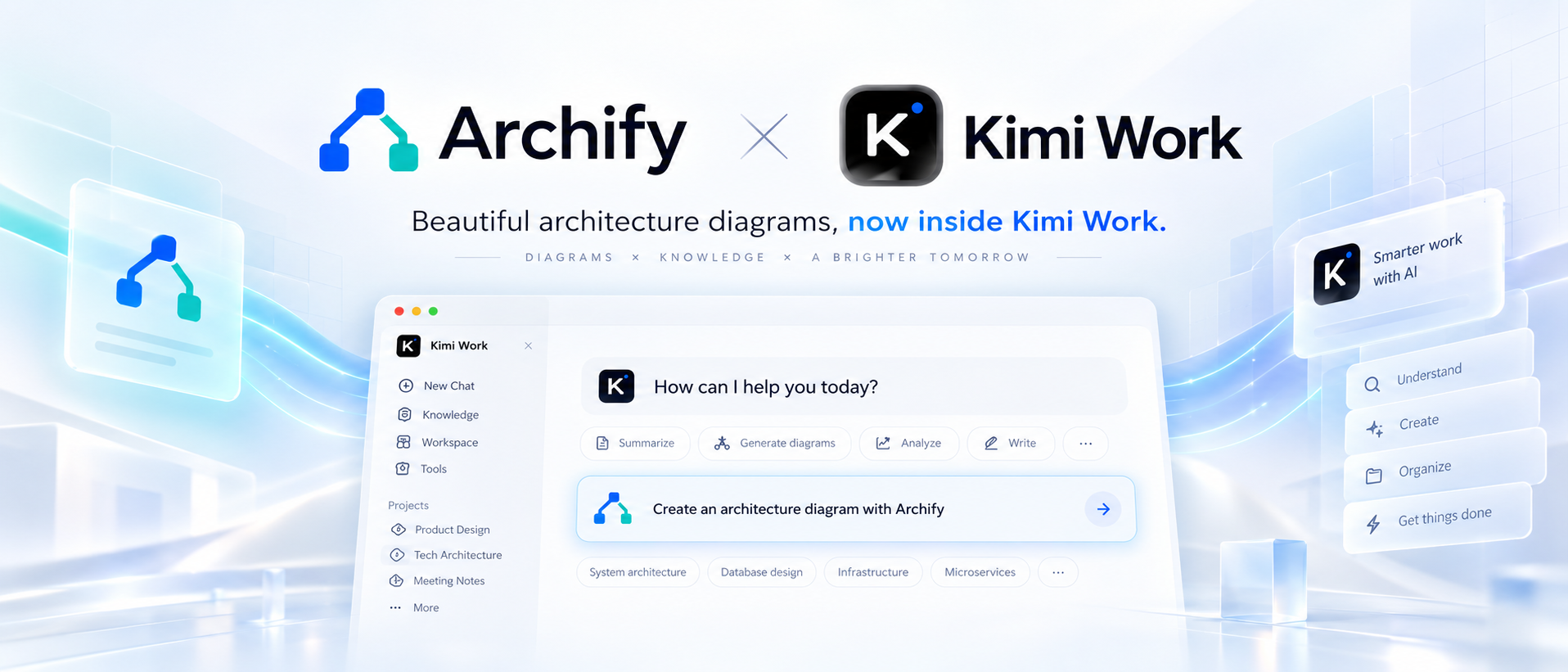
Archify × Kimi Work. Find Archify in the Kimi Work plugin store as Interactive Architecture Diagram. Describe your system in one sentence to create an interactive diagram. Try it in Kimi Work →
Supercode sponsors Archify and enhances Codex and Cursor with token optimization, curated Skills, and spec-driven development. Archify is featured as a Supercode Editor’s Choice skill.
Thank you to OpenLux for sponsoring this project! OpenLux is an all-in-one AI platform for businesses, bringing together leading AI models from major providers worldwide. With fast, reliable service and responsive technical support, OpenLux offers base pricing for Claude, OpenAI, and Gemini models as low as 8.82%, 4%, and 8% of official rates, respectively.
Exclusive offer for Archify users: Sign up through our referral link and enjoy up to 7.5% off credit top-ups!
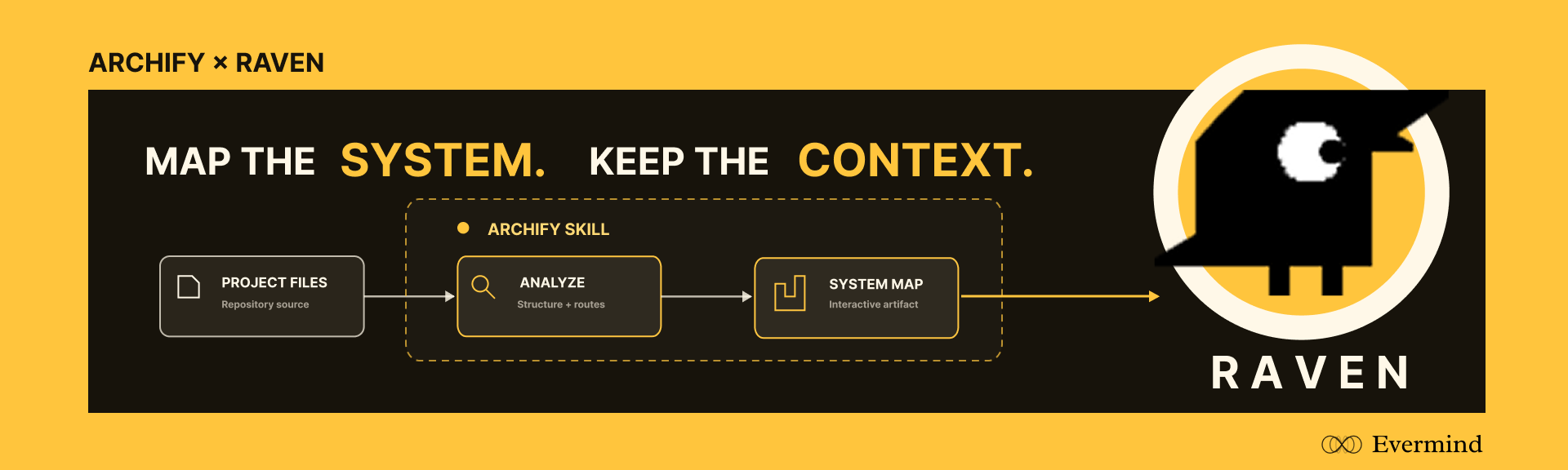
EverMind sponsors Archify and builds memory infrastructure for agents. Its Raven harness supports Archify as a Skill for verified, interactive system maps.
COMMUNITY STORIES · Selected examples shared by users
Keep building after the diagram is generated. Archify is open source and its output is standalone HTML. Ask your agent to adapt it, connect useful links, or add interactions for your own workflow. Community creations already span team collaboration, travel planning, legal citation checks, contract review, and incident retrospectives. These are just a few examples.
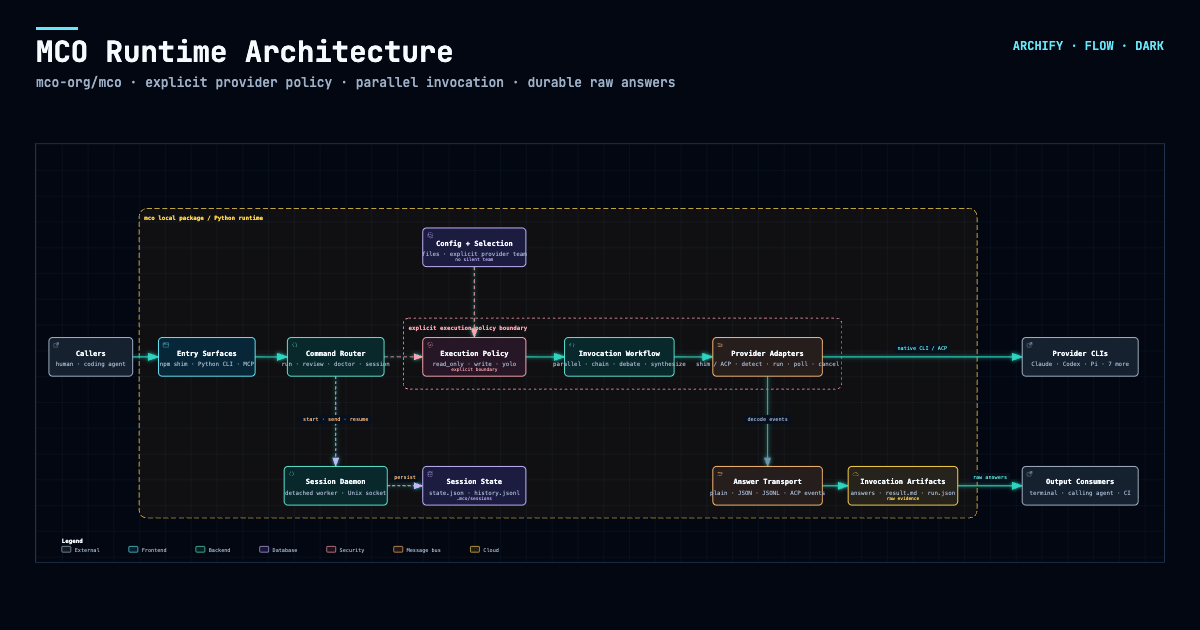
One user started with a hand-drawn multi-agent architecture, turned it into an interactive diagram, then added a Kimi execution pool through conversation. Others asked their agent to read a project and brought the resulting architecture into Feishu or DingTalk for team discussion.
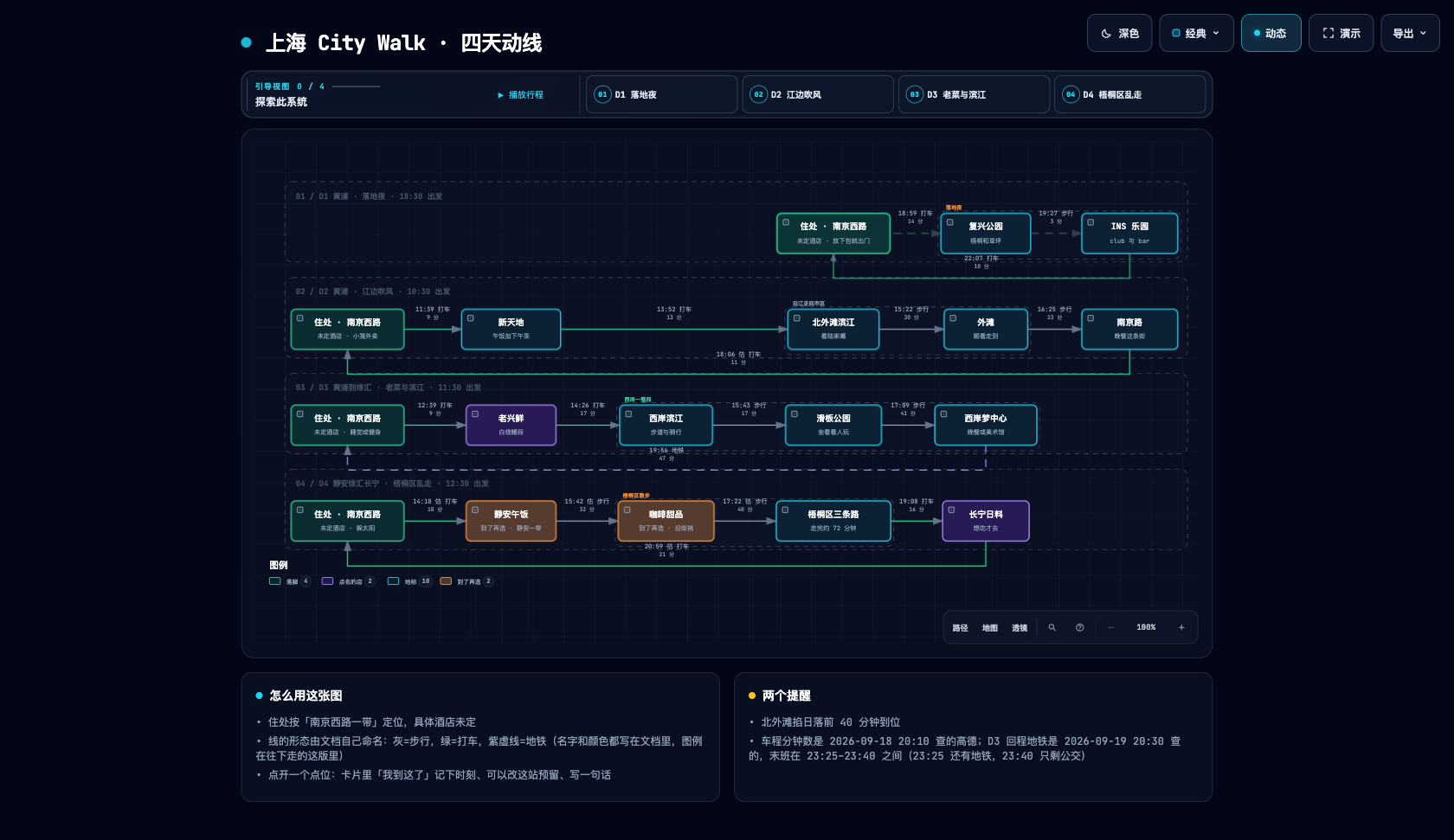
Another user turned a Shanghai CityWalk guide into a four-day itinerary: switch between days, inspect a stop, and jump to Amap, Xiaohongshu, or Dianping. The author also added arrival check-ins and stop notes, turning the itinerary into a small tool to use during the trip. These extensions were added by the community author for this particular artifact.
Community artifact · Shanghai CityWalk · Four days of routes and place links
Download it. Open it. Explore it.
The output is a self-contained HTML file. Download it and open it in your browser to use the node details and path exploration included in that artifact. No Archify installation is needed to view it. Send the HTML to someone else and the interactions go with it; external websites and map links need a network connection.
The agent switcher covers cursor, codex, claude-code, and opencode.
Archify may GET the fixed stable manifest solely to show an optional reminder; it never downloads or installs updates. Successful checks wait about 24 hours (±20%); active use retries failures after 6, then 24 hours. The server sees normal HTTP metadata (IP and time), but receives no version, Agent, project data, prompts, account/device ID, or ETag. You decide whether and when to update. Set ARCHIFY_UPDATE_CHECK_DISABLED=1 to disable networking and reminder-state writes.
Stay updated
Get release notifications: select Watch → Custom → Releases at the top of this GitHub repository. Starring the project does not subscribe you to release notifications.
Installations with the update checker also check for newer stable releases during diagram delivery and can show a reminder. Older installations without the checker need a manual update to gain this feature. You choose whether and when to upgrade; Archify never installs updates automatically.
2. Start from a description — no repository required
Use Archify to draw: Browser -> API -> Redis cache -> PostgreSQL fallback.
For source evidence, open a repository and ask:
Analyze this repository, then use archify to create a high-level runtime architecture diagram.
Show 8–12 core components, one primary path, external dependencies, and trust boundaries.
Put supporting detail in cards instead of adding more edges.
3. Refine in chat
Continue with focused requests such as add Redis, move auth to the left, or highlight the rollback path. Archify keeps the typed source available for targeted iteration.
Choose the right diagram
Five diagram types, architecture comparisons, and examples
Type
Best for
Include in your prompt
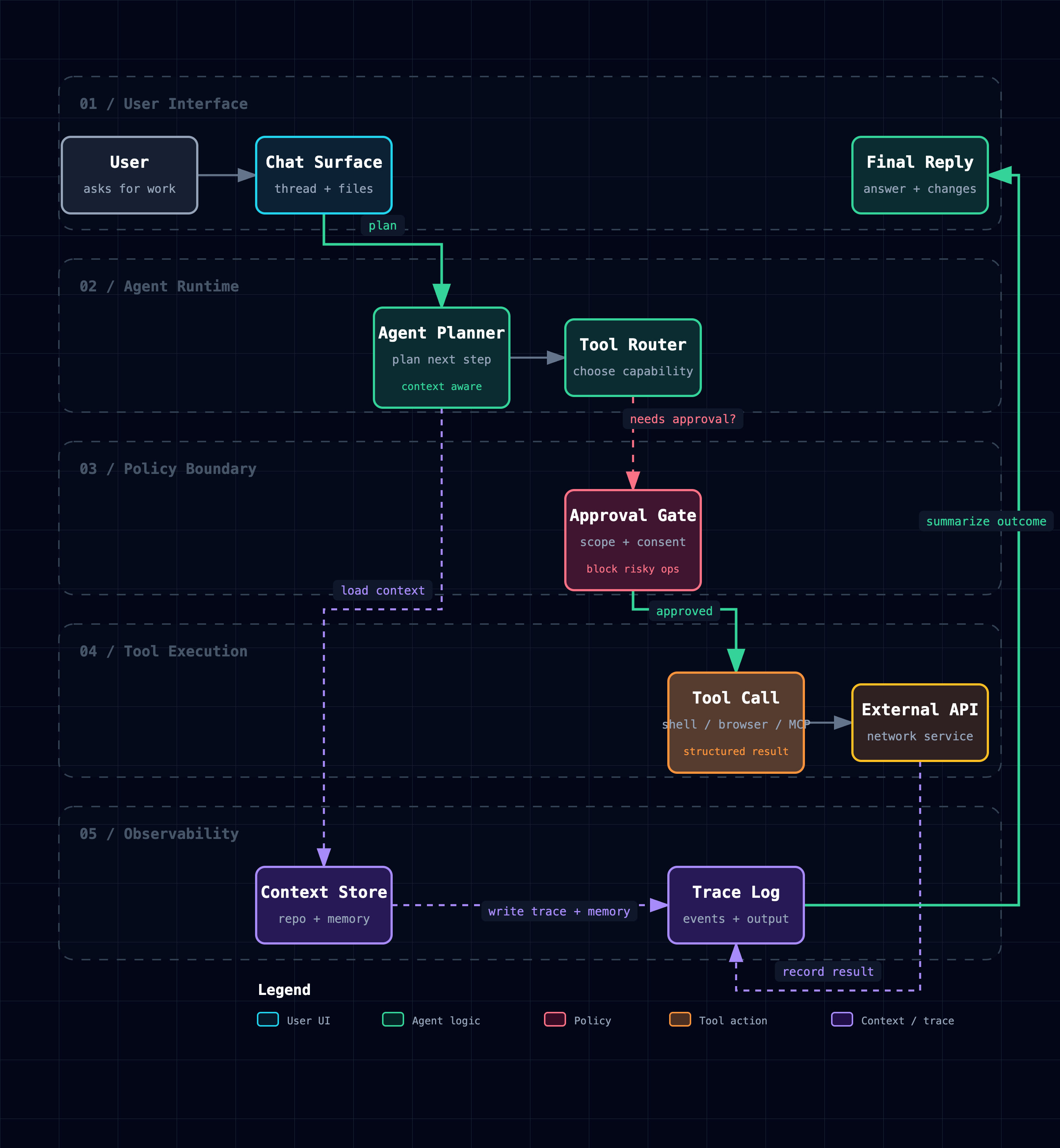
Architecture
Components, services, storage, boundaries
Scope, core components, primary path
Workflow
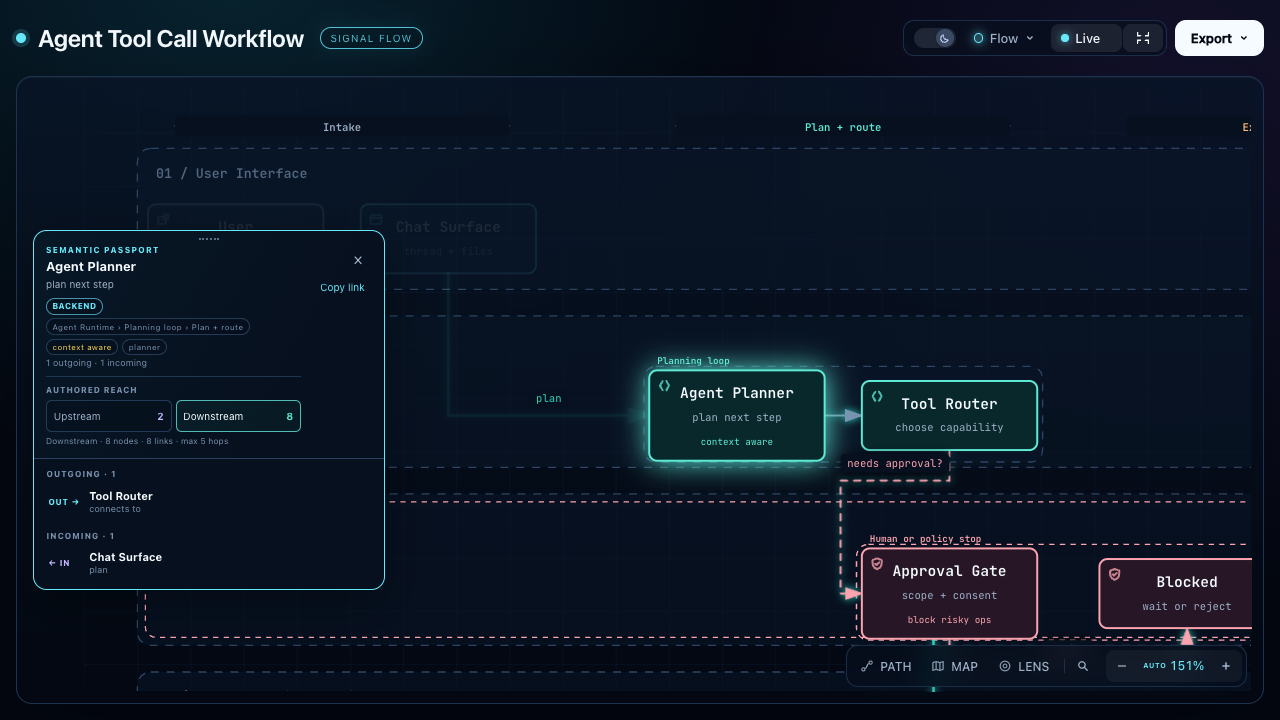
CI/CD, approvals, tool calls, runbooks
Participants, order, branches, exceptions
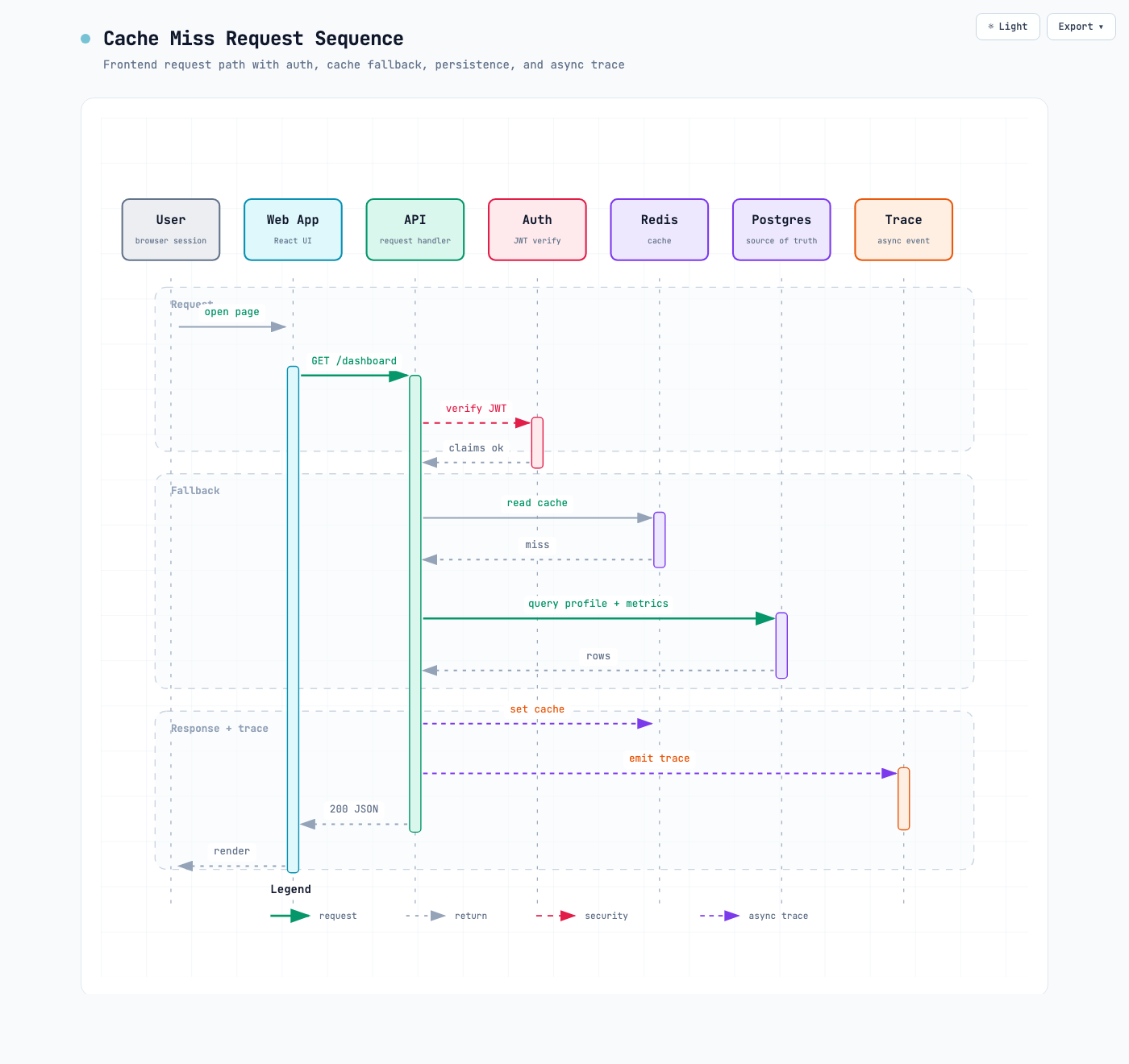
Sequence
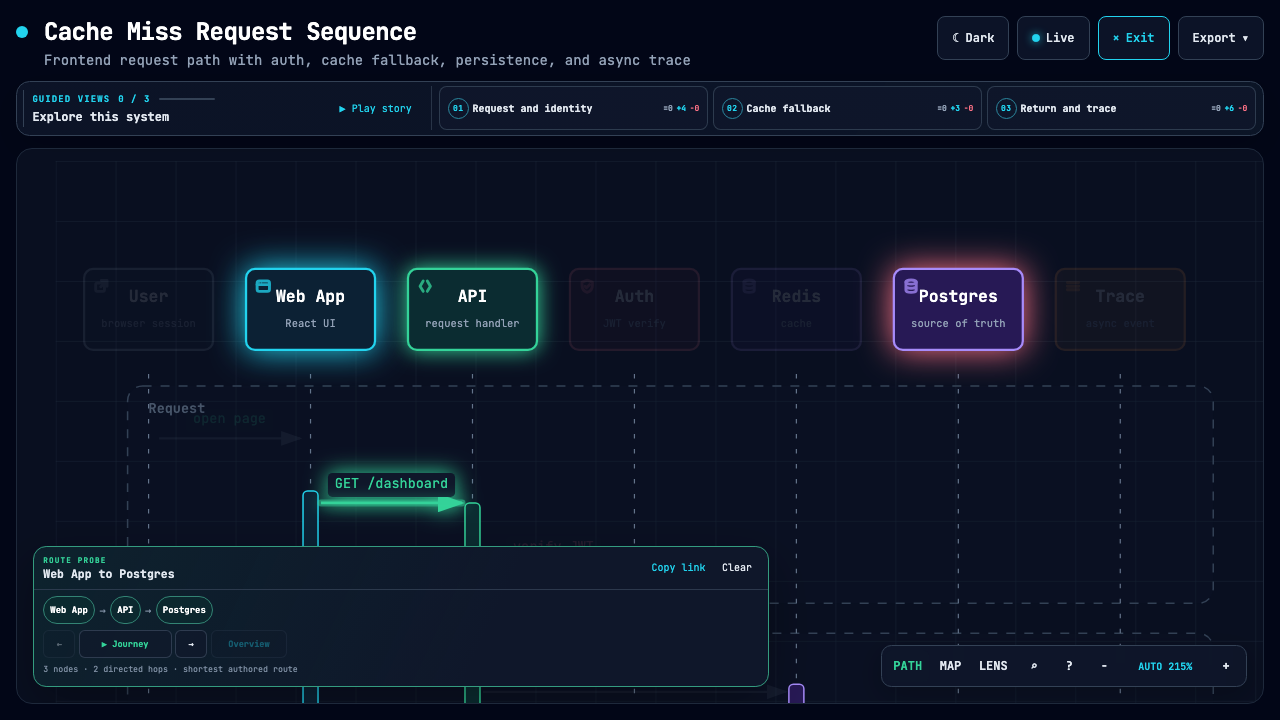
API calls, cache fallback, auth, async traces
Callers, callees, returns, timing
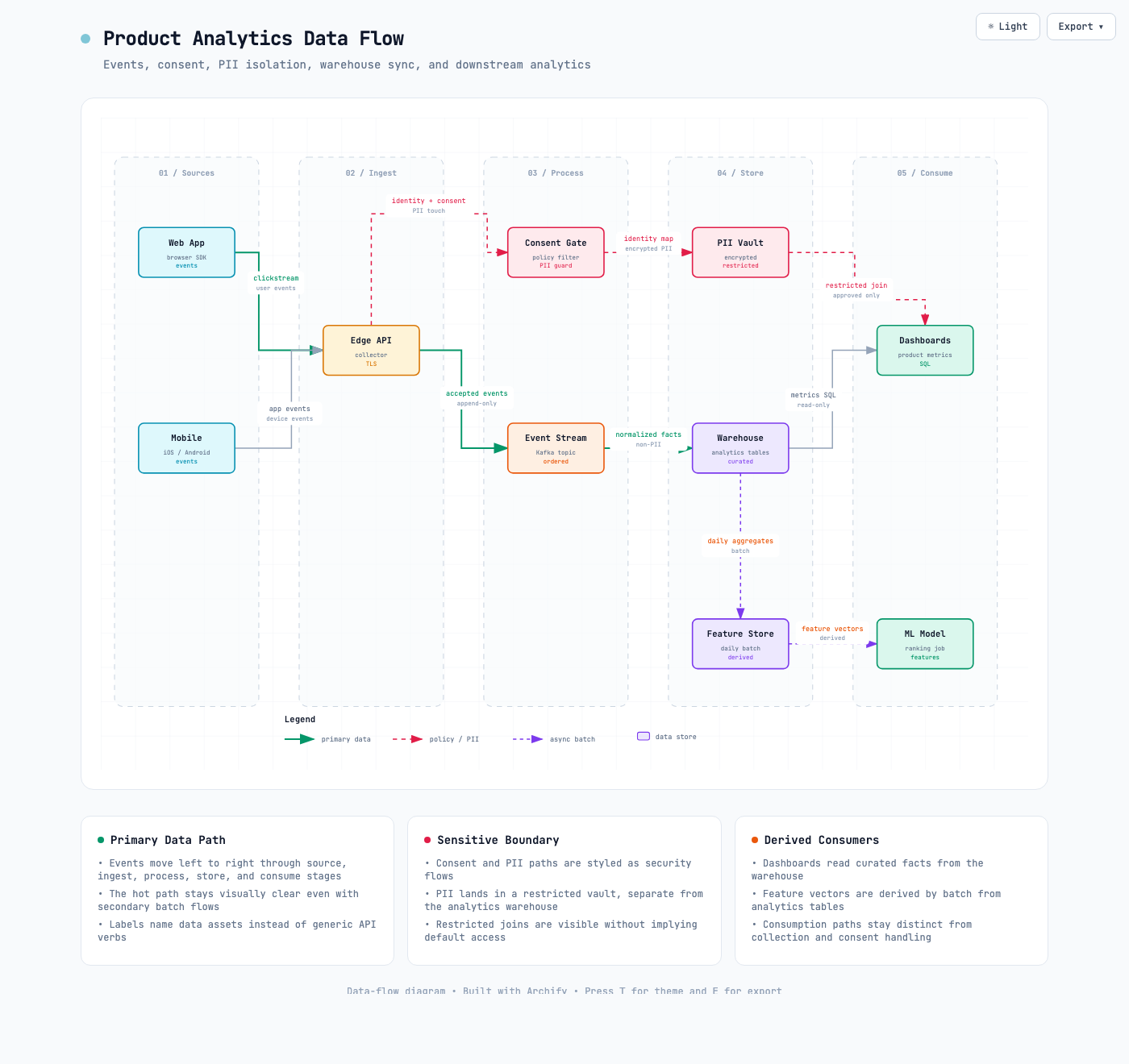
Data Flow
Pipelines, lineage, PII, consumers
Sources, transforms, stores, boundaries
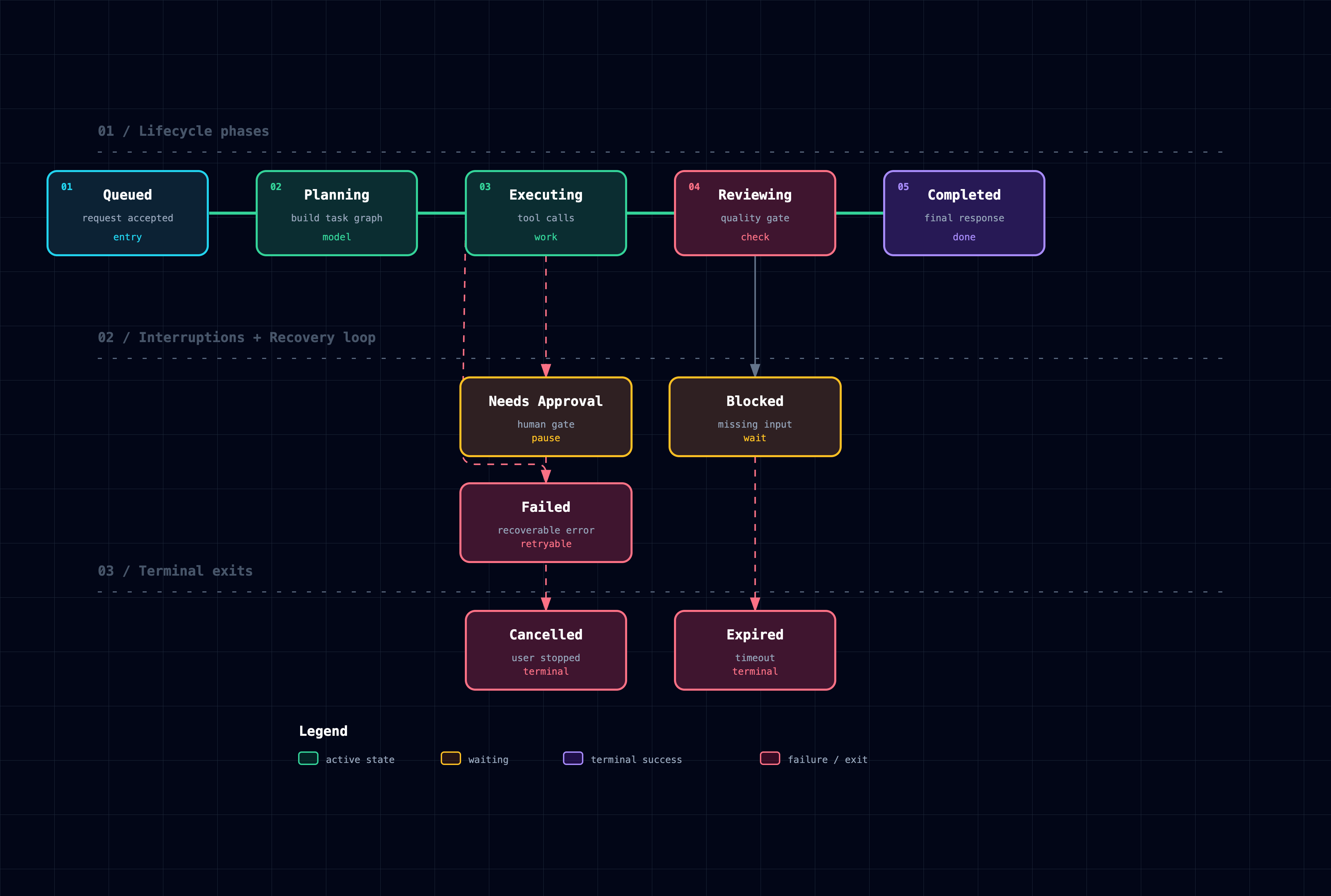
Lifecycle
States, retries, waits, terminal outcomes
States, events, retry and cancellation paths
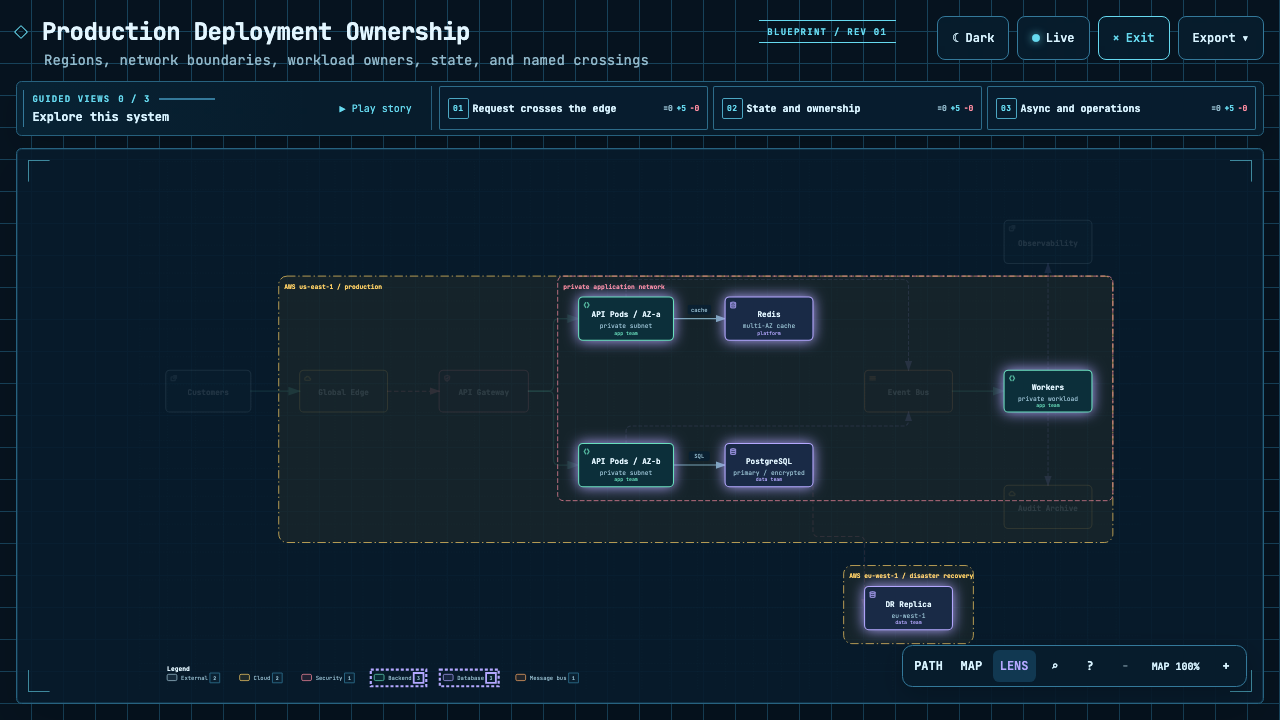
Architecture's optional deployment-ownership profile fails closed when authored owners, region placement, private database scope, or named crossings are missing; it is never implicit and does not inspect live infrastructure. See the checked deployment proof.
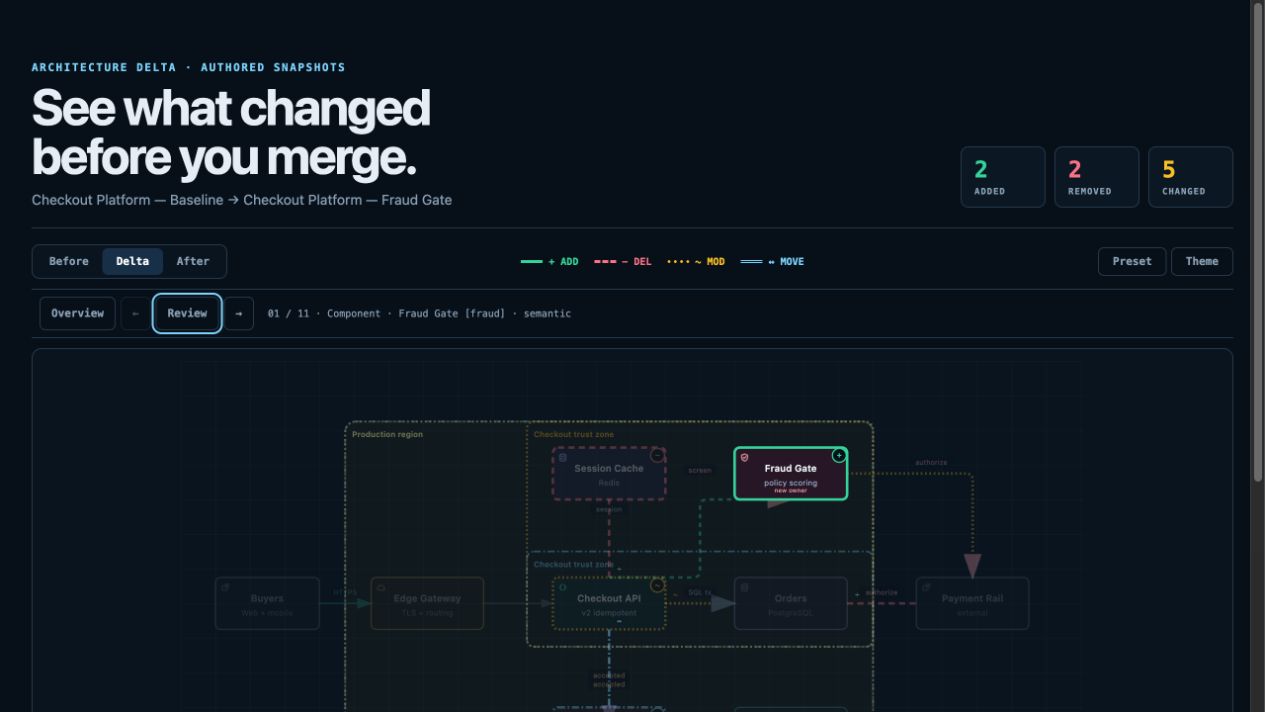
For design or PR review, Architecture Delta compares validated Before / Delta / After snapshots with a machine receipt. Select an authored change or play one finite, viewer-only Review; it infers no impact, risk, or merge safety.
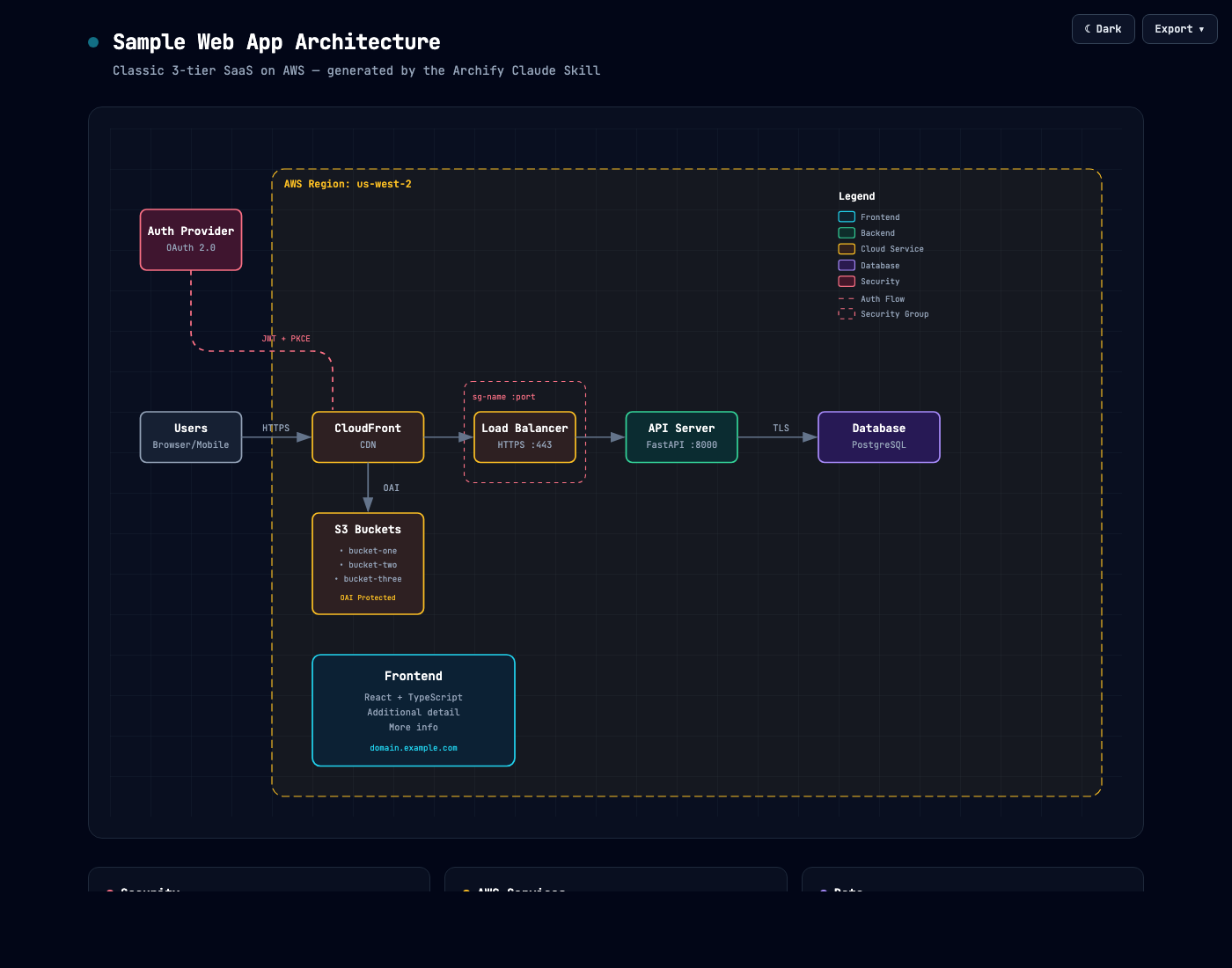
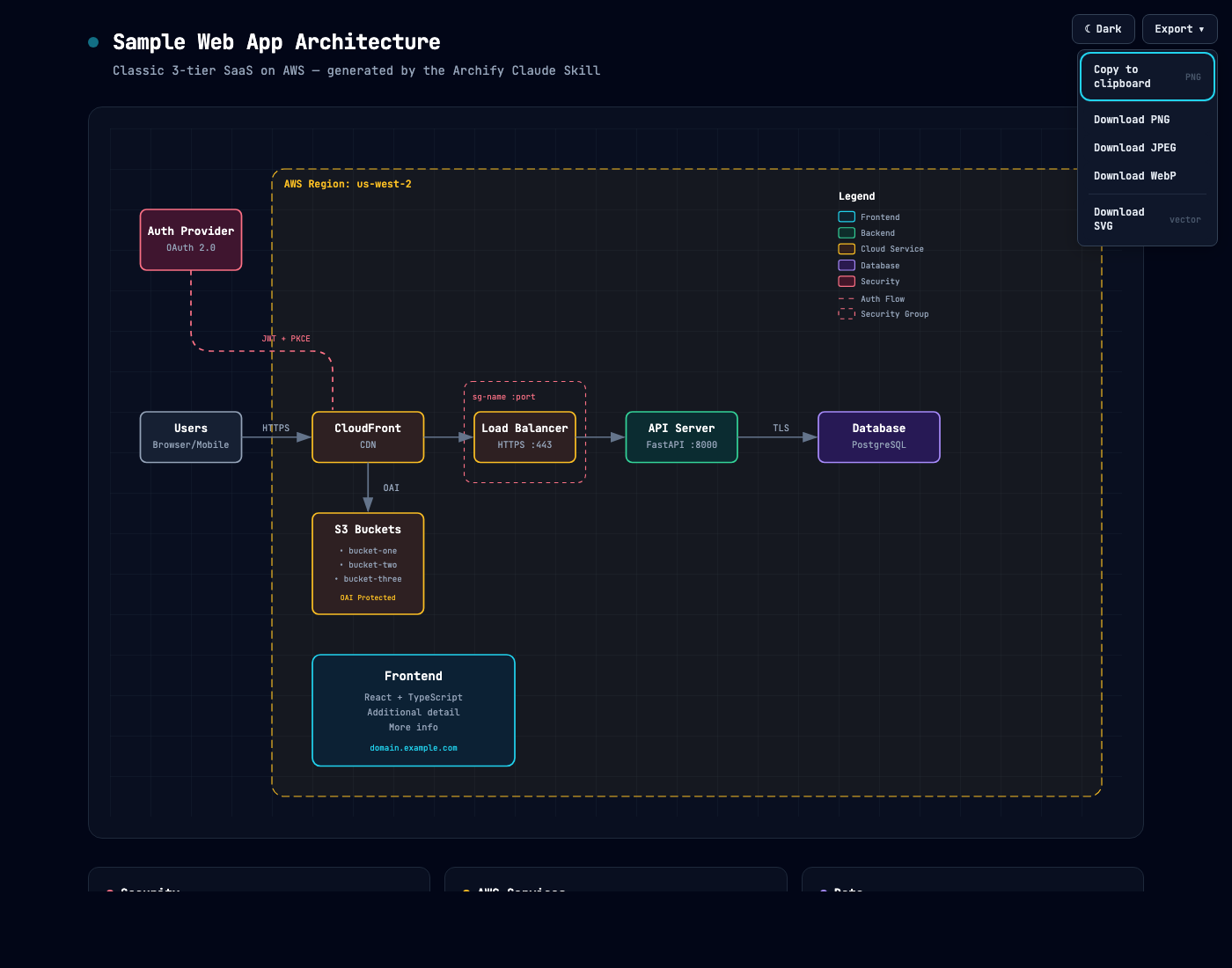
Map components, workflows, and relationships from code or a description.
Explore nodes, follow paths, and share any view as a link.
Extend it your way
Share the result
Keep an editable source and build on the open-source code or generated HTML with your own interactions and use cases.
Share a self-contained HTML file or export images, video, and share cards.
The engineering behind the experience
Layout judgment over generic auto-layout — the agent chooses hierarchy, spacing, routes, and emphasis; shared automatic endpoints spread deterministically instead of piling arrows on one midpoint.
Typed JSON IR — every renderer-backed mode has a schema and reproducible source.
Atomic validation before delivery — schema, layout, HTML/SVG, route, and label-to-route clearance checks must all pass before a showcase artifact replaces the last known good output.
Failures come with a repair receipt — validate --json and deliver --json return stable rule codes, the exact subject, measured evidence, and only supported repair controls instead of a Node stack or an unstructured retry guess.
Last-good live preview — an optional desktop loop watches one JSON file, refreshes only after the latest candidate passes every gate, and keeps the previous verified diagram visible when a save is incomplete or invalid.
Truthful interaction — focus, upstream/downstream reach, exact routes, role comparison, and stories reuse authored nodes and relationships instead of inventing topology or claiming runtime impact.
Source evidence, only when requested — Evidence-backed Architecture nodes mark themselves SRC n and open Git-verified files and line ranges pinned to one public commit; ordinary artifacts stay source-free.
Portable by default — the result is one HTML file; exports remain full-diagram and free of temporary viewer state.
Archify is not a general-purpose drawing editor or a Mermaid theme. It turns technical intent into a communication artifact.
How it works
Generation, validation, preview, and delivery details
Step
What happens
Generate
The agent creates typed JSON IR from your description.
Validate
Bundled validators and layout rules check the source; failures identify the exact local repair in machine-readable JSON.
Preview (optional)
A loopback-only desktop session watches one source and reloads only verified revisions; failures keep the last-good artifact.
Deliver
A same-directory candidate is rendered and checked; only a passing artifact atomically replaces the target, then optional --open launches that exact file.
Iterate
The agent updates the source while unrelated structure stays stable.
preview is an explicit loopback-only desktop mode: it watches one JSON file on a random 127.0.0.1 port, keeps the last verified output through failures, stops with Ctrl-C, and adds no generated-HTML runtime. Use --no-open for tests or manual URL opening.
deliver --open is an opt-in one-shot handoff after commit. Opener failure preserves success; JSON remains on stdout and the absolute fallback path goes to stderr.
On failure, validate --json and deliver --json emit one JSON object. Apply only each diagnostics[] subject's supportedFixes, within the Skill's two correction rounds; visual review remains separate.
meta.locale localizes page title, Legend, states/errors, a11y, HTML/SVG lang—never authored content. en/zh-CN are built in; other languages, including Spanish (es), need meta.translations (canonical message key → translated string; see examples/locales/es.json), or the renderer falls back to English and discloses it. Static omits animation; classic defaults.
Explore and share the output
Action
Control
Open the factual Diagram Guide
?
Find and focus a semantic node
/
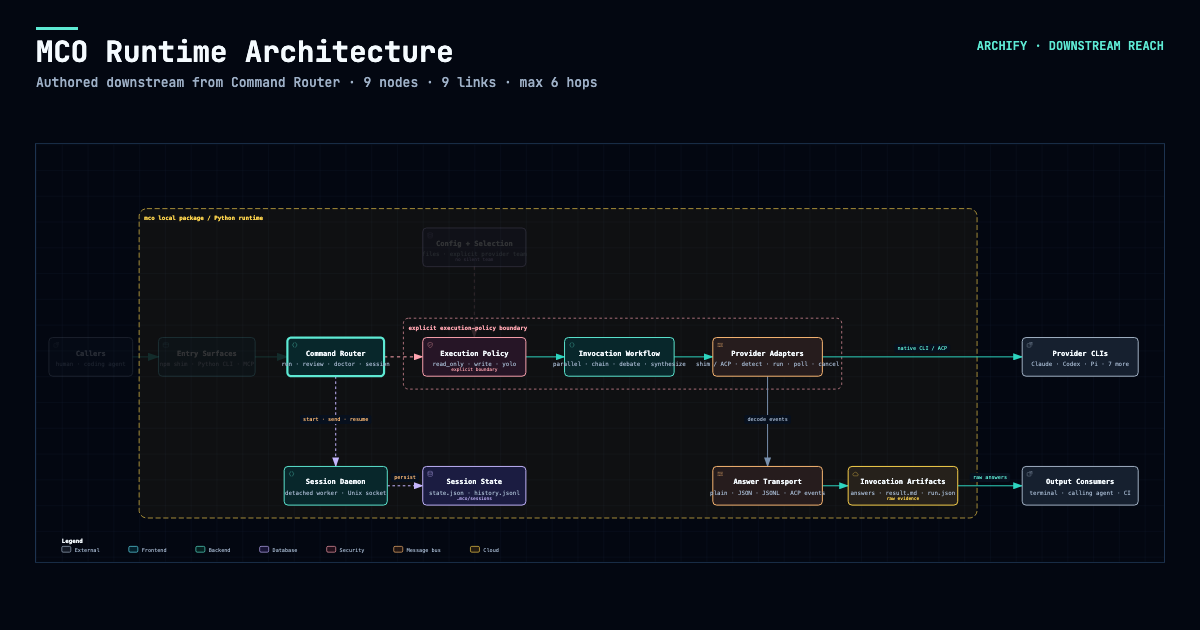
Trace upstream/downstream authored reach
Focus a node → Upstream / Downstream
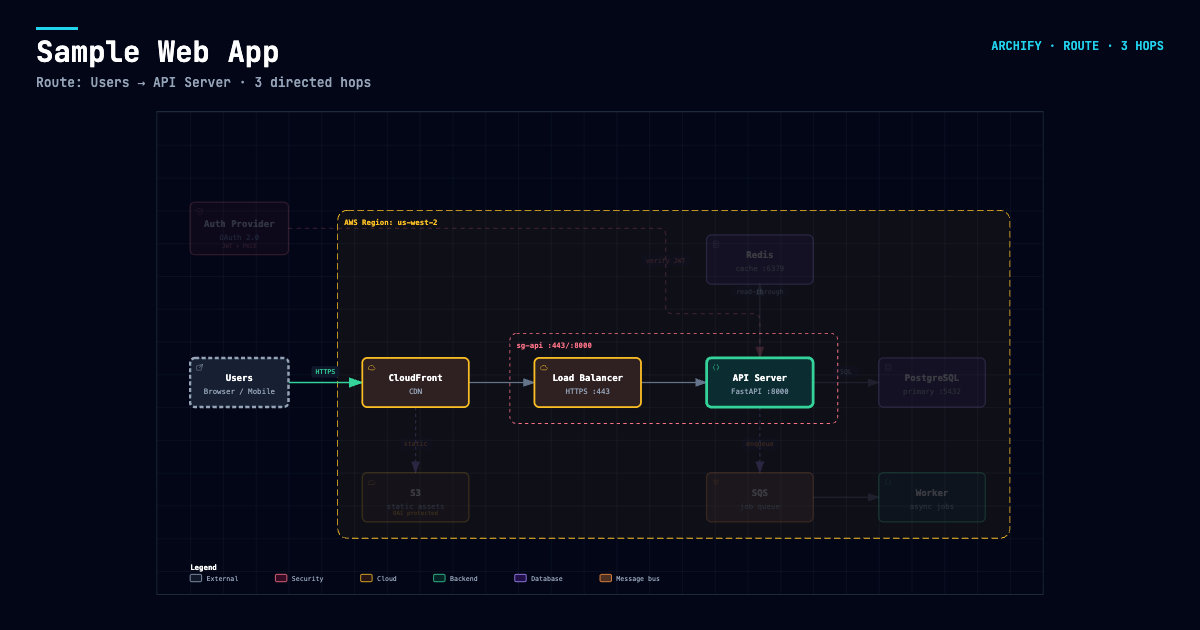
Probe a directed route and inspect its journey
R or PATH
Compare one or two semantic roles
L or LENS
Open the live overview radar
M or MAP
Enter Presentation Stage
F
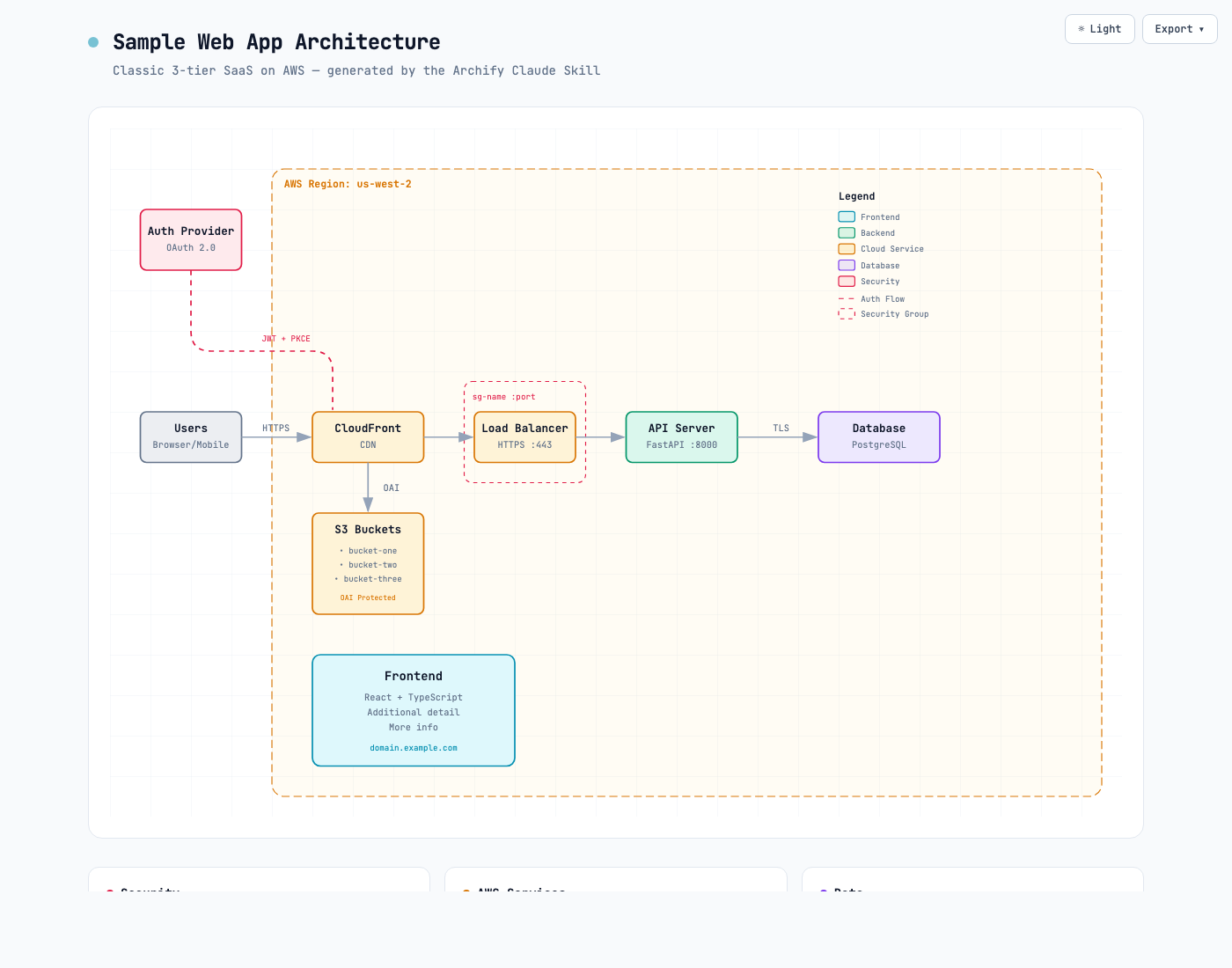
Choose visual style (S cycles) / toggle theme / open Export
S / T / E
Zoom or reset
+ / - / 0
Stable links can restore #focus=<id>, #focus=<id>&reach=upstream|downstream, #relation=<id>, #route=<source>~<target>, and #lens=<kind>~<kind>. Reader-driven motion is finite, respects prefers-reduced-motion, and never enters canonical exports.
The complete generation and viewer contract lives in archify/SKILL.md.
Installation options
Surface
Install location or method
Capability
Claude Code
~/.claude/skills/ or .claude/skills/
Full renderer + validation workflow
Codex CLI
~/.agents/skills/ or .agents/skills/
Full renderer + validation workflow
opencode
~/.config/opencode/skills/, .opencode/skills/, or .agents/skills/
Full renderer + validation workflow
Claude.ai
Upload archify.zip under Settings → Capabilities → Skills
Community Skill-only integration; Node >=18; not a Nous official product. No telemetry. It is not a switcher target. Details.
DeepSeek Harness
Opt-in: dsh plugin --profile web add @tt-a1i/archify-dsh@1.0.0. Invoke: Use the archify skill to map this repository's runtime architecture. Remove: dsh plugin --profile web remove @tt-a1i/archify-dsh.
Community integration for developer-preview @deepseek-ai/dsh@0.1.2-rc.1; Node ^22.19.0 \|\| >=24.0.0; not an official DeepSeek product. No telemetry. Shell files need exact workspace paths, not Web Produced Files. Details.
Building a standalone package on Archify? Submit it to the community catalog; the guide includes a collapsible example and complete Chinese steps.
Issues, pull requests, and real-world diagrams are welcome. Start with the contribution guide, use the reproducible bug form for failures, or submit a validated diagram through the community showcase form. · LINUX DO
Support Archify
If Archify has been useful to you, you can support its continued development. Thank you for helping keep the project going ❤️
Support via WeChat Pay
Scan the QR code below with WeChat, or save it and open it in WeChat to scan.
Support via Alipay
Scan the QR code below with Alipay, or save it and open it in Alipay to scan.
Using Archify, sharing it, reporting bugs, and contributing improvements are also ways to help.














 [Discord](https://discord.gg/6xWMjgCeUq)
 WeChat: scan the QR code below. WeChat group codes expire periodically; if this one has expired, ask for the current code through Discord or QQ.
 QQ group: `1121948602`