
模型与 MCP
待识别

rea
morluto
Reverse engineer anything with agents, from app behavior down to native binaries.
PROJECT TOPICS
PROJECT README
Give your DSH agent real tools for the models on your machine.


Tool Mode turns local and on-device models into typed tools that an agent can
actually call. Instead of pretending a model is a chat endpoint, it registers
tools such as lang_detect, stt_transcribe, semantic_rank and
structured_extract, with explicit input/output schemas and an honest answer for
every model that cannot run on this machine.
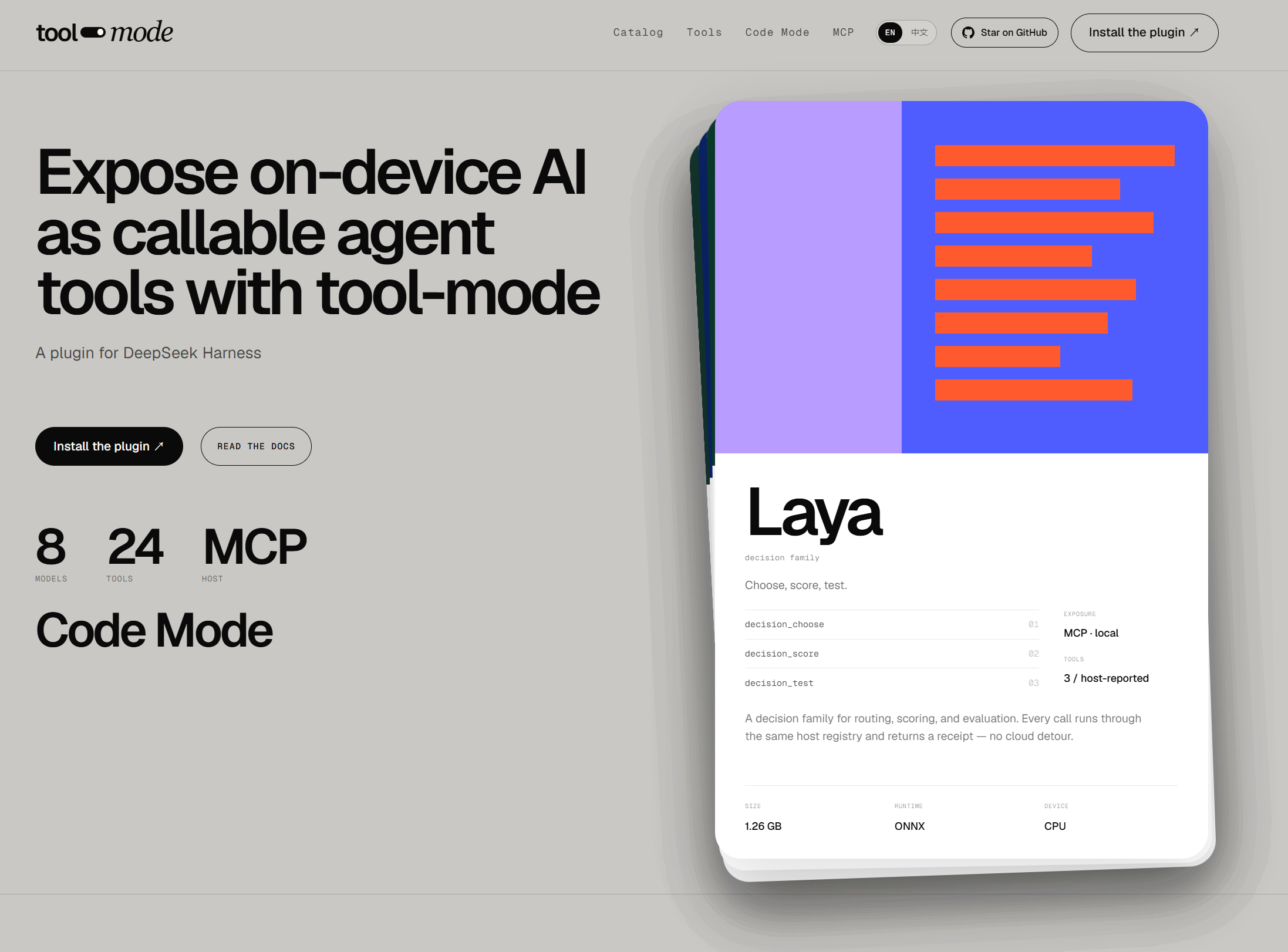
Tool Mode: expose on-device AI as callable agent tools.
New to Tool Mode? Start with the documentation → installation takes a few minutes.
lang_detect; which model or
route serves it is a deployment decision. Swapping the model does not change
the tool schema.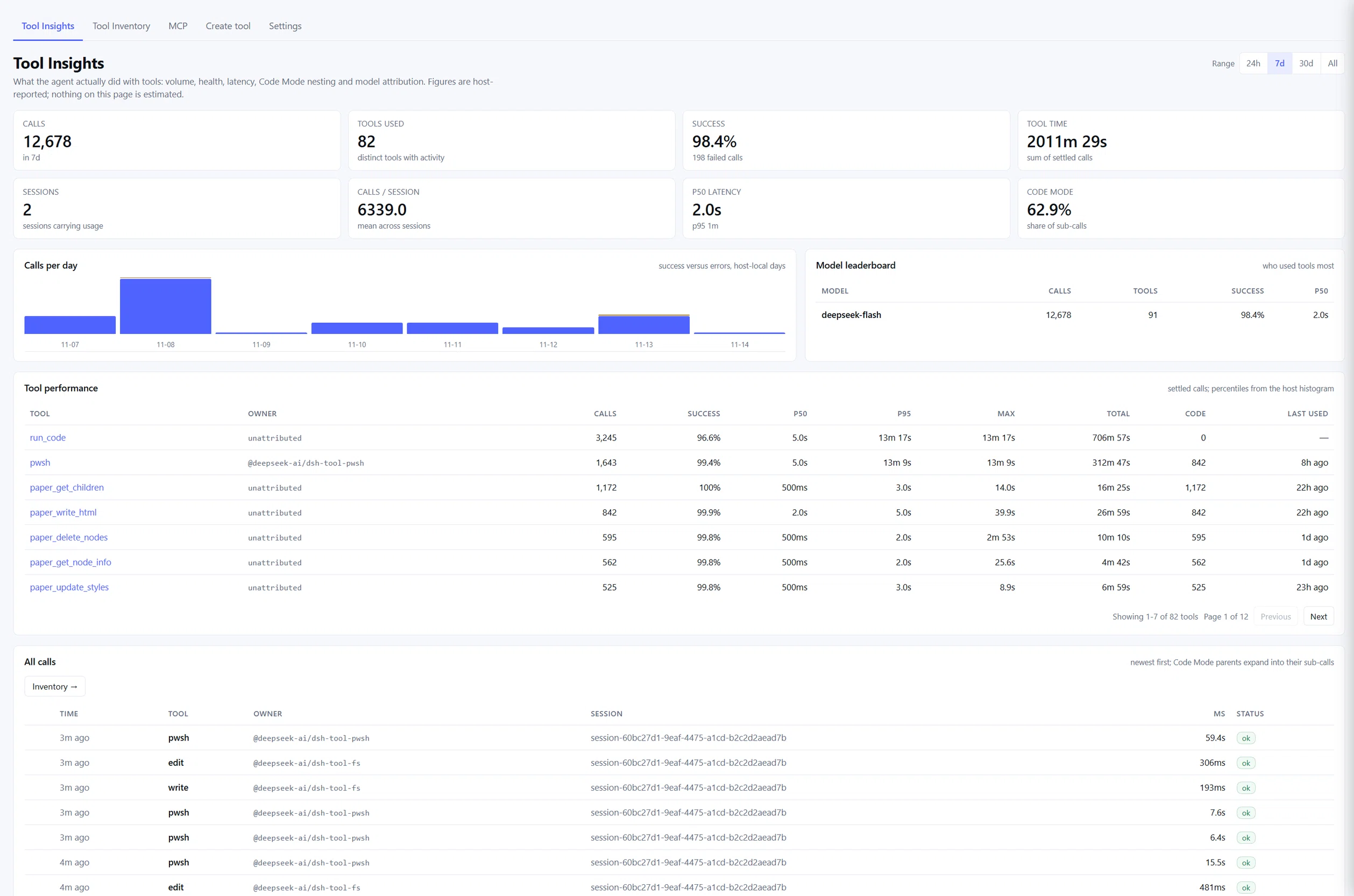
Tool Insights: usage, latency, success and model attribution for every tool.
Tool Mode is a DSH bundle. Install it into a profile:
dsh plugin --profile web add @try-works/dsh-tool-modeRestart DSH, then open Settings → Tool Mode. Enable a model — Tongue is the simplest first choice because its 2 MB model ships inside the npm package and needs no runtime download.
Ask the agent:
Detect the language of “Bonjour, comment allez-vous ?”
It calls lang_detect and returns the language with confidence and ranked
alternatives.
Full instructions, manual installs and upgrade notes are in Installation.
Tool Mode ships with the 18-model Desert Ant catalog. The first-party extensions below add more models and tools; Tongue and Voz appear in both lists because they are catalog models with first-party implementations. Availability depends on the platform, installed runtimes, prepared assets and enabled extensions.
| Model | Task | Windows x64 |
|---|---|---|
| Align | Audio word alignment | Browser-only SDK |
| Clear | Speech enhancement | Browser-only SDK |
| Clips | Video clip selection | Browser-only SDK |
| Ear | Spoken-language identification | Browser-only SDK |
| Emo | Emoji suggestion | Browser-only SDK |
| Eye | Image frame scoring | Closed beta |
| Face | Face matching | Closed beta |
| Gist | Topic tagging | Browser-only SDK |
| Moderator | NSFW detection | Browser-only SDK |
| Redact | PII redaction | Browser-only SDK |
| Schemer | Structured extraction | Closed beta |
| Shapes | Stroke shape recognition | Browser-only SDK |
| Title | Title generation | Apple only |
| Tongue | Language detection | Yes — pure JavaScript, weights bundled |
| Toxic | Toxicity detection | Closed beta |
| Uhm | Filler detection | Apple only |
| Voz | Speech-to-text | Yes — ONNX Runtime, ~367 MB weights on first use |
| Who | Speaker labeling | Closed beta |
| Model | Tools | Notes |
|---|---|---|
| Laya decision family | decision_choose, decision_choose_local, decision_score, decision_score_typed, decision_test, decision_test_typed |
Local decision checkpoint |
| EmbeddingGemma 2 | multimodal_embed, semantic_similarity, semantic_rank, semantic_classify, semantic_deduplicate, dedupe_and_rank, media_find_moments |
Text, image and audio embeddings |
| MiniLM embed | text_embed |
384-dimensional compatibility space |
| MiniLM rerank | text_rerank |
Cross-encoder ranking |
| Cactus Needle 3 | structured_extract, extract_with_repair, validate_record, tools_plan |
Structured extraction and tool planning |
| Cactus Mirage | mirage_describe, mirage_detect, mirage_ocr, mirage_extract |
Vision: describe, detect, OCR, forms |
| Harness Vision | describe_image |
Image description through an authorized harness model |
| Harness Text Tools | text_title |
Title and summary generation |
| Declarative recipes | Recipe-defined tools | Harness-model-backed recipes |
| Redact | redact_text |
PII spans over the Redact LiteRT artifact (Effect runtime layer) |
| Shapes (declarative) | shape_recognize |
Code-free package: manifest + model-runtime recipe |
Use tool_mode_list for the live answer in your process. The complete table,
per-model details and the reason for every unavailable model are in
Models.
The current tool surface is grouped below. Exact availability depends on
installed extensions, enabled models and the caller's grant; use
tool_mode_list for the live list and tool_mode_describe for schemas.
| Tool | Backed by |
|---|---|
lang_detect |
Tongue |
stt_transcribe |
Voz |
text_embed |
MiniLM embed |
text_rerank |
MiniLM rerank |
multimodal_embed |
EmbeddingGemma 2 |
semantic_similarity |
EmbeddingGemma 2 |
semantic_rank |
EmbeddingGemma 2 |
semantic_classify |
EmbeddingGemma 2 |
semantic_deduplicate |
EmbeddingGemma 2 |
dedupe_and_rank |
EmbeddingGemma 2 |
media_find_moments |
EmbeddingGemma 2 |
| Tool | Backed by |
|---|---|
describe_image |
Harness Vision |
mirage_describe |
Cactus Mirage |
mirage_detect |
Cactus Mirage |
mirage_ocr |
Cactus Mirage |
mirage_extract |
Cactus Mirage |
structured_extract |
Cactus Needle 3 |
extract_with_repair |
Cactus Needle 3 |
validate_record |
Cactus Needle 3 |
tools_plan |
Cactus Needle 3 |
text_title |
Harness Text Tools |
| Tool | Backed by |
|---|---|
decision_choose |
Laya |
decision_choose_local |
Laya |
decision_score |
Laya |
decision_score_typed |
Laya |
decision_test |
Laya |
decision_test_typed |
Laya |
decision_combine |
Host |
decision_evaluate |
Host |
decision_route |
Host |
decision_choose_jev |
Remote Jev API (opt-in) |
decision_judgments_jev |
Remote Jev API (opt-in) |
| Tool | Purpose |
|---|---|
tool_mode_list |
Live tool catalogue, readiness and catalog revision |
tool_mode_describe |
Schemas, semantics, limits and unsupported cases |
model_tools |
Host-local model and extension management view |
tool_mode_run |
Bounded multi-tool program; only when Code Mode is released |
| Tool | Backed by |
|---|---|
redact_text |
Redact LiteRT artifact through the Effect runtime layer |
shape_recognize |
Shapes declarative package (manifest + model-runtime recipe, no code) |
detect_fillers |
Uhm declarative package (ONNX runtime layer) |
enhance_speech |
Clear declarative package (ONNX runtime layer, returns enhanced WAV base64) |
classify_nsfw |
Moderator declarative package (LiteRT runtime layer, PNG input) |
identify_language |
Ear declarative package (LiteRT runtime layer, 16 kHz WAV) |
suggest_emojis |
Emo declarative package (LiteRT runtime layer, text → emoji suggestions) |
Full descriptions and schemas: Tool reference.
Tool Mode also supports Jev, TypeSafe's remote System One typed-question API. Jev is not a local model and has no local weights: enabling it adds a deliberate network route for decision tasks.
- id: model-tools
  config:
    jev:
      enabled: true
      model: jev-1.14
      # apiKey: ...                 # direct operator config
      # credentialRef: jev/api-key  # DSH credentials service (default)
      # apiKeyEnv: TYPESAFE_API_KEY # environment fallback
When enabled, it registers:
decision_choose_jev — choose one of 2–16 options through Jev.decision_judgments_jev — batch independent yes/no judgments through Jev.The API key is resolved in this order: jev.apiKey, the DSH credential reference
(default jev/api-key), then apiKeyEnv (default TYPESAFE_API_KEY). A missing
key produces a named JEV_API_KEY_NOT_CONFIGURED diagnostic; there is no fake
answer and no silent local fallback. Set baseURL only if you use a compatible
endpoint other than the default.
Jev is opt-in and network-bound. Leave it disabled for a no-network deployment. See Configuration: Jev.
Enable the endpoint in your profile:
- id: model-tools
  config:
    mcpV3:
      enabled: true
      host: 127.0.0.1
      port: 3765
      path: /mcp
Provide the bearer token through DSH_TOOL_MODE_MCP_TOKEN or a tokenFile, then
connect Claude Desktop, Cursor or another MCP client. The endpoint serves MCP
2026-07-28 over loopback HTTP, with per-client grants and tool-level export
policy.
See Connect an MCP client. For wire behavior, see the MCP protocol reference.
| Folder | Runtime | Status |
|---|---|---|
dsh-tool-mode |
DeepSeek Harness (DSH) | Available — plugin, contracts, extension SDK, extensions, tests |
opencode-tool-mode |
OpenCode | Planned |
pi-tool-mode |
Pi | Planned |
The DSH implementation is a monorepo. The published plugin is
@try-works/dsh-tool-mode;
the repository also contains the model-free contracts, the public extension SDK,
first-party model extensions, and verification tooling.
| Read this | If you want to… |
|---|---|
| Documentation home | Start at the beginning |
| Installation | Add the plugin to a profile |
| First tool | Make a first successful call |
| Using tools in DSH | Day-to-day use with an agent |
| Extensions | Add model tools beyond the catalog |
| Custom tools | Create HTTP, prompt or composite tools |
| Security | Understand tokens, grants and approvals |
| Troubleshooting | Diagnose a missing tool or MCP problem |
| Tool reference | See every tool and its backing model |
| Configuration | Change profile behavior |
The plugin starts cleanly without model runtimes; it reports what is missing rather than failing at call time.
The DSH monorepo lives in dsh-tool-mode. Build, test and
verification commands run from there:
cd dsh-tool-mode
npm ci
npm run link:dsh -- --checkout /path/to/deepseek-harness
npm run build
npm test
npm run verify
link:dsh is required for local development because the DSH peer packages are
supplied by a DSH checkout rather than installed by npm.
Useful references:
Apache License 2.0. See LICENSE.
Model weights and SDKs keep their own vendor licenses; Tool Mode does not redistribute model weights. See the model pages for the applicable terms.
CLASSIFICATION EVIDENCE
系统优先读取 GitHub Topics,再与站内分类词典和词根规则比对。当前命中: mcp、model、models。
morluto
Reverse engineer anything with agents, from app behavior down to native binaries.

deepseek-ai
DeepSeek Harness: Everything is a Plugin.

nexu-io
The 1st Collaborative AI Design Agent Workspace. Local-first and open source. Create motion, prototypes, websites, apps, dashboards, presentations, images, and videos with your team and AI agents. Share work, exchange feedback, and iterate together in one workspace.