
模型与 MCP
待识别

rea
morluto
Reverse engineer anything with agents, from app behavior down to native binaries.
PROJECT TOPICS
INSTALL REFERENCE
dsh plugin --profile web add github:tieveto666-code/dsh-data-mode
该命令指向仓库当前默认分支;尚无绑定当前 commit 的完整验证结果。
PROJECT README
A DeepSeek Harness (DSH) plugin that adds a Data Mode session type for read-only analytics in chat.
Connect PostgreSQL, MySQL, or SQLite, or upload CSV / Excel files. Ask questions in natural language. The agent inspects schema, previews rows, and runs read-only SQL. You can also attach business definitions (metrics, aliases, formulas) to each source so answers follow your vocabulary.
The plugin is meant for stock DSH (web UI). It does not change the built-in Standard, PTC, Minimal, or Creative presets, and those sessions never see the SQL tools. New chats still default to Standard Mode. The Data source panel is localized in Chinese and English.
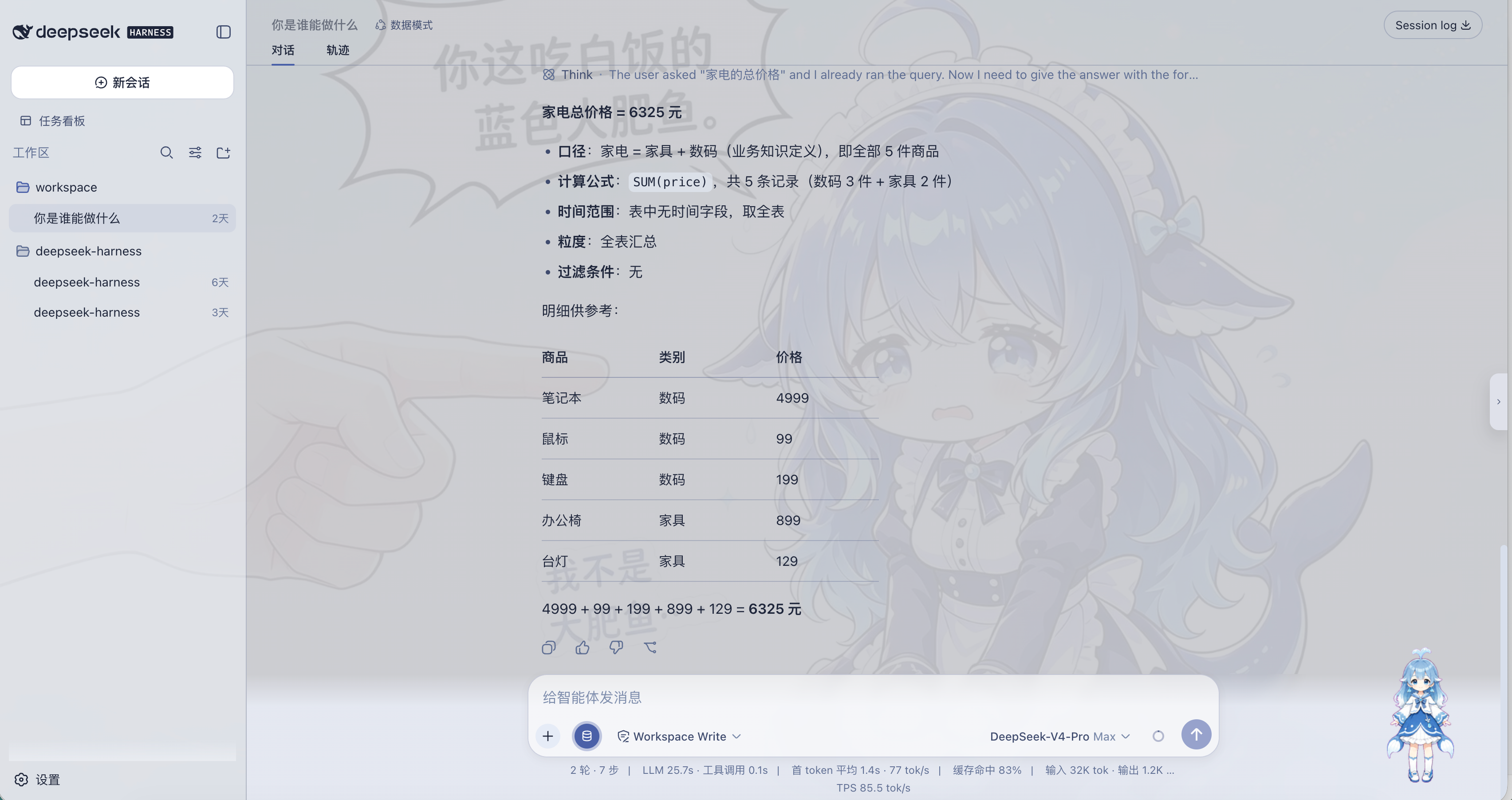
Data Mode answering with a knowledge-defined metric:
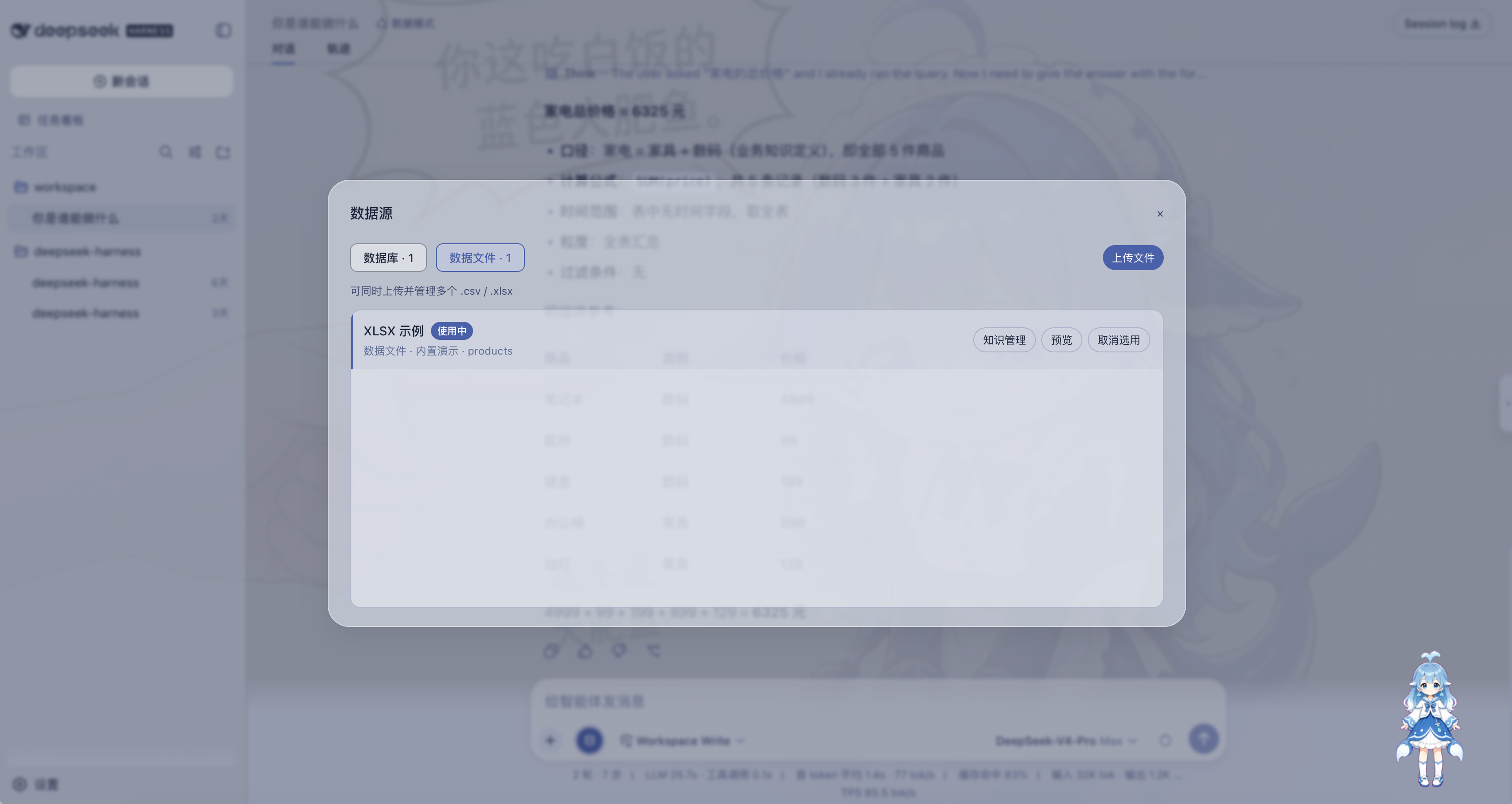
Register and select a data source, then preview tables:
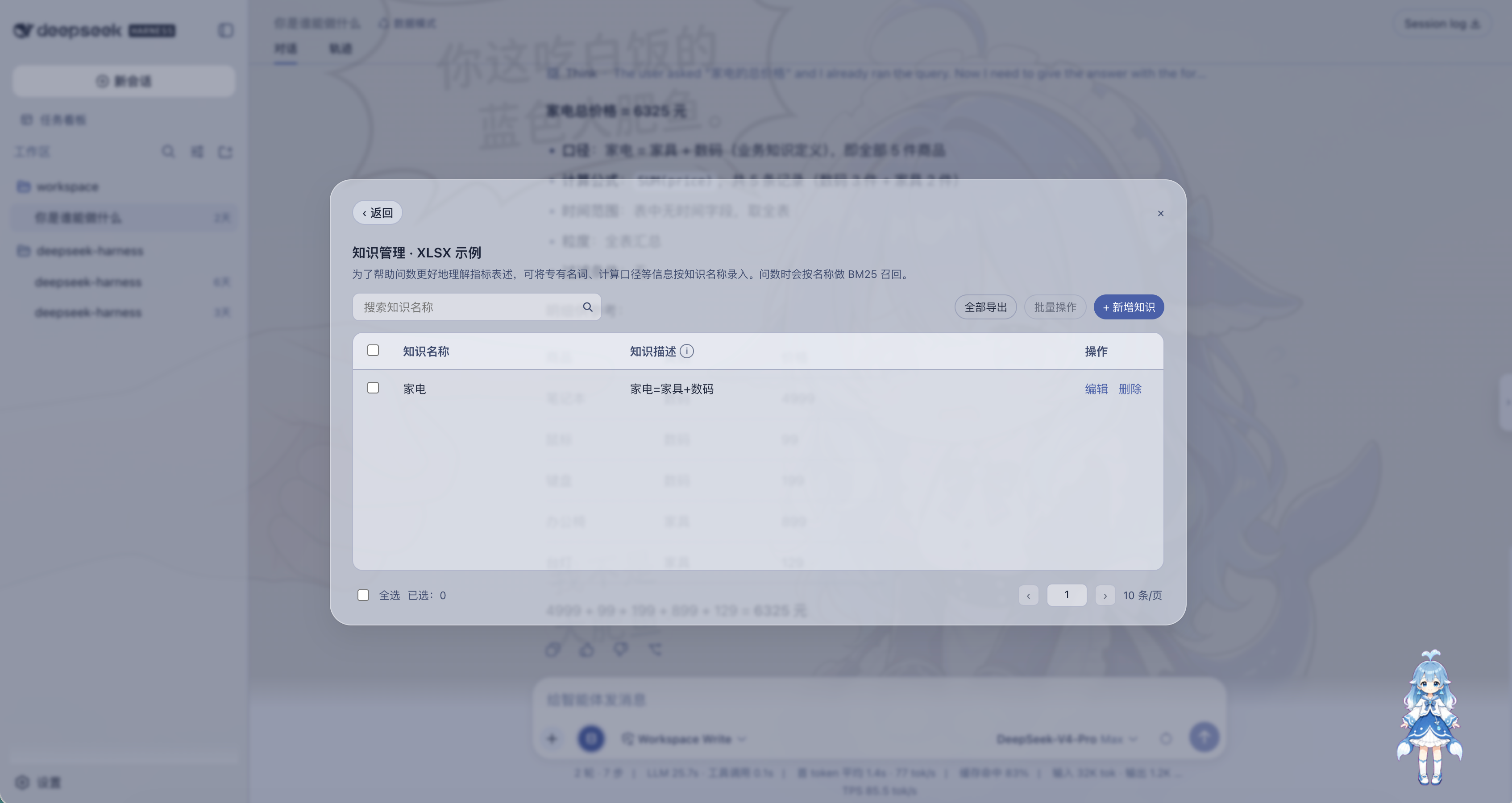
Maintain per-source knowledge (names, descriptions, BM25 recall):
DSH is strong at coding agents. Data Mode is for a different job: ask your own tables questions without leaving the conversation, and without giving the model write access to the database.
Typical uses:
From the composer Data source control (visible only in Data Mode):
Passwords are stored in $DSH_HOME/data-mode/secrets.yaml, not in the catalog.
Built-in demos demo-sqlite and demo-xlsx appear when the catalog is empty, so you can try the flow immediately.
Each source has its own knowledge list (key → one or more values). Use it for metric definitions, business terms, and calculation rules.
Only after you pick a source. Tools:
| Tool | Role |
|---|---|
list_data_sources |
Returns the selected source only (empty until you select one) |
describe_schema |
Required before querying those tables |
preview_rows |
Small sample (default 20 rows) |
run_sql |
Read-only SELECT / WITH / EXPLAIN / SHOW / DESCRIBE / PRAGMA |
SQL is refused if it is not read-only, if LIMIT exceeds 5000 (default 200), or if referenced tables were not described first.
Routing:
Numerical answers should state the formula, time range, grain, and filters used in that turn. There is no separate certified metrics catalog.
Composer (Data Mode only)
  └─ Data source button
        ├─ catalog HTTP API  (/api/dsh-data-mode)
        ├─ catalog.yaml      (registered sources)
        ├─ selections.yaml   (session → sourceId)
        └─ knowledge/*.json  (per-source terms)

Agent session (preset id: dsh-data)
  ├─ system prompt: selected source + recalled knowledge
  ├─ tools: list / describe / preview / run_sql  (isolated to this preset)
  └─ query engine: DuckDB (one in-memory DB per source)
fallbacks: node:sqlite, in-memory SQLite for XLSXdsh-data into $DSH_HOME/.agent-presets/ if it is missing.selections.yaml. The agent and the four tools can see that source only.sslmode=require; MySQL does not use sslmode.Requires DSH web (dsh web), Node ^22.19.0 || >=24, and a new chat after install.
dsh plugin --profile web add github:tieveto666-code/dsh-data-modeOr install a release tarball (includes compiled lib/):
dsh plugin --profile web add ./dsh-data-mode-0.1.0.tgzLocal checkout:
dsh plugin --profile web add link:/path/to/dsh-data-modeRestart dsh web. Open a new session and choose Data Mode. Existing Standard sessions will not show the button or SQL tools.
duckdb is optional. With the native addon, SQLite, XLSX, CSV, Parquet, PostgreSQL, and MySQL all go through DuckDB. Without it, SQLite and pure XLSX still work via Node fallbacks.
pnpm 10+ may ask whether to compile duckdb. Answer before dsh plugin add or the command will sit idle:
pnpm config set allowBuilds.duckdb true   # CSV / Parquet / Postgres / MySQL
pnpm config set allowBuilds.duckdb false  # SQLite / XLSX demos only
Or in that web profile’s pnpm-workspace.yaml:
allowBuilds:
duckdb: truelist_data_sources is empty and the agent must not invent catalog ids.| Path | Purpose |
|---|---|
$DSH_HOME/data-mode/catalog.yaml |
Process-level source registry |
<workspace>/.dsh/data-mode/catalog.yaml |
Workspace overlay (same id wins) |
$DSH_HOME/data-mode/selections.yaml |
Session → selected sourceId |
$DSH_HOME/data-mode/secrets.yaml |
Database passwords |
$DSH_HOME/data-mode/knowledge/<sourceId>.json |
Knowledge for that source |
$DSH_HOME/.agent-presets/dsh-data/ |
Copied user preset (created if missing, never overwritten) |
Catalog field notes: examples/catalog.yaml. Uploaded files land under the workspace .dsh/data-mode/uploads/ directory.
Install does not:
agent-presets.defaultagent-presets roster rowrun_sql / list_data_sources on Standard, PTC, Minimal, or Creativedsh-data preset directory that this package did not installInstall does:
dsh-data sessionsdsh plugin --profile web remove dsh-data-modeOptional: delete $DSH_HOME/.agent-presets/dsh-data. Native presets are unchanged.
Issues: github.com/tieveto666-code/dsh-data-mode/issues
INSERT / UPDATE / DELETE / DDL through the agentmetrics.yaml / compiled 口径)MIT © Changsheng Tie (tieveto666-code)
See LICENSE.
CLASSIFICATION EVIDENCE
系统优先读取 GitHub Topics,再与站内分类词典和词根规则比对。当前命中: deepseek-harness。
morluto
Reverse engineer anything with agents, from app behavior down to native binaries.

deepseek-ai
DeepSeek Harness: Everything is a Plugin.

nexu-io
The 1st Collaborative AI Design Agent Workspace. Local-first and open source. Create motion, prototypes, websites, apps, dashboards, presentations, images, and videos with your team and AI agents. Share work, exchange feedback, and iterate together in one workspace.