

模型与 MCP
待识别

rea
morluto
Reverse engineer anything with agents, from app behavior down to native binaries.
PROJECT TOPICS
INSTALL REFERENCE
dsh plugin --profile web add github:tenkrol/dsh_locale_ru
该命令指向仓库当前默认分支;尚无绑定当前 commit 的完整验证结果。
PROJECT README
Native-quality Russian for DeepSeek Harness.
Русская версия · MIT · DSH 0.2.2-rc.1+



DSH 0.2.2 ships a built-in Russian locale — machine-translated. This pack adds a second,
hand-written Russian language, «Русский (нативный)» (ru-native), and falls back to the
built-in Russian (ru) for anything not translated yet.
It is an external client plugin: nothing is patched inside the app, and removing the package restores the previous behavior.
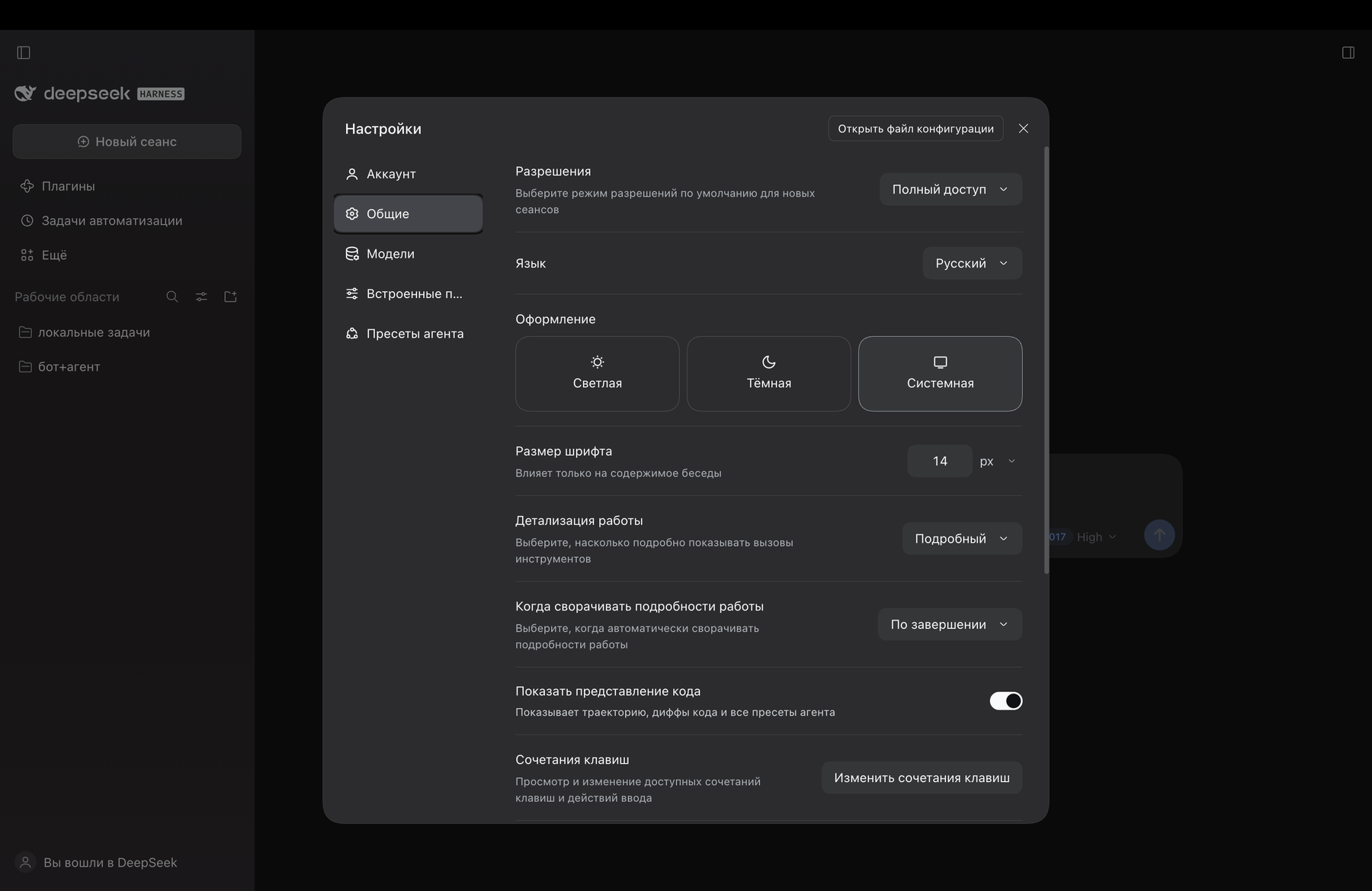
Settings → General → Language, with «Русский (нативный)» selected:
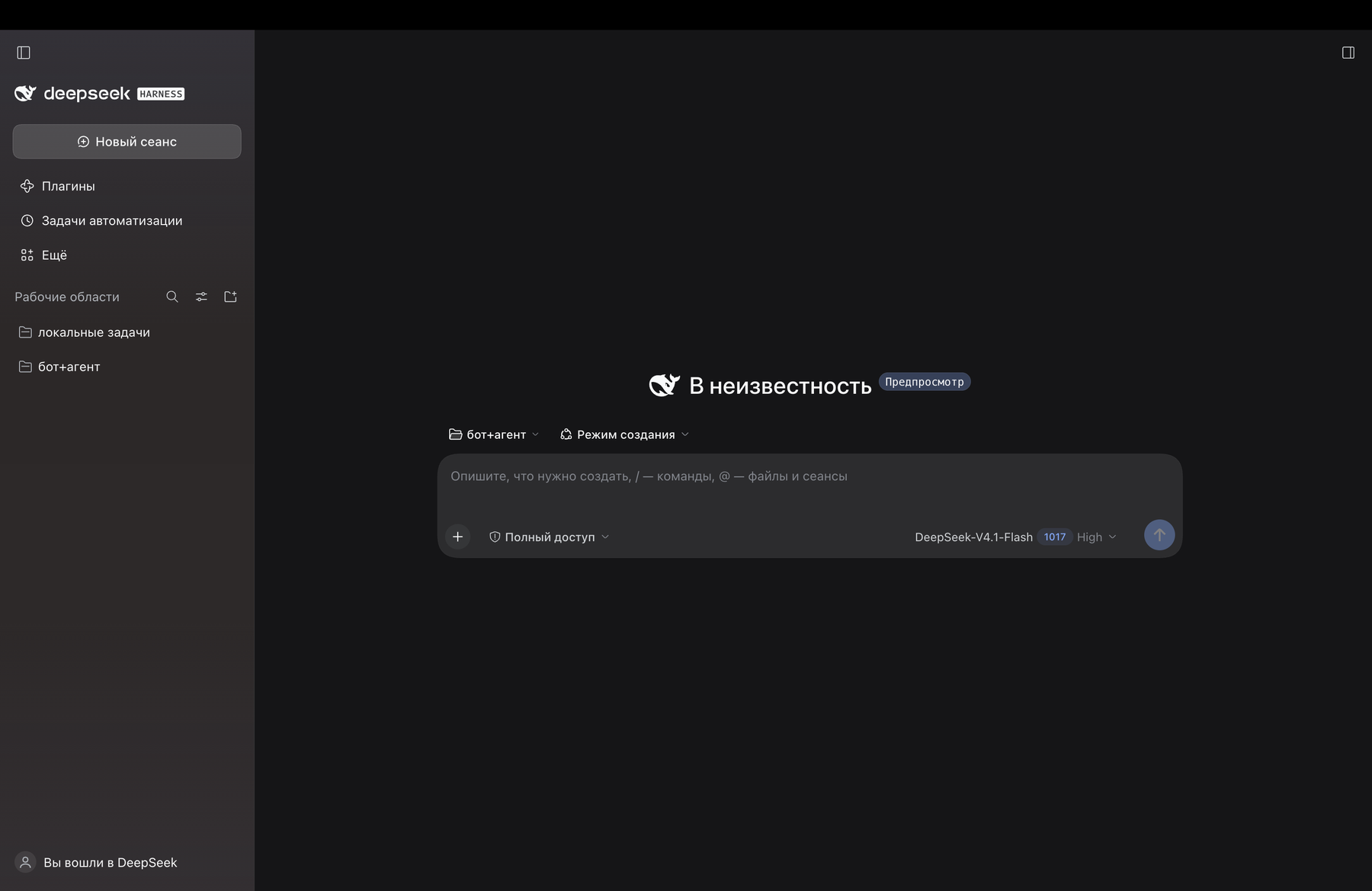
The interface itself, in Russian:
Native (ru-native) |
Built-in (ru) |
|
|---|---|---|
| namespaces | 70 of 73 | 73 |
| strings | 3 175 | 3 830 |
| source | hand-written, glossary-driven | machine translation |
Three panels are not translated yet and fall back to the built-in Russian: forgePanel,
liveshare, stats. Everything else — settings, chat, plugin manager, marketplace, scheduling,
trajectory, voice input, permission presets — is native.
tools/check.mjs --reference verifies every key and every {placeholder} against the English
source of the installed build, so a DSH update turns into a diff instead of a guess.
The pack is a bundle: the profile must list it in dsh.profile.bundles, and the package must be
resolvable from the profile's node_modules. The install script performs both writes plus a
symlink:
node tools/install.mjs --profile desktop
# roll back:
node tools/install.mjs --profile desktop --uninstall
--home overrides $DSH_HOME (default ~/.dsh).--profile selects the DSH profile name.After installing, reload the page (the browser needs a new window.__DSH_BOOT__), then open
Settings → General → Language and pick «Русский (нативный)». The built-in «Русский» stays
available; switching between them takes effect immediately.
| Path | Purpose |
|---|---|
package.json |
manifest: dsh.bundle.patch (bundle layer) and dsh.client (browser half) |
cordis.patch.yml |
bundle patch: a single locale-ru row mounting the package into the tree |
lib/index.js |
host half: an empty plugin, needed only for the composition row |
lib/client.js |
generated bundle: addLanguage({ id: 'ru-native', fallback: 'ru' }) + dictionaries |
dictionaries/<namespace>.json |
translation sources, one file per namespace |
GLOSSARY.md |
glossary and translation rules (terms, placeholders, formatting) |
tools/build-client.mjs |
builds lib/client.js from dictionaries/ |
tools/check.mjs |
checks without launching the app, including reference parity |
tools/extract-reference.cjs |
pulls English dictionaries out of an installed build (app.asar) |
tools/install.mjs |
installs/removes the pack in a DSH profile |
The language is registered as an overlay:
ctx.locale.addLanguage({ id: 'ru-native', label: 'Русский (нативный)', fallback: 'ru' })
ctx.locale.register(namespace, 'ru-native', dictionary)
Lookup walks ru-native → ru → en. That is why untranslated keys are never blank: they fall
back to the built-in Russian, then to English. The registration is wrapped in ctx.effect(...),
so removing the bundle removes the language cleanly.
Namespaces must match exactly: a dictionary file is named after the namespace its owning package
registers (locale.register(ns, { zh, en, … })). A mismatch silently leaves that namespace in the
fallback language.
node tools/build-client.mjs                    # dictionaries/*.json -> lib/client.js
node tools/check.mjs                           # structure, bundle load, apply()
node tools/check.mjs --reference .recon/en     # + key and placeholder parity
lib/client.js is generated — edit dictionaries/*.json, never the bundle itself.
To produce the reference for the installed build:
node tools/extract-reference.cjs "<path-to>/app.asar" .recon/en--reference <dir> points at a directory of English dictionaries (<namespace>.json) extracted
from an installed DSH build. Without it, check.mjs validates structure, JSON validity, bundle
loading and apply() calls; with it, it also verifies that the key sets match the English source
and that every {placeholder} survived translation.
Requirements: Node.js 20.11+ (uses import.meta.dirname), no other dependencies.
0.2.2-rc.1 or newer — the overlay falls back to the built-in ru, which
earlier builds do not have. On 0.2.1-rc.5 the package could register ru itself; that mode is
gone, because the locale service rejects a second registration of the same id.forgePanel, liveshare, stats.sidebarExcel.language stays "en": the spreadsheet engine registers only the English locale,
and "ru" there would break number and date formatting.Corrections, terminology suggestions and new namespace translations are welcome:
dictionaries/<namespace>.json (keep the glossary in GLOSSARY.md in sync);node tools/build-client.mjs and node tools/check.mjs --reference ./reference;MIT © 2026 tenkrol
CLASSIFICATION EVIDENCE
系统优先读取 GitHub Topics,再与站内分类词典和词根规则比对。当前命中: deepseek-harness。
morluto
Reverse engineer anything with agents, from app behavior down to native binaries.

deepseek-ai
DeepSeek Harness: Everything is a Plugin.

nexu-io
The 1st Collaborative AI Design Agent Workspace. Local-first and open source. Create motion, prototypes, websites, apps, dashboards, presentations, images, and videos with your team and AI agents. Share work, exchange feedback, and iterate together in one workspace.