
模型与 MCP
待识别

rea
morluto
Reverse engineer anything with agents, from app behavior down to native binaries.
PROJECT TOPICS
INSTALL REFERENCE
dsh plugin --profile web add github:svkoh/dsh-ms-office
该命令指向仓库当前默认分支;尚无绑定当前 commit 的完整验证结果。
PROJECT README


English · 中文
Read and write the Word, Excel and PowerPoint documents you have open from a DeepSeek Harness (DSH) session. The add-in edits the open document in place, so changes appear immediately and you can keep editing alongside it.
dsh plugin --profile web add @nanoai-dev/dsh-ms-officeReplace --profile web with the profile you normally run.
Or install from the GitHub repository:
dsh plugin --profile web add github:svkoh/dsh-ms-office| Open the add-in task pane | Pane ready |
|---|---|
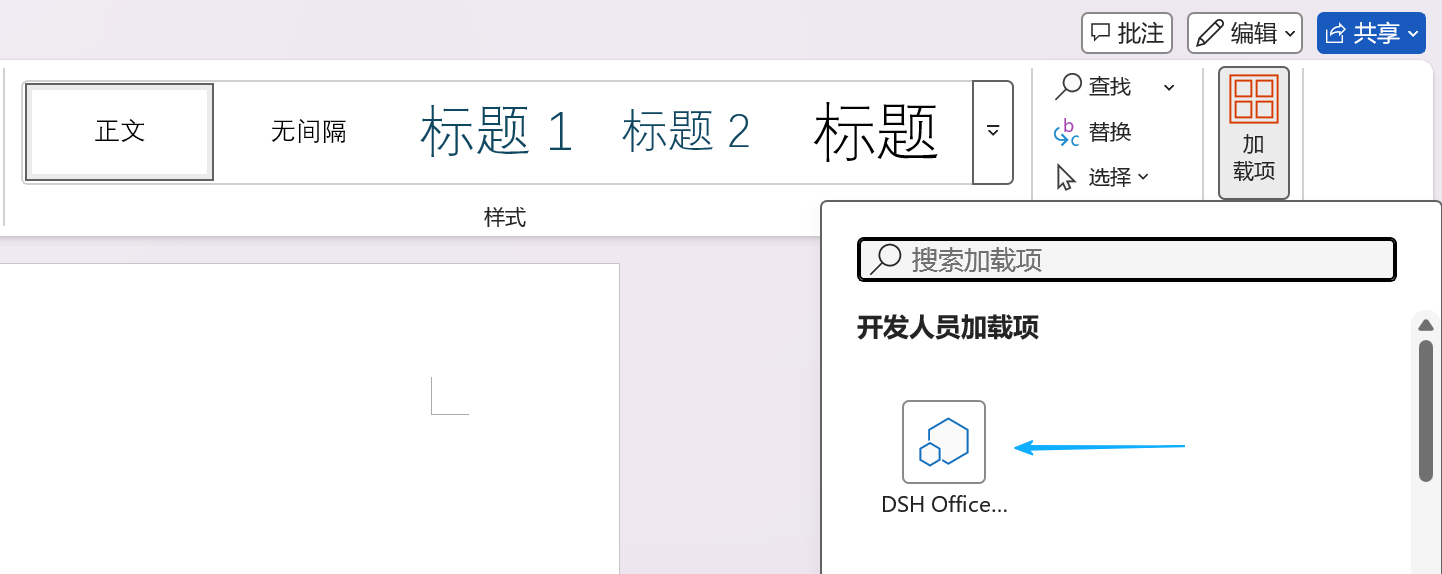 |
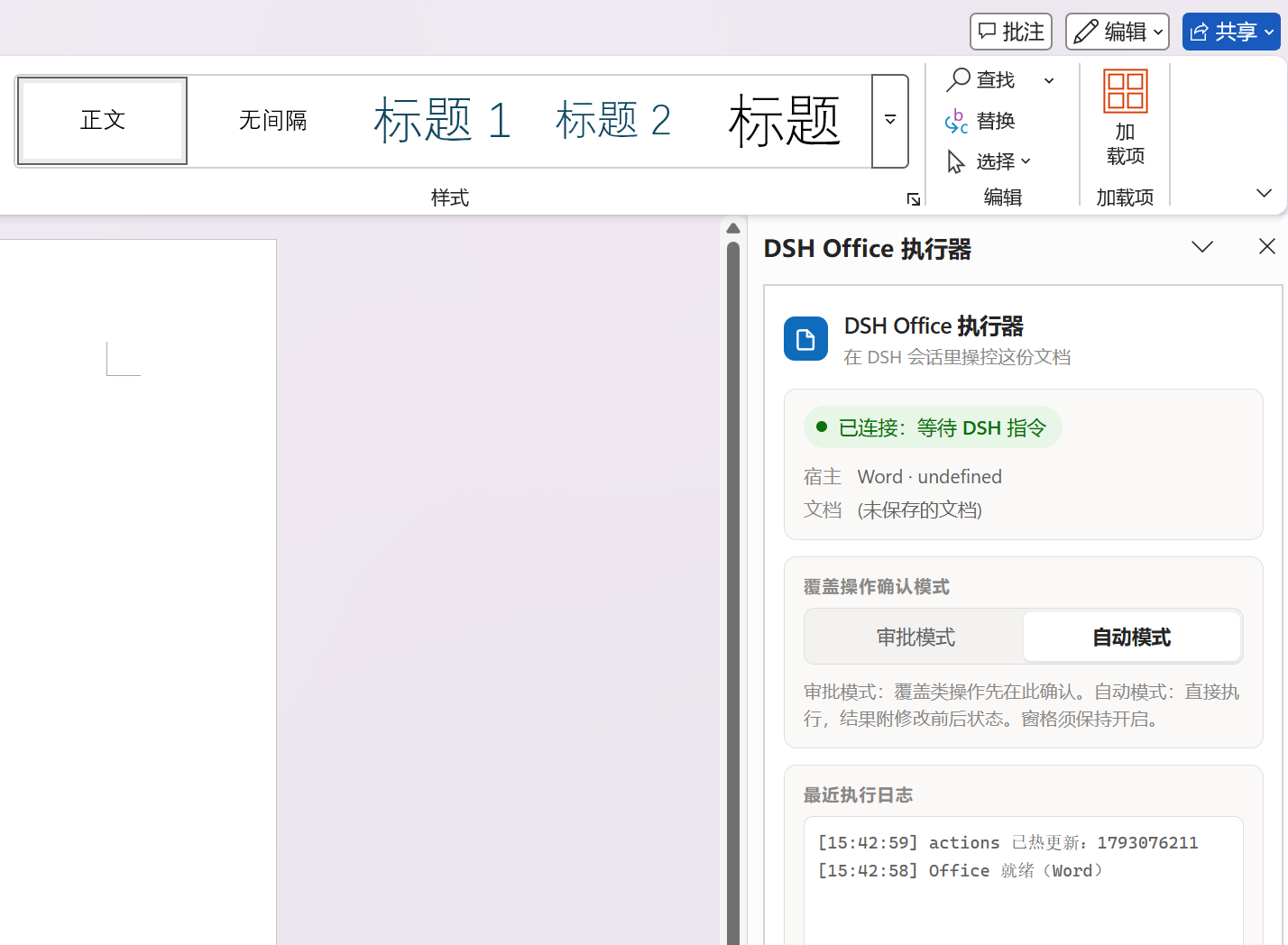 |
The pane can be shrunk or moved to a corner. It cannot be closed.
92 actions across Word, Excel and PowerPoint cover content, formatting, structure, tables, charts, formulas and comments. The full list is in docs/CAPABILITIES.en.md.
In the dsh chat box, type:
Check whether the dsh-ms-office plugin is working properly and fix it| Document | Contents |
|---|---|
| docs/CAPABILITIES.en.md | Full action list and capability boundaries |
| docs/AGENT.en.md | HTTP endpoints, error codes, approval protocol |
| docs/DEVELOPMENT.en.md | Architecture, file map, packaging, npm publishing |
| docs/style-gallery.en.md | Style atlas previews |
| docs/FEATURE-ROADMAP.en.md | Planned work |
Windows only. Other platforms are not supported.
MIT. The license and provenance of the third-party component (pako) are in THIRD_PARTY_NOTICES.md.
This project is a fork of https://github.com/Mikuzjc/dsh-office-for-mso.
CLASSIFICATION EVIDENCE
系统优先读取 GitHub Topics,再与站内分类词典和词根规则比对。当前命中: deepseek。
morluto
Reverse engineer anything with agents, from app behavior down to native binaries.

deepseek-ai
DeepSeek Harness: Everything is a Plugin.

nexu-io
The 1st Collaborative AI Design Agent Workspace. Local-first and open source. Create motion, prototypes, websites, apps, dashboards, presentations, images, and videos with your team and AI agents. Share work, exchange feedback, and iterate together in one workspace.