
其他
完整应用

deepseek-harness
deepseek-ai
DeepSeek Harness: Everything is a Plugin.
PROJECT TOPICS
INSTALL REFERENCE
dsh plugin --profile web add github:sorsama/deepseek-harness-mobile
该命令指向仓库当前默认分支;尚无绑定当前 commit 的完整验证结果。
PROJECT README

An open-source Android companion that puts your DeepSeek Harness in your pocket.
Drive sessions, review plans and goals, answer approvals and questions, and get notified
when the harness finishes — from your phone, over your network or a relay.




English · 中文 · हिन्दी · Español · Français · ไทย
DSH Mobile is an unofficial companion app for the DeepSeek Harness (MIT). It mirrors the web GUI feature for feature and uses the harness's own visual language. Android only, Kotlin + Jetpack Compose.
Its companion on the other end is dsh-relay, a harness plugin that adds the authentication layer the harness says it lacks, so this app can reach a harness with a real credential and a pinned key instead of an open port. See Relay.
dshm.zyphite.com is the project site: what the app is, what it looks like, and how to get it running, on one page.
The wiki is the user-facing guide: getting started, connecting, troubleshooting, a feature tour and an FAQ.
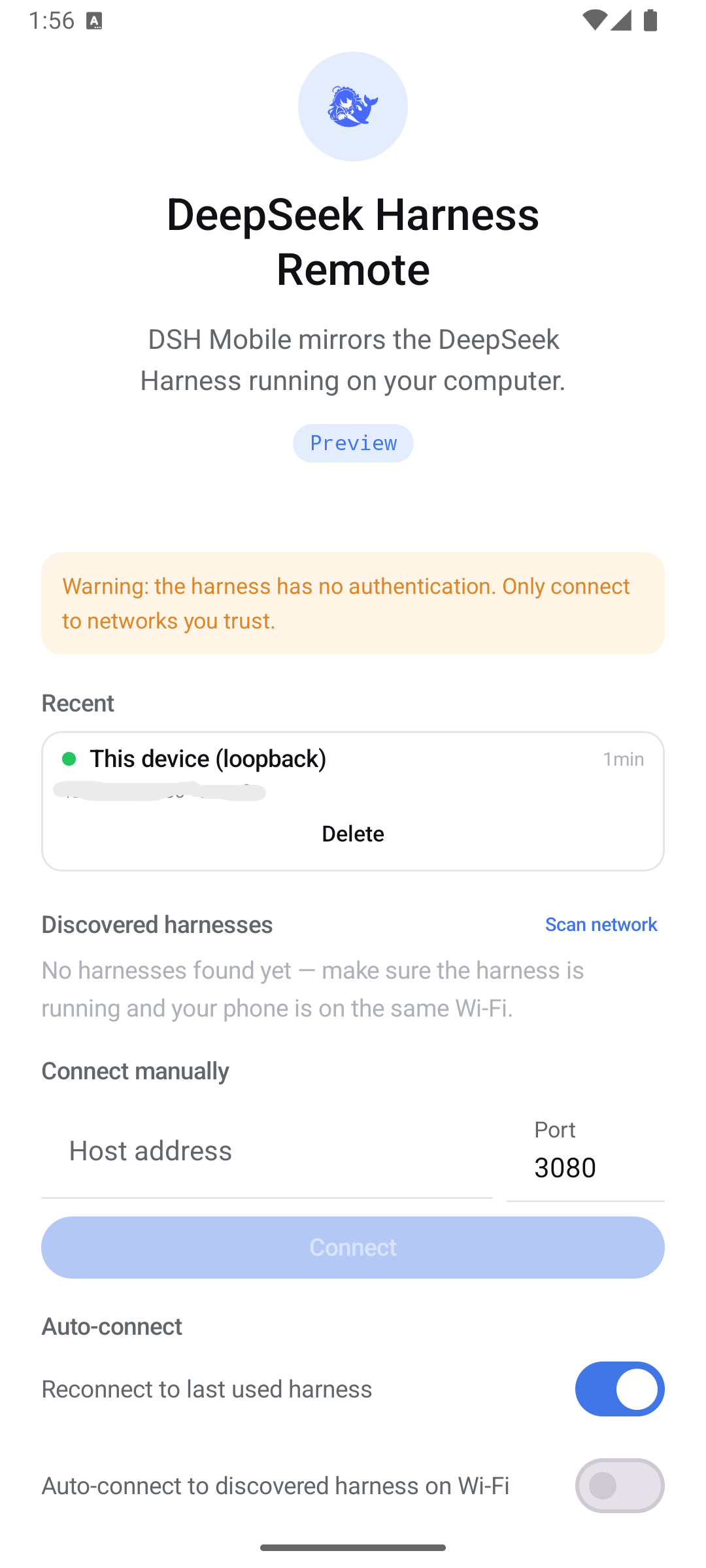
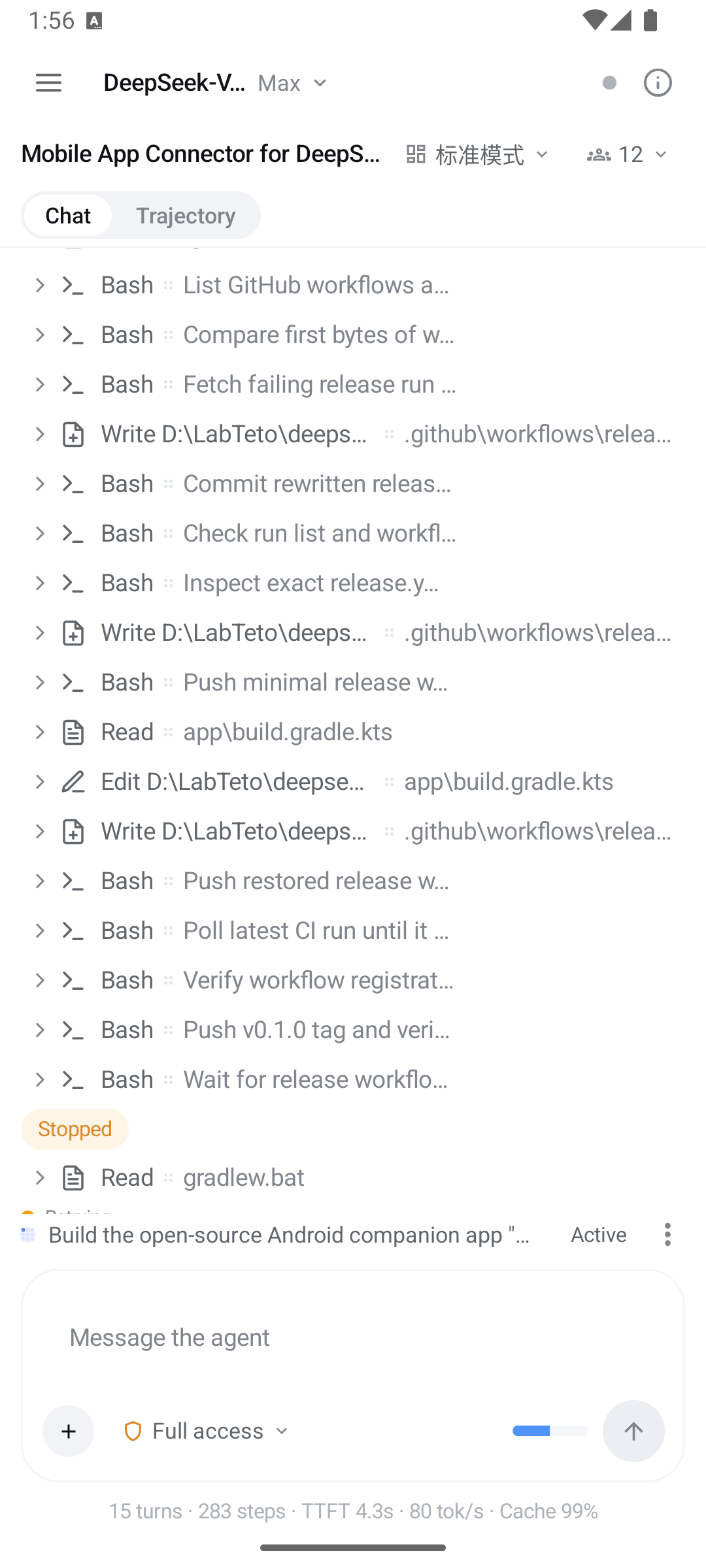
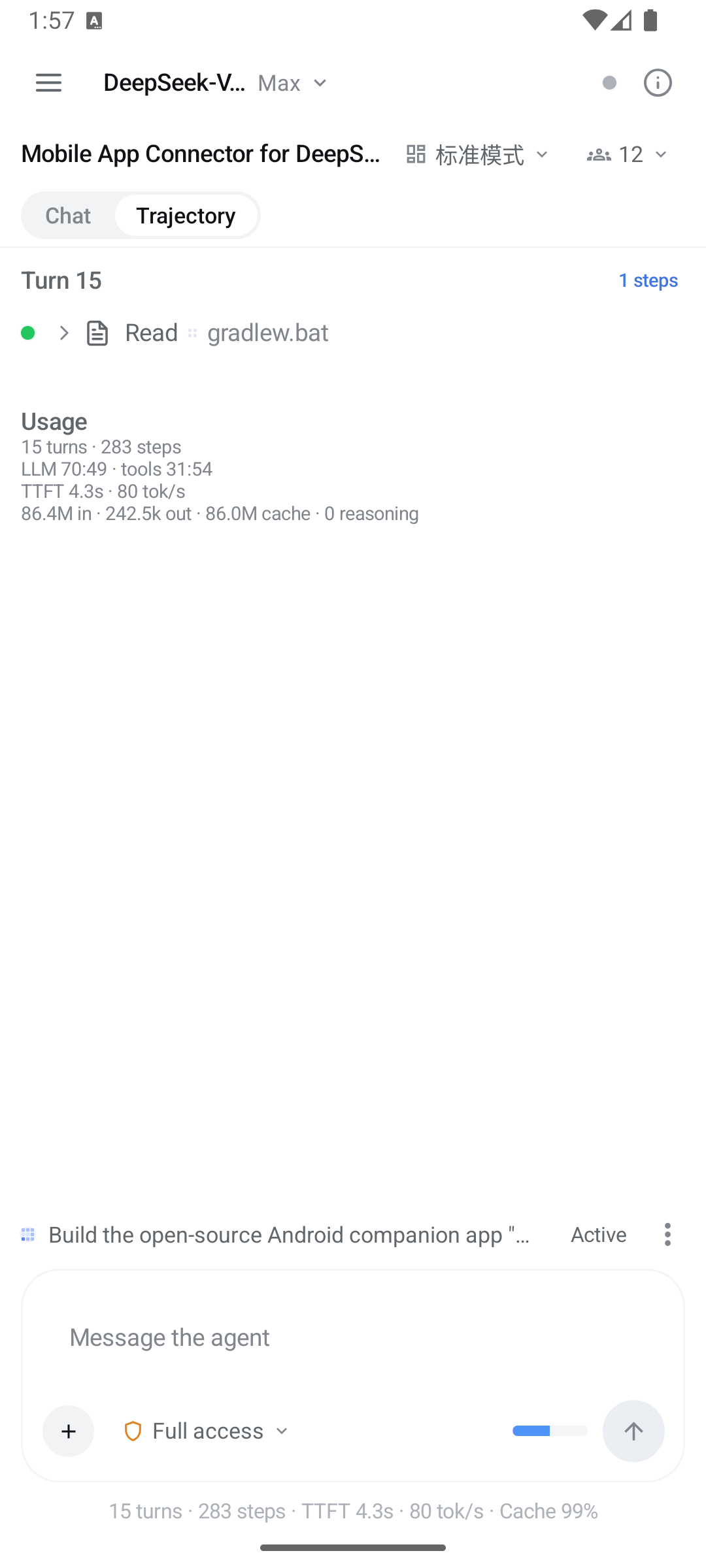
| Connect | Chat | Trajectory |
|---|---|---|
 |
 |
 |
Recent harnesses with live reachability, LAN discovery, manual host:port, auto-connect. |
Streamed turns, a glyph per tool, expandable tool cards, permission picker. | The same session as a per-turn ledger with usage totals. |
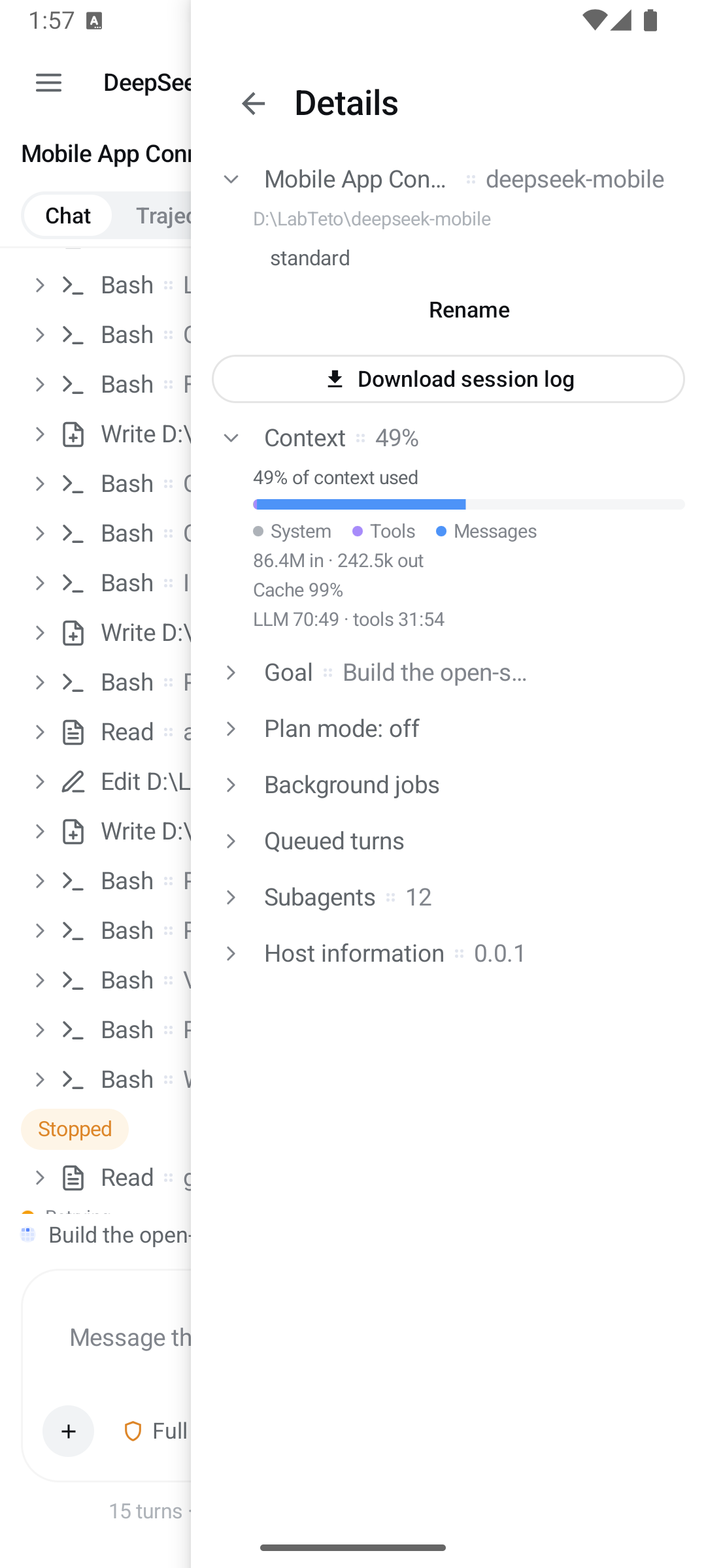
| Session details | Subagents |
|---|---|
 |
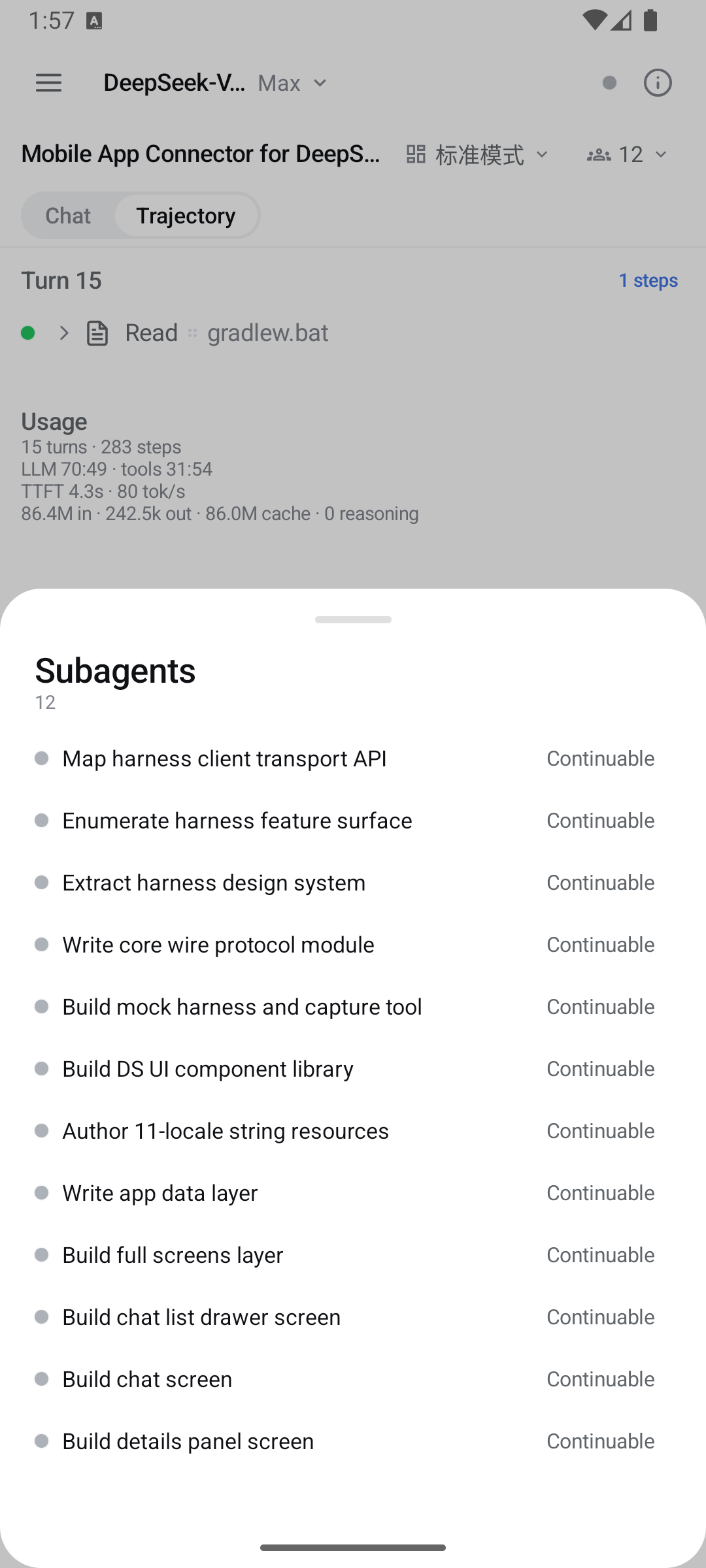 |
| Context breakdown, goal, plan mode, background jobs, queued turns, host info, session-log export. | The subagent catalog — open a child's transcript, follow up, or interrupt it. |
host:port, handles loopback for same-device setups, and auto-connects when you tell it to
(last used, LAN, or same device)./ line against the session's own command
catalog and runs it through the harness's command gateway. Anything the catalog does not claim
is sent as a prompt, which is how skills get invoked.0.2.0-rc.1 for DSH Mobile 0.12.2; 0.1.7-rc.x and 0.1.6-alpha.x still work.
See compatibility and validation results.Install the latest APK from Releases.
Open the app and choose how to connect. Relay and local network are two different setups, not two settings of one, so pick the one that matches what you installed on the computer. The last two entries below are ways of running local-network mode.
Relay — encrypted, authenticated, and works from outside your Wi-Fi.
Install dsh-relay into
the harness web profile:
dsh plugin --profile web add dsh-relay
dsh web
Open the printed URL on that computer, set a password, then open
/relay/pair. In the app: Relay → Pair a relay, scan the QR. Once every
client you use has paired, turn off the relay's compat.addressGrants;
nothing here needs it.
Local network — apply the one-file LAN patch in
harness/README.md, restart dsh web, then tap
Scan network. The harness signs each device in once: paste the link it
prints at startup when the app asks. That link authenticates the phone, but
it does not encrypt the connection and it does not stop anyone already on the
network from reaching the port, so use it only on networks you trust.
Behind your own HTTPS reverse proxy — paste the https:// address into
local-network mode. The proxy can forward to loopback, so the harness needs
no patch, but it encrypts the link without authenticating anyone. See
harness/README.md.
USB / emulator — dsh web, then adb reverse tcp:3080 tcp:3080, and
connect to 127.0.0.1:3080 in local-network mode. No patch needed; the app
still asks for the startup link once.
Pick a session, chat, and get notified when the harness is done.
If a connect attempt fails, the app names the cause, and the wiki's Troubleshooting page is keyed on that exact sentence.
./gradlew :app:assembleDebug      # debug APK
./gradlew :app:assembleRelease    # release APK (signed when keystore env is set)
The shipped version comes from the git tag: the release workflow exports DSH_VERSION_NAME from
the tag name and derives versionCode from it. A local build falls back to the literal in
app/build.gradle.kts.
See CONTRIBUTING.md for the development loop against a real harness, the module layout, and the release workflow.
| Path | What |
|---|---|
core/ |
Pure-JVM protocol core: wire DTOs, RPC client, WebSocket downlinks, reconnect loop, session folding, notification classifier |
app/ |
Android UI: screens, discovery/connection, foreground service, notifications, i18n |
mock-harness/ |
Ktor mock of the harness /api server for tests |
tools/capture/ |
Records real harness traffic into conformance fixtures |
harness/ |
Companion patch + guide for LAN mode |
| — | The relay itself lives in sorsama/deepseek-harness-relay |
docs/ |
Architecture, protocol notes, compatibility, security |
MIT. Bundled third-party material is listed in THIRD_PARTY_NOTICES.md. The DeepSeek Harness and its brand are property of their respective owners; this project is an independent, community-built remote.
CLASSIFICATION EVIDENCE
系统优先读取 GitHub Topics,再与站内分类词典和词根规则比对。当前命中: 无有效分类标签。
deepseek-ai
DeepSeek Harness: Everything is a Plugin.

anywhere-labs
为 DeepSeek Harness (DSH) 插件生态打造的现代化桌面端解决方案。万物皆「插件」,桌面本身也是「插件」。

walkinglabs
Harness engineering beginner tutorial, from 0 to 1