

模型与 MCP
待识别

rea
morluto
Reverse engineer anything with agents, from app behavior down to native binaries.
PROJECT TOPICS
INSTALL REFERENCE
dsh plugin --profile web add github:sandbaseai/dsh-plugin-store
该命令指向仓库当前默认分支;尚无绑定当前 commit 的完整验证结果。
PROJECT README
A native plugin marketplace for DeepSeek Harness.





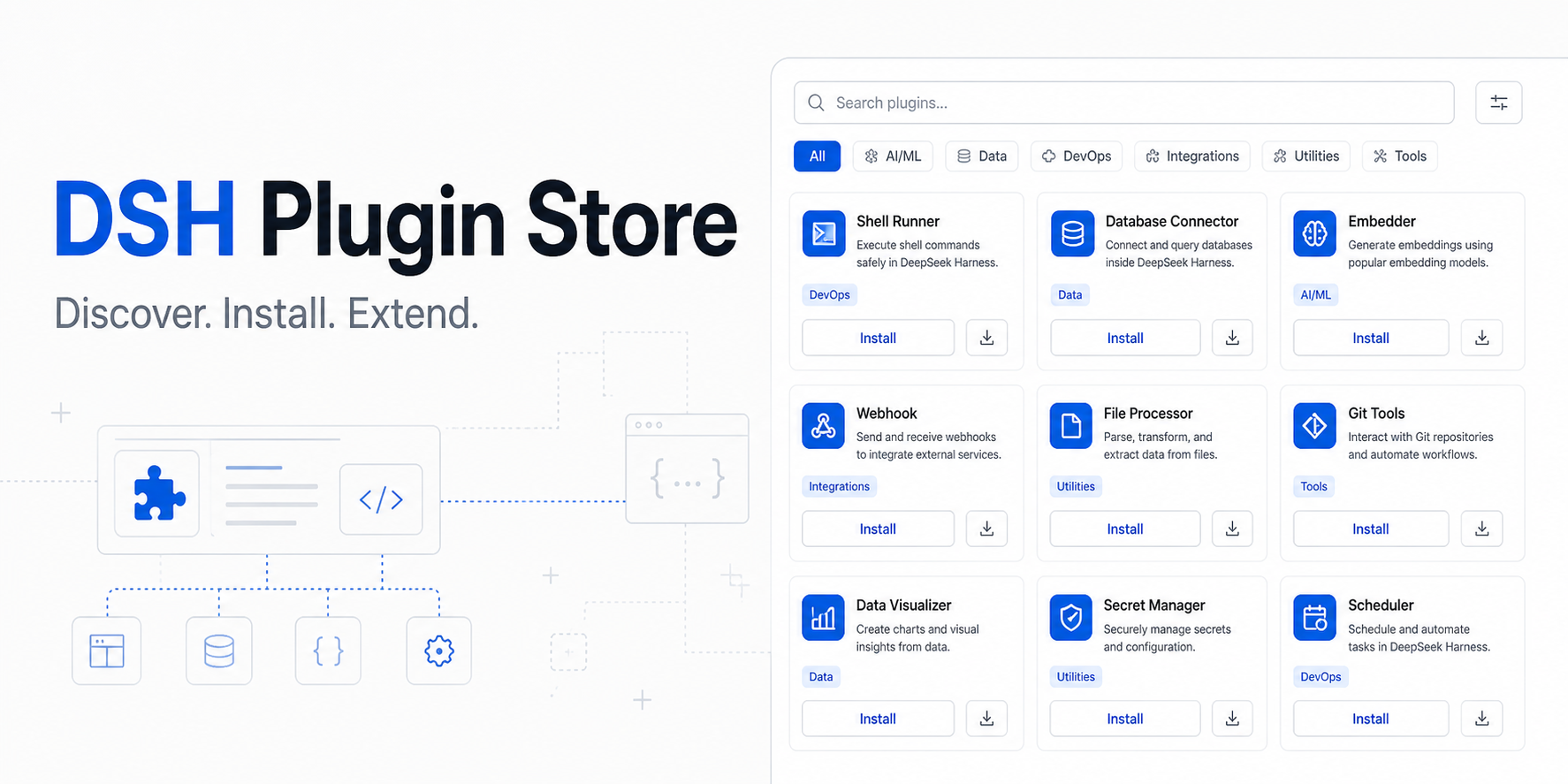
Discover, filter, install, and manage community plugins without leaving DeepSeek Harness.
DSH Plugin Store turns the growing DeepSeek Harness plugin ecosystem into a searchable product experience. It uses live catalog data from DSH Plugin Leaderboard and adds Agent tools for programmatic discovery.
Preview release · Leaderboard listing · Open the catalog · DeepSeek Harness · Report an issue
DeepSeek Harness 0.2.1-rc.5+, Node.js 22.19+ and npm are required. From this standalone repository:
npm ci
npm run build
npm test
npm pack
# Use the CLI provided by your installed Desktop application.
dsh plugin --profile desktop add -w ./sandbaseai-dsh-plugin-store-0.1.0-preview.6.tgz
Restart Desktop after installation, then open Plugins → Store. Store installations use the host's
pluginManager.installBundle service, which owns the active profile, package
manager, locking and rollback. Web and custom profiles use that same service.
The install response reports the actual profile and whether a restart is needed.
The host must provide profileContext and pluginManager. No alternate profile
is selected when either service is unavailable.
The commands below describe the older published Web preview. The source build above includes the current-profile fix.
Install the prebuilt Preview 5 tarball into a public DeepSeek Harness
0.1.0-rc.8 Web profile:
curl -fL https://github.com/sandbaseai/dsh-plugin-store/releases/download/v0.1.0-preview.5/sandbaseai-dsh-plugin-store-0.1.0-preview.5.tgz -o /tmp/sandbaseai-dsh-plugin-store-0.1.0-preview.5.tgz
dsh plugin --profile web add -w /tmp/sandbaseai-dsh-plugin-store-0.1.0-preview.5.tgz
The versioned tarball prevents a later change on main from silently changing
the code you install and avoids git dependency build permissions. -w confirms
that the Web profile is the pnpm workspace root. Restart DSH Web, open
Settings, and select Store. This is a preview integration: review the
source before installation.
The DSH ecosystem is growing quickly, but finding a plugin still means searching GitHub, checking compatibility, and copying install commands by hand. DSH Plugin Store creates one discovery layer for developers and agents.
The current native Settings integration targets the public DeepSeek Harness
0.1.0-rc.8 package boundary and is prepared for upstream collaboration. It includes:
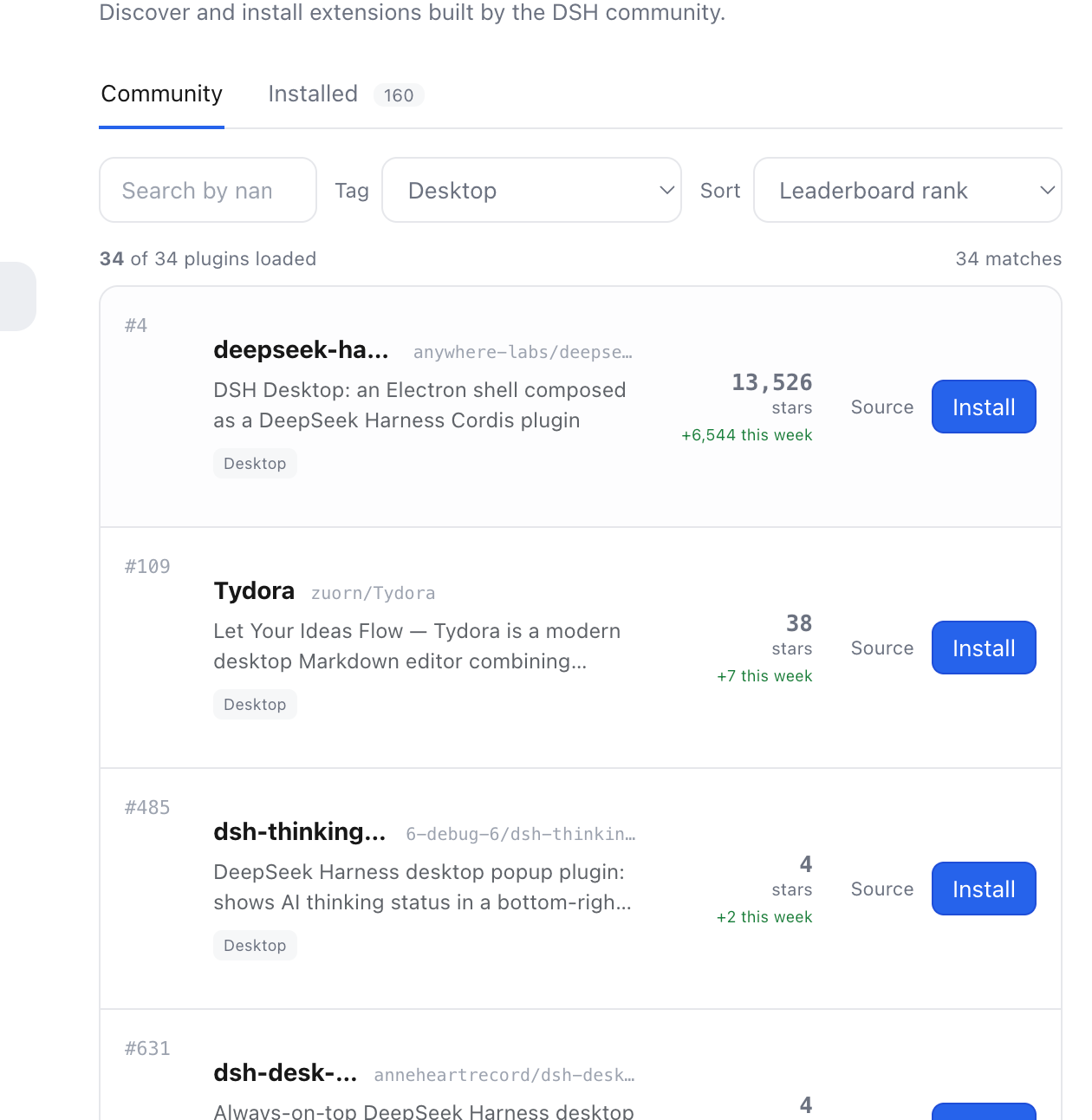
Real preview: the Community view filtered by the Desktop tag.
Community and Installed tabsThe hosted catalog remains available while the native integration is finalized against the public Harness package release.
| Tool | Purpose |
|---|---|
store_search |
Search by name, description, and category. |
store_catalog |
Browse and rank catalog entries. |
store_install |
Return reviewed installation instructions. |
DeepSeek Harness is evolving rapidly. For the current source integration, clone this repository into a Harness checkout, install the workspace, and build the host and Web client faces:
cd /path/to/deepseek-harness
git clone https://github.com/sandbaseai/dsh-plugin-store.git packages/plugins/dsh-store
pnpm install
pnpm --filter @sandbaseai/dsh-plugin-store typecheck
pnpm --filter @sandbaseai/dsh-plugin-store bundle
Then enable the bundle in the Web profile:
- insert:
    - id: sandbase-plugin-store
      name: '@sandbaseai/dsh-plugin-store'
      config:
        enabled: true
        catalogUrl: https://dshpluginleaderboard.com/api/catalog
        timeoutMs: 30000
The release tarball installs the committed Host and Web client artifacts.
Preview 5 declares public rc.8 runtime peers, uses the rc.8 insert patch
schema, and installs only Leaderboard runtime-verified npm package specs. Its
package graph, Host entrypoint, composed profile configuration, and Store-button
installation path are verified in an isolated DSH environment. The
source-checkout path above remains the development route for rebuilding
artifacts inside the Harness workspace.
flowchart LR
  Catalog[Leaderboard API] --> Host[Store Host plugin]
  Host --> Tools[Agent tools]
  Host --> Proxy[Same-origin catalog proxy]
  Proxy --> UI[Native Store UI]
  Inventory[Cordis plugin inventory] --> UI
UI --> Profile[Local DSH Web profile]Installing a plugin may download and execute third-party code, including package lifecycle scripts. Review source repositories before installation. Enterprise deployments should place the catalog behind an organizational review and allowlist process.
The native installer validates GitHub repository identifiers, requires the selected catalog entry to be runtime-verified, resolves its exact npm package spec from the Leaderboard detail API, and rejects URLs, git specs, shell syntax, and unverified entries.
Report security issues through GitHub's private vulnerability reporting, not a public issue. See the full security policy for supported versions, trust boundaries, and disclosure guidance.
If a native plugin marketplace would make DeepSeek Harness more useful for you, star this repository and share one plugin workflow you want supported.
We are looking for:
Open an issue or join the discussion through the repository.
MIT
CLASSIFICATION EVIDENCE
系统优先读取 GitHub Topics,再与站内分类词典和词根规则比对。当前命中: deepseek、deepseek-harness、deepseek-harness-plugin。
morluto
Reverse engineer anything with agents, from app behavior down to native binaries.

deepseek-ai
DeepSeek Harness: Everything is a Plugin.

nexu-io
The 1st Collaborative AI Design Agent Workspace. Local-first and open source. Create motion, prototypes, websites, apps, dashboards, presentations, images, and videos with your team and AI agents. Share work, exchange feedback, and iterate together in one workspace.