
部署运维
基础设施

sandbase-harness
sandbaseai
Local-first, self-hosted AI agent runtime and MCP bridge with sandboxed sessions, memory, credentials, audit/replay, and a local Console.
PROJECT TOPICS
INSTALL REFERENCE
dsh plugin --profile web add github:sakanamaru/dsh-minato
该命令指向仓库当前默认分支;尚无绑定当前 commit 的完整验证结果。
PROJECT README
dsh-minatoA no-terminal-needed installer, monitor, backup and repair toolbox for DeepSeek Harness (dsh). Windows and Linux. Runs locally. No telemetry, no accounts, no uploads.
⚠️ Unofficial. This project is not affiliated with, endorsed by, or connected to DeepSeek. It is a third-party helper that drives the
dshcommand line you already have.

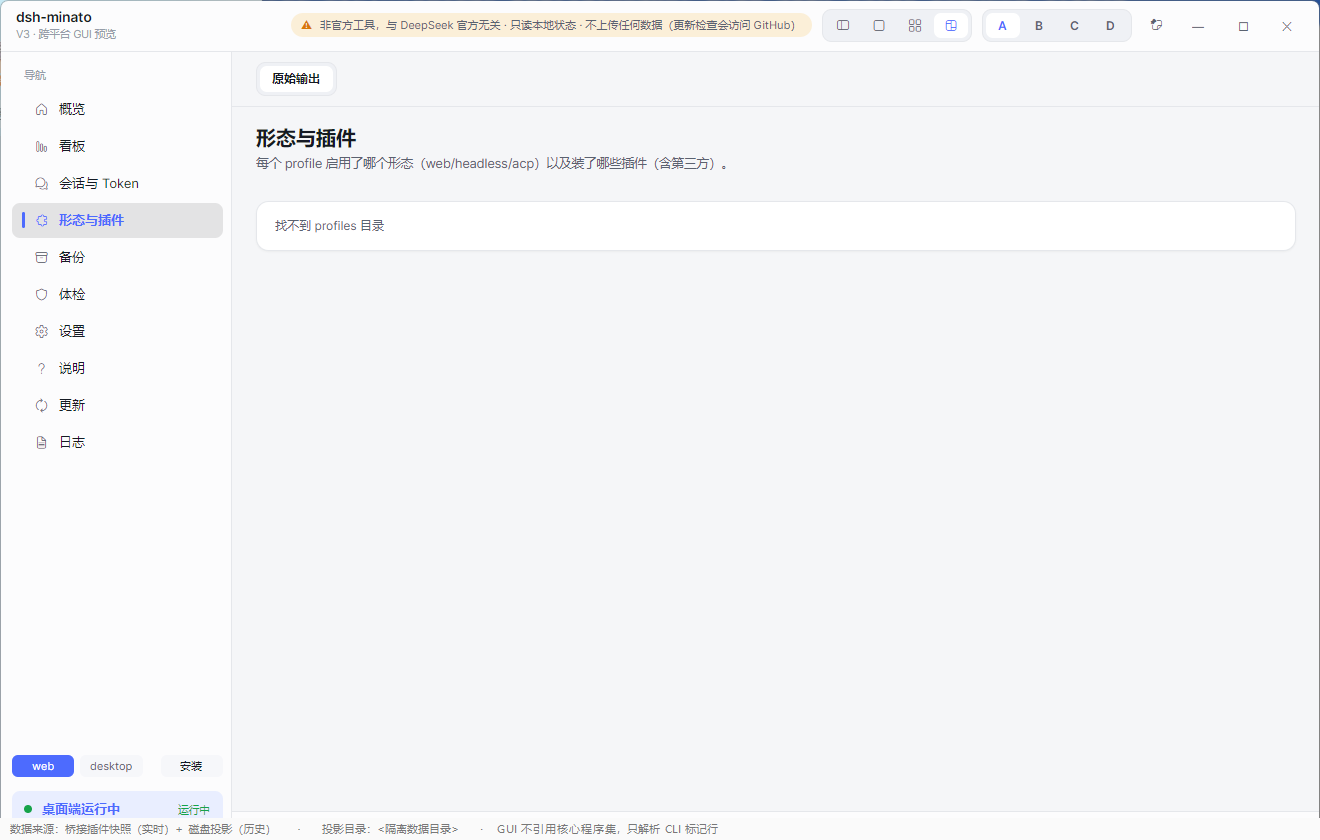
Everything below is the real interface, captured against a fixture data directory — no real session, path or figure appears in these images.
| Dashboard | Sessions & tokens | Backup |
|---|---|---|
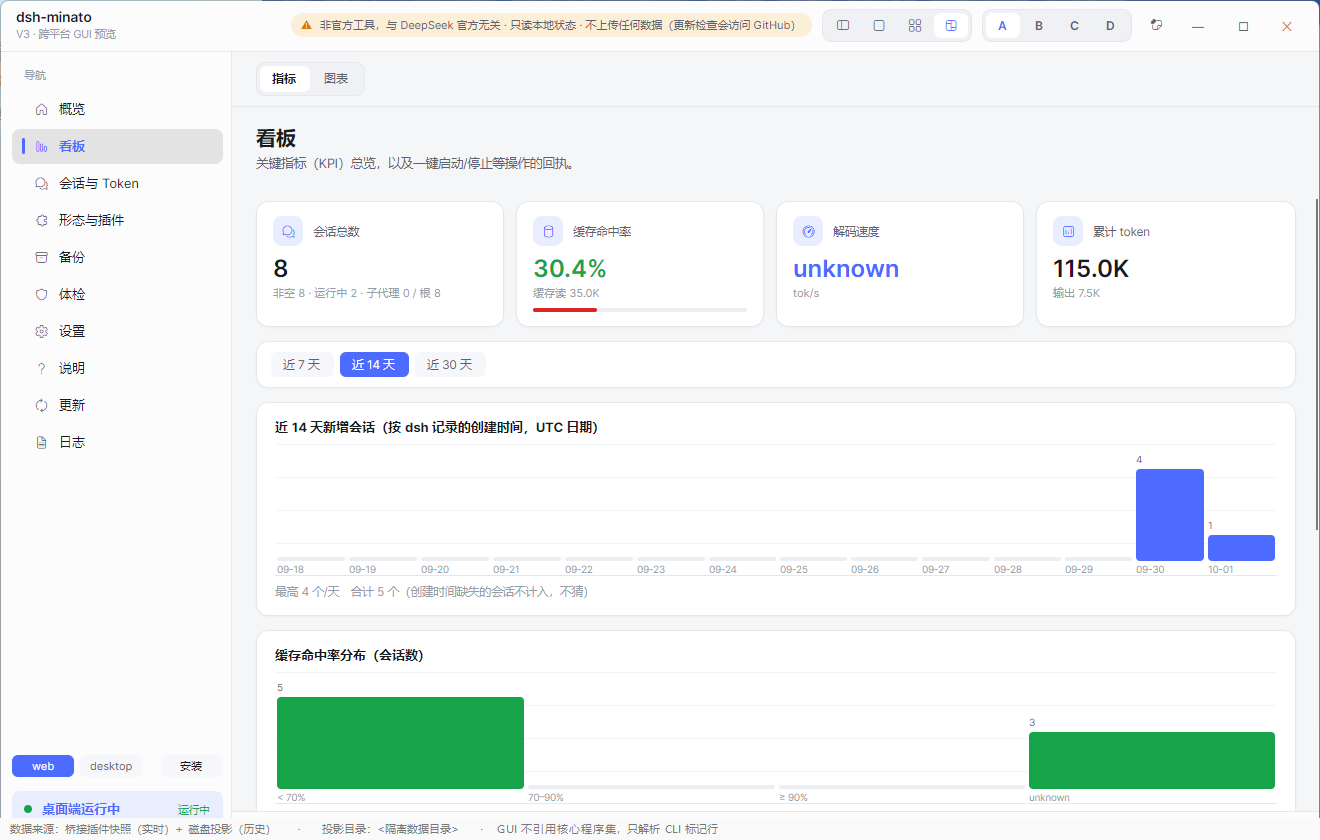 |
 |
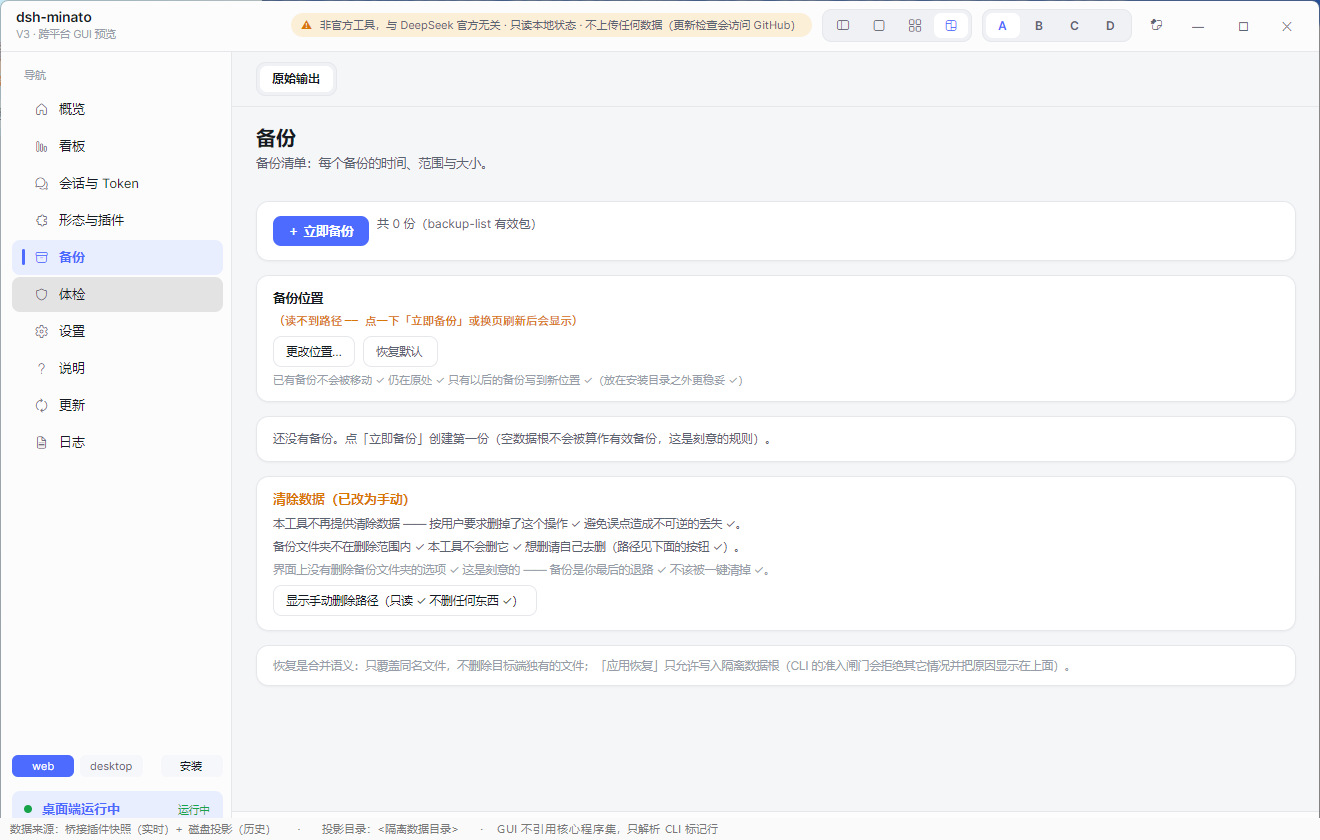 |
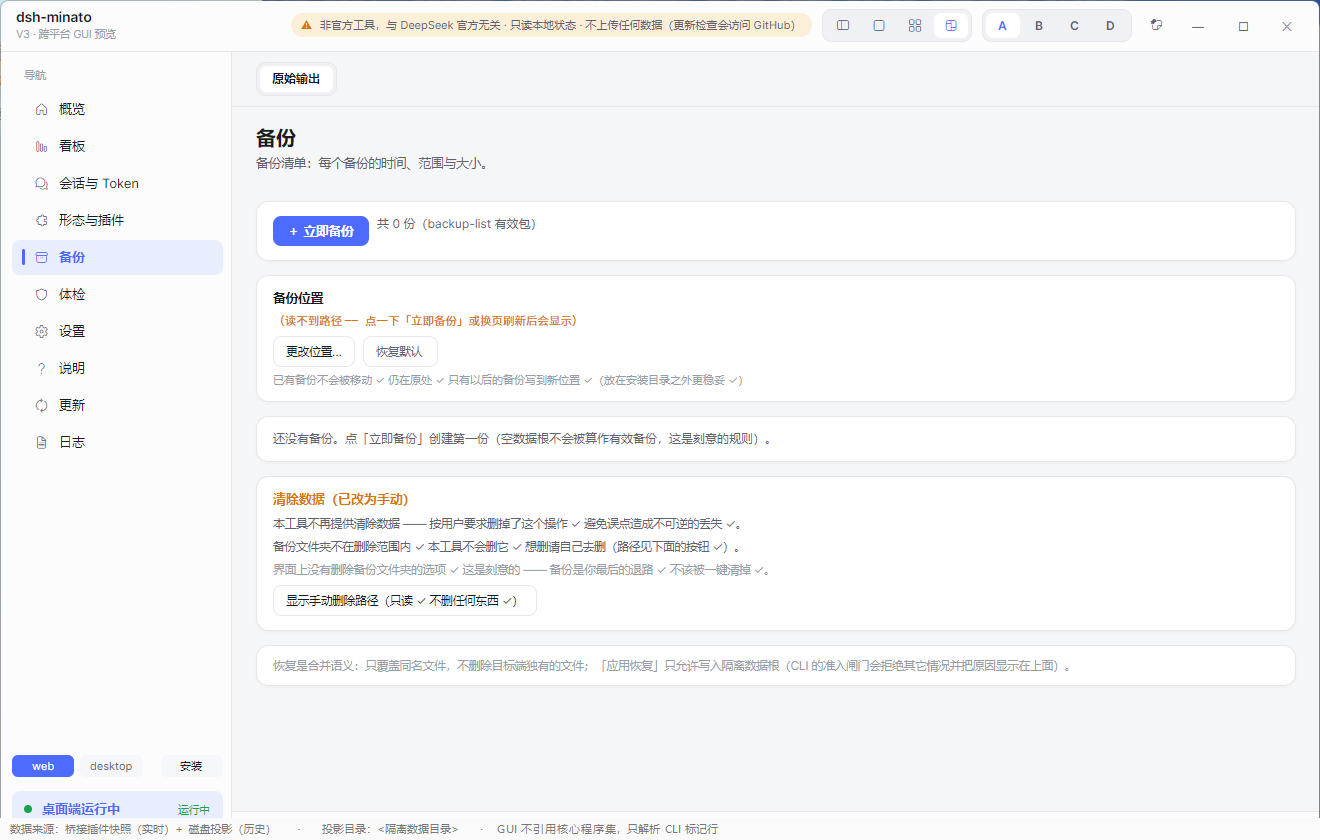
| Health check | Settings | Update centre |
|---|---|---|
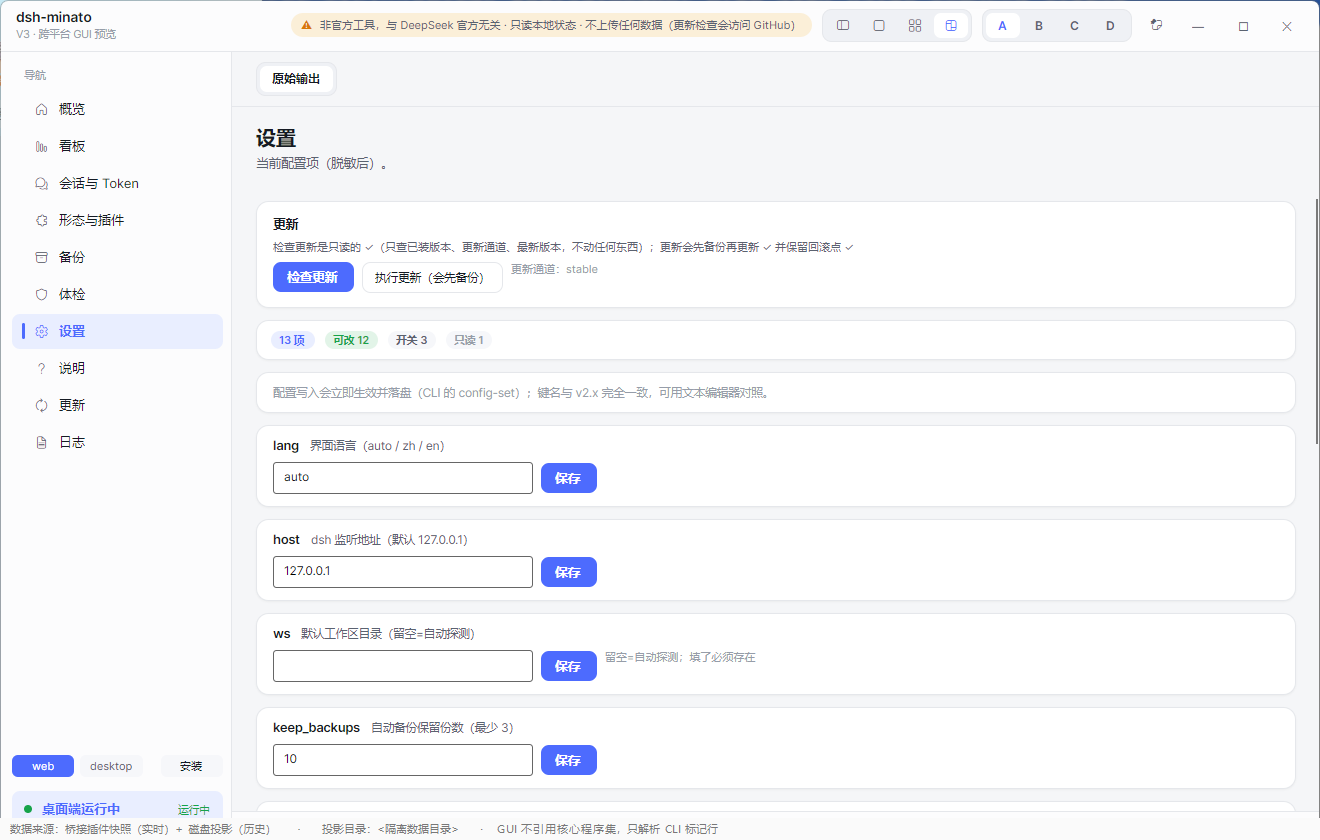 |
 |
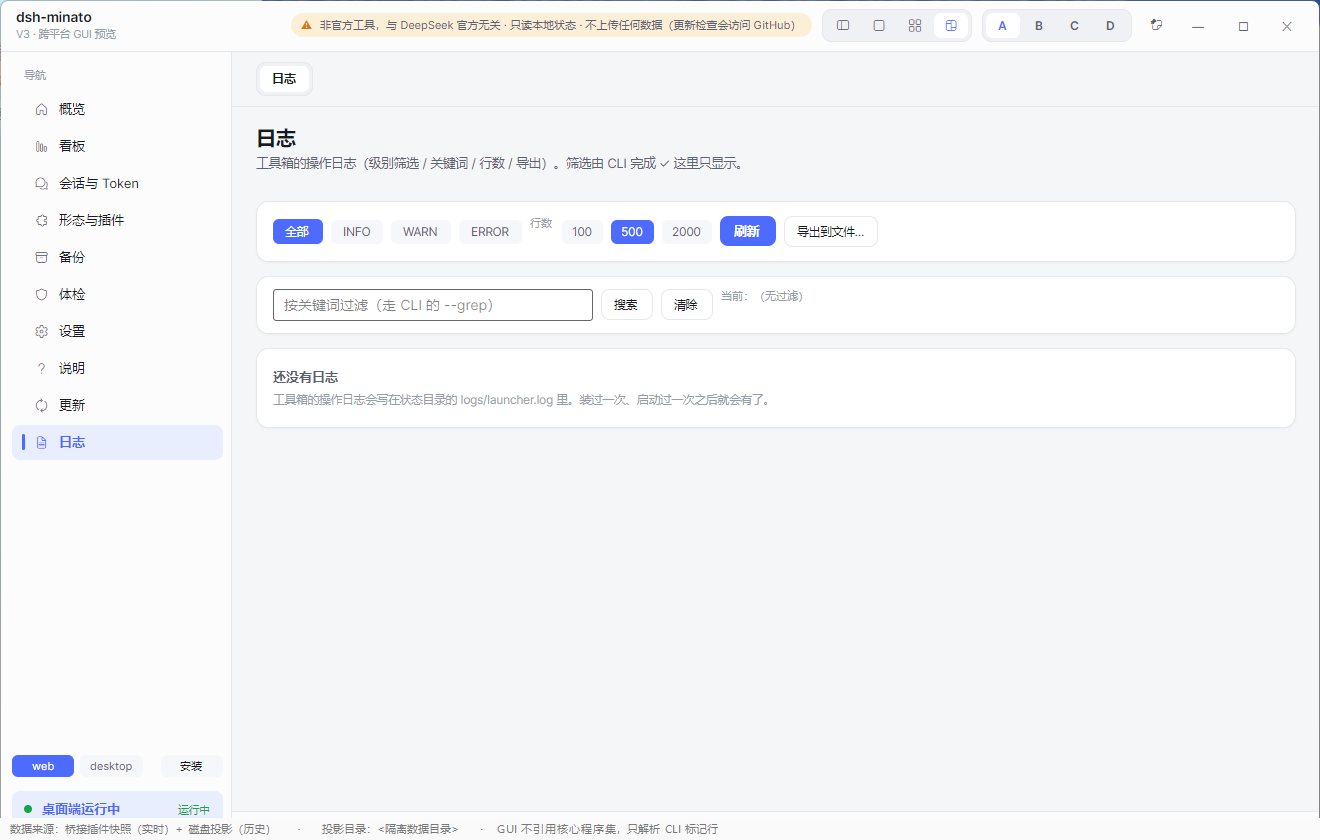 |
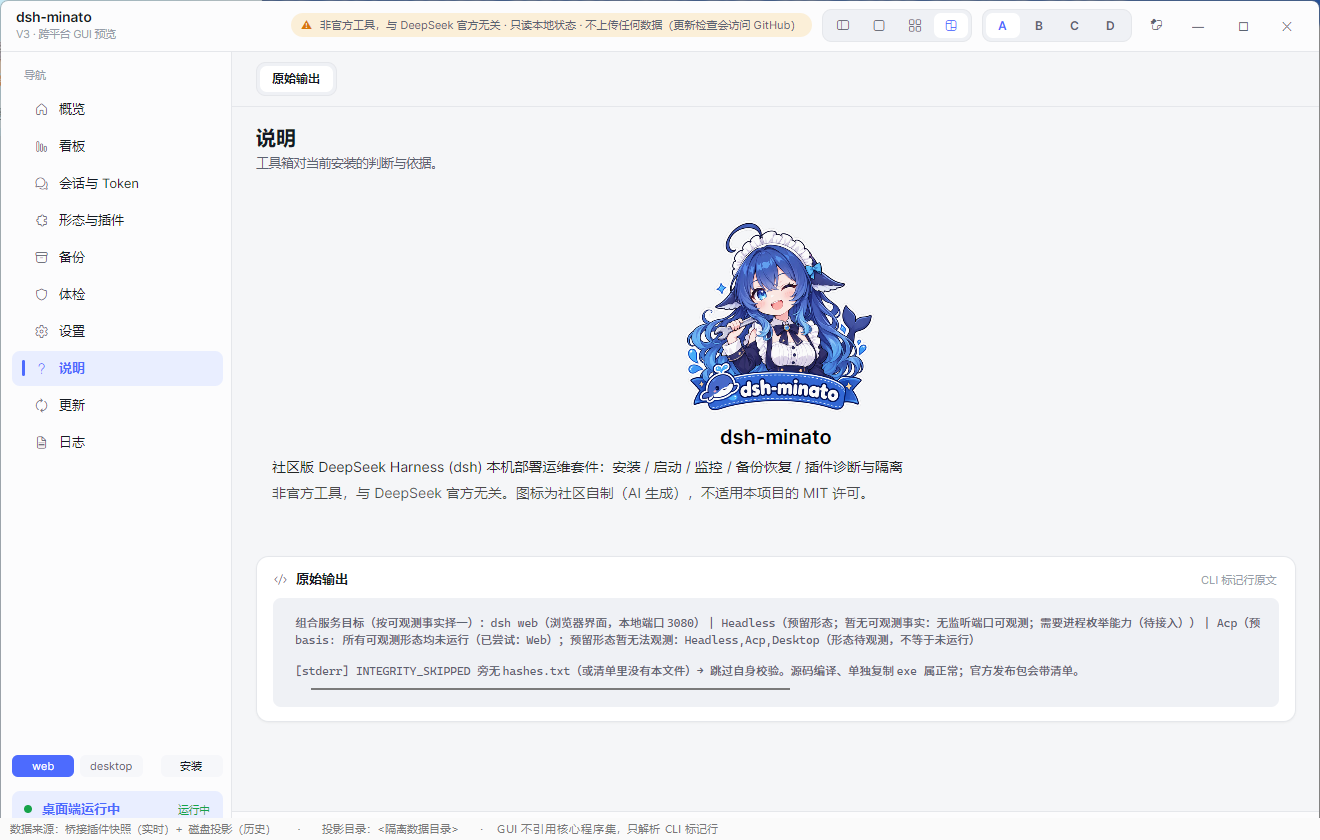
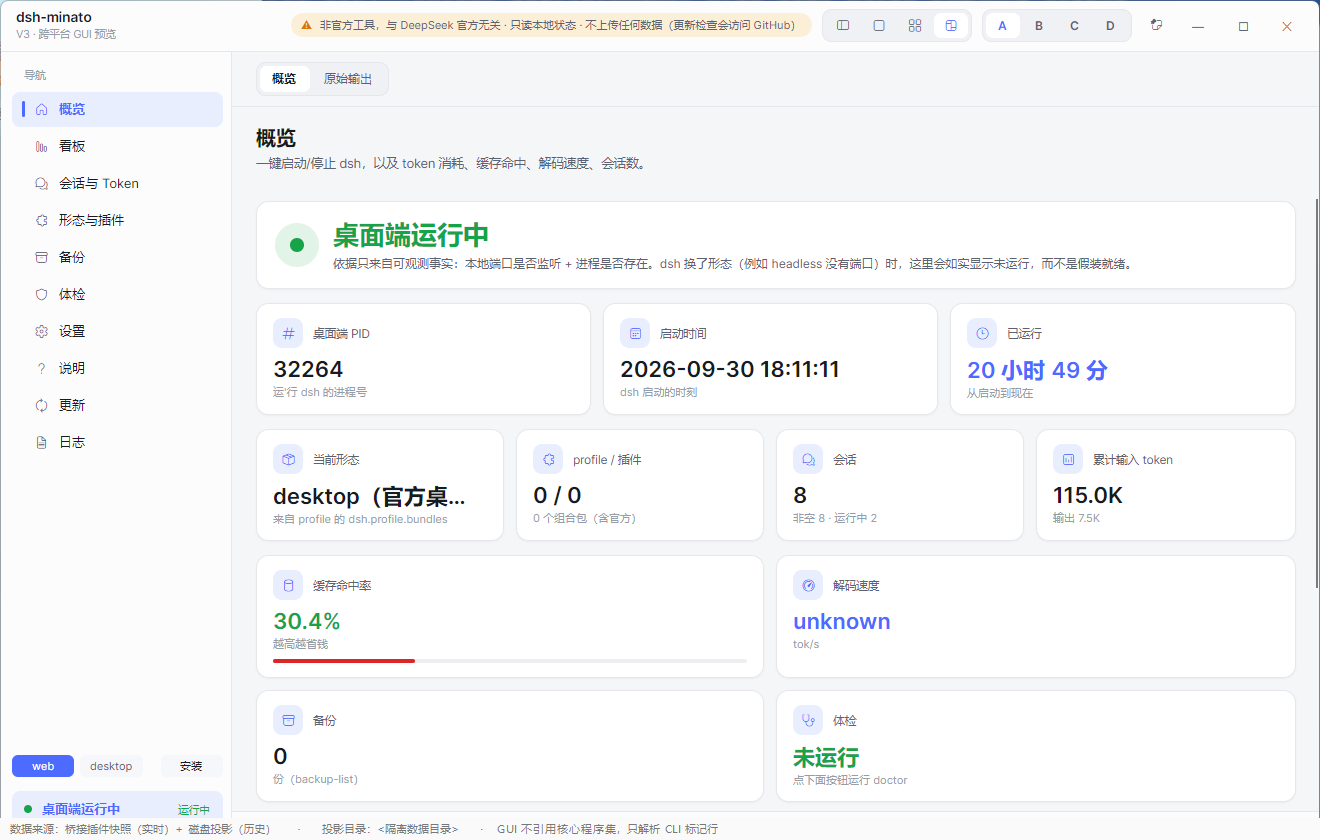
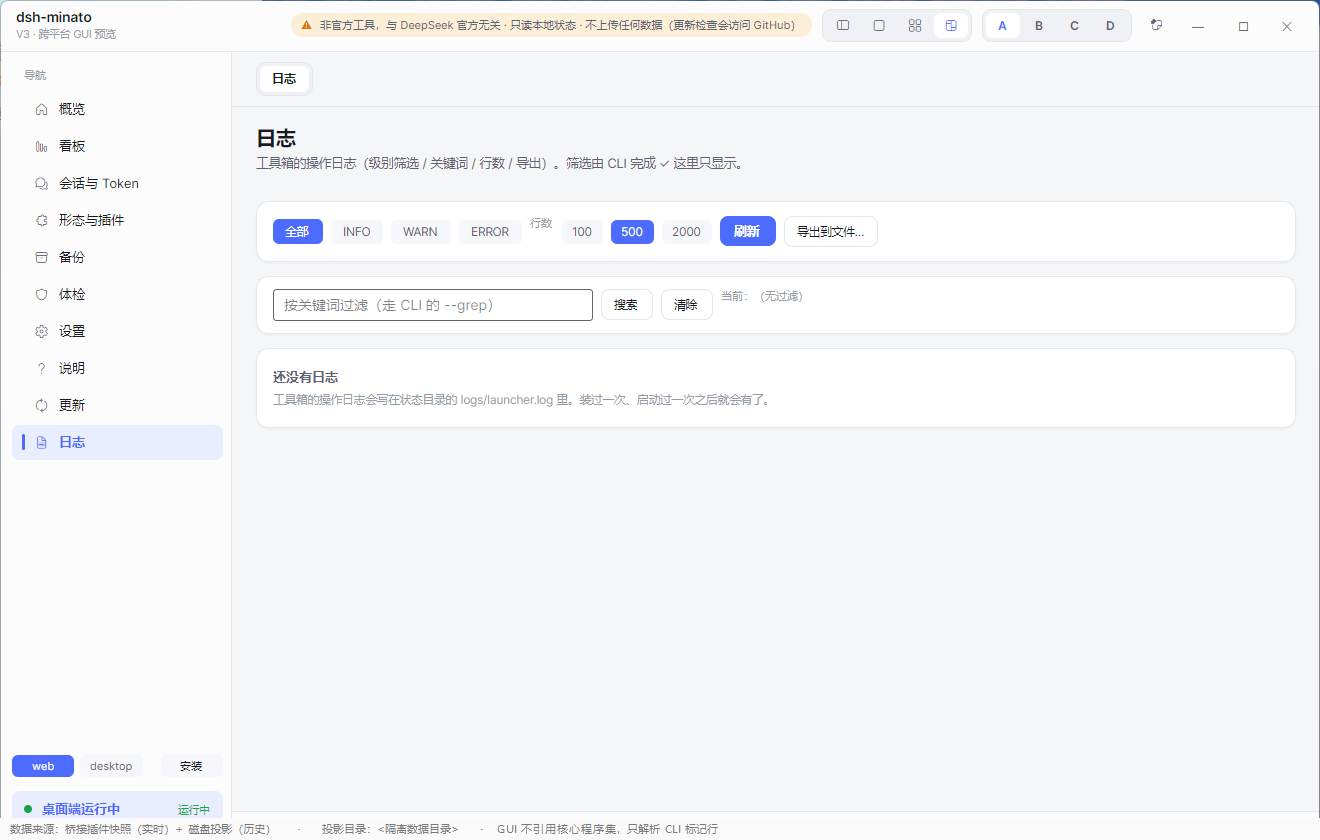
| Overview | Plugins | About | Logs |
|---|---|---|---|
 |
 |
 |
 |
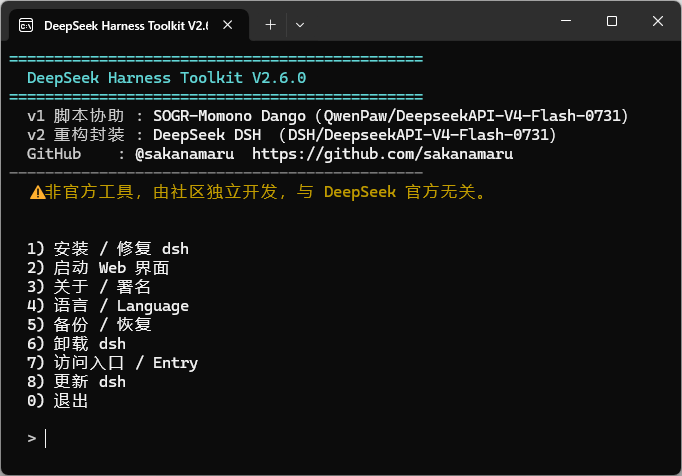
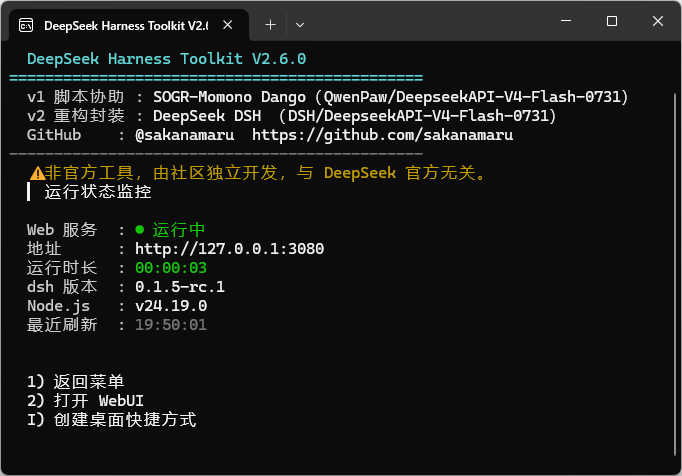
| CLI menu | CLI status |
|---|---|
 |
 |
dsh is a command-line tool. Installing it, starting it, backing it up and working out why it will not boot are all
terminal jobs — and the Web UI itself has no entry point for any of them.
This toolkit puts those jobs behind a window you can double-click:
| Install dsh | Double-click. No terminal, no Node.js knowledge required. It installs the CLI, sets up the PATH and Start-menu entry, and keeps an uninstaller beside the install. |
| Start / stop / monitor | One button for the Web UI, with a live status line and the URL to open. |
| Back up and restore | Sessions, settings and credentials — packaged with a completion marker and a content hash so a truncated or tampered package is refused rather than restored. |
| Backup manager | See exactly what each package contains before you touch it. |
| Migrate to another PC | Export a package, import it on the new machine. |
| Update centre | One place for the web UI, the official desktop app, this tool, and installed plugins. |
| Health check | "What exactly is broken?" — it names the failing piece and prints the one line that fixes it. |
| Uninstall | Never deletes your data by default, and refuses to delete a directory that does not look like an install. |
Download dsh-minato-<version>-win-x64-setup.exe from Releases and run it.
.sha256 (and the GPG-signed hashes.txt) before running it.dsh-minato-win-x64.zip, unzip, and run gui\dsht-gui.exe.Download dsh-minato-linux-x64.tar.gz, then:
tar -xzf dsh-minato-linux-x64.tar.gz
cd dsh-minato-linux-x64
./install.sh            # installs for the current user; --prefix <dir> to choose the location
Uninstall with ./install.sh --uninstall (add --force only if you have moved the installation yourself).
dsh is missing, the health check says so and offers the fix.Ten pages, all reachable from the left rail:
| Page | What it is for |
|---|---|
| Overview | One screen: what is installed, what is running, what is out of date. |
| Dashboard | Key figures — sessions, cache-hit rate, tokens — and one-click start/stop. |
| Sessions & tokens | Per-session breakdown, parent/child grouping, sortable. |
| Plugins | Which plugins a profile has, which are disabled, and which would break a boot. |
| Backup | Create, inspect, verify, restore, export and delete packages. |
| Health check | The "what is broken" report, with the exact prescription. Run it when you want it — it does not run by itself. |
| Settings | Language, port, behaviour — without editing YAML. |
| About | Version, credits, and what this tool deliberately does not do. |
| Update centre | Update dsh, the desktop app, this tool or a plugin. |
| Logs | Filter, search and export the launcher log. |
The GUI drives the same CLI, which is also usable on its own:
dsh-minato status [--detail]      what is installed / running / listening
dsh-minato start | stop           start or stop the dsh Web UI
dsh-minato install | update       install or update dsh (and this tool)
dsh-minato uninstall              remove the tool (never touches your data)
dsh-minato sessions               per-session token and cache figures
dsh-minato backup [--to <dir>]    create a backup package
dsh-minato backup-list [--verify] list packages, and verify their contents
dsh-minato backup-dir [--set <d>] where backups are written
dsh-minato restore --path <pkg> [--apply] [--yes]
dsh-minato backup-export | backup-delete
dsh-minato doctor                 full health check, with prescriptions
dsh-minato profiles | profilecheck | profilepatch | bridge-install
dsh-minato bootdiag               why did dsh fail to start?
dsh-minato verify-install         check the files you downloaded
dsh-minato balance                DeepSeek account balance (needs a key in settings)
dsh-minato log | config-get | config-set | autostart | shortcut
dsh-minato version | about | selftest
Every command prints machine-readable markers (STATUS_OK, BACKUP_OK, RESTORE_FAIL, …) so scripts and the GUI can
parse results instead of guessing from prose.
This section states only what the code does. If a claim here is not backed by the code, it is a bug; please report it.
check, update-info, update-center, doctor, install, update, verify-install --url, and balance (only
when you have set balance_key in settings; without it the command is fully offline). Everything else — status,
sessions, backup, restore, logs — never opens a connection.balance command. Leave it empty and nothing is stored..sha256 and the GPG signature instead of relying on a certificate.npm i -g pnpm); dsh will not install it for you.desktop profile is managed by the official desktop app — plugins for it are added from that app's own
dialog, not from the command line.dsh keeps one fact only it knows: which sessions are alive inside its process. That is not written to disk, so
without the plugin that column reads unknown.
| Without the plugin | With the plugin | |
|---|---|---|
| Session list, tokens, cache-hit rate, speed | yes (read from the on-disk projection) | yes |
| "running" / "parked" marker | unknown |
live, in-process |
It is read-only: no model requests, no writes to dsh state, no conversation content, no network, and it never blocks dsh. Install it with:
dsh-minato bridge-install --profile web --yes
# or paste the repository URL into the desktop app's add-plugin dialog
Everything else in this toolkit works without it.
docs/ASSETS.md.CLASSIFICATION EVIDENCE
系统优先读取 GitHub Topics,再与站内分类词典和词根规则比对。当前命中: backup、cli、data-integrity、diagnostics。
sandbaseai
Local-first, self-hosted AI agent runtime and MCP bridge with sandboxed sessions, memory, credentials, audit/replay, and a local Console.

Han-1413141
Cost tracking for DeepSeek Harness: session and model costs, token usage, budgets, provider balances, and coding-plan quotas. Bilingual English/Chinese UI.

wssfk12138
DeepSeek Harness Token 余额监控插件:鲸鱼娘待机/扣费/复苏动画、峰谷计费、连续扣费飘字与会话费用统计。